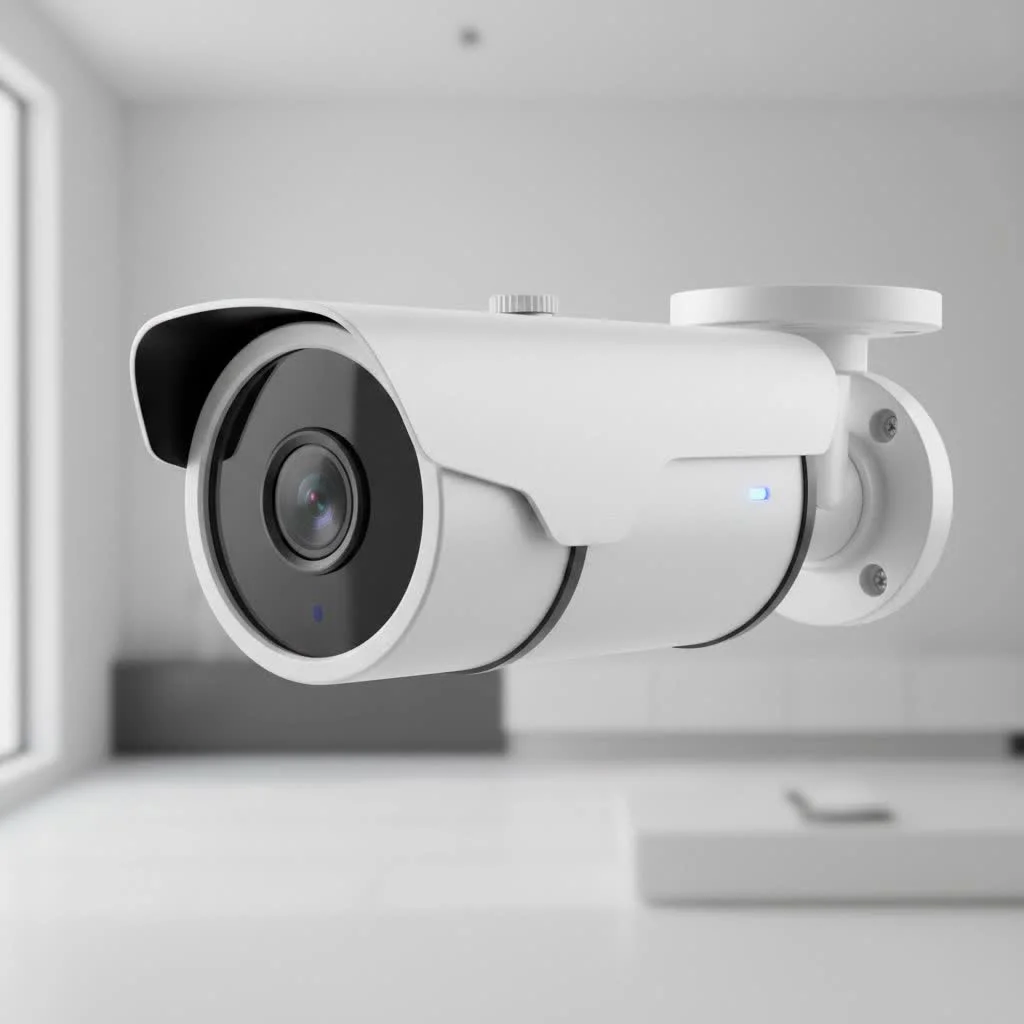
A motion-activated security camera is an essential tool for protecting homes and businesses, recording only when movement is detected. These intelligent cameras save storage space, conserve energy, and provide instant alerts about activity. They operate by staying in a low-power standby mode until a sensor triggers recording, typically sending an alert to a smartphone. This efficiency makes them a cornerstone of modern surveillance, offering peace of mind without constant monitoring.
 security camera overlooking a property” style=”margin: 20px auto;width: 800px;max-width: 100%;height: auto” />
How Does a Motion-Activated Security Camera Work?
At its core, a motion-activated camera stays in a low-power standby mode until it detects movement. Once triggered, it instantly starts recording and, in most cases, sends an alert directly to your smartphone. This clever functionality is powered by a few different technologies, usually working together.
The Two Main Types of Motion Detection
There are two primary methods these cameras use to detect movement: Passive Infrared (PIR) and pixel-based analysis, also known as computer vision.
-
Passive Infrared (PIR) Sensors: This is the most common technology you’ll find. PIR sensors don’t emit anything; instead, they detect changes in infrared radiation—or heat—within their field of view. When a person, animal, or even a warm car engine moves across the sensor’s detection zones, the change in heat signature triggers the camera. This method is highly effective at filtering out “noise” like blowing leaves or swaying branches, as these objects don’t produce a significant heat signature.
-
Pixel-Based Analysis (Computer Vision): More advanced cameras use software to analyze the video feed in real-time. The camera’s processor constantly compares frames, looking for significant changes in pixels. When a group of pixels changes suddenly—like when a person walks into the frame—it triggers a recording. Modern systems enhance this with Artificial Intelligence (AI) that can differentiate between people, vehicles, and animals, drastically reducing false alarms.
“The real breakthrough came with AI-powered detection,” notes Johnathan Reed, a senior security analyst at Ydmrw. “It’s no longer just about detecting motion; it’s about understanding what kind of motion it is. This intelligence means users get alerts that are genuinely important, not just a notification every time the wind blows.”
Some high-end systems may even incorporate radar or microwave sensors, which emit signals and measure their reflections to detect motion with incredible precision, even through thin walls or around corners.
The Key Benefits of Using a Motion-Activated Camera
Why should you choose a motion-activated camera over one that records continuously? The advantages are clear and address many of the traditional pain points of video surveillance.
-
Efficient Storage and Energy Use: By only recording during motion events, these cameras use significantly less storage space on SD cards or cloud servers. Battery-powered models also benefit from much longer life between charges, as they spend most of their time in a power-saving standby mode.
-
Instant, Relevant Alerts: The most powerful feature is the ability to receive real-time notifications. Whether it’s a package being delivered, an unexpected visitor, or a potential intruder, you know the moment it happens. This allows you to react quickly, whether by speaking through two-way audio or contacting the authorities.
-
Easy Playback and Review: Finding a specific event is incredibly simple. Instead of scrubbing through hours of footage, you can jump directly to the short, timestamped clips that were triggered by motion. This saves a massive amount of time when you need to find something important.
-
Effective Deterrent: The visible presence of security cameras is a proven deterrent to would-be burglars. Many models also feature built-in spotlights or sirens that activate with motion, actively scaring off intruders before they can act.
Choosing the Right Motion-Activated Security Camera
With so many options on the market, selecting the right camera can feel overwhelming. Here’s a breakdown of the essential features to consider based on your specific needs.
1. Smart Detection and Alerts
|
Our Picks for the Best Security Camera in 2026
As an Amazon Associate I earn from qualifying purchases.
|
||
| Num | Product | Action |
|---|---|---|
| 1 | Tapo TP-Link 2K Pan/Tilt Indoor Security Camera for Baby Monitor, Pet Camera, Motion Detection & Tracking, 2-Way Audio, Cloud & SD Card Storage, Works w/Alexa & Google Home, Black, C211(2-Pack) |

|
| 2 | Kasa Smart Indoor Pan-Tilt Home Security Camera, 1080p HD Dog Camera w/Night Vision, Motion Detection for Baby & Pet Monitor, Cloud & SD Card Storage, Works w/ Alexa & Google Home, 2.4G WiFi (EC71) |
|
| 3 | WYZE Bulb Cam Security Camera, 2K HD Outdoor Light Bulb Camera, Color Night Vision, Dimmable LED Bulb, Motion Detection, Siren Alarm, Works w/Alexa/Google Assistant. Free Expert Support |
|
| 4 | TP-Link Tapo 1080P Indoor Security Camera for Baby Monitor, Dog Camera w/Motion Detection, 2-Way Audio Siren, Night Vision, Cloud & SD Card Storage, Works w/Alexa & Google Home (Tapo C100) |
|
| 5 | Tapo 2K Pan/Tilt Security Camera for Baby Monitor, Dog Camera w/Motion Detection, 2-Way Audio Siren, Night Vision, Cloud&SD Card Storage, Works w/Alexa & Google Assistant, 2-Pack (Tapo C210P2) |
|
| 6 | REOLINK 4K PoE Security Camera System Wired, 8pcs 8MP PoE Cameras, Smart Person/Vehicle Detection, 16CH NVR with 4TB HDD, H.265, 24/7 Recording, High Bitrate & Clear Stream, RLK16-800D8 |
|
| 7 | Security Cameras Wireless Outdoor-Solar&Battery Powered 2K 2.4G Cameras for Home Security, Instant Alert, AI Human Detection, Color Night Vision, 2-Way Talk, SD Storage, Work with Alexa, Z1 4P |
|
| 8 | WYZE Cam v4 (Latest Model), 2.5K AI Security Camera, Indoor/Outdoor Cameras for Home Security, Baby Monitor & Pet Camera, Vibrant Color Night Vision, No Subscription Required, Free Expert Help |
|
| 9 | WYZE Cam Pan v3 Indoor/Outdoor IP65-Rated 1080p Pan/Tilt/Zoom Wi-Fi Smart Home Security Camera with Color Night Vision, 2-Way Audio, Compatible with Alexa & Google Assistant, White, 2-Pack |
|
| 10 | Security Cameras Wireless Outdoor,2K Indoor WiFi Wireless Cameras,Outside Battery Powered Camera for Home Security,AI Motion Detection,Color Night Vision,Spotlight,Siren Alarm,SD/Cloud Storage,2 Pack |
|
Look for cameras with AI-powered detection. The ability to distinguish between people, animals, and vehicles is a must-have feature to avoid a constant stream of false alarms. Custom activity zones, which let you define specific areas to monitor (like a gate) while ignoring others (like a busy street), add another layer of precision.
2. Video Quality and Night Vision
For a camera to be effective, you need to be able to clearly identify what it’s recording.
- Resolution: A minimum of 2K (1440p) resolution is recommended for sharp, detailed video. 4K offers even greater clarity, which can be crucial for identifying faces or license plates at a distance.
- Night Vision: Don’t overlook low-light performance. Traditional infrared (IR) night vision provides clear black-and-white video. For superior detail, look for color night vision, which uses advanced sensors and sometimes a built-in spotlight to capture full-color video after dark.
3. Power and Connectivity
How you’ll power and connect your camera is a critical decision that impacts installation flexibility and reliability.
- Battery/Solar Powered: These offer the easiest installation with no wires. They are perfect for locations where running a cable is difficult. A solar panel attachment can provide continuous power, eliminating the need for manual recharging.
- Wired (PoE): Power over Ethernet (PoE) cameras use a single Ethernet cable for both power and a stable data connection. This is the most reliable option, ideal for critical security points where you need 24/7 recording capabilities.
- Wi-Fi: Most consumer cameras connect via Wi-Fi. Ensure you have a strong, reliable signal in the location you plan to install the camera. Dual-band Wi-Fi support can help ensure a more stable connection.
4. Field of View and Coverage
The field of view (FOV) determines how wide an area the camera can see. A wide-angle lens (120° or more) is excellent for covering a large area like a backyard. For monitoring a specific spot, a camera with optical zoom or a pan-and-tilt feature will provide more flexibility.
5. Storage Options
Decide where you want your recorded footage to be saved.
- Local Storage: A microSD card or a Network Video Recorder (NVR) keeps your data entirely in your possession without monthly fees.
- Cloud Storage: This offers the convenience of remote access and secure off-site backup, but it typically requires a subscription plan.
Getting the Most Out of Your Camera: Installation Tips
Proper placement is key to maximizing the effectiveness of your motion-activated security camera.
- Position at Entry Points: Cover all primary entry points, including the front door, back door, and garage.
- Mount it High: Install cameras 7 to 10 feet off the ground. This height keeps them out of easy reach for tampering and provides a better vantage point.
- Avoid Direct Sunlight: Pointing a camera directly at the sun can cause glare and may trigger false motion alerts.
- Consider the Angle: Angle the camera down slightly to capture faces more effectively and avoid recording your neighbor’s property, respecting their privacy.
The Smart Choice for Modern Security
A motion-activated security camera is more than just a recording device; it’s an intelligent and efficient system for protecting what matters most. By recording only when necessary, it provides actionable alerts, saves valuable storage, and offers unparalleled peace of mind. Whether you’re safeguarding your home, keeping an eye on your pets, or securing your business, this technology provides a proactive and powerful solution. By choosing the right features for your needs and installing it correctly, you can create a security shield that is both effective and easy to manage.
Frequently Asked Questions
Are motion sensor cameras always recording?
No, most motion-activated cameras are not always recording; they enter a standby mode and only begin recording when their sensors detect motion. However, many wired systems, especially those connected to an NVR, offer the option for 24/7 continuous recording if desired.
Do motion detection cameras need Wi-Fi to work?
Not all motion detection cameras require Wi-Fi. While many smart home security cameras use Wi-Fi for alerts and remote viewing, some, like wildlife trail cameras, store footage on an SD card, and professional PoE systems record directly to an NVR without an internet connection for basic operation.
Why is my motion camera giving false alerts?
False alerts can be caused by factors such as insects near the lens, moving tree shadows, or changes in sunlight. To reduce these, adjust the camera's motion sensitivity settings, create specific motion zones to exclude problematic areas, and enable AI-powered person or vehicle detection if available.
Can motion cameras see in the dark?
Yes, virtually all modern security cameras are equipped with night vision. The most common type is infrared (IR), which captures clear black-and-white video in complete darkness, while more advanced models offer color night vision using ambient light or a small spotlight.
What is the recommended resolution for a security camera?
A minimum of 2K (1440p) resolution is recommended for sharp, detailed video from a security camera. For even greater clarity, which can be crucial for identifying faces or license plates at a distance, 4K resolution offers superior performance.
Choosing the Right Motion-Activated Security Camera
Selecting the ideal motion-activated security camera involves evaluating smart detection, video quality, power options, field of view, and storage solutions to meet your specific security needs.
Prioritize cameras with AI-powered detection to differentiate between people, animals, and vehicles, minimizing false alarms. Look for custom activity zones to monitor specific areas while ignoring others, enhancing precision.
Ensure the camera offers at least 2K (1440p) resolution for clear video, with 4K providing even greater detail for identification. For low-light performance, choose models with traditional infrared (IR) night vision or advanced color night vision for full-color video after dark.
Decide between battery/solar-powered for easy, wire-free installation, wired (PoE) for reliable 24/7 recording and stable data, or Wi-Fi for consumer convenience. Verify strong Wi-Fi signal strength and consider dual-band support for stability.
Select a camera with a wide-angle lens (120u00b0 or more) for broad area coverage like a backyard. For specific spot monitoring, consider cameras with optical zoom or pan-and-tilt features for greater flexibility.
Decide between local storage options like a microSD card or Network Video Recorder (NVR) for data control without monthly fees. Alternatively, opt for cloud storage for remote access and secure off-site backup, which typically requires a subscription.
Get our weekly buyer guide
Practical specs, not advice. Unsubscribe anytime.

The explanation of how these cameras stay in low-power standby mode until triggered was very clear. I’ve been using a system with this feature for a few months now, and the energy conservation is noticeable. It’s a smart way to handle surveillance without draining power or filling up hard drives with uneventful footage. Highly recommend for anyone looking to upgrade their home security.
I recently installed a motion-activated security camera at my small business, and it’s been a game-changer. The instant alerts to my smartphone are incredibly useful, especially when I’m not on site. It’s great to know that I’m only recording when there’s actual activity, saving a ton of storage space compared to my old continuous recording system. Definitely gives me peace of mind.
This guide really helped me understand how these cameras work. I picked up a model that uses PIR sensors for my backyard, and it’s been pretty reliable. The low-power standby mode is a huge plus for battery life, which was a big concern for me. I appreciate not having to constantly monitor footage, just getting alerts when something actually happens.
I got one of these for my front porch, and while the motion detection is mostly good, sometimes I get false alerts from shadows or a strong gust of wind. It’s a bit annoying to check my phone only to see a tree branch moving. I wish the sensitivity was a little more precise, but it does record when it needs to, and the video quality is decent.