Welcome to Ydmrw.com, your trusted hub for all things security camera! If you’re exploring robust and affordable ways to safeguard your property, you’ve likely come across Anran security cameras. These systems have carved a niche by offering wire-free, often solar-powered solutions that promise peace of mind without breaking the bank. But what truly sets them apart, how do you get them up and running, and what should you expect from their performance? As a security camera expert with over 15 years of hands-on experience, I’m here to demystify Anran cameras, helping you confidently choose, install, and optimize your surveillance for maximum safety.
What Makes Anran Security Cameras Stand Out?
Anran has gained popularity by focusing on user-friendly, feature-rich cameras, particularly in the wireless and solar-powered categories. Their appeal lies in accessibility and a strong feature set often seen in higher-priced brands. For see our home recommendations on this site.
Key Features at a Glance
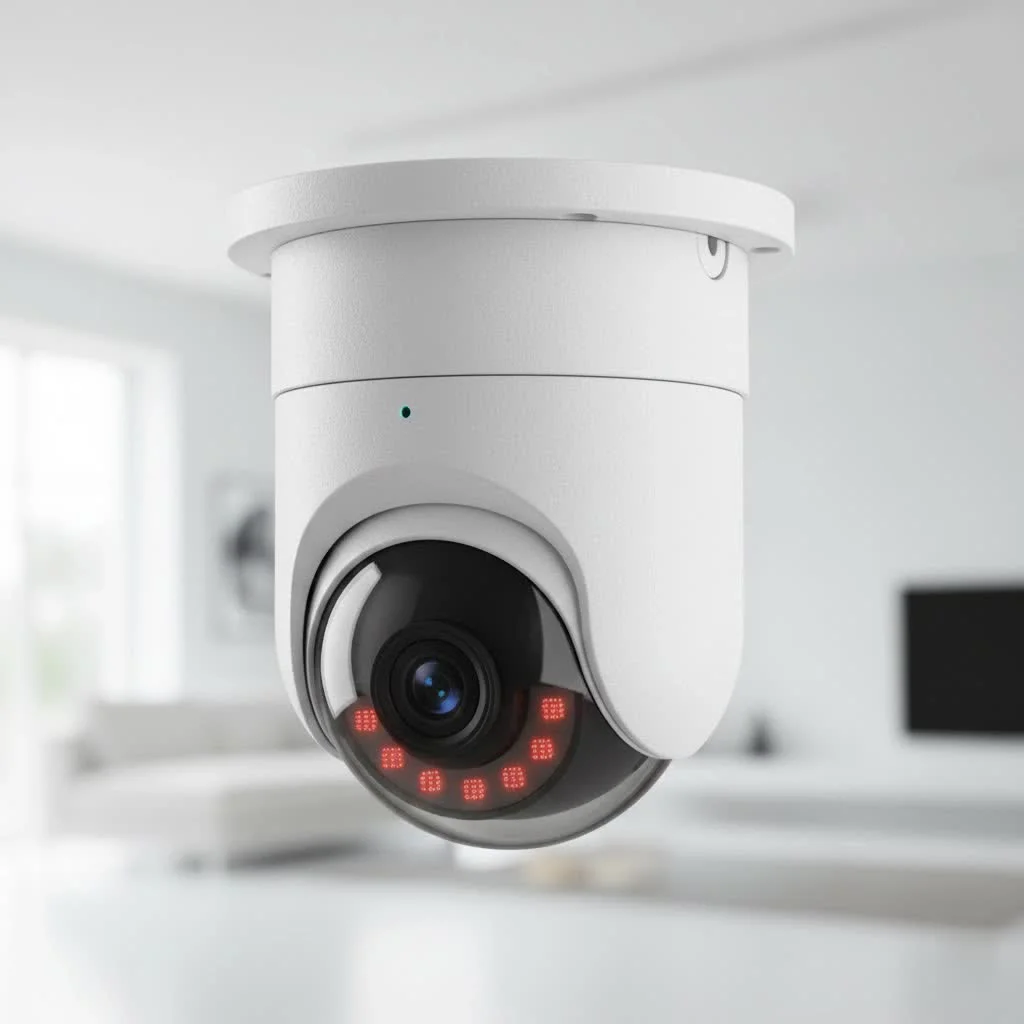
Anran cameras often boast impressive specifications, making them attractive for various surveillance needs. You’ll typically find models offering high-definition video quality, ranging from 2K to 4MP, and even 5MP or 8MP on some newer units, ensuring crisp and clear footage for crucial details like faces or license plates. Many Anran cameras feature a pan-tilt-zoom (PTZ) capability, allowing for 360-degree coverage to eliminate blind spots around your property. This flexibility lets you remotely adjust the camera’s view through an app, giving you comprehensive control.
Night vision is a standard offering, with infrared (IR) LEDs providing clear black-and-white video in total darkness. Many models enhance this with a built-in spotlight, enabling full-color night vision when triggered by motion. This spotlight not only illuminates the scene for better identification but also acts as a visual deterrent.
Motion detection is another core feature, often enhanced with AI human filtering to distinguish people from pets, trees, or passing cars, significantly reducing false alarms. When motion is detected, the camera can trigger a siren, flash its spotlight, and send instant alerts to your smartphone. Two-way audio is also common, allowing you to listen in and speak through the camera, whether to communicate with a delivery driver or warn an intruder.
The Advantage of Local Storage & Base Stations
One of Anran’s most compelling features, especially for budget-conscious users, is the emphasis on local storage and the use of a dedicated base station in many of their multi-camera kits. Instead of relying solely on expensive cloud subscriptions, Anran systems often include an NVR-like base station with pre-installed storage, such as 64GB, capable of holding several months of loop recordings.
Why does a base station improve stability? A base station creates dedicated wireless channels for your cameras, offloading traffic from your home Wi-Fi network. This separation means your cameras aren’t competing with your other smart devices, leading to more stable connections, smoother live views, and more reliable recording without buffering or dropouts. This architecture is particularly beneficial in homes with numerous connected devices, as it reduces router strain and interference.
Furthermore, local encrypted storage on a secure base station provides an added layer of privacy and peace of mind. Even if a camera is damaged or stolen, your valuable footage remains safely stored on the base station within your home, under your control, without the need for recurring monthly fees.
Types of Anran Security Cameras for Every Need
Anran offers a variety of security camera solutions, but their solar-powered, wire-free models are particularly prominent.
Wire-Free Solar Models
|
Our Picks for the Best Security Camera in 2026
As an Amazon Associate I earn from qualifying purchases.
|
||
| Num | Product | Action |
|---|---|---|
| 1 | WYZE Cam Pan v3 Indoor/Outdoor IP65-Rated 1080p Pan/Tilt/Zoom Wi-Fi Smart Home Security Camera with Color Night Vision, 2-Way Audio, Compatible with Alexa & Google Assistant, White, 2-Pack |

|
| 2 | TP-Link Tapo 1080P Indoor Security Camera for Baby Monitor, Dog Camera w/Motion Detection, 2-Way Audio Siren, Night Vision, Cloud & SD Card Storage, Works w/Alexa & Google Home (Tapo C100) |
|
| 3 | WYZE Cam v4 (Latest Model), 2.5K AI Security Camera, Indoor/Outdoor Cameras for Home Security, Baby Monitor & Pet Camera, Vibrant Color Night Vision, No Subscription Required, Free Expert Help |
|
| 4 | Tapo TP-Link 2K Pan/Tilt Indoor Security Camera for Baby Monitor, Pet Camera, Motion Detection & Tracking, 2-Way Audio, Cloud & SD Card Storage, Works w/Alexa & Google Home, Black, C211(2-Pack) |
|
| 5 | REOLINK 4K PoE Security Camera System Wired, 8pcs 8MP PoE Cameras, Smart Person/Vehicle Detection, 16CH NVR with 4TB HDD, H.265, 24/7 Recording, High Bitrate & Clear Stream, RLK16-800D8 |
|
| 6 | Security Cameras Wireless Outdoor-Solar&Battery Powered 2K 2.4G Cameras for Home Security, Instant Alert, AI Human Detection, Color Night Vision, 2-Way Talk, SD Storage, Work with Alexa, Z1 4P |
|
| 7 | Security Cameras Wireless Outdoor,2K Indoor WiFi Wireless Cameras,Outside Battery Powered Camera for Home Security,AI Motion Detection,Color Night Vision,Spotlight,Siren Alarm,SD/Cloud Storage,2 Pack |
|
| 8 | Kasa Smart Indoor Pan-Tilt Home Security Camera, 1080p HD Dog Camera w/Night Vision, Motion Detection for Baby & Pet Monitor, Cloud & SD Card Storage, Works w/ Alexa & Google Home, 2.4G WiFi (EC71) |
|
| 9 | WYZE Bulb Cam Security Camera, 2K HD Outdoor Light Bulb Camera, Color Night Vision, Dimmable LED Bulb, Motion Detection, Siren Alarm, Works w/Alexa/Google Assistant. Free Expert Support |
|
| 10 | Tapo 2K Pan/Tilt Security Camera for Baby Monitor, Dog Camera w/Motion Detection, 2-Way Audio Siren, Night Vision, Cloud&SD Card Storage, Works w/Alexa & Google Assistant, 2-Pack (Tapo C210P2) |
|
What are wire-free solar cameras? These cameras are 100% cable-free, integrating a solar panel and a rechargeable battery directly into their design. This means no power cables to run, simplifying installation significantly. They’re ideal for outdoor placements where running electrical wiring is impractical or costly. The integrated solar panel aims to keep the battery continuously charged with sufficient daily sunlight, making them largely self-sustaining.
Multi-Camera Systems with Base Stations
For comprehensive coverage, Anran offers multi-camera kits that come with a central base station. These systems are designed for scalability, allowing you to connect multiple cameras to a single hub. This central management point handles recordings, ensures reliable connectivity between cameras and the network, and often supports expansion if you decide to add more cameras later.
Installing Your Anran Security Camera: A Step-by-Step Guide
Setting up your Anran security camera is designed to be a DIY-friendly process. However, a little preparation goes a long way.
Pre-Installation Checklist
Before you start drilling, take a moment to plan:
- Sunlight Exposure: For solar-powered cameras, identify locations that receive several hours of direct sunlight daily. Shaded areas will significantly reduce charging efficiency and require more frequent manual recharges.
- Wi-Fi Signal Strength: Anran cameras typically operate on 2.4GHz Wi-Fi networks only, not 5GHz. Ensure your chosen camera location has a strong 2.4GHz signal, especially if connecting directly to your router. For base station systems, ensure the base station is connected via Ethernet to your router for stability.
- Tools: Gather necessary tools like a drill, screwdriver, mounting hardware (usually included), and a ladder if installing at height.
- App Compatibility: Note that Anran cameras might use different apps depending on the model (e.g., CloudEdge, ARCCTV, CamHi, or the generic “Anran” app). Check your specific model’s manual for the correct application.
The App-Driven Setup Process
Installing your Anran camera primarily involves a smartphone app. While app names may vary, the general steps are consistent:
- Download the App: Scan the QR code in your camera’s manual or search for the specified app (e.g., “CloudEdge,” “ARCCTV,” “Anran Security App”) in your smartphone’s app store (Google Play or Apple App Store).
- Create an Account: Open the app and sign up for a new account using your email or mobile number. This is essential for receiving notifications and managing your camera remotely.
- Power On the Camera: Ensure your Anran camera is fully charged (or connected to power if not solar) and powered on. For battery cameras, you might need to press and hold a power button for a few seconds until you hear a chime or see an indicator light.
- Add Device in App: Tap the “Add Device” or “+” icon within the app to begin the pairing process. Select “WiFi Camera” or “Add Camera via WiFi” as prompted.
- Connect to 2.4GHz Wi-Fi: Enter your home’s 2.4GHz Wi-Fi network name (SSID) and password when requested by the app.
- Scan QR Code: The app will likely display a QR code on your phone screen. Hold your camera’s lens 5-8 inches in front of your phone, allowing the camera to scan the code. You should hear a confirmation sound or chime when successful.
- Complete Pairing: Follow any remaining on-screen instructions to finalize the connection. Keep your phone and camera close to your router during this entire process, ideally within 5 meters (16 feet), to ensure a stable connection.
- Rename Camera: Once connected, you can rename your camera (e.g., “Front Door,” “Driveway”) for easy identification.
Optimal Placement for Performance
Thoughtful placement is crucial for both security and the longevity of your Anran camera.
- Maximizing Solar Efficiency: Position solar-powered cameras where their integrated panel receives direct morning or afternoon sun, not just ambient light. This ensures consistent charging and reduces the need for manual battery interventions.
- Avoiding Glare and False Triggers: Avoid pointing cameras directly into strong light sources (like streetlights) or against highly reflective surfaces (like large windows) to prevent glare and minimize false motion alerts.
- Strategic Viewing Angles: Mount cameras at a height that provides a wide, unobstructed view of the area you want to monitor, typically 8-10 feet off the ground, making them difficult to tamper with but still capturing clear images.
Mastering Your Anran Camera: Features & Software
Once installed, the real power of your Anran camera lies in its accompanying app and smart features.
Navigating the Anran App
The Anran app serves as your command center. It offers:
- Live View: Access real-time footage from all your connected cameras with responsive streaming.
- Playback & Clip Management: Review recorded events, organized by time or triggered motion. You can usually save snapshots or video clips directly to your phone for easy sharing.
- Settings & Customization: Adjust crucial camera parameters, including video resolution, night vision modes, and audio settings.
Understanding Motion Detection & Alerts
Anran cameras excel in providing timely alerts.
- Detection Zones & Sensitivity: Customize motion detection zones to focus on specific areas of interest (e.g., your driveway, not the public sidewalk) and adjust sensitivity levels to prevent nuisance alerts from minor movements like swaying branches.
- Siren & Spotlight Integration: Configure the built-in siren and spotlight to activate automatically upon detecting suspicious motion, acting as a powerful deterrent.
- Notification Reliability: With base station systems, notification latency is typically low, providing fast alerts and immediate live streaming capabilities when an event occurs.
Storage Solutions: Local vs. Cloud
Anran offers flexibility in how your footage is stored:
- Local Storage: Many Anran cameras support local storage via a microSD card (up to 128GB, though often not included) directly in the camera. Multi-camera systems typically use a base station with 64GB or more storage, offering months of loop recording. This local-first approach is a key benefit, often eliminating monthly fees.
- Cloud Storage Options: While local storage is primary, some Anran models or firmware versions offer optional cloud backup services. These usually come with a free trial period, after which a subscription is required for off-site redundancy.
“Your surveillance footage is highly sensitive personal data. Opting for systems like Anran that offer strong local encryption and storage on a dedicated home base significantly enhances your privacy and security posture, placing control firmly back in your hands,” states Dr. Evelyn Reed, a renowned cybersecurity specialist focusing on home automation.
Maintenance & Troubleshooting Common Anran Camera Issues
Even the most reliable systems can encounter hiccups. Here’s how to keep your Anran camera running smoothly.
Maximizing Battery Life
How can I make my Anran solar camera battery last longer? Real-world battery performance in Anran solar cameras depends heavily on factors like motion event frequency, spotlight usage, and ambient temperature. To maximize battery life:
- Optimal Solar Placement: Ensure your integrated solar panel receives direct sunlight for several hours daily.
- Adjust Motion Sensitivity: Reduce sensitivity in high-traffic areas to decrease the number of recordings and spotlight triggers.
- Consider Seasonal Changes: In areas with long winters or frequent overcast days, be prepared for reduced solar charging and potential manual recharges. Extreme temperatures can also impact battery chemistry.
Addressing Connectivity Challenges
Connectivity issues are among the most common complaints for any wireless camera.
- 2.4GHz Wi-Fi Only: Anran cameras typically only support 2.4GHz Wi-Fi. If you have a dual-band router, ensure your camera is connecting to the 2.4GHz band.
- Router Proximity: During setup and initial operation, keep the camera as close to your router (or base station) as possible to establish a strong connection.
- Signal Boosters: For cameras far from your router, a Wi-Fi extender can help improve signal strength.
- App Issues: Some users report that the camera app can be prone to lagging, freezing, or crashing, leading to connectivity difficulties. Ensure your app is updated to the latest version.
Dealing with Image Quality Concerns
While Anran advertises high resolutions (4MP, 8MP), some users have reported that the actual image quality, particularly at night or when zoomed, might not always meet expectations, especially in low-light conditions without the spotlight activated.
- Lens Maintenance: Regularly clean the camera lens to remove dust, dirt, or water spots that can obscure vision.
- Spotlight Use: Utilize the built-in spotlight for better color night vision and clearer identification after dark.
When to Contact Support
Anran typically offers a 2-year warranty and claims weekday technical support within 24 hours. However, user reviews suggest customer service can be inconsistent, with some reporting difficulties getting responses or satisfactory resolutions for warranty claims.
- Gather Information: Have your purchase receipts, serial numbers, and a clear description of the issue ready.
- Email Support: Contact
[email protected]for technical issues or warranty questions. - Manage Expectations: Be prepared for potential delays or multiple exchanges, especially for complex problems or if dealing with international support.
Is an Anran Security Camera Right for You?
Deciding on an Anran security camera system involves weighing its advantages against its limitations.
The Pros
Anran cameras offer several compelling benefits:
- Affordability: They provide a cost-effective entry point into home security.
- Wire-Free & Solar-Powered: Easy DIY installation without complex wiring, leveraging renewable energy.
- Local Storage: Often no monthly fees, with encrypted footage stored securely on a home base or microSD card.
- Smart Features: High-resolution video, PTZ capabilities, advanced motion detection with AI, color night vision, and two-way audio enhance surveillance.
The Cons
However, there are downsides to consider based on user feedback:
- Mixed Reliability: Reviews indicate inconsistent performance, with some users experiencing issues with Wi-Fi connectivity, battery longevity, and camera failures within 12-18 months.
- Customer Service: Customer support experiences are varied, with a notable number of users reporting unresponsiveness or difficulty with warranty claims.
- Solar Dependency: Continuous operation relies on adequate direct sunlight; performance can degrade in shaded or consistently cloudy environments.
- App Performance: Some users find the associated apps to be lagging, poorly designed, or prone to crashing.
Who Benefits Most
Anran security cameras are an excellent fit for:
- Homeowners and Small Businesses: Looking for a cost-effective, easy-to-install outdoor surveillance solution.
- DIY Enthusiasts: Who prefer a hands-on approach to setting up their security system.
- Budget-Conscious Users: Who want to avoid recurring monthly cloud subscription fees.
- Properties with Good Solar Exposure: To maximize the “forever power” promise of solar models.
Frequently Asked Questions
Q: Do Anran security cameras require a subscription?
A: Anran emphasizes local encrypted storage on a home base or microSD card, often allowing for no monthly fees for basic functionality. Some models may offer optional cloud backup subscriptions.
Q: What Wi-Fi frequency do Anran cameras use?
A: Anran security cameras typically connect to 2.4GHz Wi-Fi networks only and are not compatible with 5GHz Wi-Fi.
Q: How long does the battery last on Anran solar cameras?
A: Anran solar cameras aim for continuous power with sufficient daily sunlight. However, actual battery life varies greatly depending on motion event frequency, spotlight usage, and temperature.
Q: Can I view Anran camera footage remotely?
A: Yes, you can view live and recorded footage remotely through the Anran smartphone app, provided your base station or camera has a stable internet connection.
Q: What happens if an Anran camera is stolen?
A: If your Anran system uses a base station, all recorded footage is stored locally on the base, meaning your video evidence remains secure even if the camera itself is stolen.
Q: Do Anran cameras have two-way audio?
A: Yes, most Anran security cameras include a built-in microphone and speaker, enabling two-way audio communication through the companion app.
Conclusion
Anran security cameras offer an appealing proposition for anyone seeking an accessible, wire-free, and often solar-powered surveillance solution. With features like high-definition video, smart motion detection, and the significant advantage of local storage with no monthly fees, they present a strong case for enhancing home and business security. While it’s wise to consider the varied user experiences regarding reliability and support, understanding their capabilities and how to optimize their performance empowers you to make an informed decision. By carefully planning installation, leveraging app features, and performing routine maintenance, your Anran security camera system can become a valuable asset in protecting what matters most. Invest in an Anran security camera today, and take a proactive step towards a more secure future, putting control and peace of mind right in your hands.
Get our weekly buyer guide
Practical specs, not advice. Unsubscribe anytime.
