Keeping an eye on what’s happening outside your home has never been more crucial, and an outdoor wireless security camera system is your vigilant guardian. These innovative systems offer peace of mind, allowing you to monitor your property from anywhere, anytime. Gone are the days of complex wiring and unsightly cables; today’s wireless solutions bring flexibility, advanced features, and straightforward setup to your fingertips. Whether you’re looking to deter potential intruders, keep an eye on deliveries, or simply check in on your furry friends in the yard, understanding the ins and outs of these systems is key to making the right choice for your security needs.
Why an Outdoor Wireless Security Camera System is a Game-Changer
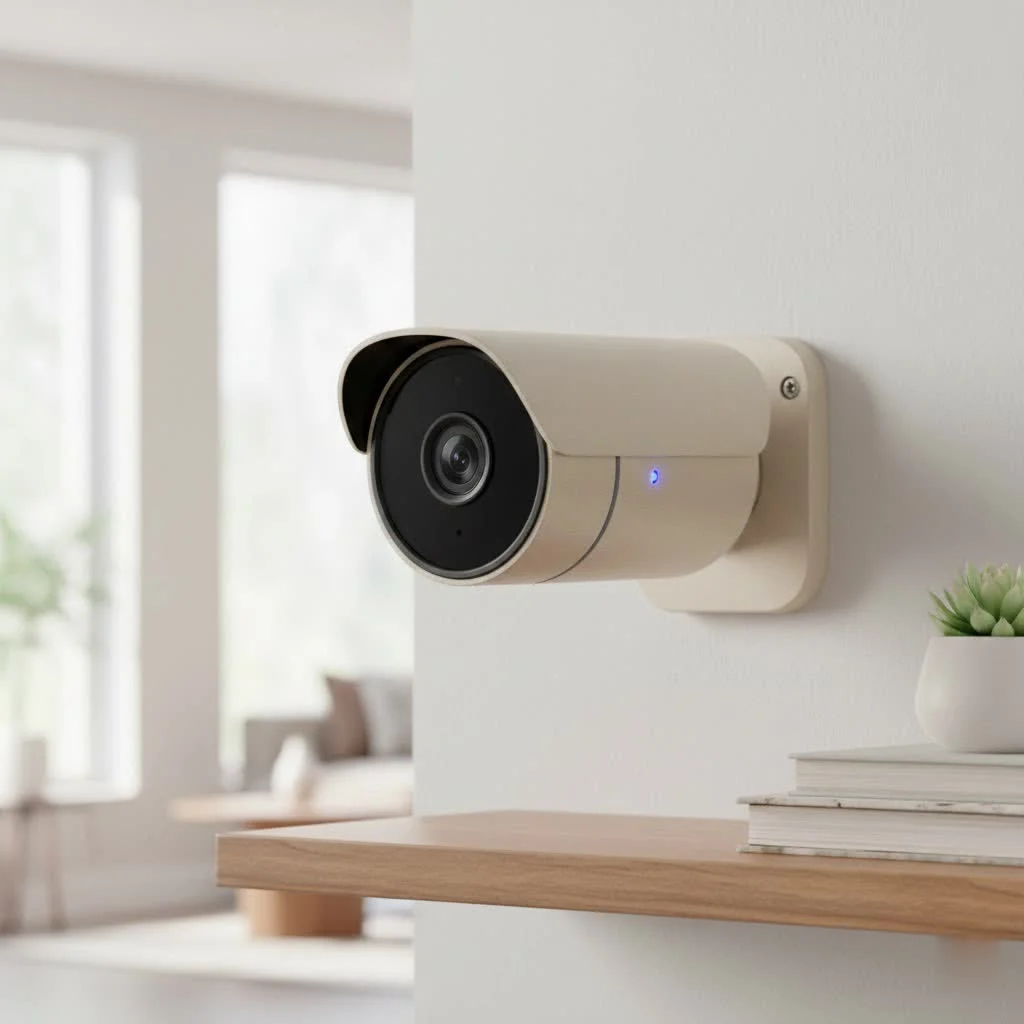
In an increasingly connected world, protecting your home and family goes beyond locking doors. An outdoor wireless security camera system acts as your first line of defense, providing visual surveillance and immediate alerts. The primary benefit of “wireless” is the freedom it offers. You can place cameras in optimal locations without being limited by power outlets or the hassle of running lengthy cables through walls and ceilings. This flexibility not only simplifies installation but also allows for easy repositioning should your security needs evolve.
Beyond convenience, outdoor cameras serve as a powerful deterrent. Visible cameras often make potential intruders think twice. And if an incident does occur, high-quality footage can be invaluable for identifying individuals and aiding law enforcement. It’s about creating a comprehensive shield around your property, offering both proactive deterrence and crucial evidence when it matters most.
Types of Outdoor Wireless Security Camera Systems: What’s Right for You?
The world of outdoor wireless cameras is diverse, with various types designed to meet different needs and environmental conditions. Choosing the right one starts with understanding your specific requirements.
Battery-Powered Wireless Cameras
These are the champions of flexibility. Battery-powered cameras operate completely wire-free, making them incredibly easy to install almost anywhere. They typically use rechargeable lithium-ion batteries that can last anywhere from two to six months, depending on usage and settings. Many models even offer removable battery packs for quick swaps or can be paired with optional solar panels to trickle-charge the battery, extending their life indefinitely in sunny locations. The main trade-off is that they usually record only when motion is detected to conserve battery, meaning continuous 24/7 recording might not be an option without frequent recharging.
Solar-Powered Wireless Cameras
Taking the battery-powered concept a step further, solar-powered cameras integrate small solar panels to continuously charge their internal batteries. This is an excellent eco-friendly and low-maintenance option for locations with ample sunlight, eliminating the need for manual recharging. They are perfect for remote areas of your property where running electrical wires isn’t feasible, offering sustainable and continuous operation.
Wi-Fi Cameras (Plug-in Power)
|
Our Picks for the Best Security Camera in 2026
As an Amazon Associate I earn from qualifying purchases.
|
||
| Num | Product | Action |
|---|---|---|
| 1 | TP-Link Tapo 1080P Indoor Security Camera for Baby Monitor, Dog Camera w/Motion Detection, 2-Way Audio Siren, Night Vision, Cloud & SD Card Storage, Works w/Alexa & Google Home (Tapo C100) |

|
| 2 | Security Cameras Wireless Outdoor-Solar&Battery Powered 2K 2.4G Cameras for Home Security, Instant Alert, AI Human Detection, Color Night Vision, 2-Way Talk, SD Storage, Work with Alexa, Z1 4P |
|
| 3 | Kasa Smart Indoor Pan-Tilt Home Security Camera, 1080p HD Dog Camera w/Night Vision, Motion Detection for Baby & Pet Monitor, Cloud & SD Card Storage, Works w/ Alexa & Google Home, 2.4G WiFi (EC71) |
|
| 4 | WYZE Cam Pan v3 Indoor/Outdoor IP65-Rated 1080p Pan/Tilt/Zoom Wi-Fi Smart Home Security Camera with Color Night Vision, 2-Way Audio, Compatible with Alexa & Google Assistant, White, 2-Pack |
|
| 5 | Tapo TP-Link 2K Pan/Tilt Indoor Security Camera for Baby Monitor, Pet Camera, Motion Detection & Tracking, 2-Way Audio, Cloud & SD Card Storage, Works w/Alexa & Google Home, Black, C211(2-Pack) |
|
| 6 | REOLINK 4K PoE Security Camera System Wired, 8pcs 8MP PoE Cameras, Smart Person/Vehicle Detection, 16CH NVR with 4TB HDD, H.265, 24/7 Recording, High Bitrate & Clear Stream, RLK16-800D8 |
|
| 7 | Tapo 2K Pan/Tilt Security Camera for Baby Monitor, Dog Camera w/Motion Detection, 2-Way Audio Siren, Night Vision, Cloud&SD Card Storage, Works w/Alexa & Google Assistant, 2-Pack (Tapo C210P2) |
|
| 8 | Security Cameras Wireless Outdoor,2K Indoor WiFi Wireless Cameras,Outside Battery Powered Camera for Home Security,AI Motion Detection,Color Night Vision,Spotlight,Siren Alarm,SD/Cloud Storage,2 Pack |
|
| 9 | WYZE Bulb Cam Security Camera, 2K HD Outdoor Light Bulb Camera, Color Night Vision, Dimmable LED Bulb, Motion Detection, Siren Alarm, Works w/Alexa/Google Assistant. Free Expert Support |
|
| 10 | WYZE Cam v4 (Latest Model), 2.5K AI Security Camera, Indoor/Outdoor Cameras for Home Security, Baby Monitor & Pet Camera, Vibrant Color Night Vision, No Subscription Required, Free Expert Help |
|
While still “wireless” in terms of data transmission, these cameras require a consistent power source, meaning they need to be plugged into an electrical outlet. The benefit here is continuous, reliable power, which often translates to more advanced features like 24/7 recording, brighter spotlights, and more robust smart functionalities without battery life concerns. You still get the wireless data transmission to your home network, simplifying installation compared to fully wired IP cameras, but you’ll need to strategically plan for outdoor power access.
Cellular/4G LTE Cameras
For truly remote locations where neither Wi-Fi nor easy access to power is available, cellular cameras are the answer. These systems operate using cellular data networks (like 4G LTE), much like your smartphone, and are typically battery or solar-powered. They are ideal for monitoring sheds, detached garages, construction sites, or vacation properties where a Wi-Fi signal is nonexistent. Keep in mind that these cameras require a data plan, adding a recurring cost to their operation.
Key Features to Look for in Your Outdoor Wireless Security Camera System
When selecting an outdoor wireless security camera system, several features stand out as essential for robust protection and ease of use.
Crystal-Clear Resolution and Field of View
You want to capture details, not just blurry shapes. Look for cameras offering at least 1080p Full HD resolution. Many modern systems now provide 2K (often 4MP) or even 4K (8MP) Ultra HD resolution, which allows for greater detail, clearer facial recognition, and the ability to digitally zoom in on footage without significant pixelation.
The camera’s field of view (FOV) dictates how much area it can capture. A wider-angle lens (around 110-140 degrees is common for “wide-angle”) is generally preferred for covering larger areas like driveways or backyards. However, remember that an extremely wide FOV on a lower-resolution camera might distort images or reduce detail at the edges.
Advanced Night Vision: See in the Dark
Most incidents occur under the cover of darkness, making night vision a critical feature.
- Infrared (IR) Night Vision: This is standard, using infrared LEDs to illuminate the scene, producing clear black-and-white footage in complete darkness.
- Color Night Vision: Enabled by ambient light, a built-in spotlight, or advanced sensors, color night vision provides more detailed and identifiable images at night, which can be crucial for distinguishing colors of clothing or vehicles. Cameras with integrated spotlights often offer this capability.
Smart Motion Detection and Alerts
Basic motion detection triggers recordings and alerts based on any movement. However, advanced systems offer “smart” detection features, often powered by AI, that can differentiate between people, vehicles, and animals. This significantly reduces false alarms caused by swaying trees or passing cars, ensuring you only get notified about events that truly matter. Customizable motion zones allow you to define specific areas of interest, such as your entryway or a gate, further refining alert accuracy. Instant notifications to your smartphone or email keep you informed in real-time.
Two-Way Audio: Talk and Listen
Imagine being able to speak directly to a delivery person or warn off an unwanted visitor from your phone, even when you’re miles away. Two-way audio allows you to do just that, offering both a microphone to hear what’s happening and a speaker to communicate. This feature can be a powerful deterrent and a convenient communication tool.
Weatherproof Design: Built to Last Outdoors
Since your camera will be exposed to the elements, a durable, weatherproof design is non-negotiable. Look for an IP (Ingress Protection) rating, typically IP65 or IP66, which indicates the camera’s resistance to dust and water.
- IP65: Dust tight and protected against water jets from any direction.
- IP66: Dust tight and protected against powerful water jets.
Additionally, check the camera’s operating temperature range to ensure it can withstand the extreme heat or cold of your local climate. Most outdoor cameras are rated for temperatures between -22°F to 140°F (-30°C to 60°C).
Storage Options: Cloud vs. Local
Where your footage is stored is a significant consideration.
- Cloud Storage: Footage is uploaded to secure servers online, accessible from anywhere with an internet connection. This protects your recordings even if the camera is damaged or stolen. However, it often requires a monthly subscription fee, and footage can be lost if your internet connection goes down during an event.
- Local Storage: Footage is stored directly on a microSD card within the camera or on a connected Network Video Recorder (NVR) or base station. This offers cost-effective, subscription-free storage and ensures recordings even without an internet connection. The downside is that footage could be compromised if the camera or storage device is physically stolen. Many systems offer a hybrid approach, combining local storage with optional cloud backup.
How to Install Your Outdoor Wireless Security Camera System Like a Pro
Installing an outdoor wireless security camera system doesn’t have to be daunting. With a bit of planning, you can set up your system effectively.
Planning Your Camera Placement
Strategic placement is crucial for optimal surveillance.
- Identify Vulnerable Areas: Focus on entry points like front doors, back doors, garage doors, and ground-floor windows. Also consider driveways, gates, and areas with valuable outdoor assets.
- Ensure Clear Line of Sight: Position cameras to cover the intended area without obstructions like dense foliage or bright lights that could cause glare.
- Check Wi-Fi Signal Strength: Before mounting, use your smartphone to test the Wi-Fi signal at your chosen locations. A weak signal will result in poor video quality or dropped connections. If needed, consider a Wi-Fi extender or a mesh network to boost coverage.
- Optimal Mounting Height: Aim to mount cameras between 8 to 10 feet (2.4 to 3 meters) high. This provides a broad field of view and keeps the camera out of easy reach of vandals. Positioning cameras under eaves or overhangs can also offer additional protection from harsh weather elements, extending their lifespan.
Step-by-Step Installation Guide
Most wireless cameras are designed for DIY installation, often involving just a few simple steps:
- Gather Your Tools: You’ll typically need a drill, screwdriver, ladder, pencil, and potentially wall anchors if mounting to masonry.
- Prepare the Camera: Before mounting, it’s often easiest to set up the camera with its companion app. This usually involves powering it on, scanning a QR code, and connecting it to your home’s Wi-Fi network.
- Mark and Drill Holes: Use the provided mounting template (if available) to mark the drill holes on your chosen surface. Drill pilot holes and insert wall anchors if necessary for a secure fit.
- Attach the Mounting Bracket: Securely screw the mounting bracket to the wall. Ensure it’s firmly attached and doesn’t wobble.
- Mount the Camera: Snap or screw the camera onto its bracket. Adjust the angle to cover your desired area, using the live feed on your smartphone app to fine-tune the view.
- Power Up: If it’s a battery-powered camera, ensure the battery is fully charged. For plug-in Wi-Fi cameras, route the power cable to the nearest outdoor-rated electrical outlet, ensuring it’s weatherproofed with protective sealants or conduit piping.
“A robust installation isn’t just about security; it’s about the longevity and consistent performance of your system,” advises Dr. Anya Sharma, a cybersecurity expert and senior security systems analyst at TechSafe Solutions. “Proper mounting and signal checks prevent countless future headaches.”
Configuring and Managing Your Outdoor Wireless Security Camera System Software
Once your camera is physically installed, the magic happens in the software. Modern security cameras are managed through intuitive mobile apps, giving you control from anywhere.
Initial Setup and Network Connection
After powering on your camera, download the manufacturer’s dedicated app to your smartphone or tablet. The app will guide you through connecting the camera to your home Wi-Fi network, typically by scanning a QR code on the camera or manually entering your Wi-Fi credentials. This step links your camera to your account, allowing for remote access.
Using the Mobile App for Remote Monitoring
The mobile app is your command center. From here, you can:
- View Live Stream: Check real-time video footage from all your cameras.
- Access Recorded Footage: Review past recordings, usually organized by date and time or triggered events.
- Receive Notifications: Get instant alerts when motion is detected, or other customizable events occur.
- Two-Way Talk: Initiate conversations with visitors or deter intruders through the camera’s speaker.
Setting Up Motion Zones and Notification Preferences
To avoid constant, irrelevant alerts, customize your camera’s settings. Define specific “motion zones” within the camera’s field of view, so that movement outside these areas (e.g., a busy street) won’t trigger an alarm. You can also adjust motion sensitivity and schedule when you want to receive notifications, ensuring your system works for you, not against you.
Accessing and Reviewing Footage
Whether stored in the cloud or locally, the app provides a seamless way to access and review your footage. Cloud storage offers easy access and protection against theft, while local storage provides cost savings and privacy. Familiarize yourself with how to search, download, and share clips, as this will be vital if you ever need to provide evidence.
Maintaining Your Outdoor Wireless Security Camera System and Troubleshooting Common Issues
Like any technology, your outdoor wireless security camera system benefits from regular care and attention to keep it performing at its best.
Regular Cleaning and Battery Checks
Outdoor cameras are exposed to dust, dirt, rain, and even cobwebs. Periodically clean the camera lens and housing to ensure clear footage. For battery-powered cameras, keep an eye on battery levels through your app and recharge or replace batteries as needed. Consider solar panel accessories to reduce charging frequency for suitable camera models.
Wi-Fi Connectivity Problems
A common issue for wireless cameras is connectivity. If you experience choppy video, delayed alerts, or offline cameras:
- Check Router Placement: Ensure your Wi-Fi router is centrally located and not too far from your cameras.
- Reduce Interference: Thick walls, large metal objects, and other wireless devices can interfere with signals. Try repositioning your camera or router.
- Use a Wi-Fi Extender or Mesh System: These devices can significantly boost your network’s range and reliability, especially for cameras located further from your main router.
- Ensure Sufficient Bandwidth: High-resolution cameras demand more bandwidth. If you have many devices on your network, consider upgrading your internet plan or router.
False Alarms and Sensitivity Adjustments
If your camera is constantly sending alerts for non-threats (e.g., pets, branches), adjust the motion sensitivity settings in your app. Utilize smart detection features (person, vehicle, animal detection) if your camera offers them. Customizable motion zones are also excellent for focusing surveillance on critical areas while ignoring irrelevant activity.
Software Updates
Manufacturers regularly release firmware updates to improve camera performance, add new features, and patch security vulnerabilities. Ensure your camera’s firmware is always up to date. Most apps will notify you when updates are available and guide you through the process.
Expert Tips for Maximizing Your Outdoor Wireless Security Camera System’s Effectiveness
Beyond the basics, a few expert tips can help you get the most out of your outdoor wireless security camera system.
- Layered Security Approach: Don’t rely solely on cameras. Integrate your outdoor cameras with other security components like smart lighting, motion sensors, and a robust alarm system for a truly comprehensive defense.
- Privacy Considerations: Be mindful of your neighbors’ privacy. Angle your cameras to monitor your property primarily, avoiding direct views into their yards or windows, especially if recording continuously.
- Cybersecurity Best Practices: Wireless cameras are connected to your network, making them potential entry points for hackers if not secured properly. Use strong, unique passwords for your camera system and Wi-Fi network. Enable two-factor authentication (2FA) if available. Keep your router firmware updated and consider isolating your smart home devices on a separate guest network.
- Test Regularly: Periodically test your system’s motion detection, alerts, and recording functionalities to ensure everything is working as expected.
Frequently Asked Questions About Outdoor Wireless Security Camera Systems
Q: How far can outdoor wireless cameras reach?
A: The effective range of an outdoor wireless camera depends on your Wi-Fi router’s strength, obstacles like walls, and the camera’s own antenna. Typically, they work reliably within 50 to 150 feet of your router, but Wi-Fi extenders or mesh systems can significantly boost this range.
Q: Do wireless outdoor cameras need power?
A: Yes, all cameras need power. “Wireless” refers to data transmission, not power. Outdoor wireless cameras are either battery-powered (rechargeable, often with solar options) or plug-in models that connect to an electrical outlet and transmit data via Wi-Fi.
Q: Are outdoor wireless security cameras secure?
A: Modern outdoor wireless cameras employ encryption for data transmission and storage, making them generally secure. However, security also depends on user practices: always use strong, unique passwords, enable two-factor authentication, and keep camera firmware updated to protect against hacking vulnerabilities.
Q: Can I install an outdoor wireless camera myself?
A: Absolutely! Most outdoor wireless security camera systems are designed for straightforward DIY installation. They often come with mounting hardware and intuitive mobile apps that guide you through the setup process step-by-step. For complex setups, professional installation might be considered.
Q: What is the best resolution for an outdoor security camera?
A: For clear identification, at least 1080p (Full HD) is recommended. However, 2K (4MP) or 4K (8MP) Ultra HD resolutions offer superior detail, especially for larger areas or if you anticipate needing to zoom in on footage. Higher resolution demands more bandwidth and storage.
Q: How do outdoor wireless security cameras get internet?
A: Most outdoor wireless cameras connect to your home’s existing Wi-Fi network to transmit video data and alerts. Some specialized models, known as cellular or 4G LTE cameras, use a cellular data connection and require a separate data plan, ideal for locations without Wi-Fi.
Conclusion
Investing in an outdoor wireless security camera system is a smart move for anyone looking to enhance their property’s safety and enjoy true peace of mind. With countless options available, from flexible battery-powered units to robust Wi-Fi-enabled systems with advanced AI, there’s a perfect solution for every home and budget. By understanding the different types of cameras, key features, and best practices for installation and maintenance, you’re empowered to make an informed decision. Take control of your home’s perimeter security today, choosing a system that not only deters threats but also keeps you connected to your property, wherever you are. Safeguard your space, empower your vigilance, and sleep soundly knowing your outdoor wireless security camera system is on guard.
Get our weekly buyer guide
Practical specs, not advice. Unsubscribe anytime.

I appreciated the breakdown of different brands and their features. I went with a budget-friendly Wyze camera system for my backyard to keep an eye on my dog. It works okay for checking in on him, but the field of view isn’t as wide as I’d hoped, and the app can be a bit clunky at times. It gets the job done for basic monitoring though.
I was really on the fence about getting a wireless system because I thought the battery life would be a constant headache. But after reading about the solar-powered options mentioned, I decided to go for it. My Arlo system with a solar panel has been fantastic, and I haven’t had to charge it once since installation. It’s so reassuring to check on my deliveries when I’m not home.
This guide helped me narrow down my choices significantly. I was specifically looking for something to deter potential intruders, and the section on motion detection and smart alerts was super helpful. I ended up with a Ring system, and the notifications to my phone are instant. The only reason it’s not a 5-star is that the night vision could be a little clearer sometimes.
The emphasis on straightforward setup really resonated with me. I’m not super tech-savvy, and the idea of complex wiring always put me off. My Eufy system was genuinely plug-and-play, and I had it up and running in under an hour. It’s great to have that peace of mind knowing my property is monitored without any hassle.