In today’s world, protecting your home and loved ones is more critical than ever, and a robust outdoor security system plays a pivotal role. When it comes to reliable and user-friendly solutions, Ring outdoor security cameras have emerged as a top contender, offering a diverse range of devices designed to keep a watchful eye on your property. As a seasoned expert with over 15 years in security camera systems and a content creator for Ydmrw.com, I’m here to walk you through everything you need to know to confidently select, install, and optimize your Ring outdoor security camera, ensuring your peace of mind.
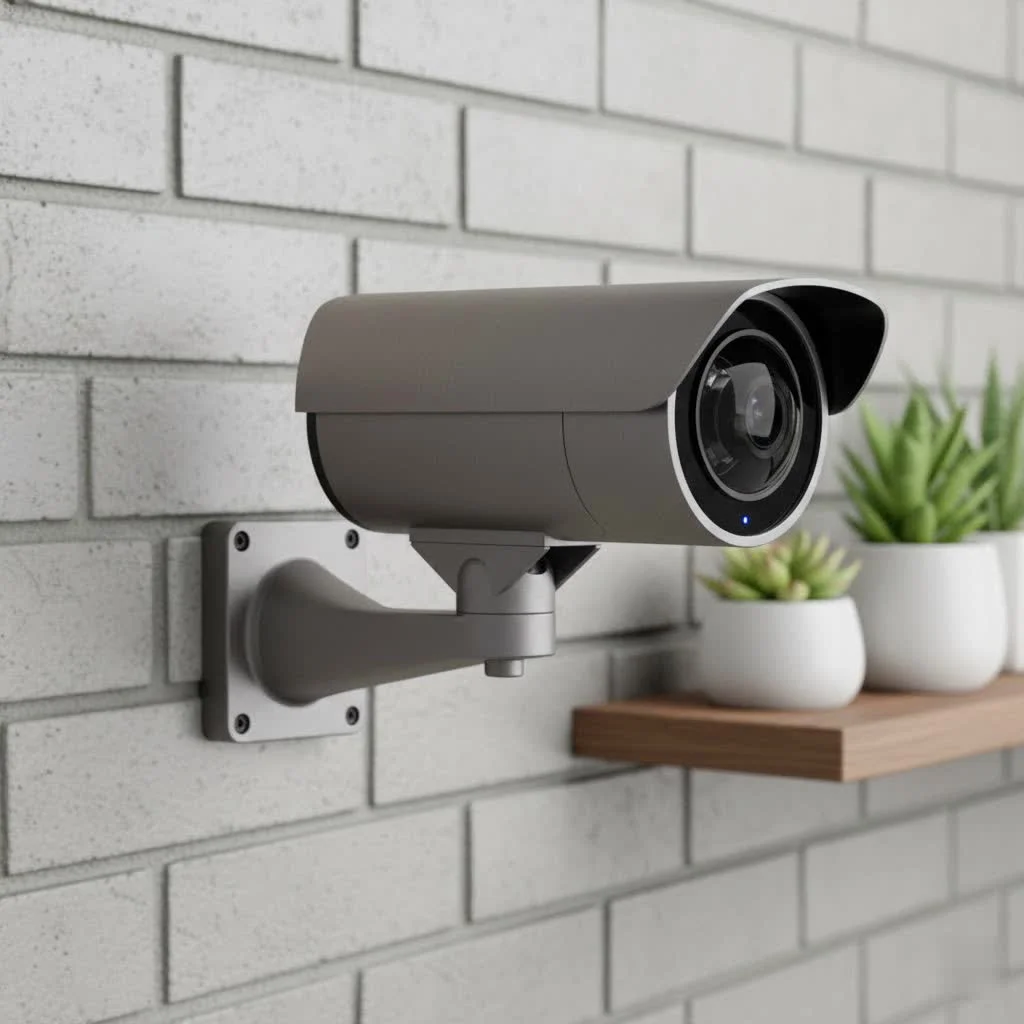
Why an Outdoor Security Camera is a Smart Move for Your Home
An outdoor security camera isn’t just a gadget; it’s a vital layer of defense for your property. These cameras act as a visual deterrent to potential intruders, capture crucial evidence in case of incidents, and allow you to monitor deliveries, pets, or visitors even when you’re away. With Ring’s ecosystem, you gain seamless integration, real-time alerts, and accessible footage right from your smartphone, transforming how you oversee your home’s exterior.
Demystifying Ring Outdoor Camera Models: Which One is Right for You?
Ring offers a variety of outdoor cameras, each tailored to different needs and preferences. Understanding the distinctions is key to making an informed choice for your home.
Ring Stick Up Cam: Versatility in a Compact Package
The Ring Stick Up Cam is the chameleon of Ring’s outdoor lineup, known for its adaptability. It can be used indoors or out, and crucially, offers multiple power options: battery, plug-in, or even solar-powered when paired with a solar panel. This flexibility makes it ideal for areas where running wires might be challenging, or for those who prefer the freedom to reposition their camera easily. It provides clear 1080p HD video, two-way talk, and motion-activated alerts, making it a solid foundation for basic outdoor surveillance.
Ring Spotlight Cam: Illumination Meets Vigilance
When you need both eyes and lights on your property, the Ring Spotlight Cam steps up. This model integrates bright, motion-activated LED spotlights directly into the camera, providing both a visual deterrent and improved night vision in color. Available in battery, wired, and solar versions, the Spotlight Cam offers flexibility in installation. The “Plus” and “Pro” versions further differentiate, with the Pro models often featuring enhanced resolution, more advanced motion detection like 3D Motion Detection, and dual-band Wi-Fi for more stable connections.
Ring Floodlight Cam: Powerful Protection for Large Areas
|
Our Picks for the Best Security Camera in 2026
As an Amazon Associate I earn from qualifying purchases.
|
||
| Num | Product | Action |
|---|---|---|
| 1 | WYZE Cam Pan v3 Indoor/Outdoor IP65-Rated 1080p Pan/Tilt/Zoom Wi-Fi Smart Home Security Camera with Color Night Vision, 2-Way Audio, Compatible with Alexa & Google Assistant, White, 2-Pack |

|
| 2 | Security Cameras Wireless Outdoor,2K Indoor WiFi Wireless Cameras,Outside Battery Powered Camera for Home Security,AI Motion Detection,Color Night Vision,Spotlight,Siren Alarm,SD/Cloud Storage,2 Pack |
|
| 3 | TP-Link Tapo 1080P Indoor Security Camera for Baby Monitor, Dog Camera w/Motion Detection, 2-Way Audio Siren, Night Vision, Cloud & SD Card Storage, Works w/Alexa & Google Home (Tapo C100) |
|
| 4 | Tapo TP-Link 2K Pan/Tilt Indoor Security Camera for Baby Monitor, Pet Camera, Motion Detection & Tracking, 2-Way Audio, Cloud & SD Card Storage, Works w/Alexa & Google Home, Black, C211(2-Pack) |
|
| 5 | REOLINK 4K PoE Security Camera System Wired, 8pcs 8MP PoE Cameras, Smart Person/Vehicle Detection, 16CH NVR with 4TB HDD, H.265, 24/7 Recording, High Bitrate & Clear Stream, RLK16-800D8 |
|
| 6 | WYZE Bulb Cam Security Camera, 2K HD Outdoor Light Bulb Camera, Color Night Vision, Dimmable LED Bulb, Motion Detection, Siren Alarm, Works w/Alexa/Google Assistant. Free Expert Support |
|
| 7 | Kasa Smart Indoor Pan-Tilt Home Security Camera, 1080p HD Dog Camera w/Night Vision, Motion Detection for Baby & Pet Monitor, Cloud & SD Card Storage, Works w/ Alexa & Google Home, 2.4G WiFi (EC71) |
|
| 8 | Tapo 2K Pan/Tilt Security Camera for Baby Monitor, Dog Camera w/Motion Detection, 2-Way Audio Siren, Night Vision, Cloud&SD Card Storage, Works w/Alexa & Google Assistant, 2-Pack (Tapo C210P2) |
|
| 9 | Security Cameras Wireless Outdoor-Solar&Battery Powered 2K 2.4G Cameras for Home Security, Instant Alert, AI Human Detection, Color Night Vision, 2-Way Talk, SD Storage, Work with Alexa, Z1 4P |
|
| 10 | WYZE Cam v4 (Latest Model), 2.5K AI Security Camera, Indoor/Outdoor Cameras for Home Security, Baby Monitor & Pet Camera, Vibrant Color Night Vision, No Subscription Required, Free Expert Help |
|
For comprehensive coverage of larger outdoor spaces like driveways or backyards, the Ring Floodlight Cam is unparalleled. This hardwired camera comes with ultra-bright floodlights – significantly more powerful than the Spotlight Cam’s – designed to illuminate vast areas and deter unwanted activity. Like the Spotlight Cam, it offers “Plus” and “Pro” variants. The Floodlight Cam Pro, for instance, boasts 4K resolution, 3D Motion Detection, and Bird’s Eye View, which uses radar to pinpoint motion paths and provide a top-down perspective of events, making it a powerhouse for maximum security.
Ring Outdoor Cam Plus & Pro: The New Generation of Clarity
The Ring Outdoor Cam Plus and its more advanced sibling, the Ring Outdoor Cam Pro, represent the latest advancements in Ring’s standalone outdoor cameras. The Outdoor Cam Plus delivers crisp 2K video resolution, offering a noticeable improvement in detail over 1080p models. It performs well in low light and supports both 2.4GHz and 5GHz Wi-Fi for reliable connectivity. The Outdoor Cam Pro takes clarity to the next level with “retinal 4K” video resolution and 10x enhanced zoom capabilities. This model also incorporates the advanced 3D Motion Detection and adaptive night vision, providing an unparalleled level of detail and precision for identifying activity, even in challenging conditions.
Essential Features to Consider When Picking Your Ring Outdoor Camera
Choosing the right Ring outdoor security camera means diving into the features that matter most for your specific needs.
Crystal-Clear Vision: Understanding Resolution and Night Vision
The clearer the image, the more effectively you can identify details.
- Resolution: Ring cameras offer 1080p HD, 2K, and 4K options. While 1080p is standard, 2K (as seen in the Outdoor Cam Plus) provides significantly sharper images, and 4K (in models like the Outdoor Cam Pro and Floodlight Cam Pro) delivers exceptional detail, especially useful for zooming in on distant objects or faces.
- Night Vision: Most Ring cameras offer color night vision, which utilizes ambient light to produce a colored image, or traditional infrared (black and white) night vision in complete darkness. Models with integrated lights, like the Spotlight and Floodlight Cams, enhance color night vision by brightening the scene.
Smart Motion Detection: Alerts That Matter
Effective motion detection is crucial for real-time awareness without constant false alarms. Ring cameras allow you to:
- Customize Motion Zones: Define specific areas you want to monitor and ignore others, reducing alerts from passing cars or trees.
- Person, Vehicle, and Package Alerts: Many models can differentiate between these types of motion, ensuring you only get notified about what’s truly important.
- 3D Motion Detection and Bird’s Eye View: Found in Pro models, these advanced features use radar technology to detect motion more precisely, giving you a top-down map of where an event began and the path taken.
Powering Your Protection: Battery, Wired, or Solar?
How your camera is powered directly impacts its installation and ongoing maintenance.
- Battery-Powered: Easiest to install as they require no wiring, offering maximum placement flexibility. However, batteries need periodic recharging (every few weeks to months, depending on usage and settings). Many can connect to a Ring Solar Panel for continuous charging.
- Plug-in (AC Powered): Offers continuous power, eliminating the need for battery changes, but requires an outdoor electrical outlet nearby.
- Hardwired: Primarily for Floodlight Cams, these are connected directly to your home’s electrical wiring, often replacing existing outdoor light fixtures. This provides continuous power and typically unlocks advanced features like 24/7 continuous recording.
- Power over Ethernet (PoE): Available on some Elite or Pro models, PoE uses a single Ethernet cable to provide both power and internet connectivity, offering a highly stable and secure connection, ideal for robust installations.
Staying Connected: Wi-Fi Requirements and Performance
Your camera’s performance is intrinsically linked to your Wi-Fi signal.
- 2.4GHz Wi-Fi: Standard on most Ring cameras, offering a wider range.
- Dual-Band Wi-Fi (2.4GHz & 5GHz): Available on Pro models, 5GHz offers faster speeds and less interference, which is beneficial for higher resolution video streaming, though its range is shorter.
- Signal Strength: A strong, stable Wi-Fi connection is paramount for clear video, prompt notifications, and reliable live view. Ring’s app allows you to check your device’s signal strength.
Two-Way Talk and Siren: Communication and Deterrence
Beyond just watching, Ring cameras enable interaction.
- Two-Way Audio: Speak to visitors or deter unwanted guests directly through the camera using your smartphone. Pro models often feature enhanced speakers and microphones for clearer communication.
- Siren: Many outdoor Ring cameras include a built-in siren that you can activate remotely from the app to scare off intruders.
Installation Made Easy: Setting Up Your Ring Outdoor Security Camera
Installing a Ring outdoor security camera is designed to be a straightforward DIY process, though some models may require more technical savvy than others.
Planning Your Placement: The Best Spots for Coverage
Before you even unbox your camera, consider strategic placement. Aim for:
- High Vantage Points: Mount cameras high enough to prevent tampering but low enough to capture clear facial features.
- Entry Points: Cover front doors, back doors, and ground-level windows.
- Vulnerable Areas: Driveways, garages, and side alleys are common targets.
- Optimal Wi-Fi Signal: Ensure your chosen spot has a strong Wi-Fi signal for reliable performance.
The DIY Approach: Step-by-Step Installation Basics
While specific steps vary by model, the general process for mounting and connecting your Ring outdoor security camera usually involves:
- Charging Batteries (if applicable): Fully charge any removable battery packs before installation.
- Mounting the Camera: Use the provided mounting hardware to securely attach the camera to a wall, eave, or flat surface.
- Connecting Power (if applicable): For wired or plug-in models, connect to an existing electrical box or outdoor outlet. For solar, connect the solar panel to the camera.
- In-App Setup: Open the Ring app, select “Set Up a Device,” and follow the on-screen prompts to connect your camera to your Wi-Fi network and customize settings.
Connecting to Your Network: Getting Online
Connecting your Ring camera to your home Wi-Fi is a critical step. The Ring app guides you through this, usually by scanning a QR code on the device, connecting to a temporary Ring Wi-Fi network, and then selecting your home network. Ensure you have your Wi-Fi password ready.
Maximizing Your Ring Experience: App Features and Ring Protect Plans
To truly unlock the power of your Ring outdoor security camera, you’ll need to understand the Ring app and the importance of a Ring Protect Plan.
Navigating the Ring App: Your Command Center
The Ring app is your central hub for managing all your Ring devices. From here, you can:
- View Live Feed: Access real-time video from any of your cameras.
- Receive Alerts: Get instant notifications for motion detection.
- Customize Settings: Adjust motion sensitivity, create motion zones, and manage privacy settings.
- Review Event History: If subscribed to a Ring Protect Plan, you can review recorded videos and event timelines.
The Importance of Ring Protect: Unlocking Full Potential
While Ring cameras offer live view and basic motion alerts without a subscription, a Ring Protect Plan is essential to access many key features. “Without a subscription, your Ring camera is largely limited to real-time viewing,” explains Daniel Lee, a Security Systems Architect at Ydmrw. “To truly leverage your investment, especially for crucial features like video recording and smart alerts, a Protect Plan is non-negotiable.” These plans typically include:
- Video Recording and Storage: Save and review motion-activated and Live View recordings for up to 180 days in the cloud.
- Smart Alerts: Receive more intelligent notifications, such as person-only alerts or rich notifications with a photo snapshot.
- 24/7 Professional Monitoring: For Ring Alarm users, certain plans offer professional monitoring services.
- Extended Warranty: Often includes an extended warranty for your devices.
Common Ring Outdoor Camera Issues and Simple Troubleshooting Tips
Even the most reliable systems can encounter glitches. Here are some common issues and how to tackle them.
Blurry Video or Dropped Connection? Check Your Wi-Fi
- Weak Wi-Fi Signal: This is the most frequent culprit. Check your device’s “Device Health” in the Ring app for signal strength (RSSI) – a number closer to 0 or -20 is better than -70 or lower.
- Solution: Move your Wi-Fi router closer to the camera, or consider a Wi-Fi extender or a Ring Chime Pro (which also acts as a Wi-Fi extender for Ring devices). Restarting your router and modem can also resolve temporary network issues.
- Insufficient Bandwidth: If you have many devices streaming simultaneously, it can impact camera performance.
Motion Detection Glitches: Fine-Tuning Your Settings
- Too Many or Too Few Alerts: Your motion zones or sensitivity settings might be off.
- Solution: Go into the Ring app’s motion settings. Adjust the sensitivity slider and refine your motion zones to cover only the areas you care about, avoiding busy streets or swaying branches. Ensure the camera lens is clean; spiderwebs or dirt can interfere with detection.
- Low Battery: For battery-powered cameras, low battery can affect motion detection reliability. Recharge or replace the battery as needed.
Audio Problems: Quick Fixes for Clear Sound
- No Sound or Poor Quality Audio: This can affect two-way talk.
- Solution: First, check the volume settings on your smartphone. Ensure the Ring app has microphone permissions enabled in your phone’s settings. Within the Ring app, verify that “Audio Streaming and Recording” is turned on in your device’s settings. Sometimes, simply restarting your Ring camera can resolve audio issues.
When All Else Fails: Rebooting and Resetting
- Device Unresponsive: If your Ring outdoor security camera isn’t behaving, a simple reboot can often fix it.
- Solution: For battery-powered cameras, temporarily remove the battery and reinsert it. For wired/plug-in cameras, unplug it from the power source for 30 seconds, then plug it back in.
- Factory Reset: As a last resort, if all troubleshooting fails, you can perform a factory reset. This will erase all settings, requiring you to set up the camera again from scratch. The exact method varies by model, but often involves holding down the setup button for an extended period (e.g., 30 seconds).
Expert Advice for Long-Term Performance
To ensure your Ring outdoor security camera provides optimal performance and longevity, routine maintenance is key. Regularly inspect the camera lens for dirt, dust, or spiderwebs and gently clean it with a soft cloth. For battery-powered models, keep an eye on battery life through the Ring app and charge or swap batteries proactively. Make sure your Ring app and camera firmware are always updated to the latest versions for the best features and security patches.
Frequently Asked Questions (FAQ)
Q1: Do Ring outdoor cameras require a subscription?
A1: While Ring outdoor cameras offer live view and basic motion alerts without a subscription, a Ring Protect Plan is necessary to access recorded videos, save footage, receive advanced smart alerts (like person-only detection), and utilize features like 24/7 continuous recording on compatible wired devices.
Q2: Can I use Ring outdoor cameras without Wi-Fi?
A2: No, Ring outdoor security cameras require a stable Wi-Fi connection to function, as they rely on your home’s internet to transmit video, send alerts, and communicate with the Ring app.
Q3: What’s the main difference between Ring Spotlight Cam Pro and Plus?
A3: The Ring Spotlight Cam Pro offers enhanced features such as 3D Motion Detection, Bird’s Eye View, dual-band (2.4GHz and 5GHz) Wi-Fi connectivity, and often higher resolution video (e.g., 2K or 4K), providing more precise detection and clearer visuals compared to the Spotlight Cam Plus, which typically has 1080p resolution and basic motion detection.
Q4: How often do I need to charge a battery-powered Ring camera?
A4: The battery life of a Ring outdoor camera varies significantly based on usage, motion events, Live View frequency, and climate. Typically, a battery can last from a few weeks to several months. Pairing it with a Ring Solar Panel can extend this considerably.
Q5: Are Ring outdoor cameras weatherproof?
A5: Yes, all Ring outdoor security cameras are designed to be weather-resistant and can withstand various outdoor elements, including rain, snow, and extreme temperatures, ensuring reliable operation year-round.
Secure Your Home with Confidence
Choosing and setting up the right Ring outdoor security camera can dramatically enhance your home’s safety and your peace of mind. By understanding the different models, their key features, and how to effectively install and maintain them, you’re well-equipped to create a robust surveillance system tailored to your needs. Take control of your home’s security today and experience the confidence that comes with intelligent outdoor monitoring. For more expert insights and guides on safeguarding your property, remember to visit Ydmrw.com.
Get our weekly buyer guide
Practical specs, not advice. Unsubscribe anytime.
