Stepping into the world of modern home or business security often brings you face-to-face with the term “NVR security camera system.” If you’re looking to safeguard your property with cutting-edge surveillance, understanding this technology is absolutely crucial. These advanced systems are at the forefront of digital security, offering unparalleled clarity, flexibility, and smart features that older technologies simply can’t match.
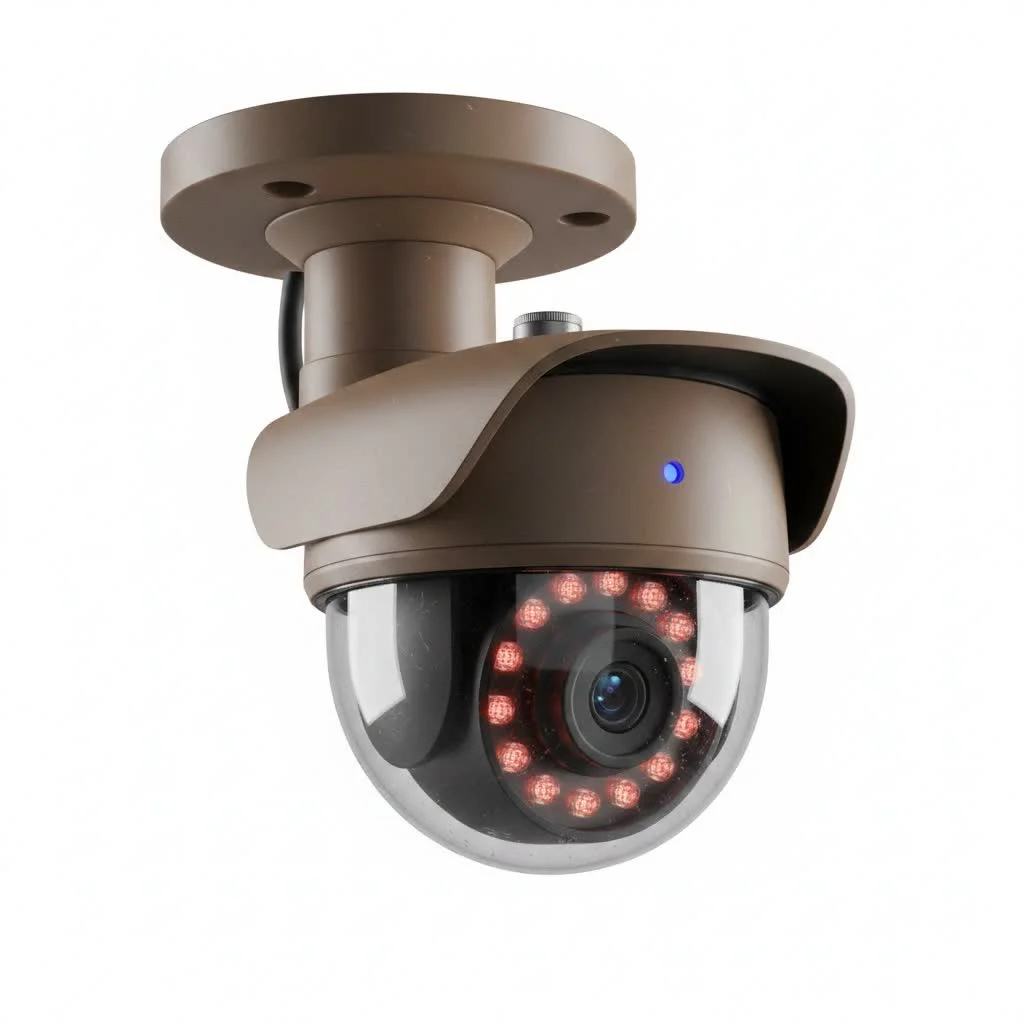
At Ydmrw.com, we’ve seen countless security evolutions, and the NVR system stands out as a true game-changer. It’s not just about recording video; it’s about creating an intelligent, interconnected network that keeps a vigilant eye on what matters most. In this comprehensive guide, we’ll dive deep into what makes an NVR system tick, how it compares to other options, its essential features, and how you can confidently set one up for your peace of mind.
What is an NVR Security Camera System and Why Does it Matter?
An NVR security camera system, short for Network Video Recorder, is the digital brain of a sophisticated surveillance setup. Unlike traditional systems, an NVR specifically works with IP (Internet Protocol) cameras, which are essentially smart cameras with their own built-in processors. These IP cameras do the heavy lifting of processing and encoding video data at the camera itself before sending the digital footage to the NVR unit for storage and remote viewing.
This distinction is fundamental because it underpins the superior performance and versatility of NVR systems. The NVR unit primarily acts as a central hub for recording, managing, and accessing the high-quality digital streams from multiple cameras, whether you’re on-site or checking in from across the globe.
NVR vs. DVR: A Clear Comparison
When you’re exploring security camera systems, you’ll inevitably encounter both NVR and DVR (Digital Video Recorder) options. While both record video, their underlying technology and capabilities are vastly different. Think of it like comparing a modern smartphone to an old landline – both communicate, but one offers a world of advanced features.
Here’s a breakdown of the key differences:
Camera Technology: IP vs. Analog
- NVR Systems: Exclusively use IP cameras. These are digital cameras that capture high-resolution video and often come with advanced features built-in.
- DVR Systems: Primarily work with analog cameras, which capture video in an older, lower-resolution format.
Video Processing Location
- NVR Systems: The IP cameras themselves process and encode the video data before transmitting it digitally to the NVR for storage. This offloads work from the recorder, allowing for more robust camera features.
- DVR Systems: Analog cameras send raw video signals to the DVR, where the recorder is responsible for processing, encoding, and converting the analog signal into a digital format.
Cabling & Power: The PoE Advantage
|
Our Picks for the Best Security Camera in 2026
As an Amazon Associate I earn from qualifying purchases.
|
||
| Num | Product | Action |
|---|---|---|
| 1 | Kasa Smart Indoor Pan-Tilt Home Security Camera, 1080p HD Dog Camera w/Night Vision, Motion Detection for Baby & Pet Monitor, Cloud & SD Card Storage, Works w/ Alexa & Google Home, 2.4G WiFi (EC71) |

|
| 2 | Tapo 2K Pan/Tilt Security Camera for Baby Monitor, Dog Camera w/Motion Detection, 2-Way Audio Siren, Night Vision, Cloud&SD Card Storage, Works w/Alexa & Google Assistant, 2-Pack (Tapo C210P2) |
|
| 3 | Security Cameras Wireless Outdoor-Solar&Battery Powered 2K 2.4G Cameras for Home Security, Instant Alert, AI Human Detection, Color Night Vision, 2-Way Talk, SD Storage, Work with Alexa, Z1 4P |
|
| 4 | WYZE Cam Pan v3 Indoor/Outdoor IP65-Rated 1080p Pan/Tilt/Zoom Wi-Fi Smart Home Security Camera with Color Night Vision, 2-Way Audio, Compatible with Alexa & Google Assistant, White, 2-Pack |
|
| 5 | REOLINK 4K PoE Security Camera System Wired, 8pcs 8MP PoE Cameras, Smart Person/Vehicle Detection, 16CH NVR with 4TB HDD, H.265, 24/7 Recording, High Bitrate & Clear Stream, RLK16-800D8 |
|
| 6 | Tapo TP-Link 2K Pan/Tilt Indoor Security Camera for Baby Monitor, Pet Camera, Motion Detection & Tracking, 2-Way Audio, Cloud & SD Card Storage, Works w/Alexa & Google Home, Black, C211(2-Pack) |
|
| 7 | WYZE Bulb Cam Security Camera, 2K HD Outdoor Light Bulb Camera, Color Night Vision, Dimmable LED Bulb, Motion Detection, Siren Alarm, Works w/Alexa/Google Assistant. Free Expert Support |
|
| 8 | Security Cameras Wireless Outdoor,2K Indoor WiFi Wireless Cameras,Outside Battery Powered Camera for Home Security,AI Motion Detection,Color Night Vision,Spotlight,Siren Alarm,SD/Cloud Storage,2 Pack |
|
| 9 | TP-Link Tapo 1080P Indoor Security Camera for Baby Monitor, Dog Camera w/Motion Detection, 2-Way Audio Siren, Night Vision, Cloud & SD Card Storage, Works w/Alexa & Google Home (Tapo C100) |
|
| 10 | WYZE Cam v4 (Latest Model), 2.5K AI Security Camera, Indoor/Outdoor Cameras for Home Security, Baby Monitor & Pet Camera, Vibrant Color Night Vision, No Subscription Required, Free Expert Help |
|
- NVR Systems: Typically use standard Ethernet cables (like Cat5e or Cat6) for connectivity. Many NVRs feature Power over Ethernet (PoE) ports, meaning a single Ethernet cable can power the camera and transmit both video and audio data. This significantly simplifies installation and wiring.
- DVR Systems: Require coaxial cables for video transmission and often separate power cables for each camera. This can lead to more complex and cumbersome wiring.
Video & Audio Quality
- NVR Systems: Offer dramatically superior video quality, supporting resolutions like 1080p, 4K, 8MP, and even 16MP. IP cameras can deliver crystal-clear, detailed footage, often with integrated audio recording capabilities.
- DVR Systems: Are limited by analog technology, usually topping out at lower resolutions, which can result in grainier images. Audio capture typically requires separate RCA connections, adding complexity.
Flexibility & Scalability
- NVR Systems: Provide greater flexibility, supporting both wired PoE and wireless IP cameras. They are highly scalable, making it easy to add more cameras as your needs grow, often supporting dozens or even hundreds of channels. Remote access via mobile apps and web browsers is a standard feature.
- DVR Systems: Are generally less flexible, primarily relying on wired coaxial connections, and expanding the system can be more challenging.
Advanced Features
- NVR Systems: Excel with smart capabilities like AI-powered person and vehicle detection, facial recognition, video analytics, and PTZ (Pan-Tilt-Zoom) camera controls. These features minimize false alarms and provide more intelligent monitoring.
- DVR Systems: Are typically basic, lacking most of these advanced analytical functions.
Installation Complexity
- NVR Systems: With PoE, installation is often simpler and cleaner, as one cable does the job of two.
- DVR Systems: Can be more complex due to the need for multiple cables (video and power) per camera, and coaxial cables can be less flexible to route.
Cost Considerations
- DVR Systems: Often have a lower initial upfront cost, mainly because analog cameras are generally less expensive.
- NVR Systems: While the initial investment might be higher, their advanced features, superior quality, and scalability often make them a more cost-effective and valuable long-term solution.
As you can see, an NVR security camera system leverages modern network technology to deliver a vastly more capable and future-proof surveillance solution.
Unpacking the Power: Key Features of a Modern NVR Security Camera System
When investing in an NVR security camera system, certain features define its effectiveness and value. Here’s what you should look for:
High Resolution: Clarity is King
Modern NVR systems support incredibly high resolutions, with 4K (8MP) becoming a baseline, and options even pushing to 16MP. This means sharper images, clearer details, and the ability to zoom in digitally without losing critical information – essential for identifying faces or license plates. Always opt for the highest resolution your budget allows, as it significantly impacts evidence quality.
Power over Ethernet (PoE): Simplify Your Setup
PoE is a game-changer for installation. It allows compatible IP cameras to receive both power and data through a single Ethernet cable. This eliminates the need for separate power outlets near each camera, streamlining wiring, reducing clutter, and making installation faster and more efficient.
Smart AI Detection & Analytics
Gone are the days of endless false alarms from swaying trees or passing animals. Advanced NVR systems integrate AI-powered features like:
- Person/Vehicle Detection: Distinguishes between humans, vehicles, and other motion sources, sending more relevant alerts.
- Facial Recognition: Identifies known individuals or alerts you to unrecognized faces.
- Perimeter Protection: Creates virtual boundaries and alerts you if they are crossed.
- Line Crossing: Triggers an alarm when an object crosses a predefined line.
These intelligent analytics not only reduce nuisance notifications but also make reviewing footage much more efficient.
Ample Storage & Expandability
High-resolution video consumes a lot of storage. NVRs typically come with pre-installed hard drives (e.g., 2TB) but often allow for significant expansion (up to 16TB or even 42TB in some commercial systems). Consider systems with H.265+ compression, which efficiently reduces file sizes without compromising quality, allowing for longer recording times. Local storage also provides a reliable backup, independent of internet connectivity.
Seamless Remote Access & Mobile Control
The ability to monitor your property from anywhere is a significant advantage. NVR systems offer robust mobile apps and web browser interfaces that allow you to:
- View live feeds from all cameras.
- Playback recorded footage.
- Receive instant alerts and notifications.
- Adjust camera settings remotely.
Channels & Coverage
NVRs are available with varying numbers of channels (e.g., 4, 8, 16, 32+). The number of channels determines how many cameras the NVR can support. Choose a system that matches your current needs but also allows for future expansion.
Robust Night Vision
Security isn’t just a daytime concern. Look for cameras with strong night vision capabilities:
- Infrared (IR) Night Vision: Provides clear black-and-white images in complete darkness.
- Color Night Vision: Some advanced cameras can capture full-color video even in low-light conditions, offering richer detail.
Weather Resistance
For outdoor cameras, an IP66 or IP67 weather rating is essential, indicating protection against dust and water ingress. This ensures your cameras can withstand various environmental conditions.
Setting Up Your NVR Security Camera System: A Step-by-Step Guide
Installing an NVR security camera system might seem daunting, but with a clear plan, it’s a manageable DIY project for many. Here’s a streamlined approach:
1. Planning Your Surveillance Layout
Before you unbox anything, map out your strategy:
- Camera Placement: Identify key areas for surveillance (entrances, windows, driveways, high-value assets). Aim for optimal angles, considering blind spots.
- Camera Height: Install cameras high enough to deter tampering but low enough to capture clear facial features.
- NVR Location: Choose a secure, dry, and cool location with easy access to power and your internet router. A locked cabinet is ideal.
- Cable Management: Plan how you’ll run Ethernet cables to each camera, aiming for discreet and protected routes (e.g., through walls, attics, conduit).
2. NVR Placement & Initial Connections
Once your NVR location is chosen:
- Power Up: Connect the NVR to a power source.
- Monitor Connection: Use an HDMI or VGA cable to connect the NVR to a monitor or TV. This will be your primary interface for initial setup.
- Network Connection: Connect the NVR to your internet router using an Ethernet cable. This enables remote access and ensures your cameras can communicate effectively.
- Hard Drive Installation (if not pre-installed): Power off the NVR, open its cover, install the hard drives, connect SATA and power cables, then secure and replace the cover.
3. Connecting Your IP Cameras
This step is generally straightforward, especially with PoE:
- For PoE NVRs: Simply plug each IP camera into an available PoE port on your NVR using an Ethernet cable. The NVR will provide both power and data to the camera.
- For Non-PoE NVRs (or if using more cameras than NVR ports):
- You’ll need a separate PoE switch. Connect the PoE switch to your router via an Ethernet cable.
- Plug each IP camera into the PoE switch.
- Ensure each camera also has a separate power supply if it’s not a PoE camera connected to a PoE switch.
4. Initial Configuration & Network Setup
Once everything is physically connected, it’s time to bring your system online:
- Access the NVR Interface: Power on the NVR and navigate the setup wizard using a mouse connected to the NVR’s USB port.
- Create Strong Passwords: Immediately change default passwords for both the NVR and individual cameras to strong, unique ones.
- Set Date & Time: Configure accurate system date and time settings for proper timestamping of recordings.
- Network Settings: The NVR should automatically get an IP address from your router via DHCP. Verify network connectivity.
- Camera Discovery: The NVR will usually automatically detect connected IP cameras. If not, use the “Add Camera” or “Search Camera” function in the NVR’s menu, or manually input camera IP addresses, usernames, and passwords.
5. Enabling Remote Viewing
This allows you to access your system from your smartphone or computer:
- Install Mobile App: Download the manufacturer’s dedicated mobile app on your smartphone or tablet.
- Add NVR to App: Follow the app’s instructions to add your NVR, usually by scanning a QR code on the NVR or entering its device ID.
- Router Configuration (Port Forwarding/DDNS – often handled by the app/NVR): While many modern systems use peer-to-peer (P2P) technology for simpler remote access without manual port forwarding, some setups might still require you to configure port forwarding on your router. If your internet provider assigns dynamic IP addresses, setting up Dynamic DNS (DDNS) can provide a consistent access point.
Maintaining Your NVR System for Optimal Performance
Like any sophisticated electronic system, an NVR security camera system benefits from regular care to ensure it operates reliably for years.
Regular Software Updates
Firmware updates often include security patches, bug fixes, and new features. Check your NVR manufacturer’s website or the NVR interface periodically for available updates and install them promptly.
Storage Management
- Check Hard Drive Health: Most NVRs have a menu option to check the health status of the hard drives. Keep an eye on this to prevent data loss.
- Review Recording Settings: Ensure your recording schedule (continuous, motion-activated, or scheduled) aligns with your storage capacity and retention needs.
- Backup Critical Footage: If specific incidents require longer retention, manually back up footage to an external drive or cloud service.
Physical Cleaning & Inspection
- Camera Lenses: Periodically clean camera lenses with a soft cloth to remove dust, dirt, or water spots that can obscure video.
- Cable Connections: Inspect Ethernet cables for any damage or loose connections, especially outdoors where they are exposed to elements.
- NVR Ventilation: Ensure the NVR unit has adequate ventilation to prevent overheating, which can lead to performance issues or hardware failure.
Troubleshooting Common Issues
- No Video from a Camera: Check cable connections, verify camera power, ensure the camera is detected and configured correctly on the NVR.
- Remote Access Issues: Verify your NVR has an active internet connection, check router settings (if applicable), and ensure the mobile app is connected to the correct NVR.
- Lagging/Choppy Video: This can be a network bandwidth issue. Ensure your network can handle multiple high-resolution video streams, or try reducing the camera’s resolution or frame rate if absolutely necessary.
Choosing the Right NVR System for Your Needs
Selecting the perfect NVR security camera system boils down to your specific requirements and environment.
- Assess Your Property: Consider the size of your home or business, the number of areas you need to cover, and potential vulnerabilities. This will help determine the number of cameras and channels required.
- Define Your Security Goals: Are you looking for basic monitoring, or do you need advanced features like AI detection, facial recognition, or specific analytical capabilities?
- Budget vs. Features: While DVRs might be cheaper initially, an NVR system offers superior long-term value, better video quality, and more advanced features. Invest in the best resolution and smart features you can afford.
- Consider Future Scalability: Choose an NVR that supports more channels than you currently need, allowing for easy expansion as your security requirements evolve. The NVR market is projected to grow significantly, indicating continued innovation and value.
Ultimately, a modern NVR security camera system provides a robust, intelligent, and highly effective way to protect your property and loved ones.
Frequently Asked Questions (FAQ)
What is the primary difference between an NVR and a DVR security camera system?
The main difference lies in how they process video data and the cameras they use. NVRs work with IP cameras that process video digitally at the camera, sending it over a network. DVRs work with analog cameras that send raw signals to the recorder for processing.
Can an NVR system use wireless cameras?
Yes, many NVR systems are compatible with wireless IP cameras, offering greater flexibility in placement. However, even wireless IP cameras still need power, which can be provided by an outlet or a battery.
Is PoE (Power over Ethernet) a standard feature in NVR systems?
While not all NVRs are PoE-enabled, it’s a very common and highly recommended feature. PoE allows a single Ethernet cable to provide both power and data to the IP camera, simplifying installation significantly.
What resolution should I look for in an NVR security camera system?
For clear, detailed surveillance, aim for at least 4K (8MP) resolution cameras. Many modern NVR systems also support even higher resolutions, such as 16MP, offering exceptional clarity.
How do I access my NVR security camera system remotely?
Most NVR systems come with a dedicated mobile app and web browser interface. After connecting your NVR to your internet router and configuring it, you can typically add your NVR to the app using a QR code or device ID to enable remote viewing and control.
How much storage do I need for an NVR system?
The required storage depends on the number of cameras, their resolution, and how long you want to retain footage. A 2TB hard drive is often a starting point, but many NVRs support expandable storage up to 16TB or more, especially for continuous high-resolution recording.
Do NVR systems require an internet connection to record?
An NVR system will continue to record locally to its hard drive even without an internet connection. However, an internet connection is necessary for remote viewing, receiving alerts, and accessing cloud-based features.
Your Path to Smarter Security Starts Here
In an ever-evolving world, having a reliable and intelligent security system isn’t a luxury; it’s a necessity. An NVR security camera system, with its superior video quality, smart features, and flexible setup, represents the pinnacle of modern surveillance. It’s an investment that offers far more than just recorded footage; it provides genuine peace of mind, knowing that your property is monitored with precision and intelligence.
We at Ydmrw are committed to empowering you with the knowledge to make informed decisions about your security. By choosing and properly setting up an NVR security camera system, you’re not just installing cameras; you’re building a smarter, safer environment for your home or business. Take the leap, secure your space, and experience the confidence that comes with cutting-edge surveillance.
Get our weekly buyer guide
Practical specs, not advice. Unsubscribe anytime.

I appreciated the breakdown of how NVR systems compare to older options. I’ve been using a basic setup for years and didn’t realize how much I was missing out on. The smart features mentioned, like motion detection alerts, are a huge plus. My only minor complaint is that the initial setup was a bit more involved than I anticipated, but once it’s running, it’s fantastic.
This guide really helped me understand the ‘what makes an NVR system tick’ part. I’m pretty tech-savvy, but the detailed explanation of the digital security aspects and how it creates an intelligent network was super helpful. I’ve now installed a system at home, and the remote monitoring capabilities are exactly what I needed to keep an eye on things while I’m away.
I was really on the fence about upgrading my old DVR system, but after reading about the clarity and flexibility of NVR systems, I took the plunge. The difference is night and day! The image quality is incredible, even at night, and being able to access everything remotely with such ease has given me so much peace of mind for my small business. Definitely worth the investment.
I got an NVR system primarily for the promise of unparalleled clarity, and while it’s good, I wouldn’t say it’s ‘unparalleled’ in all conditions. There’s still some pixelation when zooming in too much, which was a bit disappointing. However, the interconnected network aspect is very strong, and I do feel more secure knowing everything is linked up.