Securing your home or business is no longer a luxury, it’s a necessity. In a world demanding constant vigilance, a robust surveillance system offers peace of mind. If you’re looking for an uncompromising blend of reliability, power, and high-definition clarity without the hassle of separate power adapters for each camera, then investing in the best PoE security camera system is a brilliant move. This guide will walk you through everything you need to know, ensuring you pick a system that delivers unparalleled security and simplifies your setup.
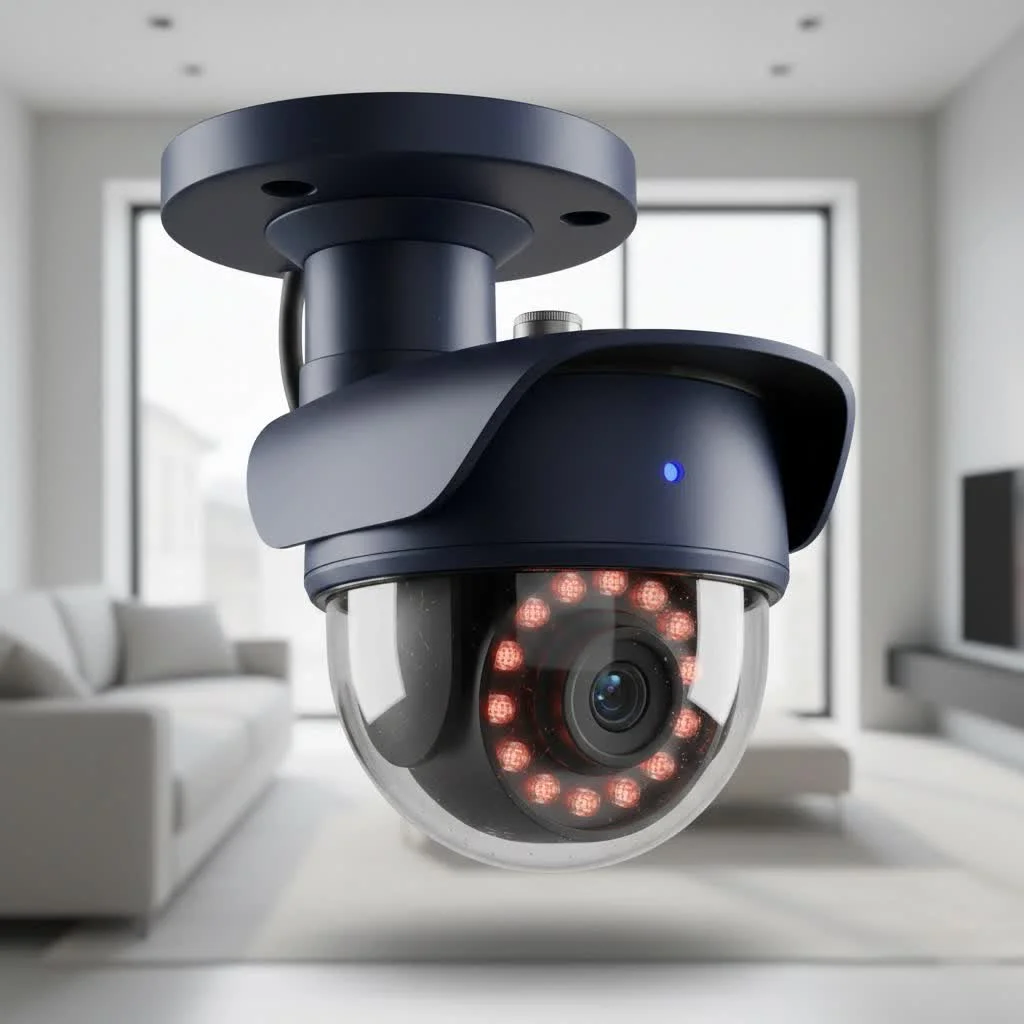
What Makes PoE Security Systems a Smart Choice?
When it comes to surveillance, many people wonder about the best approach. Power over Ethernet (PoE) security systems stand out for their ingenious simplicity and dependable performance.
What is Power over Ethernet (PoE) and How Does It Work?
Imagine a single cable doing the job of two. That’s the magic of Power over Ethernet. Instead of running a separate power cable and a data cable to each security camera, a PoE system uses a single Ethernet cable (like the ones you use for your internet connection) to transmit both electrical power and video data. This means fewer cables, simpler wiring, and a much cleaner installation. Your cameras connect directly to a Network Video Recorder (NVR) with built-in PoE ports or a separate PoE switch, which then powers them up and receives their video feeds.
Key Advantages: Reliability, Simplicity, and Performance
Why should you consider the best PoE security camera system over other options?
- Unmatched Reliability: Unlike wireless cameras that can suffer from Wi-Fi interference, signal drops, or dead batteries, PoE cameras offer a rock-solid, hardwired connection. This ensures consistent power and a stable data stream, crucial for uninterrupted surveillance.
- Simplified Installation: Fewer cables mean less clutter and a much easier setup process. You only need to run one Ethernet cable per camera, making installation more straightforward, especially for DIY enthusiasts.
- Superior Performance: PoE allows for higher bandwidth, which translates to better video quality, often supporting 4K resolution and smoother frame rates without lag. This is vital for capturing fine details.
- Enhanced Security: A wired connection is inherently more difficult to hack or jam compared to a wireless signal, offering an extra layer of protection against cyber threats.
- Centralized Power: Power is delivered from a central source (your NVR or PoE switch), eliminating the need for individual power outlets near each camera. This is particularly useful for outdoor cameras where power outlets might be scarce.
Essential Features to Look for in the Best PoE Security Camera Systems
Choosing the right system involves understanding what truly matters. Here’s a breakdown of the critical features that define the best PoE security camera system.
Crystal Clear Vision: Resolution Matters (4K UHD and Beyond)
|
Our Picks for the Best Security Camera in 2026
As an Amazon Associate I earn from qualifying purchases.
|
||
| Num | Product | Action |
|---|---|---|
| 1 | Security Cameras Wireless Outdoor-Solar&Battery Powered 2K 2.4G Cameras for Home Security, Instant Alert, AI Human Detection, Color Night Vision, 2-Way Talk, SD Storage, Work with Alexa, Z1 4P |

|
| 2 | WYZE Bulb Cam Security Camera, 2K HD Outdoor Light Bulb Camera, Color Night Vision, Dimmable LED Bulb, Motion Detection, Siren Alarm, Works w/Alexa/Google Assistant. Free Expert Support |
|
| 3 | WYZE Cam v4 (Latest Model), 2.5K AI Security Camera, Indoor/Outdoor Cameras for Home Security, Baby Monitor & Pet Camera, Vibrant Color Night Vision, No Subscription Required, Free Expert Help |
|
| 4 | Kasa Smart Indoor Pan-Tilt Home Security Camera, 1080p HD Dog Camera w/Night Vision, Motion Detection for Baby & Pet Monitor, Cloud & SD Card Storage, Works w/ Alexa & Google Home, 2.4G WiFi (EC71) |
|
| 5 | Tapo 2K Pan/Tilt Security Camera for Baby Monitor, Dog Camera w/Motion Detection, 2-Way Audio Siren, Night Vision, Cloud&SD Card Storage, Works w/Alexa & Google Assistant, 2-Pack (Tapo C210P2) |
|
| 6 | Security Cameras Wireless Outdoor,2K Indoor WiFi Wireless Cameras,Outside Battery Powered Camera for Home Security,AI Motion Detection,Color Night Vision,Spotlight,Siren Alarm,SD/Cloud Storage,2 Pack |
|
| 7 | TP-Link Tapo 1080P Indoor Security Camera for Baby Monitor, Dog Camera w/Motion Detection, 2-Way Audio Siren, Night Vision, Cloud & SD Card Storage, Works w/Alexa & Google Home (Tapo C100) |
|
| 8 | Tapo TP-Link 2K Pan/Tilt Indoor Security Camera for Baby Monitor, Pet Camera, Motion Detection & Tracking, 2-Way Audio, Cloud & SD Card Storage, Works w/Alexa & Google Home, Black, C211(2-Pack) |
|
| 9 | REOLINK 4K PoE Security Camera System Wired, 8pcs 8MP PoE Cameras, Smart Person/Vehicle Detection, 16CH NVR with 4TB HDD, H.265, 24/7 Recording, High Bitrate & Clear Stream, RLK16-800D8 |
|
| 10 | WYZE Cam Pan v3 Indoor/Outdoor IP65-Rated 1080p Pan/Tilt/Zoom Wi-Fi Smart Home Security Camera with Color Night Vision, 2-Way Audio, Compatible with Alexa & Google Assistant, White, 2-Pack |
|
When it comes to security, detail is everything. You don’t just want to see that someone was there; you want to see who it was. That’s why resolution is paramount.
Why is 4K resolution important for security cameras?
4K Ultra High Definition (UHD) cameras, offering resolutions of 8 megapixels or more, provide incredibly sharp and detailed images. This higher resolution allows you to zoom in on faces, license plates, or other critical details without significant pixelation, which can be crucial for identification. While 1080p (2MP) is still common, 4K is rapidly becoming the standard for the best PoE security camera system for maximum clarity.
Seeing in the Dark: Advanced Night Vision Capabilities
Intrusion often happens under the cover of darkness. Your security system needs to be just as effective at night as it is during the day.
What kind of night vision should I look for?
Look for cameras with powerful Infrared (IR) LEDs that provide clear black-and-white images in complete darkness, often ranging from 60 to 150 feet or more. Many of the best PoE security camera system options now include “color night vision” or “starlight” sensors, which can capture vivid, full-color video in very low-light conditions, even without ambient light, thanks to advanced image processing and larger apertures.
Smart Monitoring: Motion Detection and AI Analytics
Gone are the days of constant false alarms triggered by pets or swaying branches. Modern PoE systems are smart.
How do smart motion detection and AI analytics improve security?
Advanced motion detection allows you to customize detection zones, focusing surveillance on specific areas of interest and ignoring others. More sophisticated systems, part of the best PoE security camera system offerings, integrate Artificial Intelligence (AI) for person, vehicle, and even pet detection. This significantly reduces false alarms, ensuring you’re only notified about genuine threats, saving you time and improving the overall effectiveness of your alerts.
Storage Solutions: NVR Capacity and Recording Options
What’s the point of great footage if you can’t store it or access it easily? The NVR (Network Video Recorder) is the heart of your PoE system’s storage.
How much NVR storage do I need for my PoE security system?
The required storage capacity depends on the number of cameras, their resolution, and your desired recording duration. For example, a 4-camera 4K system recording 24/7 might need a 2TB or 4TB hard drive to store several weeks of footage. Look for NVRs that support expandable storage or have multiple hard drive bays. The best PoE security camera system will offer continuous recording, scheduled recording, and motion-activated recording options, giving you flexibility.
Built to Last: Durability and Weather Resistance
Your outdoor cameras will face the elements head-on, from scorching sun to torrential rain and freezing snow.
What weather ratings should outdoor PoE cameras have?
For outdoor cameras, an IP (Ingress Protection) rating is crucial. Look for cameras with an IP66 or IP67 rating, indicating they are fully protected against dust and capable of withstanding powerful water jets (IP66) or even temporary immersion (IP67). This ensures your cameras can endure harsh weather conditions year-round, making them a reliable component of the best PoE security camera system.
Seamless Control: Remote Access and User-Friendly Software
Modern security systems are all about accessibility. You should be able to check on your property from anywhere, anytime.
Can I access my PoE camera system remotely?
Absolutely! The best PoE security camera system will come with intuitive mobile apps and desktop software that allow you to view live feeds, review recorded footage, receive real-time alerts, and adjust settings from your smartphone, tablet, or computer, no matter where you are. Look for apps with clear interfaces and easy navigation.
Top Contenders: A Look at Leading PoE Security Camera Systems
While specific brand recommendations can change frequently with new product releases, certain characteristics consistently define the top-tier PoE systems.
- High-End, Feature-Rich Systems: These typically boast 4K or even 8K resolution, advanced AI for precise human/vehicle detection, expansive NVR storage (often 4TB+), two-way audio, and sometimes even active deterrence features like spotlights or sirens. They often come from established security brands known for their robust build quality and extensive feature sets, suitable for demanding users or larger properties.
- Mid-Range, Value-Packed Options: These systems strike a balance between performance and cost. You can expect solid 4K resolution, reliable motion detection, good night vision, and generous NVR storage. They are perfect for most homeowners and small businesses looking for a dependable and effective surveillance solution without breaking the bank.
- Expandable and Flexible Systems: Some of the best PoE security camera system offerings focus on scalability. Their NVRs might have 8, 16, or even 32 channels, allowing you to start with a few cameras and add more as your needs grow. This modularity ensures your investment is future-proof.
“Choosing a PoE security system is about investing in peace of mind. The reliability of a wired connection, combined with advanced features, offers unparalleled protection that wireless systems often can’t match,” says David Chen, a veteran security system integrator with over 15 years of experience.
Setting Up Your PoE Security Camera System: A Step-by-Step Guide
One of the great appeals of PoE is the relatively straightforward installation, especially compared to traditional wired systems. Here’s how to get started.
Planning Your Surveillance Layout
Before you even unbox your system, a little planning goes a long way.
How do I plan the best camera placement for my property?
Walk around your property and identify key areas you want to monitor: entry points (front door, back door, windows), driveways, yards, and vulnerable spots. Consider the camera’s field of view and night vision range. Aim for overlapping coverage in critical areas to eliminate blind spots. Remember to place cameras where they are accessible for maintenance but out of easy reach for tampering.
Running the Cables: Tips for a Clean and Secure Installation
This is often the most time-consuming part, but with PoE, it’s simplified.
What’s the best way to run Ethernet cables for outdoor PoE cameras?
- Choose the Right Cables: Use high-quality Cat5e or Cat6 Ethernet cables for optimal performance and future-proofing.
- Measure Accurately: Measure the distance from each camera’s desired location to your NVR or PoE switch, adding a little extra for slack.
- Indoor Routing: Run cables discreetly along baseboards, through attics, or behind walls.
- Outdoor Routing: For outdoor runs, use outdoor-rated, UV-resistant Ethernet cables or protect indoor cables within conduit. Drill small, neat holes, and seal them thoroughly with silicone caulk to prevent water intrusion. Ensure drip loops are created where cables enter buildings to prevent water from running directly into the wall.
Connecting the System: Cameras, NVR, and Network
Once the cables are run, connecting the components is usually plug-and-play.
How do I connect my PoE cameras to the NVR and network?
- Connect Cameras: Plug one end of your Ethernet cable into the camera’s PoE port and the other end into an available PoE port on your NVR or PoE switch. The camera should power on automatically.
- Connect NVR to Network: Connect your NVR’s LAN port to your home or business router using another Ethernet cable. This allows for remote viewing and internet access for the system.
- Connect NVR to Monitor (Optional): If you want local viewing, connect a monitor to your NVR via HDMI or VGA.
Initial Configuration and Software Setup
This is where you bring your system to life.
What are the first steps after connecting my PoE security system?
- Power On: Plug in your NVR and power it on.
- Initial Setup Wizard: Most NVRs will guide you through an initial setup wizard on a connected monitor, prompting you to set a password, configure network settings, and format the hard drive.
- Install Mobile App/Software: Download the manufacturer’s mobile app or desktop software.
- Add Device: Follow the app’s instructions to add your NVR, usually by scanning a QR code or entering a device ID.
- Customize Settings: Configure recording schedules, motion detection zones, email/push notifications, and privacy masks as needed. Test all cameras and features to ensure they are working correctly.
Maintaining and Troubleshooting Your PoE System for Longevity
Even the best PoE security camera system benefits from regular care to ensure it continues to operate at peak performance.
Regular Checks and Cleaning
A little preventative maintenance goes a long way.
How often should I maintain my PoE security cameras?
- Monthly Visual Inspection: Check camera lenses for dirt, cobwebs, or debris. Clean them gently with a soft, damp cloth.
- Quarterly Cable Check: Inspect outdoor cable connections for any signs of wear, fraying, or weather damage. Re-seal any compromised areas.
- Annually Software/Firmware Updates: Check your NVR and camera manufacturer’s website for firmware updates. These often include security patches and performance improvements.
- Hard Drive Health: Periodically check the health of your NVR’s hard drive through the system’s interface. Hard drives are mechanical and can fail over time.
Common Issues and Quick Fixes
Sometimes things don’t go perfectly. Here are a few common issues and solutions.
- No Video Feed: Check cable connections at both the camera and NVR/PoE switch. Ensure the NVR is powered on and functioning. Restarting the NVR can often resolve minor glitches.
- Poor Image Quality: Clean the camera lens. Check network settings to ensure the camera is configured for its highest resolution and proper bit rate.
- False Motion Alerts: Adjust motion detection sensitivity settings or refine detection zones in the NVR software. Consider utilizing AI detection if your system supports it.
- Remote Viewing Issues: Ensure your NVR is properly connected to your router and has an internet connection. Check port forwarding settings (if applicable) or ensure the cloud service is active.
Expert Insight: Why PoE is the Future of Home and Business Security
PoE security camera systems offer a compelling blend of robustness, simplicity, and advanced features. Their ability to deliver both power and data over a single cable drastically streamlines installation while providing a more stable and secure connection than wireless alternatives. As technology advances, the best PoE security camera system will continue to evolve, offering even higher resolutions, more sophisticated AI analytics, and greater integration with smart home ecosystems, making them an indispensable tool for protecting what matters most.
Frequently Asked Questions About PoE Security Camera Systems
Q1: How far can I run a PoE cable?
A standard Ethernet cable (Cat5e or Cat6) can reliably transmit PoE power and data up to 100 meters (328 feet). For longer distances, you’ll need PoE extenders or fiber optic cables with media converters.
Q2: Do PoE cameras need an NVR?
While an NVR (Network Video Recorder) is the most common way to manage and record footage from PoE cameras, some individual PoE cameras can record to an onboard SD card or directly to a NAS (Network Attached Storage) or cloud service. However, for a multi-camera setup and continuous recording, an NVR is highly recommended as part of the best PoE security camera system.
Q3: Is PoE more secure than wireless?
Generally, yes. A wired PoE connection is physically more secure as it’s harder to intercept or jam compared to a wireless signal. It’s also less susceptible to network interference and requires physical access to tamper with the connection.
Q4: Can I use existing Ethernet wiring for PoE cameras?
Yes, if your existing Ethernet wiring is Cat5e or Cat6 and in good condition, you can typically use it for PoE cameras. Just ensure the cables are properly terminated and can support the power requirements of your cameras.
Q5: What’s the difference between PoE and PoE+?
PoE (802.3af) provides up to 15.4 watts of power per port, while PoE+ (802.3at) provides up to 30 watts. PoE+ is designed for more power-hungry devices, such as pan-tilt-zoom (PTZ) cameras or those with built-in heaters for extreme cold. Most standard fixed PoE cameras operate well within the basic PoE limits, but high-performance cameras might require PoE+.
Conclusion
Choosing the best PoE security camera system is a significant step towards a safer and more secure environment for your home or business. By understanding the core benefits of PoE technology and prioritizing key features like 4K resolution, advanced night vision, smart analytics, and robust storage, you’re investing in a surveillance solution that offers unmatched reliability and peace of mind. With simplified installation and convenient remote access, a well-chosen PoE system ensures you’re always connected and protected. Take control of your security today and experience the unwavering vigilance only a top-tier PoE system can provide. Your safety is worth it.
Get our weekly buyer guide
Practical specs, not advice. Unsubscribe anytime.
