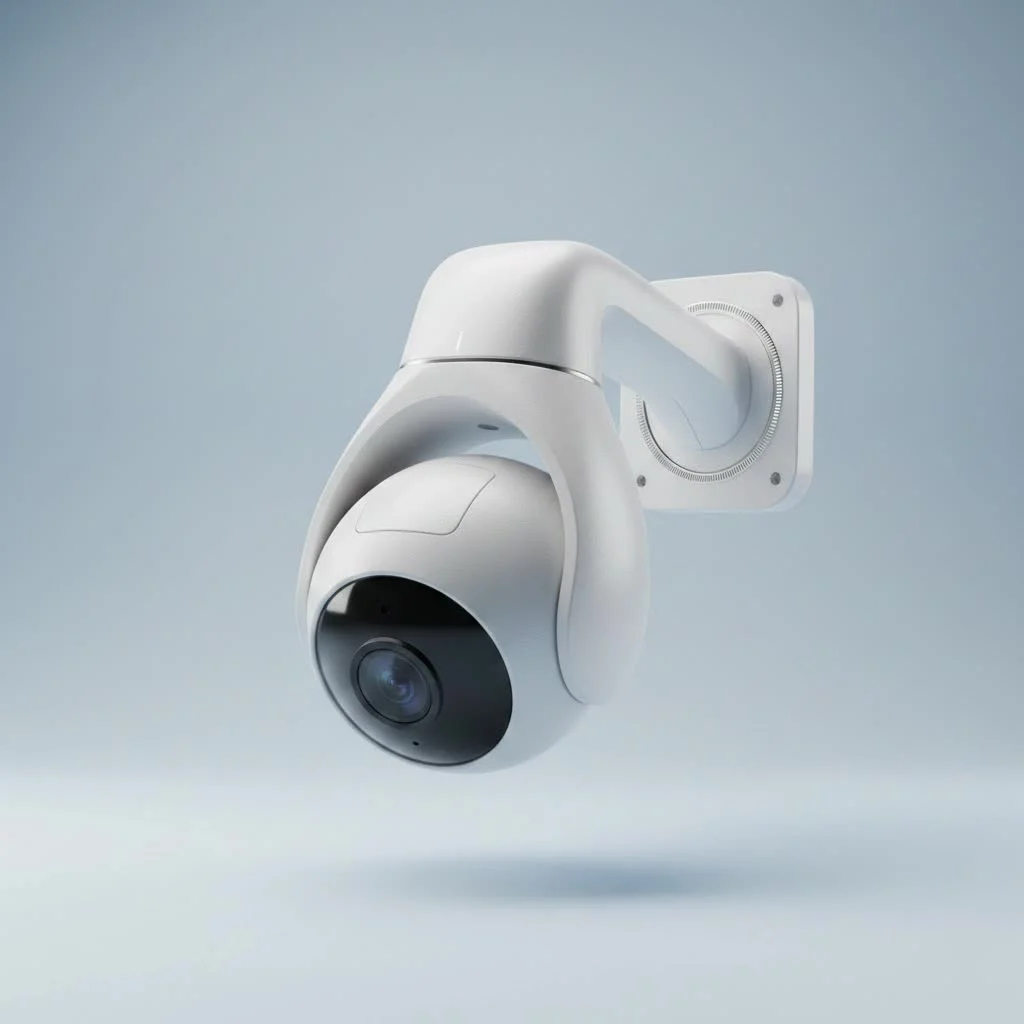
A Ring camera security system is an integrated ecosystem of smart home devices, including video doorbells, security cameras, and an alarm system, all controlled via a single smartphone application. This system allows users to monitor their property, receive motion-activated alerts, and communicate with visitors from anywhere, providing a comprehensive and user-friendly DIY security solution for homeowners and renters.
What Exactly is a Ring Camera Security System?
At its core, a Ring system is more than just a collection of cameras; it’s a connected ecosystem of devices designed to work in harmony. It typically revolves around the Ring Alarm system, which serves as the central hub, and is expanded with various indoor and outdoor cameras, video doorbells, and smart lighting. The entire network is controlled through a single, intuitive application on your smartphone, giving you a seamless command center for your home’s security. This integration allows devices to communicate. For example, a motion trigger on a driveway camera can be set to activate floodlights and begin recording on other nearby cameras, creating a layered and responsive defense.
The Core Components: Building Your Ring Fortress
A key advantage of Ring is its modularity. You can start small with a single video doorbell and expand your system over time as your needs and budget allow. Let’s look at the essential building blocks.
Ring Video Doorbells
This is often the entry point for many users. A Ring Video Doorbell replaces your existing doorbell and provides a live video feed of your front porch. Key features include:
- Two-Way Talk: Speak directly to visitors, delivery drivers, or intruders from your phone.
- Motion Detection: Receive instant alerts when someone approaches your door, even if they don’t press the button.
- High-Definition Video: Clear video quality, often with features like color night vision, ensures you can see every detail.
Ring Security Cams
Ring offers a wide array of cameras to cover every angle of your property. Each is designed for a specific purpose:
- Floodlight Cam: This powerful device combines a high-definition camera with motion-activated LED floodlights and a siren. It’s an excellent deterrent for driveways and backyards.
- Spotlight Cam: A more compact version of the Floodlight Cam, it features integrated spotlights to illuminate and record activity in targeted areas.
- Stick Up Cam: A versatile indoor/outdoor camera that can be placed on a flat surface or mounted on a wall. It’s available in battery, plug-in, and solar-powered versions.
- Indoor Cam: A small, plug-in camera designed exclusively for monitoring the inside of your home. It’s perfect for keeping an eye on pets or main living areas.
Ring Alarm Security System
|
Our Picks for the Best Security Camera in 2026
As an Amazon Associate I earn from qualifying purchases.
|
||
| Num | Product | Action |
|---|---|---|
| 1 | Security Cameras Wireless Outdoor,2K Indoor WiFi Wireless Cameras,Outside Battery Powered Camera for Home Security,AI Motion Detection,Color Night Vision,Spotlight,Siren Alarm,SD/Cloud Storage,2 Pack |

|
| 2 | Security Cameras Wireless Outdoor-Solar&Battery Powered 2K 2.4G Cameras for Home Security, Instant Alert, AI Human Detection, Color Night Vision, 2-Way Talk, SD Storage, Work with Alexa, Z1 4P |
|
| 3 | Tapo 2K Pan/Tilt Security Camera for Baby Monitor, Dog Camera w/Motion Detection, 2-Way Audio Siren, Night Vision, Cloud&SD Card Storage, Works w/Alexa & Google Assistant, 2-Pack (Tapo C210P2) |
|
| 4 | Tapo TP-Link 2K Pan/Tilt Indoor Security Camera for Baby Monitor, Pet Camera, Motion Detection & Tracking, 2-Way Audio, Cloud & SD Card Storage, Works w/Alexa & Google Home, Black, C211(2-Pack) |
|
| 5 | WYZE Bulb Cam Security Camera, 2K HD Outdoor Light Bulb Camera, Color Night Vision, Dimmable LED Bulb, Motion Detection, Siren Alarm, Works w/Alexa/Google Assistant. Free Expert Support |
|
| 6 | TP-Link Tapo 1080P Indoor Security Camera for Baby Monitor, Dog Camera w/Motion Detection, 2-Way Audio Siren, Night Vision, Cloud & SD Card Storage, Works w/Alexa & Google Home (Tapo C100) |
|
| 7 | WYZE Cam v4 (Latest Model), 2.5K AI Security Camera, Indoor/Outdoor Cameras for Home Security, Baby Monitor & Pet Camera, Vibrant Color Night Vision, No Subscription Required, Free Expert Help |
|
| 8 | REOLINK 4K PoE Security Camera System Wired, 8pcs 8MP PoE Cameras, Smart Person/Vehicle Detection, 16CH NVR with 4TB HDD, H.265, 24/7 Recording, High Bitrate & Clear Stream, RLK16-800D8 |
|
| 9 | Kasa Smart Indoor Pan-Tilt Home Security Camera, 1080p HD Dog Camera w/Night Vision, Motion Detection for Baby & Pet Monitor, Cloud & SD Card Storage, Works w/ Alexa & Google Home, 2.4G WiFi (EC71) |
|
| 10 | WYZE Cam Pan v3 Indoor/Outdoor IP65-Rated 1080p Pan/Tilt/Zoom Wi-Fi Smart Home Security Camera with Color Night Vision, 2-Way Audio, Compatible with Alexa & Google Assistant, White, 2-Pack |
|
This is the brain of your security setup. The base kit typically includes:
- Base Station: The central hub that connects all your Ring devices to the internet.
- Keypad: Allows you and your family to arm and disarm the system from inside the house.
- Contact Sensors: Placed on doors and windows, these sensors trigger an alarm if they are opened while the system is armed.
- Motion Detectors: These indoor sensors detect movement within a room, providing another layer of protection.
- Range Extender: Ensures a strong Z-Wave signal between the Base Station and all your alarm components.
“The true strength of the Ring ecosystem isn’t in any single device, but in how they all communicate,” notes security integrator Johnathan Carter. “When your door sensor, motion detector, and outdoor cameras are all working in concert, you create a security network that is far more effective than the sum of its parts.”
How Does a Ring Camera Security System Work?
Simplicity is at the heart of the Ring experience. Once your devices are installed and connected to your Wi-Fi network via the Ring app, the system operates on a straightforward principle: detect, alert, and record.
- Detection: A camera or sensor detects an event, such as motion at your front door or a window being opened.
- Alert: An instant notification is sent to your smartphone, allowing you to see what’s happening in real-time.
- Action: From the app, you can view the live video feed, use two-way talk to communicate, sound a siren, or activate lights.
- Recording: With a subscription plan, the video clip of the event is automatically saved to the cloud for you to review, download, and share later.
This entire process happens within seconds, giving you the power to react to a potential threat from anywhere in the world.
The Pros and Cons of Choosing Ring
No system is perfect, and Ring is no exception. It’s important to weigh the advantages against the potential drawbacks before investing.
Advantages of a Ring System
- Ease of Installation: Most Ring devices are designed for simple, DIY installation, saving you hundreds of dollars in professional setup fees.
- Affordability: The upfront hardware cost is generally lower than traditional, professionally installed security systems.
- Unified App Experience: Controlling your doorbell, cameras, lights, and alarm from a single, well-designed app is incredibly convenient.
- Modularity and Scalability: You can easily add more devices to your system as your security needs grow.
Potential Drawbacks
- Subscription Required for Full Functionality: To save and review video recordings, you must subscribe to a Ring Protect plan. Without it, you can only view live events.
- Reliance on Wi-Fi: Like all Wi-Fi-based systems, its performance is dependent on the strength and stability of your home network. A poor connection can lead to delayed notifications or offline devices.
- Privacy Concerns: As a cloud-based system, questions about data privacy and security have been raised in the past. Ring has since implemented measures like end-to-end encryption to address these concerns.
A Closer Look at Ring Protect Plans
Understanding the subscription model is crucial. The ring camera security system hardware is only part of the equation; the Ring Protect plan unlocks its full potential.
| Feature | No Plan (Free) | Ring Protect Basic | Ring Protect Plus | Ring Protect Pro |
|---|---|---|---|---|
| Price | Free | ~$3.99/mo per device | ~$10/mo per location | ~$20/mo per location |
| Motion-Activated Alerts | Yes | Yes | Yes | Yes |
| Real-Time Live View | Yes | Yes | Yes | Yes |
| Two-Way Talk | Yes | Yes | Yes | Yes |
| Video History Storage | No | Up to 180 days | Up to 180 days | Up to 180 days |
| Video Saving & Sharing | No | Yes | Yes | Yes |
| Person Alerts | No | Yes | Yes | Yes |
| Extended Warranty | No | No | Yes | Yes |
| 24/7 Professional Monitoring | No | No | No | Yes |
For most users, the Ring Protect Plus plan offers the best value, covering all cameras at a single location and extending the warranty on your devices. For those who want the peace of mind of emergency services being dispatched automatically, the Pro plan is the necessary upgrade.
Is a Ring Camera Security System Right for You?
Deciding on a security system is a personal choice. Ring is an excellent fit for:
- DIY Enthusiasts: If you’re comfortable with basic installations and managing settings through an app, you’ll feel right at home.
- Renters and Homeowners: The system’s wireless nature makes it easy to install without major modifications and take with you when you move.
- Budget-Conscious Consumers: The low entry cost and flexible subscription plans make it an accessible option for many.
- Those Seeking an Integrated System: If you want your doorbell, outdoor cameras, and alarm system to work together seamlessly, Ring is a top contender.
However, if you prefer a hardwired system that isn’t dependent on Wi-Fi, or if you are uncomfortable with any form of cloud video storage, you might want to explore other traditional security solutions.
Frequently Asked Questions (FAQ)
What happens if my Wi-Fi goes out? If your Wi-Fi connection is lost, your Ring cameras will not be able to send notifications or record video. However, if you have the Ring Alarm Pro system, it includes a built-in eero Wi-Fi 6 router with a 24/7 cellular backup internet connection (requires a Pro subscription) to keep your devices online.
Do Ring cameras record 24/7? No, Ring cameras are motion-activated and only record when they detect movement. This conserves battery life (for battery-powered models) and reduces the amount of irrelevant footage you have to sift through.
Can the police access my Ring camera footage? Police and other public safety agencies can request footage from users in a specific area for an active investigation through the Neighbors app. However, you have complete control over whether or not you choose to share your videos. Law enforcement cannot access your cameras or videos without your consent or a legal warrant.
How long does the battery last on Ring devices? Battery life varies significantly based on the device, usage, and settings. For most battery-powered cameras and doorbells, a single charge can last from a few weeks to several months. You can add a solar panel to many devices for continuous charging.
Is professional installation available for Ring? Yes, while Ring is designed for DIY, you can purchase professional installation services through Ring’s website or other third-party providers if you’re not comfortable setting it up yourself.
Conclusion: A Smart Choice for Modern Security
The ring camera security system has earned its place as a leader in the home security market for good reason. It offers a powerful, flexible, and accessible way for everyday people to protect their homes. By combining user-friendly hardware with a sophisticated and integrated app experience, Ring empowers you to build a security system tailored to your specific needs. While the reliance on Wi-Fi and the necessity of a subscription plan are important considerations, the overall value and performance make it a compelling choice for millions. By starting with an assessment of your property’s vulnerable points and choosing the right combination of devices, you can build a formidable Ring of security around the place you call home.
Frequently Asked Questions
What happens to my Ring camera system if my Wi-Fi goes out?
If your Wi-Fi connection is lost, your Ring cameras will not be able to send notifications or record video. However, the Ring Alarm Pro system includes a built-in eero Wi-Fi 6 router with a 24/7 cellular backup internet connection, which requires a Pro subscription to keep devices online.
Do Ring cameras continuously record video footage 24/7?
No, Ring cameras are motion-activated and only record when they detect movement. This design choice helps conserve battery life for battery-powered models and reduces the amount of irrelevant footage users need to review.
Can law enforcement agencies access my Ring camera footage without my permission?
Police and other public safety agencies can request footage from users in a specific area through the Neighbors app for active investigations. However, users retain complete control over whether or not they choose to share their videos; law enforcement cannot access cameras or videos without explicit consent or a legal warrant.
How long do the batteries typically last on Ring security devices?
Battery life varies significantly based on the specific device, its usage frequency, and configured settings. For most battery-powered cameras and doorbells, a single charge can last anywhere from a few weeks to several months. Many devices also support optional solar panels for continuous charging.
Is professional installation an option for Ring security systems?
Yes, while Ring systems are primarily designed for DIY installation, professional installation services are available. You can purchase these services directly through Ring's website or from various third-party providers if you prefer not to set up the system yourself.
How to Set Up a Ring Camera Security System
Setting up a Ring camera security system involves installing devices and connecting them to your home Wi-Fi network using the Ring app. The system then detects events, sends alerts, and records footage.
Physically install your Ring cameras, video doorbells, and alarm components according to their instructions. Use the Ring app to connect each device to your home's Wi-Fi network, ensuring a stable connection for optimal performance.
Within the Ring app, customize motion detection zones and sensitivity for your cameras and sensors. This ensures the system accurately detects events, such as motion at your front door or a window being opened, minimizing false alerts.
Once an event is detected, the system sends an instant notification to your smartphone. This allows you to view live video feeds and assess the situation in real-time, no matter where you are.
From the app, you can take immediate action like using two-way talk, sounding a siren, or activating lights. With a Ring Protect subscription, video clips of events are automatically saved to the cloud for up to 180 days, allowing you to review, download, and share them later.
Get our weekly buyer guide
Practical specs, not advice. Unsubscribe anytime.

The Ring Alarm system as the central hub is a solid concept, and the cameras themselves are decent. However, I found the two-way talk feature on the outdoor camera to be a bit laggy at times, which can be frustrating when trying to communicate with a delivery person. It’s not a dealbreaker, but definitely something that could be improved.
I’ve been looking into a DIY security solution for my apartment, and the Ring system really delivers. The ability to control everything from one app is a game-changer, especially for someone who isn’t super tech-savvy. I love getting those motion-activated alerts directly to my phone, it gives me so much peace of mind when I’m at work.
This integrated ecosystem of devices is exactly what I needed for my small business. Being able to monitor both indoor and outdoor cameras, plus the alarm system, all from my phone is incredibly convenient. It’s a comprehensive solution that really simplifies property surveillance.
We just installed a Ring camera system at our house, and it’s been great for monitoring the property. The video doorbell is a fantastic feature for seeing who’s at the door when we’re not home. Setup was pretty straightforward, though linking all the smart lighting took a little longer than I expected.