Ever wondered about those sleek, discreet security cameras you see in shops, offices, and even homes? Chances are, you’ve spotted a dome security camera. These little powerhouses are some of the most popular choices for surveillance, and for good reason! They’re designed to be tough, effective, and blend right into their surroundings, offering a robust layer of protection without screaming for attention.
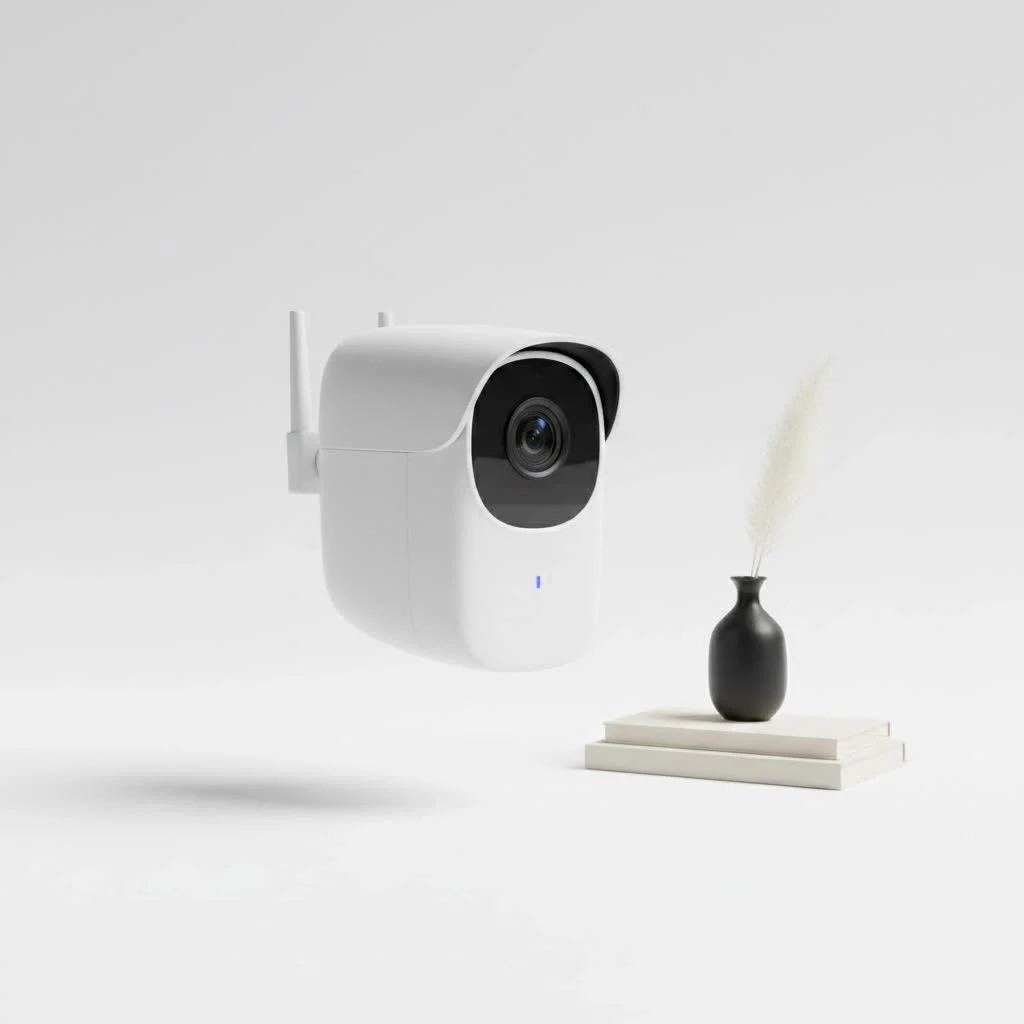
Here at Ydmrw.com, we’re all about helping you understand the ins and outs of security technology. With over 15 years in the field, I’ve seen cameras evolve dramatically, but the core need for reliable, clear, and easy-to-manage surveillance remains the same. Let’s dive deep into the world of dome security cameras, exploring everything from their design to installation and upkeep, so you can make an informed decision for your peace of mind. For shop curated home on this site.
What Exactly is a Dome Security Camera?
A dome security camera gets its name from its distinctive, rounded, dome-shaped casing. This protective housing encases the camera lens and internal electronics, shielding them from both physical tampering and environmental elements. Unlike bulkier camera types, their unobtrusive design allows them to integrate smoothly into various environments, making them less conspicuous to the casual observer. This design isn’t just about aesthetics; it also often makes it difficult for someone to discern which direction the camera is actually pointed, adding an element of ambiguity that can be a powerful deterrent.
Key Characteristics
Dome cameras are renowned for several characteristics that set them apart. Their robust construction often includes vandal-resistant materials, making them a go-to choice for areas prone to tampering. Many are also weather-resistant, capable of withstanding harsh conditions when deployed outdoors. Furthermore, their typical wide-angle lenses provide extensive coverage, often reducing the need for multiple cameras in a single space.
Types of Dome Security Cameras to Consider
Just like cars, not all dome security cameras are created equal. They come in various configurations, each suited for different security needs and environments. Understanding these types will help you pick the perfect match.
Indoor vs. Outdoor Dome Cameras
The first distinction you’ll encounter is whether a dome camera is designed for indoor or outdoor use.
- Indoor Dome Cameras: These are typically less robust in terms of weatherproofing, focusing more on discreet aesthetics and wide coverage within controlled environments like homes, offices, and retail spaces.
- Outdoor Dome Cameras: Built to brave the elements, outdoor models feature weatherproof housings (often with IP66 or IP67 ratings), temperature resistance, and enhanced protection against tampering and vandalism. They are designed to withstand rain, dust, heat, and cold, ensuring continuous surveillance regardless of the weather.
Wired vs. Wireless Dome Cameras
|
Our Picks for the Best Security Camera in 2026
As an Amazon Associate I earn from qualifying purchases.
|
||
| Num | Product | Action |
|---|---|---|
| 1 | WYZE Cam Pan v3 Indoor/Outdoor IP65-Rated 1080p Pan/Tilt/Zoom Wi-Fi Smart Home Security Camera with Color Night Vision, 2-Way Audio, Compatible with Alexa & Google Assistant, White, 2-Pack |

|
| 2 | Security Cameras Wireless Outdoor-Solar&Battery Powered 2K 2.4G Cameras for Home Security, Instant Alert, AI Human Detection, Color Night Vision, 2-Way Talk, SD Storage, Work with Alexa, Z1 4P |
|
| 3 | Tapo TP-Link 2K Pan/Tilt Indoor Security Camera for Baby Monitor, Pet Camera, Motion Detection & Tracking, 2-Way Audio, Cloud & SD Card Storage, Works w/Alexa & Google Home, Black, C211(2-Pack) |
|
| 4 | REOLINK 4K PoE Security Camera System Wired, 8pcs 8MP PoE Cameras, Smart Person/Vehicle Detection, 16CH NVR with 4TB HDD, H.265, 24/7 Recording, High Bitrate & Clear Stream, RLK16-800D8 |
|
| 5 | WYZE Cam v4 (Latest Model), 2.5K AI Security Camera, Indoor/Outdoor Cameras for Home Security, Baby Monitor & Pet Camera, Vibrant Color Night Vision, No Subscription Required, Free Expert Help |
|
| 6 | Security Cameras Wireless Outdoor,2K Indoor WiFi Wireless Cameras,Outside Battery Powered Camera for Home Security,AI Motion Detection,Color Night Vision,Spotlight,Siren Alarm,SD/Cloud Storage,2 Pack |
|
| 7 | WYZE Bulb Cam Security Camera, 2K HD Outdoor Light Bulb Camera, Color Night Vision, Dimmable LED Bulb, Motion Detection, Siren Alarm, Works w/Alexa/Google Assistant. Free Expert Support |
|
| 8 | Tapo 2K Pan/Tilt Security Camera for Baby Monitor, Dog Camera w/Motion Detection, 2-Way Audio Siren, Night Vision, Cloud&SD Card Storage, Works w/Alexa & Google Assistant, 2-Pack (Tapo C210P2) |
|
| 9 | Kasa Smart Indoor Pan-Tilt Home Security Camera, 1080p HD Dog Camera w/Night Vision, Motion Detection for Baby & Pet Monitor, Cloud & SD Card Storage, Works w/ Alexa & Google Home, 2.4G WiFi (EC71) |
|
| 10 | TP-Link Tapo 1080P Indoor Security Camera for Baby Monitor, Dog Camera w/Motion Detection, 2-Way Audio Siren, Night Vision, Cloud & SD Card Storage, Works w/Alexa & Google Home (Tapo C100) |
|
Your connectivity choice impacts installation and flexibility.
- Wired Dome Cameras: These cameras use cables, often Ethernet for Power over Ethernet (PoE) systems, to transmit data and receive power. PoE cameras are favored for their reliable connection and simplified “plug-and-play” installation, as a single cable handles both power and data.
- Wireless Dome Cameras: Offering greater flexibility in placement, wireless models transmit video signals over Wi-Fi, reducing the need for extensive wiring. However, they still require a power source, though some newer models might integrate battery power or solar options for ultimate wire-free setup.
PTZ vs. Fixed Dome Cameras
The way a camera views an area also defines its type.
- Fixed Dome Cameras: As the name suggests, these cameras have a static lens, providing a consistent view of a specific area. They are reliable for monitoring fixed points and offer stability.
- PTZ (Pan-Tilt-Zoom) Dome Cameras: These advanced dome cameras offer mechanical control over their movement, allowing users to remotely pan (move left or right), tilt (move up or down), and zoom in or out of specific areas. This makes them ideal for monitoring large, dynamic spaces like parking lots or warehouses where active surveillance is required.
IP vs. Analog Dome Cameras
The technology behind how video is processed and transmitted also varies.
- IP (Internet Protocol) Dome Cameras: These are digital cameras that connect to a network, allowing users to access live and recorded footage remotely via the internet. They generally offer higher resolution and more advanced features like video analytics.
- Analog Dome Cameras: These are traditional CCTV cameras that transmit video signals over coaxial cables. While typically less expensive, they offer lower resolution and fewer advanced features compared to IP cameras. They can be a cost-effective option for upgrading existing analog systems.
Why Choose a Dome Security Camera?
With so many security camera options available, why do dome cameras stand out? Their combination of design, durability, and functionality makes them a preferred choice for many.
Benefits of Dome Security Cameras
- Discreet Design: Their rounded profile allows them to blend seamlessly with ceilings and walls, making them less noticeable than other camera types. This is particularly useful in environments where overt surveillance might be undesirable, such as retail stores or offices.
- Vandal Resistance: The sturdy, often tamper-proof dome casing protects the internal camera components from physical attacks and vandalism. This makes them ideal for public or high-traffic areas.
- Weather Resistance: Outdoor dome cameras are engineered to withstand extreme weather conditions, including rain, dust, heat, and cold, ensuring continuous operation. Many carry IP ratings (e.g., IP66, IP67) indicating their level of protection against dust and water ingress.
- Wide Field of View: Many dome cameras come with wide-angle lenses, allowing them to cover a large area with a single camera, effectively reducing blind spots and the total number of cameras needed.
- Directional Ambiguity: The dome’s design makes it challenging for onlookers to determine the exact direction the camera lens is pointed. This ambiguity can be a significant deterrent for potential intruders, as they can’t easily tell which areas are being monitored.
- Versatility: Dome cameras are highly versatile and can be used in both indoor and outdoor settings, making them suitable for a wide range of applications, from home security to commercial surveillance.
When is a Dome Camera the Right Choice?
Dome cameras excel in situations where a balance of discreet surveillance, wide coverage, and durability is paramount. They are frequently used in:
- Retail Stores: Their discreet nature helps monitor customer activity without creating an overly intrusive atmosphere, while their vandal resistance protects against tampering.
- Offices and Commercial Buildings: They blend well with architectural aesthetics and provide broad coverage of lobbies, hallways, and common areas.
- Residential Properties: For homeowners seeking effective yet aesthetically pleasing outdoor or indoor surveillance.
- Public Spaces: Such as schools, hospitals, and transportation hubs, where durability and a wide field of view are crucial.
Key Features to Look For in a Dome Security Camera
When choosing a dome security camera, several technical features can significantly impact its performance and suitability for your specific needs. Understanding these will help you pick a device that truly delivers.
Resolution
What is resolution? Resolution refers to the clarity and detail of the image or video recorded by the camera. It’s measured in megapixels (MP) or lines of TV resolution (TVL) for older analog systems. Higher resolution means more detail, which is critical for identifying faces or license plates.
Why is it important? A higher resolution allows you to zoom into recorded footage without sacrificing image quality, making it easier to identify potential threats or incidents. Modern dome cameras often offer resolutions from 3MP up to 4K (8 Megapixels), providing exceptionally clear and detailed footage.
Night Vision
What is night vision? Night vision, often facilitated by infrared (IR) LEDs, allows the camera to capture clear images in low-light or complete darkness.
Why is it important? If you need 24/7 surveillance, especially in poorly lit areas or during nighttime, robust night vision capabilities are essential. Look for cameras with a good number of IR LEDs and a considerable IR range (e.g., 100 feet or more) for better visibility in the dark.
Field of View
What is the field of view? This describes the extent of the area that the camera can capture. It’s often determined by the camera’s lens type.
Why is it important? Dome cameras are known for their wide-angle capabilities, providing maximized viewing areas. Some models feature varifocal lenses, which allow you to adjust the focal length and zoom, giving you flexibility to monitor at a wider angle or focus on a specific distance. This means fewer cameras might be needed to cover a large space.
Motion Detection & Alerts
What is motion detection? This feature allows the camera to detect movement within its field of view and trigger a recording or send an alert.
Why is it important? Motion detection helps conserve storage space by only recording when activity is detected. More importantly, it can send instant alerts to your smartphone or email, notifying you of unusual activity in real-time. This is a critical feature for proactive security.
Storage Options
What are storage options? This refers to how and where the camera stores its recorded footage.
Why is it important? Common options include local storage (SD cards, DVRs/NVRs) and cloud storage. Local storage offers quick access and is often preferred for privacy, while cloud storage provides off-site backup, protecting your footage even if the camera is tampered with. Consider your needs for retention duration, access, and security when choosing.
Durability
What is durability? Beyond just “vandal-resistant,” durability encompasses a camera’s ability to withstand various environmental and physical stresses.
Why is it important? For outdoor installations, weatherproof ratings (IP ratings) are crucial. For areas where tampering is a concern, IK ratings indicate impact resistance (e.g., IK10 for high vandal resistance). A durable camera means less frequent replacement and more reliable long-term performance.
“Choosing the right dome security camera means understanding your specific needs,” says Anya Sharma, a seasoned security systems architect at Ydmrw. “It’s not just about resolution; it’s about matching features like night vision, field of view, and durability to your environment and desired level of protection.”
Installation Tips for Dome Security Cameras
Proper installation is paramount for your dome security camera to perform optimally. A well-placed and securely mounted camera ensures comprehensive coverage and resistance to tampering.
Planning Your Placement
How do I choose the best spot?
Start by identifying critical areas you want to monitor, such as entry points, high-traffic zones, or valuable assets. Consider the camera’s field of view to minimize blind spots. For outdoor cameras, think about potential obstructions and lighting conditions throughout the day and night. Aim for an optimal height of around 7 to 9 feet to provide a balance between wide coverage and capturing clear details like faces, while also being out of easy reach of vandals.
Mounting Process
How do I physically install it?
Most dome cameras can be wall-mounted or ceiling-mounted, offering flexibility. Some even support pole or corner mounting.
- Use a Template: Many cameras come with a drill template. Use it to mark your mounting points accurately.
- Drill Holes: Drill pilot holes for screws and, if necessary, a larger hole for running cables through the wall or ceiling for a discreet, professional look. Use appropriate drill bits for your surface (e.g., masonry bit for brick).
- Secure the Base: Mount the camera bracket or base securely, using appropriate fasteners for your wall type (e.g., drywall anchors for drywall, concrete screws for brick). Ensure the mounting is firm to prevent movement from wind or tampering.
- Connect and Position: Connect the necessary cables (power and data). Then, mount the camera body to the base. Before fully tightening, adjust the camera’s angle for optimal coverage. For dome cameras, the internal eyeball camera can often be rotated within the dome to get the perfect view.
- Seal for Outdoor Use: If installing outdoors, ensure all connections are watertight and the dome cover is properly sealed to prevent moisture ingress, which can degrade image quality, especially night vision.
Wiring and Connectivity
What about the cables?
- Concealed Wiring: Whenever possible, run cables through walls or ceilings to protect them from damage and tampering. This also provides a cleaner, more professional appearance.
- PoE Advantage: If you have PoE (Power over Ethernet) cameras, a single Ethernet cable simplifies wiring, providing both power and data connectivity.
- Cable Protection: For exposed outdoor runs, use weatherproof cable housing to shield against environmental factors.
- Test Connectivity: After installation, always test the camera’s field of view and network connectivity to ensure it’s functioning correctly and providing the desired coverage.
Configuring and Managing Your Dome Camera System
Once your dome security camera is physically installed, the next step is to configure it to work seamlessly with your security system.
Software & Apps
How do I access my camera?
Most modern dome cameras, especially IP models, come with dedicated software for PCs or mobile apps for smartphones and tablets. These applications allow you to:
- View live video feeds.
- Access and review recorded footage.
- Adjust camera settings (e.g., resolution, motion detection zones, night vision modes).
- Control PTZ (Pan-Tilt-Zoom) functions if available.
- Receive alerts and notifications.
Network Setup
How do I get it online?
- IP Address Configuration: For IP cameras, you’ll typically need to assign an IP address to each camera. Many manufacturers provide utilities to discover cameras on your network and configure their IP settings.
- Router and NVR/DVR Integration: Your cameras will connect to your network, often directly to a router or through a Network Video Recorder (NVR) for IP cameras, or a Digital Video Recorder (DVR) for analog cameras. Ensure proper network settings for your NVR/DVR for smooth operation.
- Security Best Practices: Always change default passwords immediately after installation to protect your system from unauthorized access. Update camera firmware regularly to patch security vulnerabilities and gain new features.
Remote Access
Can I view my cameras when I’m away?
Yes, remote access is a significant benefit of modern dome security cameras.
- Mobile Apps: Most systems offer mobile apps that allow you to view live streams and playback recordings from anywhere with an internet connection.
- Web Browsers: You can often access your camera feeds and settings through a web browser using the camera’s IP address or a cloud service provided by the manufacturer.
- VPN and Port Security: For enhanced security, consider using a Virtual Private Network (VPN) for remote access and configure port security on your network to block unwanted access.
Maintenance and Troubleshooting Common Issues
Even the most robust dome security camera needs a little love to keep it running smoothly. Regular maintenance prevents problems, and knowing how to troubleshoot common issues can save you a headache.
Regular Checks
What should I check regularly?
- Clean Lenses and Domes: Dust, dirt, pollen, spiderwebs, or smudges on the dome or lens can significantly degrade image quality, especially at night. Clean exterior cameras monthly or quarterly, and indoor cameras less frequently, depending on the environment.
- Inspect Mounts: High winds, vibrations, or tampering can loosen camera mounts, causing misalignment. Check mounts every few months, tighten screws, and ensure brackets are not rusted.
- Check Cabling and Power Supply: Look for frayed, cut, or bent cables, especially for outdoor installations. Ensure all connections are secure, particularly to the NVR/DVR and power source.
- Software and Firmware Updates: Regularly update your camera’s firmware and associated software. These updates often include security patches, bug fixes, and performance improvements.
- View Live Feed: Periodically check the live feed to ensure clarity and proper coverage. Look for any condensation inside the dome, which could indicate a compromised seal.
Basic Troubleshooting Common Issues
- Blurry or Unclear Footage:
- Cause: Most commonly, a dirty lens or dome. Condensation inside the dome can also cause blurring.
- Solution: Gently clean the dome and lens using a clean microfiber cloth and a mild cleaning solution (avoid ammonia-based cleaners). For dust, use compressed air. If condensation is present, reseal the camera housing.
- Night Vision Not Working:
- Cause: Dirt on the dome reflecting IR light back into the camera, blocked IR LEDs, or a faulty IR sensor.
- Solution: Clean the dome thoroughly. Check if anything is obstructing the IR LEDs.
- No Video Signal:
- Cause: Loose cable connection, power interruption, network issue (for IP cameras), or camera malfunction.
- Solution: Check all cable connections and power supply. Reboot the camera and NVR/DVR. Verify network connectivity for IP cameras.
- Camera Has Moved/Misaligned:
- Cause: Loose mounting screws or physical impact.
- Solution: Securely tighten all mounting screws. Readjust the camera’s angle to restore proper coverage.
To properly clean your dome camera, remove the dome cover (following your camera’s manual), use compressed air to remove loose dust, then gently wipe the lens and inside/outside of the dome cover with a clean, lint-free microfiber cloth and a small amount of a high-quality optical cleaning solution or mild soapy water. Always avoid harsh chemicals, abrasive materials, or paper towels, as they can scratch the dome and damage coatings.
Frequently Asked Questions (FAQ)
What are the main advantages of a dome security camera over a bullet camera?
Dome security cameras offer a discreet, often vandal-resistant design that blends seamlessly into surroundings, making it harder to determine the camera’s direction. Bullet cameras, while good for deterrence with their visible presence, are generally more susceptible to vandalism and tampering.
Can dome security cameras be used outdoors?
Yes, many dome security cameras are specifically designed for outdoor use. They feature weatherproof housings with high IP ratings (like IP66 or IP67) to protect against dust, water, and extreme temperatures, ensuring reliable performance in various weather conditions.
How far can a dome camera see at night?
The night vision range of a dome security camera varies depending on the model and the number/power of its infrared (IR) LEDs. Many good quality dome cameras can provide clear night vision footage at distances of 30 meters (approximately 100 feet) or more in complete darkness.
Are dome cameras difficult to install?
Installing a dome camera is generally straightforward, especially with PoE models which simplify wiring. The process typically involves mounting the base, connecting cables, and adjusting the lens angle. However, proper planning and secure mounting are crucial, and professional installation may be advisable for complex setups or specific outdoor conditions.
How often should I clean my dome security camera?
The cleaning frequency depends on the camera’s location and environmental conditions. Outdoor cameras exposed to dust, pollen, and rain may require monthly or quarterly cleaning, while indoor cameras might only need cleaning every six months to a year. Regular inspection of the live feed will indicate when cleaning is needed.
Conclusion
Dome security cameras have truly earned their place as a cornerstone of modern surveillance. Their discreet design, robust protection against vandalism and weather, wide viewing angles, and advanced features like high-resolution imaging and night vision make them an excellent choice for securing nearly any space. Whether you’re safeguarding your home, a bustling retail store, or a professional office, a dome security camera offers a sophisticated and reliable solution.
By understanding the different types, key features, and best practices for installation and maintenance, you can confidently choose, deploy, and manage a system that keeps your property safe and gives you invaluable peace of mind. Investing in a quality dome security camera isn’t just about buying a device; it’s about investing in a sense of security and control. Ready to enhance your surveillance? Explore the possibilities with dome security cameras today and feel the difference.
Get our weekly buyer guide
Practical specs, not advice. Unsubscribe anytime.
I’ve been looking for a discreet security solution for my small business, and the information here about dome cameras blending into surroundings was spot on. I ended up installing a few in my retail space, and they’re practically invisible while still giving me great coverage. The video quality is super clear, even at night, which was a big concern for me.
I appreciated the details on the toughness and effectiveness of dome cameras. I got one for my garage, hoping it would withstand some of the temperature fluctuations. It works okay, but I’ve noticed a slight lag in the live feed sometimes, which is a bit annoying when I’m trying to check on things quickly. The image quality is decent though.
I’ve been using security cameras for years, and this really highlighted why dome cameras are such a popular choice. The robust layer of protection they offer without being an eyesore is exactly what I needed for my home’s exterior. I particularly liked the insights on installation tips; it made my DIY project much smoother than anticipated.
This guide really helped me understand the different types of dome cameras. I was debating between a fixed and a PTZ model for my home office, and the breakdown of their uses made my decision much easier. I went with a fixed one for a specific corner, and it’s been reliable. My only minor gripe is that the initial setup took a little longer than I expected, but once it was done, it’s been smooth sailing.