In today’s fast-paced world, protecting your home and loved ones is more important than ever. If you’re looking for a reliable, flexible, and high-performance security solution, chances are you’ve heard about the buzz surrounding the Arlo wireless security camera. As a seasoned expert with over 15 years in the security industry, I’ve seen countless systems come and go, but Arlo has consistently stood out for its innovation and commitment to truly wire-free protection. These cameras offer a blend of advanced technology and user-friendly design, making them a top choice for anyone wanting peace of mind without the hassle of complex wiring.
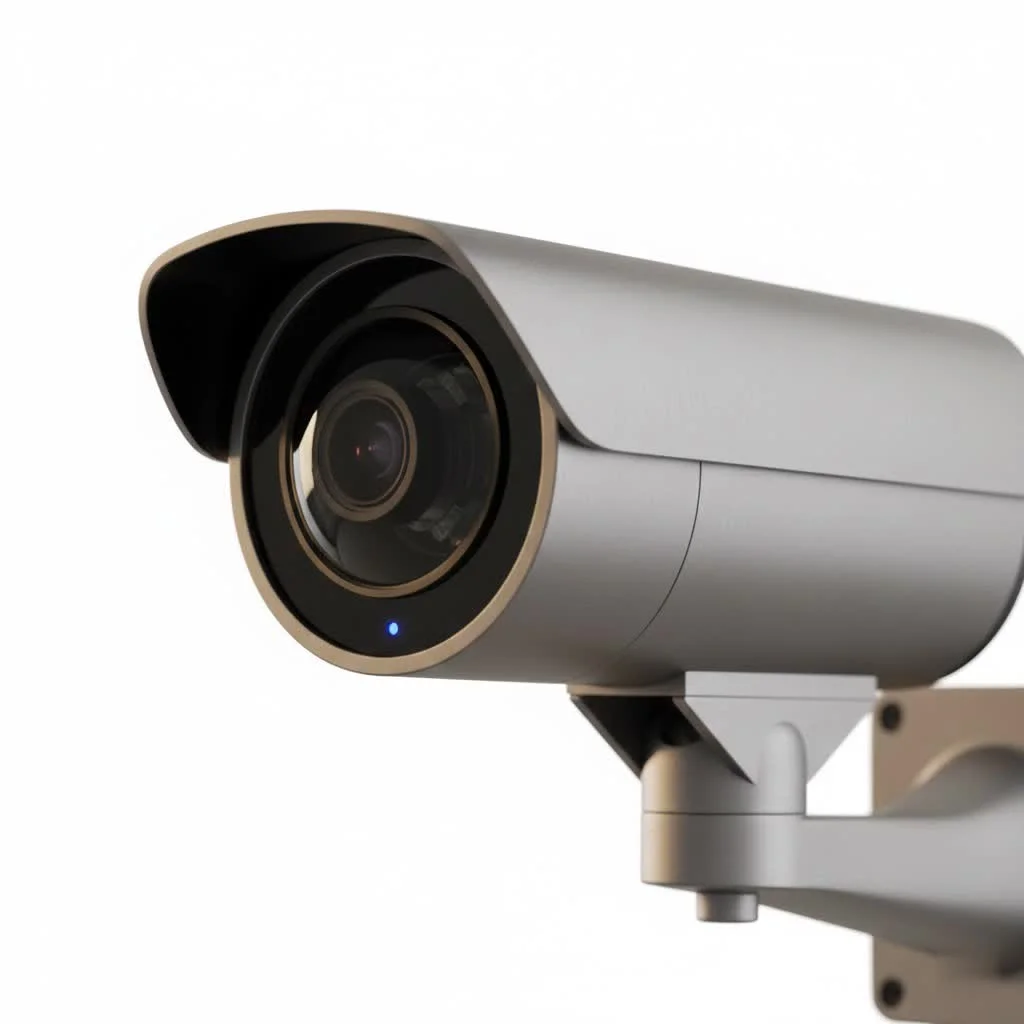
What Makes Arlo Wireless Security Cameras a Top Choice?
Arlo wireless security cameras have carved out a significant niche in the home security market, and for good reason. They’re designed with both convenience and cutting-edge features in mind, delivering a robust monitoring experience. For expert home reviews on this site.
The Freedom of Wire-Free Design
What truly sets Arlo apart is its completely wire-free operation. This means no power cables to run, no messy data lines, and no professional installation required. You can literally place your camera anywhere within Wi-Fi range, whether it’s on a shelf indoors or mounted discreetly on an outdoor wall. This unparalleled flexibility makes Arlo an ideal solution for renters, homeowners, or anyone who wants to quickly adjust their security setup.
Crystal-Clear Vision: Resolution and Field of View
Arlo cameras offer impressive video quality, ranging from 1080p Full HD on their Essential models to stunning 4K HDR on the Ultra series. This high resolution ensures that you can see intricate details, from faces to license plates, providing crucial evidence if an incident occurs. Coupled with wide-angle lenses, many Arlo cameras boast a 160-degree or even 180-degree field of view, minimizing blind spots and maximizing your coverage with fewer cameras.
Smart Detection and Alerts
Forget constant, irrelevant alerts. Arlo’s intelligent motion detection goes beyond basic movement. With an Arlo Secure subscription, these cameras can differentiate between people, vehicles, animals, and even packages. This means you only get notified about what truly matters, reducing false alarms and helping you stay focused on real threats. Customized activity zones allow you to define specific areas for monitoring, further refining your alert system.
Night Vision and Integrated Lighting
Security doesn’t clock out after dark, and neither do Arlo cameras. Most models come equipped with advanced color night vision, allowing you to see objects and events in full color even in low-light conditions, not just the traditional grayscale. Some higher-end Arlo wireless security camera models also feature integrated spotlights, which can illuminate a scene for better recording quality or act as a deterrent to unwelcome visitors.
Two-Way Audio Communication
|
Our Picks for the Best Security Camera in 2026
As an Amazon Associate I earn from qualifying purchases.
|
||
| Num | Product | Action |
|---|---|---|
| 1 | REOLINK 4K PoE Security Camera System Wired, 8pcs 8MP PoE Cameras, Smart Person/Vehicle Detection, 16CH NVR with 4TB HDD, H.265, 24/7 Recording, High Bitrate & Clear Stream, RLK16-800D8 |

|
| 2 | Kasa Smart Indoor Pan-Tilt Home Security Camera, 1080p HD Dog Camera w/Night Vision, Motion Detection for Baby & Pet Monitor, Cloud & SD Card Storage, Works w/ Alexa & Google Home, 2.4G WiFi (EC71) |
|
| 3 | Security Cameras Wireless Outdoor,2K Indoor WiFi Wireless Cameras,Outside Battery Powered Camera for Home Security,AI Motion Detection,Color Night Vision,Spotlight,Siren Alarm,SD/Cloud Storage,2 Pack |
|
| 4 | WYZE Bulb Cam Security Camera, 2K HD Outdoor Light Bulb Camera, Color Night Vision, Dimmable LED Bulb, Motion Detection, Siren Alarm, Works w/Alexa/Google Assistant. Free Expert Support |
|
| 5 | WYZE Cam v4 (Latest Model), 2.5K AI Security Camera, Indoor/Outdoor Cameras for Home Security, Baby Monitor & Pet Camera, Vibrant Color Night Vision, No Subscription Required, Free Expert Help |
|
| 6 | WYZE Cam Pan v3 Indoor/Outdoor IP65-Rated 1080p Pan/Tilt/Zoom Wi-Fi Smart Home Security Camera with Color Night Vision, 2-Way Audio, Compatible with Alexa & Google Assistant, White, 2-Pack |
|
| 7 | Security Cameras Wireless Outdoor-Solar&Battery Powered 2K 2.4G Cameras for Home Security, Instant Alert, AI Human Detection, Color Night Vision, 2-Way Talk, SD Storage, Work with Alexa, Z1 4P |
|
| 8 | Tapo TP-Link 2K Pan/Tilt Indoor Security Camera for Baby Monitor, Pet Camera, Motion Detection & Tracking, 2-Way Audio, Cloud & SD Card Storage, Works w/Alexa & Google Home, Black, C211(2-Pack) |
|
| 9 | Tapo 2K Pan/Tilt Security Camera for Baby Monitor, Dog Camera w/Motion Detection, 2-Way Audio Siren, Night Vision, Cloud&SD Card Storage, Works w/Alexa & Google Assistant, 2-Pack (Tapo C210P2) |
|
| 10 | TP-Link Tapo 1080P Indoor Security Camera for Baby Monitor, Dog Camera w/Motion Detection, 2-Way Audio Siren, Night Vision, Cloud & SD Card Storage, Works w/Alexa & Google Home (Tapo C100) |
|
Need to tell a delivery driver where to leave a package, or perhaps scare off a porch pirate? Arlo’s integrated speaker and microphone enable clear two-way audio communication. This feature adds another layer of security and convenience, allowing you to interact with visitors or intruders from anywhere, directly through the Arlo app on your smartphone.
Durable and Weather-Resistant Build
Arlo understands that outdoor cameras need to withstand the elements. Many of their wireless security camera models are built with robust, weather-resistant housing, designed to operate reliably in rain, snow, heat, and cold. This ensures your security system remains vigilant no matter what Mother Nature throws its way.
Exploring the Arlo Family: Which Camera is Right for You?
Arlo offers a range of wireless security camera options, each designed to meet different needs and budgets. Understanding the distinctions can help you pick the perfect fit for your home.
Arlo Ultra Series: Premium 4K Protection
The Arlo Ultra series represents the pinnacle of Arlo’s technology. These cameras boast stunning 4K HDR video quality, offering the clearest images possible. They often include advanced features like an integrated spotlight, siren, and wider 180-degree viewing angles. If you demand the absolute best in video fidelity and advanced smart features, an Arlo Ultra wireless security camera is your go-to.
Arlo Pro Series: Advanced Features, Great Value
The Arlo Pro series strikes an excellent balance between premium features and affordability. Typically offering 2K HDR video, color night vision, two-way audio, and a spotlight on newer models (like the Pro 4 and Pro 5S), these cameras deliver exceptional performance without the Ultra’s top-tier price tag. The Arlo Pro wireless security camera lineup is a fantastic choice for most homeowners seeking comprehensive security.
Arlo Essential Series: Simple, Smart, and Affordable
For those new to smart security or looking for a more budget-friendly option, the Arlo Essential series is ideal. These cameras typically record in 1080p Full HD, offer color night vision, two-way audio, and often have an integrated spotlight. What’s unique about many Essential models is their ability to connect directly to Wi-Fi, often bypassing the need for an Arlo SmartHub, making setup even simpler. An Arlo Essential wireless security camera provides reliable core security functions without unnecessary frills.
Comparing Key Features: A Quick Look
| Feature | Arlo Essential | Arlo Pro | Arlo Ultra |
|---|---|---|---|
| Video Resolution | 1080p | 2K HDR | 4K HDR |
| Field of View | 130°-160° | 160° | 160°-180° |
| Color Night Vision | Yes | Yes | Yes |
| Integrated Spotlight | Yes (on most) | Yes (on Pro 4/5S) | Yes |
| Two-Way Audio | Yes | Yes | Yes |
| Direct Wi-Fi | Yes (some models) | Yes (Pro 4/5S) | No (requires Hub) |
Getting Started: Installing Your Arlo Wireless Security Camera
One of the greatest appeals of an Arlo wireless security camera is its straightforward installation process. You don’t need to be a tech wizard to get your system up and running.
Step 1: Charging Your Camera
Before you do anything else, fully charge your Arlo camera’s battery. This usually takes a few hours, depending on the model. A fully charged battery ensures a smooth setup and reliable operation from day one.
Step 2: Downloading the Arlo App
The Arlo app is your command center. Download it from your smartphone’s app store (iOS or Android) and create an Arlo account if you don’t already have one. This app will guide you through the rest of the setup process and serve as your main interface for monitoring and managing your cameras.
Step 3: Syncing Your Camera (with or without a SmartHub)
- With a SmartHub: If your Arlo system uses a SmartHub (often required for Ultra and older Pro models), plug it into your router and power it on. Then, open the Arlo app, select “Add New Device,” and follow the on-screen instructions to sync your camera. This typically involves pressing a sync button on both the hub and the camera.
- Direct to Wi-Fi: If you have a newer Arlo Pro 4/5S or an Essential series camera, it might connect directly to your home Wi-Fi network. In the Arlo app, select “Add New Device,” choose your camera model, and follow the prompts to connect it to your 2.4GHz Wi-Fi network.
Step 4: Mounting Your Camera for Optimal Coverage
Once synced, position your camera where it provides the best view of the area you want to monitor. Consider factors like:
- Height: Mount cameras high enough to prevent tampering but low enough to capture clear facial features.
- Angle: Aim for a wide overview, but also consider specific points of interest like doors or windows.
- Light Source: Avoid aiming directly into bright lights or the sun, which can cause glare and poor image quality.
- Wi-Fi Strength: Check the signal strength in the Arlo app to ensure reliable connectivity.
“Choosing the right mounting spot is crucial,” says John P. Henderson, a renowned security system architect. “It’s not just about what you see, but also about what the camera can effectively detect and record. Always test the field of view and motion detection before finalizing the mount.”
Maximizing Your Arlo Experience: Tips and Tricks
Getting the most out of your Arlo wireless security camera involves understanding its ecosystem and optimizing its settings.
Understanding Arlo Secure Subscription Plans
While some basic functionalities are available without a subscription, an Arlo Secure plan unlocks the full potential of your Arlo camera. These plans typically offer:
- Cloud Video History: Store your recordings in the cloud for 30 days or more.
- Advanced Object Detection: Differentiate between people, vehicles, animals, and packages.
- Interactive Notifications: View video clips directly from your phone’s notification screen.
- Emergency Response: Contact emergency services directly through the app (availability varies).
Without a subscription, you generally only get live view, motion notifications, and local storage (if available on your model). Investing in Arlo Secure is highly recommended for comprehensive protection.
Optimizing Battery Life
Since Arlo cameras are wire-free, battery life is a key consideration. Here’s how to maximize it:
- Adjust Motion Sensitivity: Lowering sensitivity means fewer recordings and less battery drain.
- Optimize Activity Zones: Focus detection on critical areas, ignoring unnecessary movement.
- Reduce Video Quality: Lowering resolution can extend battery life, though it’s a trade-off with image detail.
- Schedule Modes: Set up schedules for when the camera is armed or disarmed to save power when you don’t need active monitoring.
- Disable Unnecessary Features: Turn off features like the integrated spotlight if you rarely use it.
Utilizing Smart Home Integrations
Arlo cameras play well with other smart home devices. You can integrate them with platforms like Amazon Alexa, Google Assistant, Apple HomeKit (for some models), and IFTTT. This allows for seamless control using voice commands, creating automated routines, and having a unified smart home experience. Imagine telling Alexa to show you the front door camera feed or having your smart lights turn on when Arlo detects motion.
Local Storage vs. Cloud Storage
Many Arlo systems with a SmartHub offer a local storage option, usually via a microSD card or USB drive. This provides a backup for recordings and can be beneficial if your internet goes down. However, cloud storage via Arlo Secure offers remote access to your footage from anywhere, enhanced security against camera theft, and advanced AI features. For ultimate peace of mind, a combination of both is often the best approach.
Troubleshooting Common Arlo Wireless Camera Issues
Even the most reliable systems can encounter hiccups. Here are solutions to common problems you might face with your Arlo wireless security camera.
Connectivity Problems
- Check Wi-Fi Signal: Ensure your camera is within good range of your Wi-Fi router or Arlo SmartHub. Thick walls or interference can degrade the signal.
- Reboot Devices: Try restarting your Wi-Fi router, Arlo SmartHub (if applicable), and the camera itself.
- Firmware Update: Ensure your camera’s firmware is up to date via the Arlo app. Updates often include bug fixes and performance improvements.
- Network Congestion: If you have many devices on your network, they might be competing for bandwidth. Consider a mesh Wi-Fi system if coverage is consistently poor.
Battery Drainage
If your battery seems to drain faster than expected, review the optimization tips above. High motion activity, frequent live viewing, and extreme temperatures can all impact battery life. Ensure the camera is charging properly when connected to power.
Motion Detection Glitches
- Adjust Sensitivity: Experiment with different sensitivity levels in the Arlo app.
- Clear Obstructions: Make sure there are no tree branches, bushes, or other objects constantly moving in the camera’s field of view, causing false triggers.
- Firmware: Again, ensure your firmware is current.
- Activity Zones: Double-check your activity zone settings to ensure they cover the areas you intend to monitor.
Frequently Asked Questions
What is the battery life of an Arlo wireless security camera?
Battery life varies significantly depending on the model, usage, and environmental factors. Some cameras can last several months on a single charge with typical usage, while others might need recharging every few weeks if motion detection is frequent or live viewing is common.
Do Arlo cameras require a subscription?
No, Arlo cameras do not strictly require a subscription for basic functionalities like live viewing and motion notifications. However, an Arlo Secure subscription is highly recommended to unlock advanced features such as cloud video history, intelligent object detection (people, vehicles, animals), and interactive notifications.
Can Arlo cameras work without a SmartHub?
Yes, many newer Arlo models, particularly those in the Arlo Essential series and the Arlo Pro 4/5S, can connect directly to your home’s 2.4GHz Wi-Fi network without needing a separate Arlo SmartHub. Older Pro and Ultra series cameras typically require a SmartHub.
Are Arlo cameras waterproof?
Many Arlo wireless security cameras are designed to be weather-resistant, often rated for outdoor use. This means they can withstand rain, snow, heat, and cold. Always check the specific IP rating or weather resistance claims for your particular Arlo model.
How far can an Arlo camera detect motion?
The range for motion detection on an Arlo camera typically varies, but most can reliably detect motion up to 20-25 feet (6-7.5 meters) away. Factors like ambient light, object size, and the camera’s sensitivity settings can affect this range.
Can I view my Arlo camera feed on multiple devices?
Yes, you can access your Arlo camera feed from multiple smartphones, tablets, or even web browsers by logging into your Arlo account. This allows multiple family members to monitor the security system simultaneously.
What’s the difference between Arlo Pro and Arlo Ultra?
The primary difference lies in video resolution and certain premium features. Arlo Ultra cameras offer superior 4K HDR video, often with a wider field of view (up to 180 degrees), while Arlo Pro cameras typically provide excellent 2K HDR video. Ultra models generally include more advanced features like enhanced noise cancellation and a brighter integrated spotlight.
Safeguarding Your Space with Arlo
Choosing an Arlo wireless security camera means investing in a flexible, high-quality, and intelligent solution for your home or business. With their wire-free convenience, crisp video, smart detection capabilities, and robust construction, Arlo cameras empower you to monitor what matters most, day and night. By understanding the different models, optimizing your settings, and leveraging the full suite of features (especially with an Arlo Secure subscription), you’ll be well-equipped to create a formidable security perimeter. Don’t just watch your property; protect it proactively with the proven power of an Arlo wireless security camera system, giving you the ultimate peace of mind. Secure your world, the smart way.
Get our weekly buyer guide
Practical specs, not advice. Unsubscribe anytime.
