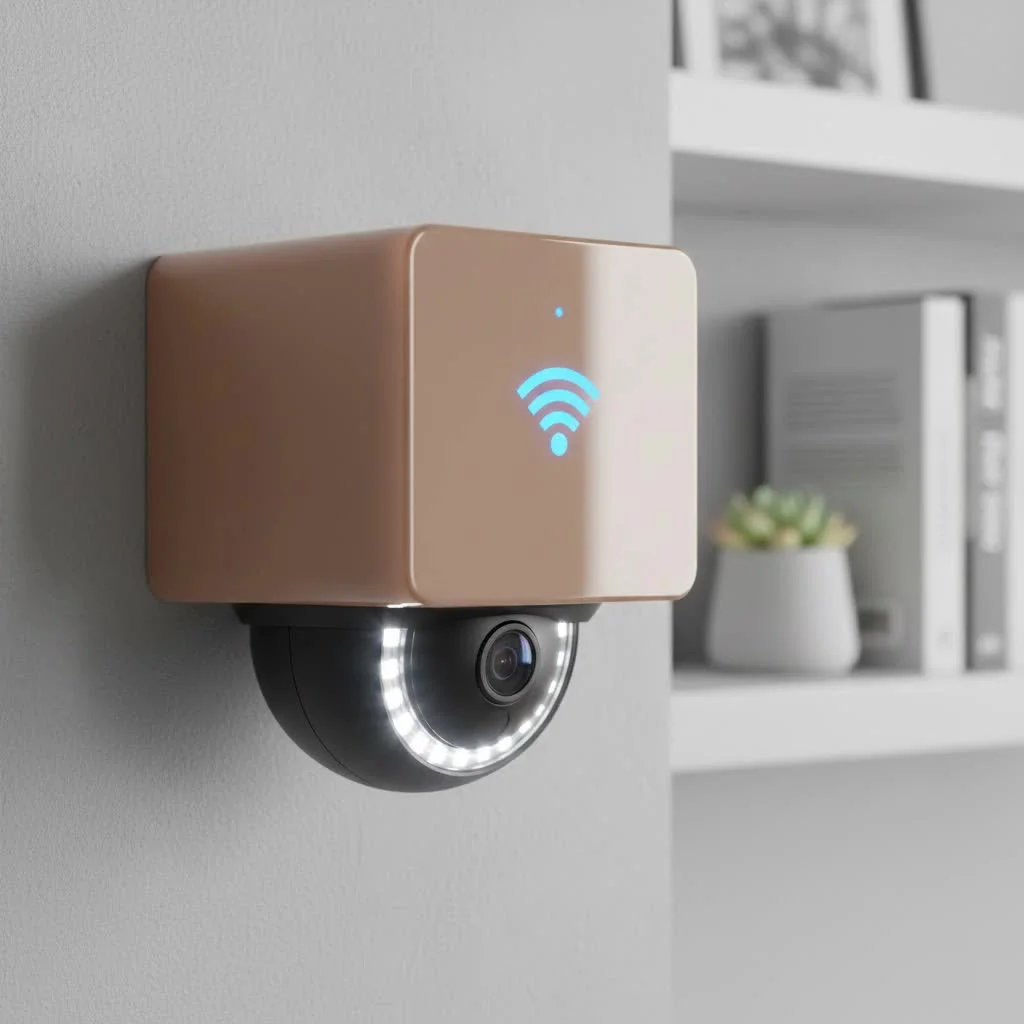
A modern wifi security camera system offers flexible, user-friendly home and business protection by transmitting video and audio data wirelessly over your local network. These systems typically require only a power source and a stable connection to your router, making installation significantly easier than traditional wired setups. Key components include WiFi-enabled cameras, an optional Network Video Recorder (NVR) for local storage, and a mobile app for remote viewing and management.
What is a WiFi Security Camera System?
A WiFi security camera system is a network of surveillance cameras that transmit video and audio data over your local wireless network (WiFi) to a central hub or directly to the cloud. Unlike traditional wired systems that require physical cables to connect each camera to a recording device, WiFi cameras only need a power source and a stable connection to your router. This fundamental difference makes them incredibly versatile and much easier to install for the average homeowner or small business owner.
The core components typically include:
- WiFi Cameras: One or more cameras equipped with WiFi antennas.
- Recording Device (Optional): Many systems use a Network Video Recorder (NVR) for local storage, while others rely entirely on cloud storage.
- Mobile App/Software: A user interface on your smartphone, tablet, or computer to view live feeds, access recordings, and manage settings.
Key Advantages of Choosing a WiFi System
Opting for a WiFi security camera system comes with a host of benefits that make it an attractive choice for modern security needs. The primary advantage is the ease of installation. Without the need to run video cables through walls and ceilings, you can place cameras almost anywhere they can receive a WiFi signal and connect to a power outlet.
“The biggest leap forward in consumer security has been the shift to WiFi,” notes security analyst David Chen. “It democratized home surveillance, empowering users with tools that are not only powerful but also incredibly simple to deploy. The key is ensuring your network is as secure as your front door.”
Other significant benefits include:
- Flexibility and Scalability: Easily add more cameras to your system as your needs grow without worrying about available ports on a recorder.
- Remote Accessibility: View live footage and recorded clips from anywhere in the world using your smartphone.
- Smart Home Integration: Many WiFi cameras work seamlessly with platforms like Amazon Alexa and Google Assistant, allowing for voice commands and integration with other smart devices.
- Advanced Features: WiFi cameras often come packed with modern tech like AI-powered motion detection, two-way audio, and color night vision.
Essential Features to Look for in a WiFi Security Camera System
Not all WiFi camera systems are created equal. To find the right fit for your property, you need to evaluate several key features that directly impact performance, usability, and reliability.
Video Resolution: The Clarity That Counts
|
Our Picks for the Best Security Camera in 2026
As an Amazon Associate I earn from qualifying purchases.
|
||
| Num | Product | Action |
|---|---|---|
| 1 | Tapo TP-Link 2K Pan/Tilt Indoor Security Camera for Baby Monitor, Pet Camera, Motion Detection & Tracking, 2-Way Audio, Cloud & SD Card Storage, Works w/Alexa & Google Home, Black, C211(2-Pack) |

|
| 2 | Tapo 2K Pan/Tilt Security Camera for Baby Monitor, Dog Camera w/Motion Detection, 2-Way Audio Siren, Night Vision, Cloud&SD Card Storage, Works w/Alexa & Google Assistant, 2-Pack (Tapo C210P2) |
|
| 3 | WYZE Bulb Cam Security Camera, 2K HD Outdoor Light Bulb Camera, Color Night Vision, Dimmable LED Bulb, Motion Detection, Siren Alarm, Works w/Alexa/Google Assistant. Free Expert Support |
|
| 4 | WYZE Cam v4 (Latest Model), 2.5K AI Security Camera, Indoor/Outdoor Cameras for Home Security, Baby Monitor & Pet Camera, Vibrant Color Night Vision, No Subscription Required, Free Expert Help |
|
| 5 | Security Cameras Wireless Outdoor-Solar&Battery Powered 2K 2.4G Cameras for Home Security, Instant Alert, AI Human Detection, Color Night Vision, 2-Way Talk, SD Storage, Work with Alexa, Z1 4P |
|
| 6 | TP-Link Tapo 1080P Indoor Security Camera for Baby Monitor, Dog Camera w/Motion Detection, 2-Way Audio Siren, Night Vision, Cloud & SD Card Storage, Works w/Alexa & Google Home (Tapo C100) |
|
| 7 | Security Cameras Wireless Outdoor,2K Indoor WiFi Wireless Cameras,Outside Battery Powered Camera for Home Security,AI Motion Detection,Color Night Vision,Spotlight,Siren Alarm,SD/Cloud Storage,2 Pack |
|
| 8 | REOLINK 4K PoE Security Camera System Wired, 8pcs 8MP PoE Cameras, Smart Person/Vehicle Detection, 16CH NVR with 4TB HDD, H.265, 24/7 Recording, High Bitrate & Clear Stream, RLK16-800D8 |
|
| 9 | Kasa Smart Indoor Pan-Tilt Home Security Camera, 1080p HD Dog Camera w/Night Vision, Motion Detection for Baby & Pet Monitor, Cloud & SD Card Storage, Works w/ Alexa & Google Home, 2.4G WiFi (EC71) |
|
| 10 | WYZE Cam Pan v3 Indoor/Outdoor IP65-Rated 1080p Pan/Tilt/Zoom Wi-Fi Smart Home Security Camera with Color Night Vision, 2-Way Audio, Compatible with Alexa & Google Assistant, White, 2-Pack |
|
Resolution determines how clear and detailed your video footage will be. While older cameras offered 720p, the modern standard is 1080p (Full HD). For greater detail, consider systems with 2K or 4K Ultra HD resolution, which can make it easier to identify faces, license plates, and other critical details from a distance.
Night Vision: Your Eyes in the Dark
Security threats don’t stop when the sun goes down. Effective night vision is non-negotiable. There are two main types:
- Infrared (IR) Night Vision: Uses IR LEDs to illuminate the area, producing a black-and-white image. It’s discreet and effective.
- Color Night Vision: Uses ambient light or a small, built-in spotlight to record in full color at night, providing much more detail.
Field of View
The field of view (FoV) dictates how wide of an area a single camera can cover. A wider FoV, measured in degrees, means you’ll need fewer cameras to monitor a large space like a backyard or parking lot. Look for cameras with at least a 130-degree FoV for general-purpose use.
Motion Detection and Alerts
Modern systems have moved beyond simple motion detection. A quality wifi security camera system will feature smart detection that can differentiate between people, animals, vehicles, and general motion. This drastically reduces false alarms, ensuring you’re only notified about events that truly matter.
Storage Options: Cloud vs. Local
You need a place to store your video recordings. Systems offer two primary methods:
- Cloud Storage: Footage is uploaded to a secure remote server. This is safe from theft or damage to the local device but usually requires a monthly subscription fee.
- Local Storage: Video is saved to a microSD card in the camera or a central NVR. This is a one-time cost but can be vulnerable if a burglar steals the device.
Many systems offer a hybrid approach, giving you the best of both worlds.
How to Install Your WiFi Security Camera System
One of the most appealing aspects of a WiFi system is the straightforward, DIY-friendly installation process. While specifics vary by brand, the general steps are universal.
- Plan Your Camera Placement: Identify key entry points, vulnerable areas, and high-traffic zones. Before mounting, use the camera’s app to test the WiFi signal strength at each desired location. A weak signal will lead to unreliable performance.
- Mount the Cameras: Securely mount the cameras using the included hardware. Ensure they are positioned high enough to be out of easy reach and angled correctly to capture the desired view.
- Connect to Power: This is a crucial step. You have two main options:
- Plug-in Cameras: These require a nearby electrical outlet for continuous power.
- Battery-Powered (Wire-Free) Cameras: These offer maximum placement flexibility but require periodic recharging.
- Sync with the App: Download the manufacturer’s app on your smartphone. Follow the on-screen instructions to connect each camera to your WiFi network by scanning a QR code or entering your network credentials.
- Configure Your Settings: Once connected, customize motion detection zones, alert preferences, recording schedules, and video quality settings to match your needs.
Frequently Asked Questions (FAQ)
Can a WiFi security camera system work without the internet?
For most features, no. While a system with an NVR might continue to record locally if the internet goes down, you will lose the ability to view live feeds remotely, receive notifications, and access cloud recordings.
Are WiFi cameras secure and can they be hacked?
Like any connected device, they can be a target. To maximize security, always change the default password, enable two-factor authentication (2FA), use a strong and unique WiFi password, and keep your camera’s firmware updated.
How far can a WiFi camera be from the router?
This depends on your router’s strength and obstacles like walls. Generally, a camera should be within 50-150 feet of the router. For larger properties, you may need a WiFi mesh system or range extenders to ensure a stable connection.
Do WiFi cameras record continuously?
Some do, but it depends on the model and power source. Plug-in cameras are more likely to offer 24/7 continuous recording, while battery-powered cameras usually only record when motion is detected to conserve power.
Final Thoughts: Securing Your Property with Confidence
A wifi security camera system is a powerful and adaptable tool for safeguarding what matters most. By prioritizing key features like high-resolution video, smart motion detection, and secure storage, you can build a reliable surveillance network tailored to your exact needs. From the simple plug-and-play setup to the convenience of remote monitoring, these systems put comprehensive security right at your fingertips. Take the time to assess your property, evaluate your needs, and choose a system that delivers both performance and peace of mind.
Frequently Asked Questions
Can a WiFi security camera system function without an internet connection?
No, for most features, a WiFi security camera system requires an internet connection. While some systems with an NVR might record locally during an outage, remote viewing, notifications, and cloud access will be unavailable.
How can I ensure my WiFi security cameras are protected from hacking attempts?
To maximize security for your WiFi cameras, always change default passwords, enable two-factor authentication (2FA), use a strong and unique WiFi password, and regularly update the camera's firmware. These steps significantly reduce vulnerability.
What is the typical range for a WiFi camera from its router?
Generally, a WiFi camera should be positioned within 50-150 feet of the router, depending on the router's strength and physical obstructions like walls. For larger properties, consider using a WiFi mesh system or range extenders to maintain a stable connection.
Do all WiFi security cameras offer continuous recording capabilities?
Not all WiFi cameras record continuously; it depends on the model and power source. Plug-in cameras are more likely to offer 24/7 recording, whereas battery-powered cameras typically record only when motion is detected to conserve power.
What are the main advantages of choosing a wireless security camera system?
The main advantages of a wireless security camera system include easy installation without extensive wiring, high flexibility and scalability for adding cameras, remote accessibility via smartphone, and integration with smart home platforms like Amazon Alexa.
Install Your WiFi Security Camera System
Follow these straightforward steps to install your WiFi security camera system for optimal home or business surveillance.
Identify critical entry points and vulnerable areas for camera placement. Before mounting, use the camera's mobile app to test the WiFi signal strength at each desired location to ensure reliable performance.
Securely mount each camera using the provided hardware. Position them high enough to be out of easy reach and angle them correctly to capture the desired view without blind spots.
Connect your cameras to a power source. Plug-in cameras require a nearby electrical outlet for continuous power, while battery-powered cameras offer flexibility but need periodic recharging.
Download the manufacturer's app on your smartphone and follow the on-screen instructions. Connect each camera to your WiFi network by scanning a QR code or entering your network credentials.
Once connected, customize your camera settings. Adjust motion detection zones, set alert preferences, schedule recording times, and select video quality to match your specific security needs.
Get our weekly buyer guide
Practical specs, not advice. Unsubscribe anytime.
I appreciate the breakdown of what a WiFi security camera system is. I opted for a system with an NVR for local storage, which was a key factor for me. While the setup was mostly straightforward, I did have a bit of trouble getting all the cameras to consistently connect to the network initially. It took some troubleshooting, but it’s working fine now. The image quality is good, though.
This type of system is exactly what I needed for my small office. The fact that it only requires a power source and a stable connection to the router made it incredibly simple to set up without running a bunch of cables. The ability to manage everything from a mobile app is super convenient. It’s definitely a user-friendly home and business protection solution.
We got a new WiFi security camera system for our home after reading about how they transmit video and audio data wirelessly. It’s been great for keeping an eye on things when we’re away. The only minor issue is that sometimes the connection to our router can be a bit spotty in one corner of the house, but a range extender fixed that right up. Overall, very happy with the flexibility it offers.
I was hesitant to switch from my old wired system, but this guide really helped me understand the benefits of a WiFi security camera system. The installation was so much easier than I expected, just needing a power source and my router. The remote viewing feature through the mobile app is a game-changer for checking in on my business after hours. Highly recommend for anyone looking for a modern upgrade.