In today’s fast-paced world, ensuring the security of your home and loved ones is paramount. With countless options flooding the market, choosing the right surveillance system can feel overwhelming. Here at Ydmrw.com, with over 15 years of hands-on experience in security cameras and monitoring systems, we’re here to cut through the noise and guide you. Today, we’re taking an expert look at the Roku security camera ecosystem – a popular, budget-friendly choice that’s making waves in the smart home space. These cameras promise seamless integration with your existing Roku devices, making home monitoring more accessible than ever. Let’s explore how Roku is shaping the future of home security.
What Are Roku Security Cameras and Why Choose Them?
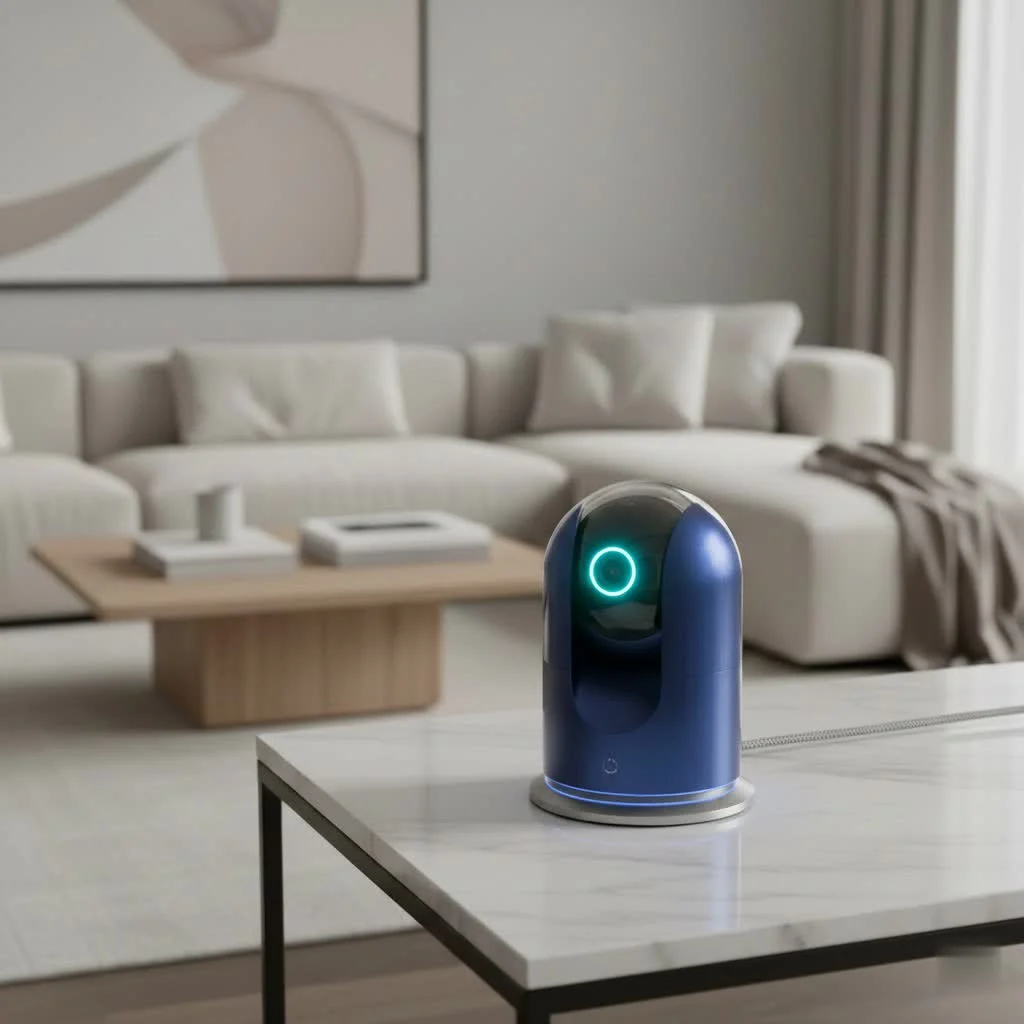
Roku, a brand synonymous with streaming entertainment, has successfully expanded its expertise into the smart home security arena. A Roku security camera is more than just a camera; it’s an extension of your connected home, designed to work effortlessly with your Roku TVs and streaming players.
What is a Roku Security Camera?
Essentially, Roku security cameras are a line of intelligent surveillance devices offered by Roku, built in partnership with Wyze. This collaboration means you’re getting tried-and-tested camera technology combined with Roku’s user-friendly interface. They are designed for both indoor and outdoor use, offering a straightforward approach to home monitoring for individuals and families who want reliable security without the hefty price tag.
Key Advantages of Roku Cameras:
- Affordability and Value: Roku cameras are consistently praised for their competitive pricing, often being significantly more affordable than comparable models from other brands. This makes them an excellent entry point into smart home security.
- Seamless Roku TV Integration: This is arguably Roku’s biggest selling point. You can view live feeds from your cameras directly on your Roku TV or streaming player, making it incredibly convenient to check in on your home without needing a separate device.
- Ease of Setup: Roku prides itself on user-friendly technology, and its cameras are no exception. The setup process is designed to be quick and intuitive, largely guided by the Roku Smart Home app.
- Reliable Core Features: Despite their affordability, Roku cameras don’t skimp on essential security features, offering robust monitoring capabilities that rival more expensive options.
Diving Into Roku Security Camera Models and Their Features
Roku offers a diverse range of camera models, each tailored to specific security needs, from indoor monitoring to outdoor surveillance.
What types of Roku security cameras are available?
|
Our Picks for the Best Security Camera in 2026
As an Amazon Associate I earn from qualifying purchases.
|
||
| Num | Product | Action |
|---|---|---|
| 1 | Kasa Smart Indoor Pan-Tilt Home Security Camera, 1080p HD Dog Camera w/Night Vision, Motion Detection for Baby & Pet Monitor, Cloud & SD Card Storage, Works w/ Alexa & Google Home, 2.4G WiFi (EC71) |

|
| 2 | TP-Link Tapo 1080P Indoor Security Camera for Baby Monitor, Dog Camera w/Motion Detection, 2-Way Audio Siren, Night Vision, Cloud & SD Card Storage, Works w/Alexa & Google Home (Tapo C100) |
|
| 3 | Security Cameras Wireless Outdoor-Solar&Battery Powered 2K 2.4G Cameras for Home Security, Instant Alert, AI Human Detection, Color Night Vision, 2-Way Talk, SD Storage, Work with Alexa, Z1 4P |
|
| 4 | Security Cameras Wireless Outdoor,2K Indoor WiFi Wireless Cameras,Outside Battery Powered Camera for Home Security,AI Motion Detection,Color Night Vision,Spotlight,Siren Alarm,SD/Cloud Storage,2 Pack |
|
| 5 | Tapo 2K Pan/Tilt Security Camera for Baby Monitor, Dog Camera w/Motion Detection, 2-Way Audio Siren, Night Vision, Cloud&SD Card Storage, Works w/Alexa & Google Assistant, 2-Pack (Tapo C210P2) |
|
| 6 | REOLINK 4K PoE Security Camera System Wired, 8pcs 8MP PoE Cameras, Smart Person/Vehicle Detection, 16CH NVR with 4TB HDD, H.265, 24/7 Recording, High Bitrate & Clear Stream, RLK16-800D8 |
|
| 7 | Tapo TP-Link 2K Pan/Tilt Indoor Security Camera for Baby Monitor, Pet Camera, Motion Detection & Tracking, 2-Way Audio, Cloud & SD Card Storage, Works w/Alexa & Google Home, Black, C211(2-Pack) |
|
| 8 | WYZE Cam v4 (Latest Model), 2.5K AI Security Camera, Indoor/Outdoor Cameras for Home Security, Baby Monitor & Pet Camera, Vibrant Color Night Vision, No Subscription Required, Free Expert Help |
|
| 9 | WYZE Bulb Cam Security Camera, 2K HD Outdoor Light Bulb Camera, Color Night Vision, Dimmable LED Bulb, Motion Detection, Siren Alarm, Works w/Alexa/Google Assistant. Free Expert Support |
|
| 10 | WYZE Cam Pan v3 Indoor/Outdoor IP65-Rated 1080p Pan/Tilt/Zoom Wi-Fi Smart Home Security Camera with Color Night Vision, 2-Way Audio, Compatible with Alexa & Google Assistant, White, 2-Pack |
|
Roku’s lineup includes:
- Roku Indoor Camera SE: A compact and budget-friendly option perfect for general indoor surveillance.
- Roku Indoor Camera 360°: Featuring pan and tilt capabilities, this camera provides full-room coverage with automatic motion tracking.
- Roku Outdoor Camera SE: Available in both wired and battery-powered versions, these weatherproof cameras are designed to withstand the elements and monitor exterior areas.
- Roku Floodlight Camera SE: Combines powerful illumination with robust surveillance, ideal for deterring intruders and brightening dark spaces.
- Roku Video Doorbell & Chime SE: Allows you to see, hear, and speak to visitors at your door, enhancing entryway security.
It’s worth noting that some Roku camera models are based on Wyze Cam designs, a strategic partnership that allows Roku to leverage proven technology and focus on integrating it seamlessly into its ecosystem.
Essential Features You’ll Love:
Roku security cameras come packed with functionalities designed to provide comprehensive monitoring:
- High-Definition Video Quality: Most Roku cameras deliver crisp 1080p HD video, ensuring you get clear, detailed footage of your property, whether it’s during the day or at night.
- Advanced Night Vision: Say goodbye to shadowy figures. Roku cameras offer impressive night vision, with some models featuring color night vision and low-light amplification that captures more light, giving you a clearer picture in dark conditions.
- Intelligent Motion and Sound Detection: These cameras don’t just record; they react. With customizable detection zones, you can focus on specific areas, and smart sensors that detect body heat help minimize false alarms from things like blowing curtains. You’ll receive instant alerts when activity is detected.
- Crystal-Clear Two-Way Audio: Whether you want to tell a delivery person where to leave a package, check in with your kids, or deter an unwelcome visitor, the built-in microphone and speaker allow for seamless two-way communication.
- Instant Notifications: Stay informed in real-time. Roku cameras send instant alerts directly to your smartphone via the Roku Smart Home app, and can even display notifications and live feeds on your Roku TV.
Understanding Roku Smart Home Subscriptions:
While Roku cameras offer robust basic functionality right out of the box, a subscription can unlock enhanced features for even greater peace of mind.
Do Roku security cameras require a monthly subscription?
No, a monthly subscription is not required to use the basic functions of your Roku cameras. You can access a live feed and receive motion and sound alerts on your phone without a subscription. However, for advanced features, a Roku Smart Home Subscription is necessary.
With a subscription, you unlock:
- Cloud Recording: Your camera records every detected motion or sound event and stores it securely in the cloud for up to 14 or 30 days, depending on the plan. This is crucial for reviewing past events.
- Advanced AI Detection: Filter events by person, pet, package, or car, ensuring you get more relevant alerts and can quickly find specific footage.
- Professional Monitoring: For comprehensive protection, a Pro Monitoring Subscription (powered by Noonlight) can connect your system to live agents 24/7 who can dispatch emergency services if an alarm is triggered and you don’t respond.
Roku offers a Standard Plan per camera or a Plus Plan for unlimited cameras, providing flexibility based on your needs. Some models also support local storage via a microSD card for continuous or event-based recording, offering an alternative or backup to cloud storage.
Setting Up Your Roku Security Camera: A Step-by-Step Guide
Getting your Roku security camera up and running is designed to be a breeze, even for those new to smart home tech.
Getting Started: What You’ll Need:
Before you begin, gather a few essentials:
- Your Roku security camera and its power adapter.
- A stable 2.4 GHz Wi-Fi network (Roku cameras generally do not support 5 GHz Wi-Fi during setup).
- A smartphone or tablet with the Roku Smart Home app installed (available on iOS and Android).
- Your Wi-Fi network password.
- For mounting, a drill (e.g., 2.5mm or 1/8in tap drill), screwdriver, drywall anchors, and screws may be required, which are often included.
Simple Setup for Indoor Cameras:
The process is generally straightforward:
- Power on the Camera: Connect the USB-C cable (for newer models) or micro USB cable to your camera and plug the adapter into a power outlet. The status light will typically begin to flash, indicating it’s ready for setup.
- Install the Roku Smart Home App: Download the free Roku Smart Home app from your device’s app store.
- Add the Camera in the App: Open the app, log in to your Roku account (or create one), and tap the plus sign (+) to “Add device.” Select “Cameras & Doorbells” and choose your specific camera model.
- Connect Camera to Wi-Fi: Follow the in-app prompts to select your 2.4 GHz Wi-Fi network and enter the password. Ensure your phone is connected to the same 2.4 GHz network.
- Scan QR Code: The app will display a QR code. Hold your camera about 5 inches from your phone screen so it can scan the code. You’ll hear an audible confirmation when successful.
- Finish Setup: Once the QR code is scanned, the camera will connect to your Wi-Fi. The status light will turn solid blue, indicating a successful connection. You can then name your camera and complete any initial firmware updates.
Mounting Your Camera for Optimal Coverage:
Proper placement is key to effective surveillance.
- Indoor Cameras: Roku Indoor Cameras are designed for flexibility. You can place them on any flat surface like a shelf or table. Many models also include mounting hardware for wall or ceiling installation. If mounting upside down, you can rotate the image 180° in the app settings.
- Outdoor Cameras: For outdoor models like the Roku Outdoor Camera SE or Floodlight Camera SE, consider areas with an unobstructed view and strong Wi-Fi signal. These are often weather-resistant (e.g., IP65-rated) and come with specific mounting plates and hardware. Some outdoor battery cameras may require a base station for connectivity, which needs to be plugged into your router via Ethernet.
As security expert Sarah Chen from Ydmrw.com always advises, “When positioning your cameras, think like a security professional. Consider vantage points that cover entryways, valuable areas, and potential blind spots. A clear line of sight, good lighting, and a strong Wi-Fi signal are your best friends.”
Maximizing Your Roku Security Camera’s Performance
Once your Roku security camera is installed, there are several ways to ensure you’re getting the most out of it.
Optimizing Video Quality and Detection:
- Strategic Placement: Ensure your camera has an unobstructed view of the area you want to monitor. Avoid placing it behind reflective surfaces like windows, especially for outdoor use, as this can cause glare and interfere with motion detection.
- Customizing Detection Zones: Use the Roku Smart Home app to define specific “detection zones.” This helps your camera focus on critical areas and reduces false alerts from irrelevant motion, such as passing cars on a busy street or swaying trees.
- Firmware Updates: Regularly check for and install firmware updates via the Roku Smart Home app. These updates often include performance enhancements, bug fixes, and new features that can significantly improve your camera’s operation.
Leveraging Roku TV Integration:
One of Roku’s standout features is its seamless integration with your Roku TV or streaming player.
Can I view Roku camera footage on my TV?
Absolutely! You can pull up your camera’s live feed directly on your Roku TV or Player by simply pressing a button on your remote or using Roku Voice commands. Just say, “Hey Roku, show me the living room camera,” and watch the feed appear on your screen. This is incredibly convenient when you’re watching TV and want a quick glance at another room or your front door.
Smart Home Ecosystem Compatibility:
Roku cameras are designed to fit into a broader smart home environment.
Do Roku cameras work with Alexa or Google Assistant?
Yes, Roku security cameras are compatible with popular voice assistants like Google Assistant and Amazon Alexa. This allows you to use voice commands to control certain camera functions or view feeds on compatible smart displays. This integration provides an extra layer of convenience for managing your home security.
Common Issues and Smart Troubleshooting for Your Roku Camera
Even with the most user-friendly technology, occasional hiccups can occur. Here’s how to troubleshoot common issues with your Roku security camera.
Why is my Roku camera offline or not connecting to Wi-Fi?
Wi-Fi connectivity is paramount for any smart camera. Here’s what to check:
- Wi-Fi Compatibility: Remember, Roku cameras require a 2.4 GHz Wi-Fi network. If you have a dual-band router, ensure your camera is connected to the 2.4 GHz band during setup. You might even temporarily disable the 5 GHz band during initial setup to ensure a smooth connection.
- Signal Strength: A weak Wi-Fi signal is a common culprit. Check the signal strength in the Roku Smart Home app (for supported models) and consider moving your camera or router closer together. Walls, ceilings, and other obstructions can significantly degrade signal quality. Upgrading to a mesh Wi-Fi system might be beneficial for larger homes.
- Router Placement and Interference: Place your router in a central location, away from large metal objects, thick walls, and other devices that can cause wireless interference, such as microwaves or cordless phones.
- Firmware and App Updates: Ensure both your camera’s firmware and the Roku Smart Home app are updated to their latest versions. Outdated software can lead to connectivity problems.
Camera Power Problems:
If your camera isn’t powering on or staying on, check these:
- Power Source and Cables: Verify that the power cable is securely connected to both the camera and the power adapter, and that the adapter is plugged into a working outlet. Avoid using third-party adapters unless explicitly recommended, as they might not supply the correct power level.
- Restart the Device: Sometimes, a simple restart can resolve power-related glitches. For plug-in models, unplug the camera for 10 seconds, then plug it back in. For battery models, remove and reinsert the batteries after 10 seconds. For wired floodlight cameras, toggle the circuit breaker that powers the camera off and on.
App and Notification Issues:
If you’re not receiving alerts or the app isn’t functioning correctly:
- Update the Roku Smart Home App: Ensure your app is the latest version. Head to your device’s app store and check for updates.
- Check Notification Settings: Verify that notifications are enabled both within the Roku Smart Home app and in your smartphone’s operating system settings.
- Restart the App: Close the Roku Smart Home app completely and reopen it. This can often resolve minor app glitches.
Is a Roku Security Camera Right for You? Expert Insights
Deciding if Roku security cameras are the right fit for your home depends on your specific needs and priorities. From our experience at Ydmrw, we’ve seen how they excel in certain scenarios.
Who benefits most from Roku cameras?
- Budget-Conscious Homeowners: If you’re looking for an effective home security solution without breaking the bank, Roku cameras offer exceptional value. Their competitive pricing allows you to set up multiple cameras affordably.
- Existing Roku Ecosystem Users: For anyone who already owns a Roku TV or streaming device, the seamless integration is a game-changer. The ability to view live feeds on your TV effortlessly adds a layer of convenience that few other brands can match.
- Users Seeking Easy Setup and Operation: Roku cameras are designed with simplicity in mind. If you prefer a straightforward installation process and an intuitive app experience, Roku is an excellent choice.
- Those Needing Basic to Advanced Monitoring: Whether you just want a live feed and motion alerts or require advanced AI detection and professional monitoring (with a subscription), Roku offers flexible options to meet your security demands. They are particularly popular for pet monitoring, allowing you to check in and even talk to your furry friends.
Roku vs. the Competition (e.g., Ring):
When comparing Roku to industry giants like Ring, a few key distinctions stand out:
- Cost Advantage for Roku: Roku consistently offers lower initial camera prices and often more affordable subscription plans, especially for essential AI features.
- Roku’s Seamless TV Integration: While many smart cameras can integrate with smart displays, Roku’s direct integration with its own TVs and players is exceptionally smooth and user-friendly, setting it apart.
- Specific Needs Matter: If you need a wider field of view or a more extensive range of battery-powered options, some competitors might have a slight edge. Similarly, if professional monitoring is your top priority and you need the most comprehensive features, brands with a longer history in that specific domain might be worth considering. However, for a balanced blend of affordability, functionality, and ease of use within the Roku ecosystem, these cameras are hard to beat.
Frequently Asked Questions
Understanding the common queries helps paint a complete picture of Roku security cameras.
Do Roku security cameras require a monthly subscription?
No, a subscription is optional. Basic features like live streaming and motion/sound alerts are free. A Roku Smart Home Subscription is needed for cloud recording, advanced AI detection (person, pet, package, car), and professional monitoring.
Can I view Roku camera footage on my TV?
Yes! One of the biggest advantages is the ability to view live feeds directly on your Roku TV or any Roku streaming player using your remote or Roku Voice commands.
Are Roku cameras wireless?
Roku offers both wired (plug-in) and wire-free (battery-powered) camera models. The wire-free models are weather-resistant and offer greater placement flexibility.
Do Roku cameras work with Alexa or Google Assistant?
Yes, Roku security cameras are compatible with both Google Assistant and Amazon Alexa, allowing for voice control and integration into broader smart home routines.
What is the video quality of Roku security cameras?
Most Roku security cameras provide 1080p Full HD video resolution, offering clear and detailed images. Many also feature color night vision for enhanced clarity in low light.
Can Roku cameras record continuously?
Continuous recording typically requires a microSD card (on select models). For cloud recording of events, a Roku Smart Home Subscription is necessary. Without a subscription, recordings are generally not stored.
What is the difference between Roku Indoor Camera SE and 360?
The Roku Indoor Camera 360° offers pan and tilt functionality, allowing it to cover an entire room and automatically track motion, while the Indoor Camera SE is a static, compact indoor camera. Both provide 1080p HD video.
Securing Your Home with Roku: A Smart Choice
The world of home security cameras continues to evolve, and Roku has carved out a compelling niche, offering reliable, feature-rich options that are remarkably accessible. Whether you’re an existing Roku user looking to expand your smart home ecosystem or a newcomer seeking an affordable yet powerful surveillance solution, a Roku security camera offers a practical and effective way to enhance your home’s safety. Their ease of use, seamless TV integration, and intelligent features make monitoring your property a stress-free experience.
At Ydmrw.com, we believe that peace of mind should be within everyone’s reach. By understanding the capabilities and benefits of Roku security cameras, you’re empowered to make an informed decision and take a confident step towards a more secure home. Invest in your safety today and experience the comfort of knowing your home is always in sight.
Get our weekly buyer guide
Practical specs, not advice. Unsubscribe anytime.
