In today’s fast-paced world, where safeguarding our homes and businesses has become more critical than ever, a reliable video security camera system isn’t just a luxury – it’s a necessity. Whether you’re a homeowner wanting to keep an eye on your property or a business owner aiming to enhance operational security, understanding the ins and outs of video security cameras is your first step towards peace of mind. Here at Ydmrw, we’re dedicated to helping you navigate the complex world of surveillance, ensuring you make informed choices that truly protect what matters most.
What is a Video Security Camera and Why Do You Need One?
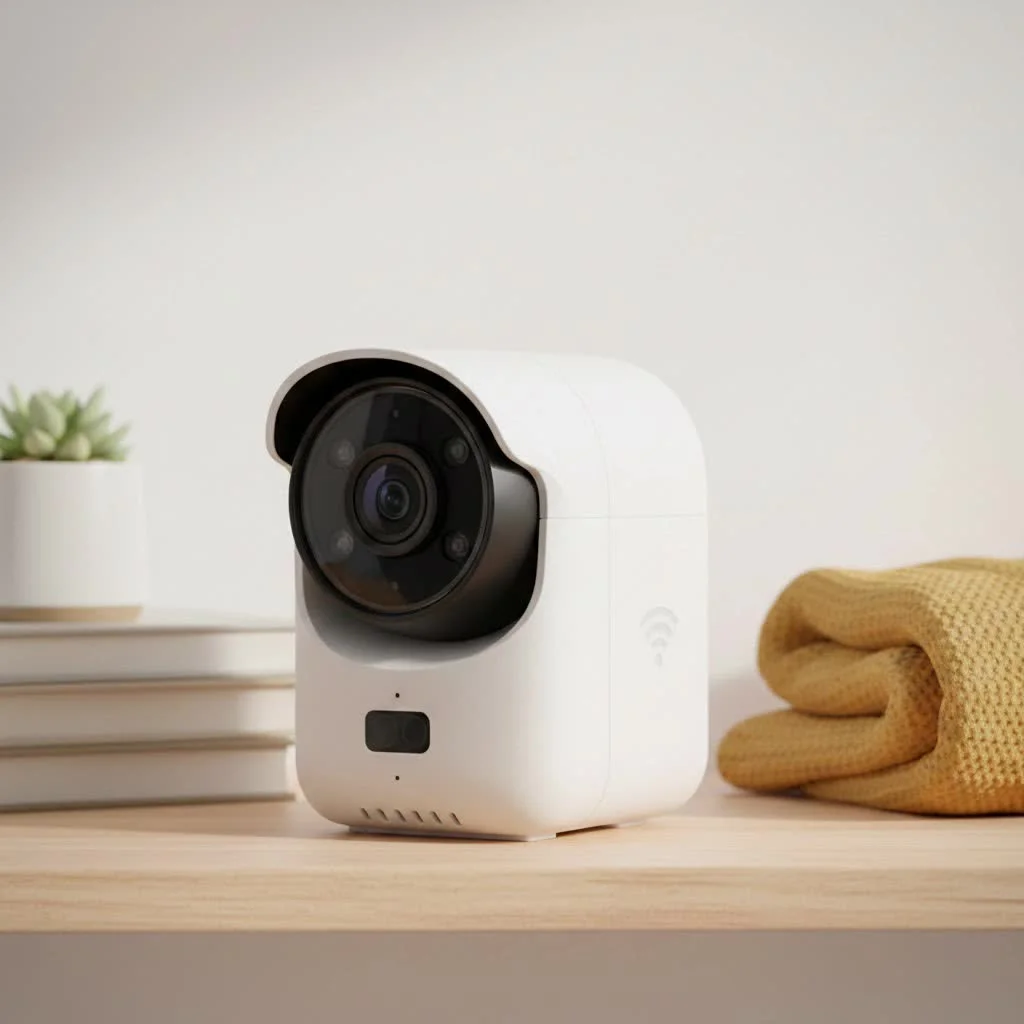
At its core, a video security camera is a device designed to capture and record visual information, typically for surveillance and monitoring purposes. These systems serve as your ever-vigilant eyes, providing a constant watch over your property. For complete home library on this site.
So, why the need for a video security camera? Beyond simply recording events, these cameras act as a powerful deterrent to potential intruders, provide crucial evidence in case of incidents, and allow for remote monitoring, giving you peace of mind whether you’re at home or away. From deterring porch pirates to monitoring employee activity, their applications are vast and varied.
Types of Video Security Cameras: Finding Your Perfect Match
The world of video security cameras is diverse, offering a range of options to suit every need and environment. Choosing the right type is crucial for effective surveillance.
IP Cameras
Internet Protocol (IP) cameras are the digital workhorses of modern surveillance. They connect to a network, allowing you to access live footage remotely from almost any device with internet access.
What is an IP security camera? An IP security camera is a digital camera that transmits video footage over an IP network, similar to how your computer accesses the internet.
- Pros: High resolution (often 4K or higher), advanced features like AI-powered analytics, Power over Ethernet (PoE) for simplified wiring (single cable for power and data), and easy integration with other smart home systems.
- Cons: Higher initial cost, potential network bandwidth usage, and susceptibility to cyber threats if not properly secured.
Analog (CCTV) Cameras
Traditional Closed-Circuit Television (CCTV) cameras have been a staple for decades. They transmit video signals over coaxial cables to a Digital Video Recorder (DVR).
How do analog security cameras differ from IP cameras? Analog cameras transmit uncompressed video signals over coaxial cables, converting them to digital only at the DVR, while IP cameras digitize video at the camera and transmit it over a network.
- Pros: Generally more cost-effective, time-tested reliability, and simpler technology that’s easy to operate. They can also often leverage existing coaxial cabling in older installations, making upgrades simpler.
- Cons: Lower resolution compared to IP cameras (typically maxing out at 1080p), less flexible in terms of features, and limited remote access capabilities without additional hardware.
Wireless Cameras
Wireless video security cameras offer incredible flexibility in placement, transmitting data via Wi-Fi.
Are wireless security cameras truly secure? Yes, modern wireless security cameras employ encryption and secure protocols, but their security relies heavily on a strong, secure Wi-Fi network and proper user settings to prevent unauthorized access.
- Pros: Easier and quicker installation with less cabling, greater flexibility in camera placement, and often battery-powered options for ultimate mobility.
- Cons: Dependence on strong Wi-Fi signal, potential interference, battery life management, and sometimes less reliable connectivity compared to wired systems.
Other specialized types include dome cameras (discreet, vandal-resistant), bullet cameras (visible deterrent, long-range), PTZ (Pan-Tilt-Zoom) cameras (offer remote control over movement for wide coverage), thermal/infrared cameras (for low-light or no-light conditions), and more.
Key Features to Look for in Your Video Security Camera System
|
Our Picks for the Best Security Camera in 2026
As an Amazon Associate I earn from qualifying purchases.
|
||
| Num | Product | Action |
|---|---|---|
| 1 | WYZE Bulb Cam Security Camera, 2K HD Outdoor Light Bulb Camera, Color Night Vision, Dimmable LED Bulb, Motion Detection, Siren Alarm, Works w/Alexa/Google Assistant. Free Expert Support |

|
| 2 | Tapo TP-Link 2K Pan/Tilt Indoor Security Camera for Baby Monitor, Pet Camera, Motion Detection & Tracking, 2-Way Audio, Cloud & SD Card Storage, Works w/Alexa & Google Home, Black, C211(2-Pack) |
|
| 3 | Kasa Smart Indoor Pan-Tilt Home Security Camera, 1080p HD Dog Camera w/Night Vision, Motion Detection for Baby & Pet Monitor, Cloud & SD Card Storage, Works w/ Alexa & Google Home, 2.4G WiFi (EC71) |
|
| 4 | Tapo 2K Pan/Tilt Security Camera for Baby Monitor, Dog Camera w/Motion Detection, 2-Way Audio Siren, Night Vision, Cloud&SD Card Storage, Works w/Alexa & Google Assistant, 2-Pack (Tapo C210P2) |
|
| 5 | WYZE Cam v4 (Latest Model), 2.5K AI Security Camera, Indoor/Outdoor Cameras for Home Security, Baby Monitor & Pet Camera, Vibrant Color Night Vision, No Subscription Required, Free Expert Help |
|
| 6 | Security Cameras Wireless Outdoor,2K Indoor WiFi Wireless Cameras,Outside Battery Powered Camera for Home Security,AI Motion Detection,Color Night Vision,Spotlight,Siren Alarm,SD/Cloud Storage,2 Pack |
|
| 7 | Security Cameras Wireless Outdoor-Solar&Battery Powered 2K 2.4G Cameras for Home Security, Instant Alert, AI Human Detection, Color Night Vision, 2-Way Talk, SD Storage, Work with Alexa, Z1 4P |
|
| 8 | WYZE Cam Pan v3 Indoor/Outdoor IP65-Rated 1080p Pan/Tilt/Zoom Wi-Fi Smart Home Security Camera with Color Night Vision, 2-Way Audio, Compatible with Alexa & Google Assistant, White, 2-Pack |
|
| 9 | TP-Link Tapo 1080P Indoor Security Camera for Baby Monitor, Dog Camera w/Motion Detection, 2-Way Audio Siren, Night Vision, Cloud & SD Card Storage, Works w/Alexa & Google Home (Tapo C100) |
|
| 10 | REOLINK 4K PoE Security Camera System Wired, 8pcs 8MP PoE Cameras, Smart Person/Vehicle Detection, 16CH NVR with 4TB HDD, H.265, 24/7 Recording, High Bitrate & Clear Stream, RLK16-800D8 |
|
When investing in a video security camera, the features make all the difference. Understanding what to look for will help you choose a system that truly meets your needs.
Resolution: The Sharper, The Better
Resolution dictates the clarity and detail of your footage. Higher resolution means clearer images, which is vital for identifying faces or license plates.
Why is resolution important for video security cameras? High resolution provides crystal-clear footage, making it easier to zoom in on details, identify individuals, and capture crucial evidence. Aim for at least 1080p, but 2K or 4K offers significantly sharper images.
Field of View and Pan-Tilt-Zoom (PTZ)
The field of view determines how wide an area your camera can cover. A wider field of view might mean fewer cameras are needed to monitor a large space. PTZ cameras take this a step further, allowing you to remotely pan, tilt, and zoom the camera for dynamic coverage and to eliminate blind spots.
Night Vision: Seeing in the Dark
Crucial for 24/7 surveillance, night vision allows cameras to capture clear footage in low-light or complete darkness. Infrared (IR) night vision is common, producing black and white images. Some advanced cameras offer color night vision, providing more detail in low-light conditions.
Motion Detection and Smart Alerts
Modern video security cameras often feature sophisticated motion detection. This means your camera can be configured to record only when movement is detected, saving storage space. Even better, many systems now include AI-driven analytics that can differentiate between people, vehicles, and animals, reducing false alarms and sending smarter alerts directly to your phone.
Storage Options: Local vs. Cloud
Where your footage is stored is a critical consideration.
- Local Storage: Uses a Digital Video Recorder (DVR) for analog cameras or a Network Video Recorder (NVR) for IP cameras. SD card slots on individual cameras also provide local storage.
- Cloud Storage: Footage is uploaded to secure cloud servers, accessible remotely. This offers off-site backup, protecting recordings even if the physical camera or recorder is compromised. It often comes with a monthly subscription fee.
Two-Way Audio
Many video security cameras now include built-in microphones and speakers, allowing you to not only hear what’s happening but also speak through the camera. This is great for deterring intruders, communicating with delivery personnel, or checking in on pets.
How to Install Your Video Security Camera System Like a Pro
Installing a video security camera system might seem daunting, but with proper planning and execution, it’s a manageable DIY project for many.
Planning Your Installation
Before you mount anything, map out your property. Identify vulnerable entry points, high-traffic areas, and any specific zones you want to monitor. Consider viewing angles, potential obstructions, and proximity to power sources and network connections. “Strategic camera placement is everything,” advises David Chen, a leading security system integrator. “You want to maximize coverage while minimizing blind spots, and always consider the optimal height to deter tampering.”
Step-by-Step Installation Guide (General)
- Mounting: Securely attach the cameras to your chosen surfaces, ensuring they are level and pointing in the desired direction. Use the appropriate screws and anchors for your wall type.
- Wiring (if applicable):
- Analog Cameras: Run coaxial cables from each camera to your DVR.
- IP Cameras: Run Ethernet cables from each camera to your NVR or network switch (especially if using PoE).
- Wireless Cameras: Typically only require a power cable, as video transmission is via Wi-Fi.
- Power Connection: Connect each camera to its power source. For wired systems, this might be a central power supply or individual adapters. For PoE cameras, power is supplied directly through the Ethernet cable.
- Networking Your Cameras: Connect your DVR or NVR to your home or business network. For IP cameras, ensure they are properly configured on your network, either via Wi-Fi or Ethernet.
Configuration and Management: Mastering Your Surveillance Software
Once your video security camera hardware is in place, the software is where you truly take control.
- Initial Setup: Follow the manufacturer’s instructions to set up the accompanying mobile app or desktop software. This typically involves connecting to your DVR/NVR or directly to your IP cameras.
- Remote Viewing: Configure remote access to view live and recorded footage from anywhere using your smartphone or computer.
- Recording Schedules: Set up recording schedules based on your needs – continuous recording, motion-triggered recording, or scheduled intervals.
- Privacy Settings: Utilize features like privacy zones to mask areas you don’t want to record, ensuring you respect privacy while maintaining security.
Maintenance and Troubleshooting: Keeping Your System Running Smoothly
Regular maintenance is key to the longevity and effectiveness of your video security camera system. And knowing how to troubleshoot common issues will save you headaches.
Easy Cleaning and Maintenance Tips
- Keep Lenses Crystal Clear: Gently wipe camera lenses with a microfiber cloth to remove dust, smudges, and dirt. Avoid abrasive materials that can scratch the delicate glass.
- Secure Mountings and Cables: Periodically inspect camera mounts, brackets, and all cable connections. Tighten any loose fittings and check cables for signs of wear or damage.
- Review Storage Capacity: Regularly delete unnecessary footage to free up space, especially for local storage systems. Consider expanding storage if you frequently run out of room.
- Update Firmware: Keep your camera and NVR/DVR firmware updated to ensure optimal performance, security, and access to new features.
Common Issues and Practical Solutions
- No Video Feed: Check all cable connections, ensure power is supplied, and verify network settings for IP cameras.
- Poor Image Quality/Blurry Footage: Clean the camera lens, adjust camera settings, ensure proper focus, and check for obstructions.
- Night Vision Not Working: Check if IR LEDs are functioning (they should glow red in low light), clean the lens, and adjust placement to avoid interference from other light sources.
- False Motion Alerts: Adjust motion detection sensitivity settings and ensure detection zones are properly configured to avoid triggering from irrelevant movements.
- Camera Offline: Confirm power, check Wi-Fi range and stability, restart the camera and router, and check for IP conflicts.
Frequently Asked Questions About Video Security Cameras
Q1: How much does a good video security camera system cost?
A good video security camera system can range from a few hundred dollars for a basic DIY wireless setup to several thousand for a professional-grade multi-camera IP system with advanced features and cloud storage subscriptions. The cost largely depends on the type of cameras, resolution, storage options, and whether you opt for professional installation or monitoring services.
Q2: Can video security cameras be hacked? How to prevent it?
Yes, like any internet-connected device, video security cameras can be vulnerable to hacking if not properly secured. To prevent this, always use strong, unique passwords, enable two-factor authentication, keep firmware updated, use secure Wi-Fi networks, and consider isolating your cameras on a separate VLAN.
Q3: What’s the difference between a security camera and a webcam?
While both capture video, a security camera is primarily designed for surveillance, often with features like weather resistance, night vision, motion detection, and continuous recording capabilities. A webcam is typically designed for live video communication and is generally used for personal conferencing on a computer.
Q4: Do I need internet for my video security camera to work?
It depends on the system. Many modern IP and wireless cameras require an internet connection for remote viewing, cloud storage, and smart alerts. However, local CCTV systems (analog with DVR) can record footage locally without an internet connection, though you won’t have remote access.
Q5: How long do security camera recordings last?
The duration of security camera recordings depends on several factors: storage capacity (hard drive size, SD card capacity, cloud subscription plan), recording settings (continuous vs. motion-triggered), and video resolution. Some systems might store only a few days of footage, while others can keep months of recordings.
Conclusion
Choosing and managing a video security camera system is a significant step towards enhancing the safety and security of your property. By understanding the different types of cameras, key features, installation processes, and maintenance tips, you’re empowered to make informed decisions that align with your specific needs. At Ydmrw, we believe everyone deserves to feel secure. Arm yourself with knowledge, pick the right tools, and take control of your security. Don’t just watch; truly protect. We invite you to explore more in-depth guides on Ydmrw.com and share your own experiences in building a safer environment.
Get our weekly buyer guide
Practical specs, not advice. Unsubscribe anytime.
