In an increasingly connected world, protecting your property, loved ones, and peace of mind has become a top priority. A robust security camera system is no longer a luxury but a fundamental component of modern safeguarding. Whether you’re a homeowner looking to deter intruders or a business owner aiming to monitor operations, understanding the ins and outs of surveillance technology is crucial. With over 15 years in the field, I’ve seen how quickly these systems evolve, and my goal at Ydmrw is to demystify the complexities so you can make informed decisions, ensuring your security setup is both effective and user-friendly.
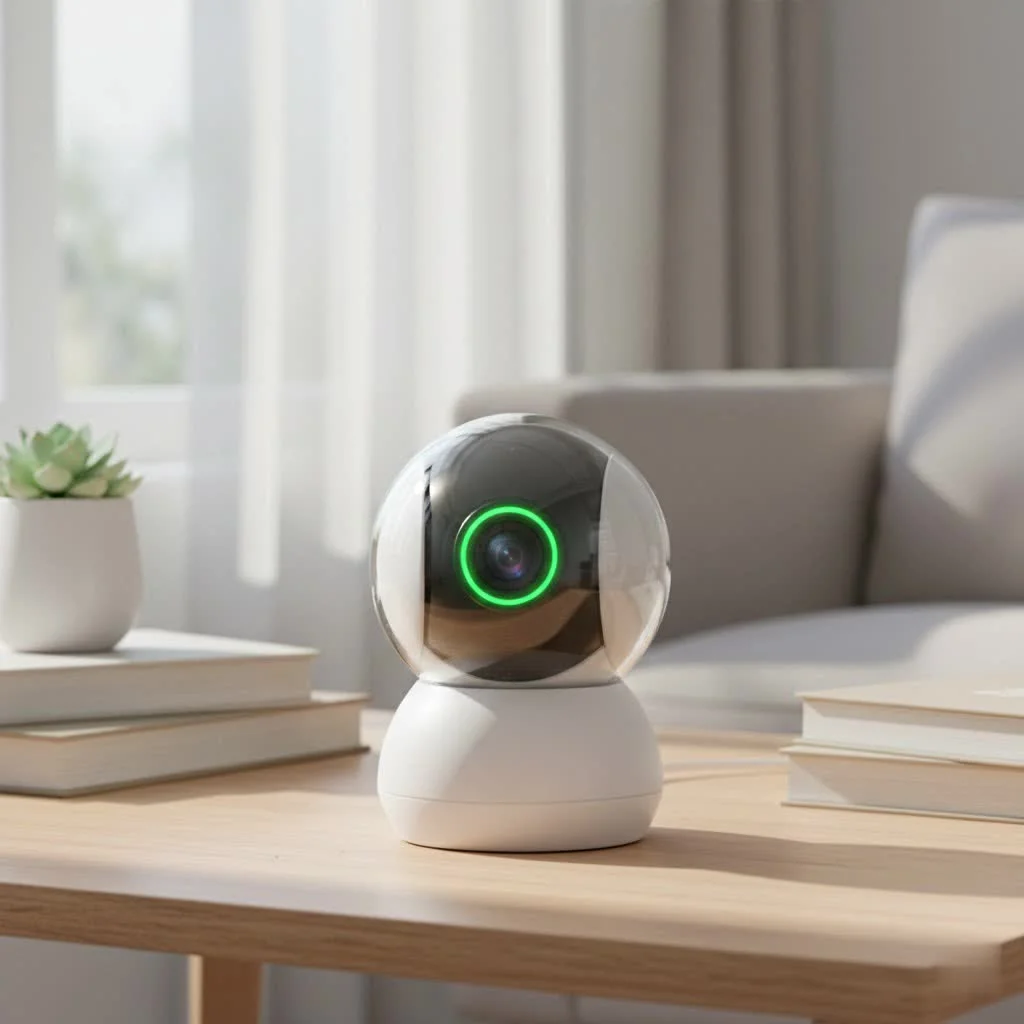
This comprehensive guide will walk you through everything from the different types of cameras to crucial features, installation tips, and maintenance best practices, helping you build a vigilant watch over what matters most.
Understanding the Heart of Your Security: Types of Camera Systems
The foundation of any effective security camera system lies in choosing the right type of camera. There are several core technologies, each with unique advantages.
IP Camera Systems: The Smart Choice
Internet Protocol (IP) cameras are the modern standard, essentially miniature computers with a lens. They connect to your network, allowing them to process and compress video footage internally before sending it to a Network Video Recorder (NVR) or cloud storage.
What are the benefits of IP camera systems?
IP camera systems offer superior video clarity, often reaching 2K or even stunning 4K resolution. They are ideal for businesses and larger properties, providing remote monitoring capabilities from virtually anywhere via your phone, tablet, or PC. Many IP cameras come equipped with advanced AI features, such as intelligent motion detection, which can differentiate between people, vehicles, and animals, significantly reducing false alarms. They are available in both wired (often with Power over Ethernet, or PoE, for simplified cabling) and wireless options, offering great flexibility.
Analog (CCTV) Systems: Reliable & Cost-Effective
Traditional Closed-Circuit Television (CCTV) systems, often referred to as analog cameras, transmit video signals over coaxial cables to a Digital Video Recorder (DVR).
Why choose an analog CCTV security camera system?
Analog systems are known for their straightforward, plug-and-play installation, making them a reliable and cost-effective choice, especially for upgrading existing coaxial setups to HD. While their resolution might be lower than most IP cameras, they still provide clear footage suitable for many residential and small business applications.
Wired vs. Wireless: Connectivity Choices
When selecting a security camera system, you’ll face a fundamental choice: wired or wireless connectivity.
What are the pros and cons of wired and wireless security cameras?
Wired cameras, typically IP or analog, offer maximum reliability and consistent power, as they’re directly connected to both power and your network. This makes them less susceptible to interference or battery issues, though installation can be more involved due to cable routing. Wireless cameras, on the other hand, offer unparalleled flexibility in placement and easier installation, often relying on Wi-Fi for data transmission and batteries or nearby power outlets. However, they can be vulnerable to Wi-Fi signal drops and require battery maintenance.
Beyond these core distinctions, cameras also come in various form factors like discreet dome cameras, conspicuous bullet cameras (often a deterrent), Pan-Tilt-Zoom (PTZ) cameras for wide area coverage, and turret cameras offering flexible positioning without the dome’s glare issues.
Beyond the Basics: Essential Security Camera Features to Look For
Once you’ve decided on the system type, diving into specific features will help you tailor your security camera system to your exact needs.
Crystal Clear Vision: Resolution and Field of View
|
Our Picks for the Best Security Camera in 2026
As an Amazon Associate I earn from qualifying purchases.
|
||
| Num | Product | Action |
|---|---|---|
| 1 | Tapo 2K Pan/Tilt Security Camera for Baby Monitor, Dog Camera w/Motion Detection, 2-Way Audio Siren, Night Vision, Cloud&SD Card Storage, Works w/Alexa & Google Assistant, 2-Pack (Tapo C210P2) |

|
| 2 | Security Cameras Wireless Outdoor-Solar&Battery Powered 2K 2.4G Cameras for Home Security, Instant Alert, AI Human Detection, Color Night Vision, 2-Way Talk, SD Storage, Work with Alexa, Z1 4P |
|
| 3 | Security Cameras Wireless Outdoor,2K Indoor WiFi Wireless Cameras,Outside Battery Powered Camera for Home Security,AI Motion Detection,Color Night Vision,Spotlight,Siren Alarm,SD/Cloud Storage,2 Pack |
|
| 4 | Tapo TP-Link 2K Pan/Tilt Indoor Security Camera for Baby Monitor, Pet Camera, Motion Detection & Tracking, 2-Way Audio, Cloud & SD Card Storage, Works w/Alexa & Google Home, Black, C211(2-Pack) |
|
| 5 | WYZE Cam v4 (Latest Model), 2.5K AI Security Camera, Indoor/Outdoor Cameras for Home Security, Baby Monitor & Pet Camera, Vibrant Color Night Vision, No Subscription Required, Free Expert Help |
|
| 6 | WYZE Bulb Cam Security Camera, 2K HD Outdoor Light Bulb Camera, Color Night Vision, Dimmable LED Bulb, Motion Detection, Siren Alarm, Works w/Alexa/Google Assistant. Free Expert Support |
|
| 7 | REOLINK 4K PoE Security Camera System Wired, 8pcs 8MP PoE Cameras, Smart Person/Vehicle Detection, 16CH NVR with 4TB HDD, H.265, 24/7 Recording, High Bitrate & Clear Stream, RLK16-800D8 |
|
| 8 | Kasa Smart Indoor Pan-Tilt Home Security Camera, 1080p HD Dog Camera w/Night Vision, Motion Detection for Baby & Pet Monitor, Cloud & SD Card Storage, Works w/ Alexa & Google Home, 2.4G WiFi (EC71) |
|
| 9 | TP-Link Tapo 1080P Indoor Security Camera for Baby Monitor, Dog Camera w/Motion Detection, 2-Way Audio Siren, Night Vision, Cloud & SD Card Storage, Works w/Alexa & Google Home (Tapo C100) |
|
| 10 | WYZE Cam Pan v3 Indoor/Outdoor IP65-Rated 1080p Pan/Tilt/Zoom Wi-Fi Smart Home Security Camera with Color Night Vision, 2-Way Audio, Compatible with Alexa & Google Assistant, White, 2-Pack |
|
Why are resolution and field of view important for security cameras?
Resolution, like 1080p, 2K, or 4K, determines the clarity and detail of your video footage. Higher resolution allows for clearer identification of faces or license plates. The field of view (FOV) dictates how wide an area the camera can see. A wide-angle lens is excellent for covering large spaces, while a narrower FOV might be better for focusing on a specific entry point.
Seeing in the Dark: Night Vision Technologies
Security doesn’t stop when the sun goes down, and neither should your cameras.
What’s the difference between infrared and color night vision?
Most cameras use infrared (IR) night vision, which illuminates areas with invisible IR light, producing black-and-white footage. Newer technologies offer “color night vision” by leveraging larger sensors, specialized lenses, or built-in spotlights to capture colored images even in low-light conditions, providing a more detailed and accurate representation of nighttime events.
Smart Detection: Motion, AI, and Alerts
Modern security cameras are more intelligent than ever, moving beyond simple motion triggers.
How do smart detection features enhance a security camera system?
Advanced security camera systems include intelligent motion detection that can distinguish between human and vehicle activity, minimizing false alarms from pets or swaying trees. Customizable motion zones allow you to focus monitoring on specific areas, and instant alerts delivered to your smartphone keep you informed in real-time about suspicious activity.
Storage Solutions: Local vs. Cloud
Where your footage is stored is a critical consideration for accessibility and peace of mind.
What are the benefits of local versus cloud storage for security footage?
Local storage solutions, typically using a Digital Video Recorder (DVR) for analog cameras or a Network Video Recorder (NVR) for IP cameras, keep your footage on-site, offering privacy and often no recurring fees. Cloud storage provides off-site backup, meaning your footage is safe even if your equipment is damaged or stolen, and it allows for easy remote access, though it usually comes with a monthly subscription. Many systems offer a hybrid approach, combining both.
Two-Way Audio & Smart Home Integration
Enhance your interaction and control with these convenient features.
How does two-way audio and smart home integration improve security?
Two-way audio allows you to speak and listen through the camera, whether it’s to greet a visitor, deter an unwelcome guest, or communicate with family. Smart home integration lets your security camera system work seamlessly with other smart devices like voice assistants (Alexa, Google Assistant) or smart lighting, creating automated security routines.
Setting Up Your Watchful Eyes: Installing Your Security Camera System
Once you’ve chosen your ideal security camera system, the next step is installation. While it might seem daunting, many modern systems are designed for DIY setup.
Planning is Key: Strategic Camera Placement
Where should I place my security cameras for optimal coverage?
Before you even touch a tool, carefully plan your camera layout. Identify critical areas: all entrances and exits (front door, back door, garage), driveways, walkways, and any ground-floor windows that could be vulnerable. Consider high-traffic areas inside your home, like hallways or living rooms with valuables. For outdoor cameras, aim for a vantage point that covers your property’s perimeter without infringing on neighbor’s privacy, ideally at a height that makes them difficult to tamper with.
DIY Installation Steps for Different Systems
The installation process varies based on whether your system is wired or wireless.
For Wireless Cameras:
- Charge and Configure: Fully charge batteries if applicable, then download the manufacturer’s app. Create an account and follow the in-app instructions to pair your cameras with your Wi-Fi network. Most modern cameras use QR code scanning for quick setup.
- Test Signal Strength: Before mounting, temporarily place each camera in its desired location and check the app for strong Wi-Fi signal strength. A Wi-Fi extender might be necessary for weak spots.
- Mounting: Use the provided mounting brackets and screws. Drill pilot holes if needed (a stud finder is handy for stability) and secure the camera, adjusting the angle for optimal coverage. Battery-powered models are light, but secure mounting prevents accidental falls.
For Wired Cameras (IP/Analog):
- Cable Routing: This is often the most time-consuming part. Plan your cable paths to be as discreet and protected as possible. For IP cameras, Power over Ethernet (PoE) cables simplify things by carrying both power and data. For analog, you’ll run coaxial (video) and power cables.
- Drilling and Wiring: Carefully drill holes through walls or ceilings, ensuring you avoid electrical wiring or plumbing. Use fish tape to guide cables through walls for a professional look. Consider cable conduits for exposed runs, especially outdoors, to protect against weather and tampering.
- Power and Connection: Connect power adapters for analog cameras, or plug PoE cables directly into your NVR/PoE switch for IP cameras. Connect video cables to your DVR/NVR.
- Mounting: Similar to wireless cameras, securely mount your wired cameras, ensuring they are stable and positioned correctly for the best view.
Configuring Your System: Software and App Setup
Installation isn’t complete until your system is configured.
How do I configure and fine-tune my security camera system through the software?
After physical installation, access the live video feed through your mobile app or computer software. Fine-tune critical settings such as motion detection sensitivity, custom motion zones, notification preferences (e.g., push notifications, email alerts), and video quality settings. Ensure continuous recording or motion-triggered recording is enabled according to your preference.
Keeping Your System Sharp: Maintenance and Troubleshooting
A security camera system requires ongoing care to perform at its best.
What are common maintenance tasks and troubleshooting tips for security cameras?
Regularly clean camera lenses to ensure clear footage, as dust, dirt, or spiderwebs can obstruct the view. Keep your camera software and firmware updated to benefit from the latest security patches and features. Periodically check all cable connections for wired systems and battery levels for wireless ones. For common issues like signal loss, reposition your Wi-Fi extender or check for obstructions. False alarms can often be mitigated by adjusting motion sensitivity or refining motion zones.
“A well-maintained security camera system is your most vigilant guardian. Neglecting it is like leaving the front door unlocked.” – Evelyn Reed, Security Systems Architect at Ydmrw.
Choosing the Right Fit: Considerations for Your Home or Business
Selecting the ideal security camera system depends on several personal factors.
What factors should I consider when choosing a security camera system for my property?
Consider your budget, as costs can range from affordable DIY kits to advanced professionally installed solutions. Evaluate your specific security needs: do you need basic deterrents, high-resolution forensic detail, or smart home integration? Decide between a DIY installation for cost savings or professional monitoring for an added layer of security. Lastly, think about scalability – can the system expand if your needs grow?
FAQ
What is the difference between IP and analog security cameras?
IP (Internet Protocol) cameras are network-based, offering higher resolutions (2K, 4K), smart features, and remote access. Analog (CCTV) cameras use coaxial cables, are generally more basic, and are cost-effective, often ideal for upgrading existing systems.
Do I need a subscription for a security camera system?
Not always. Many systems offer local storage (DVR/NVR, microSD cards) with no monthly fees. However, cloud storage, advanced AI features, or professional monitoring often require a subscription for additional benefits and off-site backup.
How many security cameras do I need?
The number of cameras depends on the size and layout of your property and the areas you wish to cover. Common recommendations include at least one for each main entrance, one for the backyard, and cameras for valuable indoor areas or high-traffic zones.
Where should I place my security cameras for optimal coverage?
Focus on all entry points (doors, windows), driveways, and common gathering areas. Mount outdoor cameras at a height of 8-10 feet to deter tampering and ensure a clear, wide view of your property’s perimeter.
Can I install a security camera system myself?
Absolutely! Many modern wireless and even some wired security camera systems are designed for DIY installation. Most come with user-friendly apps and clear instructions, making it accessible for anyone to set up their own home surveillance.
Conclusion
Investing in a robust security camera system is one of the smartest decisions you can make for safeguarding your property and loved ones. By understanding the different types of cameras, key features, and proper installation techniques, you’re empowered to create a powerful, personalized security perimeter. Remember, at Ydmrw, we believe in empowering you with knowledge, transforming complex technical details into practical, actionable advice. Take the first step today to choose, install, and utilize your security camera system effectively, and enjoy the unparalleled peace of mind it brings. What security solutions are you considering for your home or business? Share your experiences and questions with our community!
Get our weekly buyer guide
Practical specs, not advice. Unsubscribe anytime.
