In today’s unpredictable world, protecting what matters most – your home, your family, your business – is paramount. While any security camera offers a watchful eye, an HD security camera system takes surveillance to an entirely new level, transforming blurry, ambiguous footage into crisp, undeniable evidence. As your trusted guide from Ydmrw.com, with over 15 years in the trenches of security system deployment, I’m here to demystify high-definition surveillance and empower you to make informed choices.
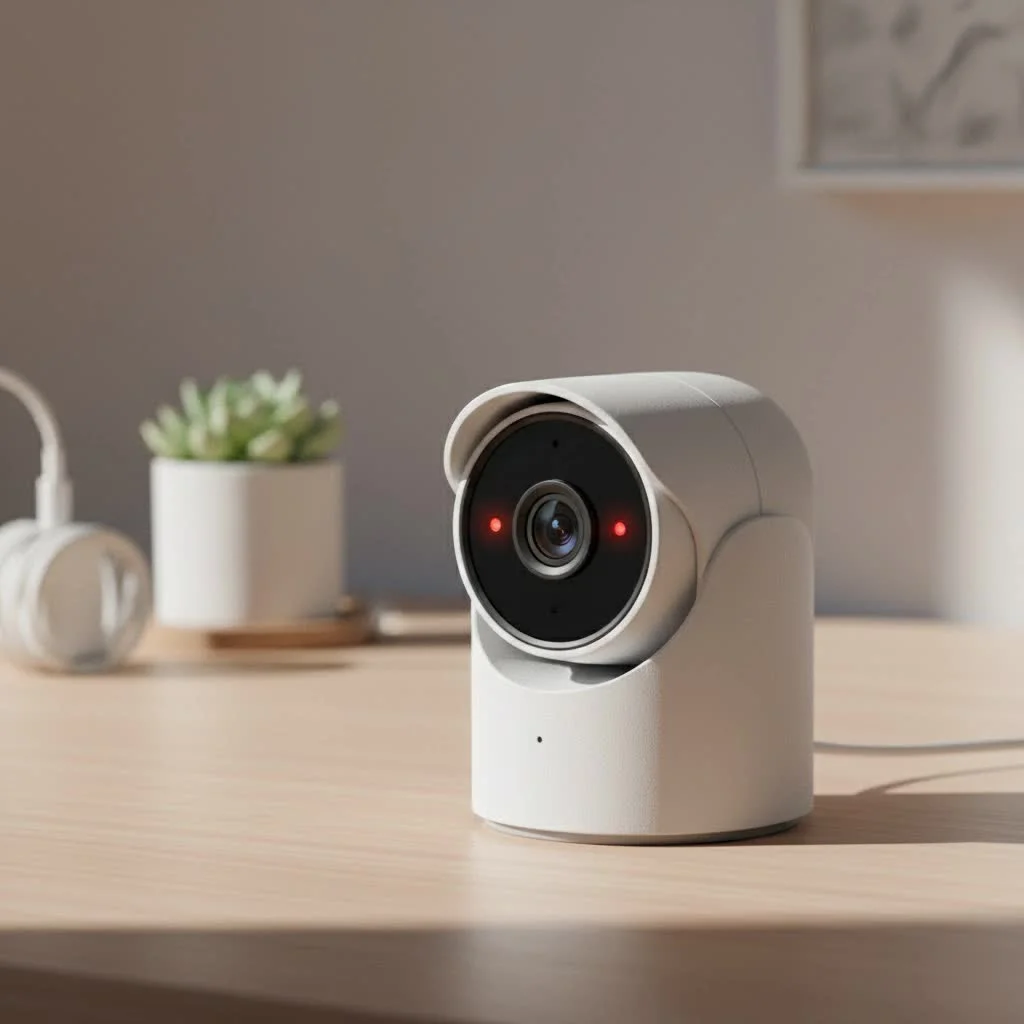
What Exactly is an HD Security Camera?
Think about the leap from an old tube television to a modern high-definition screen. That’s essentially the difference an HD security camera brings to your surveillance. “HD” stands for High Definition, signifying a significantly higher standard for video capture and playback compared to older standard-definition (SD) cameras. For best home roundups on this site.
Defining High Definition in Surveillance
Historically, security cameras often produced grainy, low-resolution images that made identifying faces or license plates a challenge. HD cameras changed the game by increasing the pixel count, leading to sharper, more detailed video. This isn’t just a technical spec; it’s the difference between seeing “a person” and seeing “the person.”
Understanding Resolution: From 720p to 4K and Beyond
Resolution is measured in pixels, and more pixels mean more detail. Here’s a quick breakdown:
- 720p (HD Ready): This is the entry-level for high definition, offering 1280 x 720 pixels. It’s a noticeable improvement over SD, providing decent clarity for general monitoring.
- 1080p (Full HD): Often considered the minimal standard for effective security, 1080p delivers 1920 x 1080 pixels. This resolution provides excellent detail for most residential and commercial applications, making it easier to capture critical features.
- 2K (Quad HD or 1440p): Stepping up from 1080p, 2K cameras offer 2560 x 1440 pixels, providing even finer detail and clarity, especially when zooming in on recorded footage.
- 4K (Ultra HD or 2160p): The pinnacle of consumer-grade resolution, 4K cameras boast approximately 3840 x 2160 pixels (or 8 megapixels). This ultra-high definition offers exceptional clarity, allowing you to discern even the smallest details, which can be invaluable for forensic analysis.
Choosing an HD security camera with higher resolution can make all the difference when you need to identify a suspect or gather irrefutable evidence.
Why Upgrade to HD? The Unbeatable Benefits of High-Definition Surveillance
Moving to an HD security camera system isn’t just about clearer pictures; it’s about a profound improvement in your overall security posture.
Unmatched Clarity for Identification
|
Our Picks for the Best Security Camera in 2026
As an Amazon Associate I earn from qualifying purchases.
|
||
| Num | Product | Action |
|---|---|---|
| 1 | Tapo TP-Link 2K Pan/Tilt Indoor Security Camera for Baby Monitor, Pet Camera, Motion Detection & Tracking, 2-Way Audio, Cloud & SD Card Storage, Works w/Alexa & Google Home, Black, C211(2-Pack) |

|
| 2 | Kasa Smart Indoor Pan-Tilt Home Security Camera, 1080p HD Dog Camera w/Night Vision, Motion Detection for Baby & Pet Monitor, Cloud & SD Card Storage, Works w/ Alexa & Google Home, 2.4G WiFi (EC71) |
|
| 3 | Security Cameras Wireless Outdoor-Solar&Battery Powered 2K 2.4G Cameras for Home Security, Instant Alert, AI Human Detection, Color Night Vision, 2-Way Talk, SD Storage, Work with Alexa, Z1 4P |
|
| 4 | TP-Link Tapo 1080P Indoor Security Camera for Baby Monitor, Dog Camera w/Motion Detection, 2-Way Audio Siren, Night Vision, Cloud & SD Card Storage, Works w/Alexa & Google Home (Tapo C100) |
|
| 5 | Tapo 2K Pan/Tilt Security Camera for Baby Monitor, Dog Camera w/Motion Detection, 2-Way Audio Siren, Night Vision, Cloud&SD Card Storage, Works w/Alexa & Google Assistant, 2-Pack (Tapo C210P2) |
|
| 6 | REOLINK 4K PoE Security Camera System Wired, 8pcs 8MP PoE Cameras, Smart Person/Vehicle Detection, 16CH NVR with 4TB HDD, H.265, 24/7 Recording, High Bitrate & Clear Stream, RLK16-800D8 |
|
| 7 | WYZE Cam v4 (Latest Model), 2.5K AI Security Camera, Indoor/Outdoor Cameras for Home Security, Baby Monitor & Pet Camera, Vibrant Color Night Vision, No Subscription Required, Free Expert Help |
|
| 8 | WYZE Cam Pan v3 Indoor/Outdoor IP65-Rated 1080p Pan/Tilt/Zoom Wi-Fi Smart Home Security Camera with Color Night Vision, 2-Way Audio, Compatible with Alexa & Google Assistant, White, 2-Pack |
|
| 9 | WYZE Bulb Cam Security Camera, 2K HD Outdoor Light Bulb Camera, Color Night Vision, Dimmable LED Bulb, Motion Detection, Siren Alarm, Works w/Alexa/Google Assistant. Free Expert Support |
|
| 10 | Security Cameras Wireless Outdoor,2K Indoor WiFi Wireless Cameras,Outside Battery Powered Camera for Home Security,AI Motion Detection,Color Night Vision,Spotlight,Siren Alarm,SD/Cloud Storage,2 Pack |
|
This is the cornerstone benefit. Imagine a scenario where you need to identify an intruder. With a standard-definition camera, you might only get a blurry outline. An HD security camera, especially one with 1080p or 4K resolution, can capture facial features, clothing details, and even license plate numbers with remarkable precision. This superior clarity is critical for law enforcement investigations and ensures your footage serves as powerful, actionable evidence.
A Powerful Deterrent Against Crime
Visible security cameras alone act as a deterrent. When those cameras are clearly high-definition, signaling that any potential criminal activity will be meticulously recorded, the deterrent effect is amplified. Criminals are less likely to target properties where they know their actions will be captured in crystal-clear detail, making an HD security camera a proactive line of defense.
Enhanced Monitoring and Remote Access
Modern HD security camera systems allow you to monitor multiple areas simultaneously, whether you’re at home or halfway across the globe. With seamless remote access via smartphone apps or web browsers, you can check in on your property in real-time, view live feeds, and review recorded footage with ease. This capability provides unparalleled peace of mind, knowing your property is always within sight.
Boosting Business Efficiency and Home Peace of Mind
For businesses, HD security cameras offer more than just crime prevention. They can monitor employee activity, ensure workplace safety, and even provide insights into customer traffic patterns. For homeowners, it means knowing your children arrived home safely, keeping an eye on pets, or verifying package deliveries. The ability to monitor, record, and review events with superior clarity enhances accountability and streamlines operations, whether it’s a bustling retail space or your tranquil backyard. Plus, some insurance providers offer reduced premiums for properties with robust surveillance systems, including HD cameras.
Picking Your Perfect View: Types of HD Security Cameras
The world of HD security camera systems offers a variety of technologies, each with its own advantages. Understanding the main types will help you choose the best fit for your specific needs.
IP Cameras: The Digital Powerhouses
Internet Protocol (IP) cameras are the digital backbone of modern surveillance. They connect directly to your local network or the internet, capturing and transmitting video digitally.
- Key Advantages: IP cameras excel in delivering high resolutions, often going beyond 1080p to 2K, 4K, and even higher. They come packed with advanced features like intelligent motion detection, video analytics (such as facial recognition or line crossing), and Pan-Tilt-Zoom (PTZ) capabilities for dynamic coverage. Many IP cameras support Power over Ethernet (PoE), meaning a single Ethernet cable can provide both power and data, simplifying installation. They integrate seamlessly with Network Video Recorders (NVRs) and offer flexible storage options, including local SD cards and cloud storage.
Analog HD Cameras: Bridging the Old and New
For those with existing coaxial cable infrastructure, Analog HD (AHD, HD-TVI, HD-CVI) cameras offer a cost-effective upgrade path without requiring a complete re-wiring.
- Key Advantages: These cameras transmit high-definition video over traditional coaxial cables, converting analog signals to digital format via a Digital Video Recorder (DVR) for recording and playback. Analog HD cameras can deliver resolutions up to 4K, providing crisp and sharp images. They are generally more budget-friendly than IP systems and are often “plug-and-play,” making installation straightforward. This makes them an excellent choice for upgrading older CCTV systems to HD quality without extensive costs.
Wireless HD Cameras: Freedom and Flexibility
Wireless HD cameras utilize Wi-Fi or other wireless protocols to transmit video, providing installation flexibility where running cables is impractical or undesirable.
- Key Advantages: The primary benefit is ease of installation, as you don’t need to run extensive wiring for data. This makes them ideal for renters or temporary setups. Many wireless cameras are battery-powered or use small power adapters. While they offer convenience, it’s crucial to consider Wi-Fi signal strength and potential interference, which can impact video quality and reliability.
Key Features That Make a Difference in Your HD Security Camera
When selecting an HD security camera, it’s crucial to look beyond just the resolution. A truly effective system incorporates several key features designed to enhance performance and usability.
Resolution: The Heart of Clarity
As we’ve discussed, resolution dictates the level of detail captured. For most users, 1080p is a great starting point, but if you need to identify fine details from a distance, or cover expansive areas, aiming for 2K or 4K resolution is a smart move. Remember, higher resolution demands more storage and bandwidth, so balance clarity with your system’s capacity.
Seeing in the Dark: Advanced Night Vision
Most incidents occur under the cover of darkness, making robust night vision absolutely essential. Look for HD security camera systems with:
- Infrared (IR) Night Vision: This is the most common type, using invisible IR LEDs to illuminate the scene, providing clear black-and-white footage in total darkness, typically with a range of 30 feet or more.
- Color Night Vision (Starlight/Full-Color): More advanced cameras use highly sensitive sensors or built-in spotlights to capture color images even in very low-light conditions, offering richer detail than traditional IR.
- Low-Light Performance: A camera’s “lux rating” indicates its ability to capture images in dim conditions. Lower lux ratings (e.g., 0.01 lux) signify superior performance.
Wider Horizons: Field of View
The field of view (FOV) refers to the angular breadth a camera can cover. Wide-angle lenses are excellent for covering entry points, driveways, and large rooms, minimizing blind spots. Some cameras offer varifocal lenses, allowing you to adjust the zoom and focus during installation for optimal coverage.
Smart Alerts: Motion Detection and AI Analytics
Gone are the days of constant, annoying false alarms triggered by swaying trees or passing cars. Modern HD security cameras leverage Artificial Intelligence (AI) for smart motion detection.
- AI-Powered Detection: These systems can differentiate between people, vehicles, and animals, significantly reducing false alerts.
- Customizable Zones and Sensitivity: You can define specific areas of interest (e.g., your front door, not the sidewalk) and fine-tune sensitivity levels to receive only relevant notifications.
Storing Your Evidence: Local vs. Cloud Options
Where your invaluable footage is stored is a critical consideration.
- Local Storage: DVRs (for analog HD) and NVRs (for IP cameras) use hard drives for continuous recording. Many IP cameras also feature onboard SD card slots for local backup.
- Cloud Storage: Offers off-site storage, protecting your footage even if the physical recording device is tampered with or stolen. This often comes with a subscription fee but provides ultimate peace of mind and easy remote access.
Ideally, a combination of local and cloud storage provides redundancy and enhanced security.
Built to Last: Weatherproofing and Durability
For outdoor installations, your HD security camera must withstand the elements. Look for cameras with high IP (Ingress Protection) ratings, such as IP66 or IP67, which indicate strong resistance to dust, rain, and extreme temperatures. Vandal-resistant features, like IK10 ratings, are also crucial for cameras in accessible public areas.
Beyond Just Seeing: Two-Way Audio and Smart Integration
- Two-Way Audio: Many HD cameras now include a built-in microphone and speaker, allowing you to listen in on activity and even speak to visitors or deter intruders remotely.
- Smart Home Integration: Modern systems can seamlessly integrate with smart home platforms like Amazon Alexa or Google Home, enabling voice commands, hands-free viewing on smart displays, and automated security routines that trigger lights or alarms based on camera detection.
Your Step-by-Step Guide to HD Security Camera Installation
Installing an HD security camera system might seem daunting, but with a solid plan and the right tools, it’s a manageable DIY project.
The Blueprint: Planning Your System Layout
Before you drill a single hole, take the time to plan.
- Identify Key Areas: Walk around your property, sketching out a layout. Pinpoint crucial monitoring zones like entry doors, vulnerable windows, driveways, and common indoor areas.
- Optimal Placement: Aim to mount cameras 9-10 feet high to offer a wide view while being difficult for intruders to reach. Consider locations that provide some natural protection from harsh weather, even for outdoor-rated cameras.
- Check Angles and Obstructions: Ensure a clear line of sight, free from trees, bushes, or other objects that could block the view or trigger false alarms. Account for potential blind spots.
- Power and Network Access: Map out how you’ll power your cameras and connect them to your recording device (DVR/NVR) or network. This is especially important for wired systems to determine cable lengths and routing.
Wired Wisdom: Running Cables and Power
For wired HD security camera systems, proper cable management is key to reliability.
- Mounting: Secure camera mounts to a solid surface. Use drilling templates provided with your camera kit for precise placement.
- Cable Routing: For wired cameras, you’ll need to run coaxial cables (for analog HD) or Ethernet cables (for IP cameras) from each camera back to your DVR or NVR. This may involve drilling holes through walls or ceilings. Fish tape can be a lifesaver for routing cables through tight spaces.
- Connections: Connect the video and power cables to your cameras and the corresponding input ports on your DVR/NVR. For PoE IP cameras, a single Ethernet cable handles both. Ensure all connections are snug and secure.
Going Wireless: Seamless Setup
Wireless HD security camera installation focuses on network connectivity.
- Battery/Power: Install batteries if your camera is wire-free, or connect the power adapter to a nearby outlet.
- Wi-Fi Connection: Connect your cameras to your Wi-Fi network following the manufacturer’s instructions, typically through a mobile app. Ensure a strong, stable Wi-Fi signal in all camera locations.
- Mounting: Mount the cameras securely using the provided hardware. Wireless cameras offer more flexibility in placement as you’re not restricted by cable runs.
Getting Connected: Initial Configuration and Software
Once physically installed, you’ll configure your HD security camera system.
- Recorder Setup: Connect your DVR/NVR to a monitor and power source. Follow the on-screen prompts for initial setup, including setting date/time and hard drive formatting.
- Network Configuration: Ensure your DVR/NVR or IP cameras are connected to your network (via Ethernet or Wi-Fi). Enable DHCP initially for easy IP address assignment, then switch to a static IP if desired for stability.
- Software/App Configuration: Install the manufacturer’s mobile app or PC software. Pair your cameras to the system and customize settings such as motion detection sensitivity, recording schedules, and notification alerts. Adjust camera viewing angles to maximize coverage and minimize blind spots.
Keeping Your Eyes on the Prize: Maintenance and Troubleshooting for HD Security Cameras
Just like any valuable asset, your HD security camera system benefits from regular care to ensure peak performance and longevity.
Routine Care for Optimal Performance
- Keep the Lens Crystal Clear: Dust, grime, and even spiderwebs can significantly degrade image quality. Gently wipe camera lenses with a microfiber cloth and a mild cleaning solution. Avoid abrasive materials that can scratch the delicate glass.
- Secure Mountings and Cables: Periodically inspect camera mounts, brackets, and screws. Tighten any loose fittings to prevent shifting or damage. Check all power and network cables for visible signs of wear, fraying, or loose connections. Replace damaged cables promptly.
- Review Storage Capacity: Regularly check your DVR/NVR or cloud storage for available space. Delete unnecessary footage or archive important clips to free up room for new recordings. Consider expanding storage if you frequently run out of space.
- Firmware Updates: Manufacturers regularly release firmware updates to enhance security, improve performance, and add new features. Always keep your camera and recorder firmware up to date to ensure optimal operation and protection against vulnerabilities.
Tackling Common Hurdles
Even the best systems can encounter issues. Here’s how to troubleshoot common problems with your HD security camera:
- Camera Offline or Not Recording:
- Solution: Check power connections. Ensure cables are securely plugged in. Verify your camera is within Wi-Fi range for wireless models. Restart the camera and your router/NVR. Check for firmware updates.
- Poor Image Quality or No Night Vision:
- Solution: Clean the camera lens thoroughly. Adjust camera settings for optimal image quality. Ensure night vision mode is enabled, and check if the IR LEDs are functioning (they often glow red in low light). If issues persist, professional servicing may be needed.
- False Alarms from Motion Detection:
- Solution: Refine your motion detection settings. Reduce sensitivity levels or configure specific detection zones to exclude areas prone to false triggers (e.g., busy streets, trees).
- Connectivity Issues (Intermittent or No Video Feed):
- Solution: Verify network settings (IP addresses, subnet masks). Inspect all cables for damage. Reboot your router, NVR/DVR, and cameras. For wireless cameras, check Wi-Fi signal strength and address potential interference from other devices or physical obstructions.
- Camera Not Responding:
- Solution: Perform a hard reset of the camera (check your manual for the reset button location). Verify the power supply is functional.
When to Call in the Pros
While many issues can be resolved with basic troubleshooting, some problems warrant professional intervention. If you encounter serious electrical issues, persistent connectivity failures after troubleshooting, need to replace internal components like lenses, observe unusual image artifacts (strange colors, lines), or suspect a hacking attempt, it’s best to consult a qualified security camera specialist.
Expert Insight: A Word from Ydmrw’s Founder
“As James Chen, the founder of Ydmrw.com, often says, ‘Investing in a quality HD security camera system isn’t just about surveillance; it’s about investing in peace of mind and tangible proof when it matters most. Clarity isn’t a luxury; it’s a necessity for real security.'”
Frequently Asked Questions About HD Security Cameras
Q: What’s the main difference between an HD and a standard-definition security camera?
A: The primary difference lies in resolution and image clarity. An HD security camera captures significantly more detail with a higher pixel count (e.g., 1080p or 4K) compared to older standard-definition cameras, making identification much easier and providing better evidence.
Q: Do HD security cameras require special wiring?
A: It depends on the type. Analog HD cameras can often use existing coaxial cables, making them suitable for upgrades. IP HD cameras typically use Ethernet cables, which can transmit both data and power (PoE), simplifying wiring for new installations. Wireless HD cameras primarily rely on Wi-Fi.
Q: How much storage do I need for an HD security camera system?
A: The amount of storage needed depends on resolution, number of cameras, and recording settings (e.g., continuous vs. motion-activated). For a typical system with a few 1080p cameras, a 1-2 TB hard drive or sufficient cloud storage is often recommended to retain several weeks of footage.
Q: Can I view my HD security cameras remotely?
A: Yes, most modern HD security camera systems, especially IP cameras, offer robust remote viewing capabilities. You can access live feeds and recorded footage from your smartphone, tablet, or computer via dedicated mobile apps or web browsers, provided your system is connected to the internet.
Q: Are HD security cameras more difficult to install than older systems?
A: Not necessarily. While IP cameras may involve some network configuration, many analog HD and wireless HD systems are designed for straightforward “plug-and-play” installation. Comprehensive guides and remote support are often available to assist with the setup process.
Q: What are the benefits of 4K HD security cameras over 1080p?
A: 4K HD security cameras offer four times the resolution of 1080p, resulting in significantly greater detail and clarity. This higher resolution is particularly beneficial for covering large areas, digital zooming on footage, and ensuring clear identification of faces and license plates from greater distances.
Take the Next Step Towards Smarter Security
Investing in an HD security camera system is more than just buying a gadget; it’s a commitment to robust protection and peace of mind for your home or business. With the unparalleled clarity, advanced features, and flexible options available today, there’s no reason to settle for anything less than high-definition surveillance.
We encourage you to explore the possibilities, assess your unique security needs, and confidently choose a system that delivers the crystal-clear vision you deserve. Take control of your security narrative and ensure that when it matters most, you’ll have all the details in perfect focus.
Get our weekly buyer guide
Practical specs, not advice. Unsubscribe anytime.
