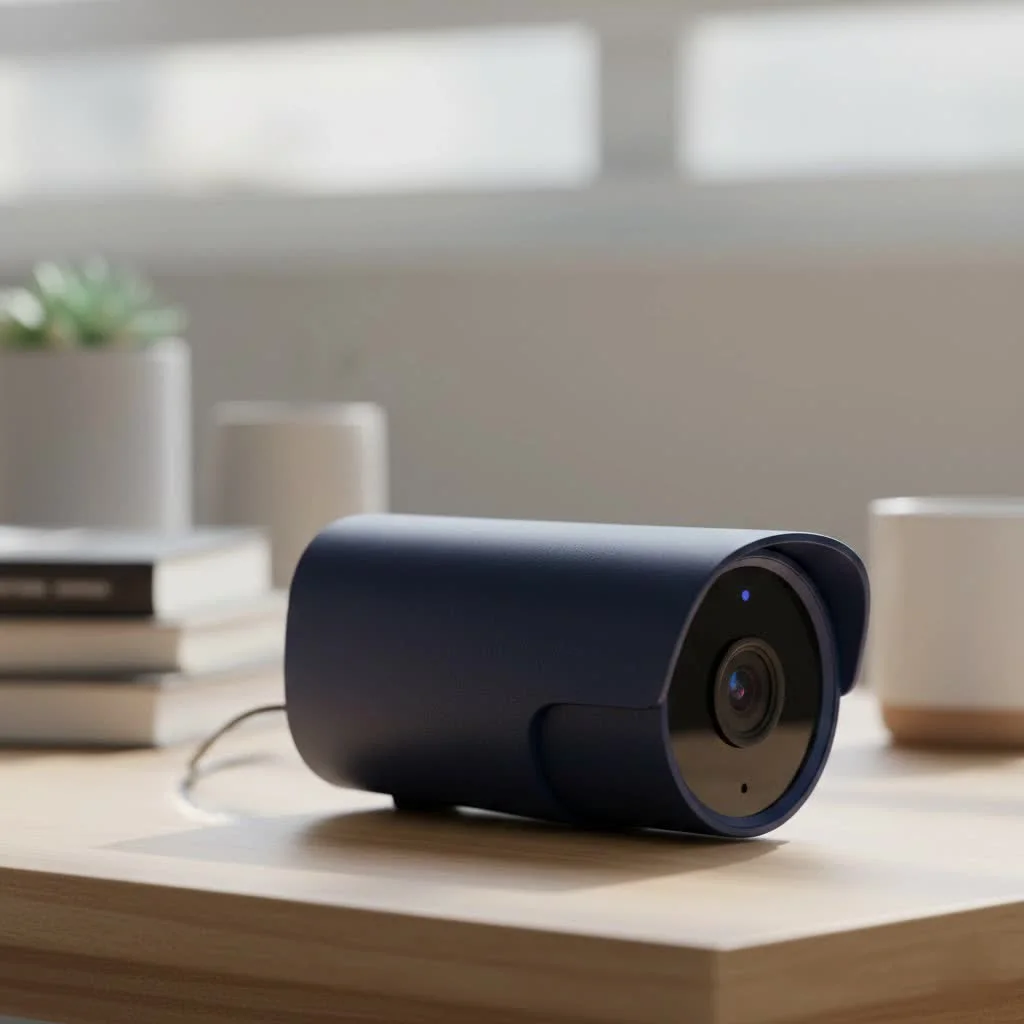
A smart security camera is a video surveillance device that connects to your home’s Wi-Fi network, offering high-definition video, intelligent alerts, and remote access via a smartphone app. These cameras analyze video in real-time, sending alerts for specific events like a person approaching or a package delivery, while ignoring trivial movements. This proactive approach fundamentally shifts how we think about security, moving beyond traditional grainy CCTV footage to provide intelligent, actionable insights.
What is a Smart Security Camera?
A smart security camera is a video surveillance device that connects to your home’s Wi-Fi network. Unlike traditional analog cameras that record to a local DVR, a smart camera sends its footage to the cloud or a local storage device, allowing you to view a live feed and recorded clips from anywhere in the world via a smartphone app. What truly makes them “smart” is their ability to analyze video in real-time, sending you alerts for specific events like a person approaching your door or a package being delivered, while ignoring trivial movements like swaying trees.
“The biggest leap in surveillance technology isn’t just better resolution; it’s the on-board AI,” states security analyst Jonathan Reed. “A smart security camera doesn’t just show you what happened; it understands what it’s seeing and alerts you to what truly matters. This proactive approach is a fundamental shift in how we think about security.”
Key Features That Define a “Smart” Camera
Not all smart cameras are created equal. When you start shopping, you’ll encounter a wide range of features. Here are the most important ones to understand.
Crystal Clear Vision: Resolution and Field of View
The primary job of any camera is to see clearly. In security, this is non-negotiable.
- Resolution: This measures the detail in the video. Look for at least 1080p (Full HD). For greater detail, such as the ability to read a license plate from a distance, consider 2K (Quad HD) or 4K (Ultra HD) models.
- Field of View (FoV): This is the angle the camera can see, measured in degrees. A wider FoV (e.g., 160-180 degrees) means you can cover a larger area with a single camera, reducing blind spots.
Seeing in the Dark: Advanced Night Vision
Intruders often prefer the cover of darkness, making night vision an essential feature.
- Infrared (IR) Night Vision: This is the standard black-and-white night vision you’re likely familiar with. It uses IR LEDs to illuminate the area, which is invisible to the human eye but visible to the camera’s sensor.
- Color Night Vision: A more advanced option, some cameras use highly sensitive sensors or a built-in spotlight to record in full color at night. This can provide crucial details, like the color of a person’s clothing or a vehicle.
Intelligent Alerts: AI-Powered Motion Detection
|
Our Picks for the Best Security Camera in 2026
As an Amazon Associate I earn from qualifying purchases.
|
||
| Num | Product | Action |
|---|---|---|
| 1 | Security Cameras Wireless Outdoor-Solar&Battery Powered 2K 2.4G Cameras for Home Security, Instant Alert, AI Human Detection, Color Night Vision, 2-Way Talk, SD Storage, Work with Alexa, Z1 4P |

|
| 2 | TP-Link Tapo 1080P Indoor Security Camera for Baby Monitor, Dog Camera w/Motion Detection, 2-Way Audio Siren, Night Vision, Cloud & SD Card Storage, Works w/Alexa & Google Home (Tapo C100) |
|
| 3 | Security Cameras Wireless Outdoor,2K Indoor WiFi Wireless Cameras,Outside Battery Powered Camera for Home Security,AI Motion Detection,Color Night Vision,Spotlight,Siren Alarm,SD/Cloud Storage,2 Pack |
|
| 4 | WYZE Cam v4 (Latest Model), 2.5K AI Security Camera, Indoor/Outdoor Cameras for Home Security, Baby Monitor & Pet Camera, Vibrant Color Night Vision, No Subscription Required, Free Expert Help |
|
| 5 | Kasa Smart Indoor Pan-Tilt Home Security Camera, 1080p HD Dog Camera w/Night Vision, Motion Detection for Baby & Pet Monitor, Cloud & SD Card Storage, Works w/ Alexa & Google Home, 2.4G WiFi (EC71) |
|
| 6 | Tapo TP-Link 2K Pan/Tilt Indoor Security Camera for Baby Monitor, Pet Camera, Motion Detection & Tracking, 2-Way Audio, Cloud & SD Card Storage, Works w/Alexa & Google Home, Black, C211(2-Pack) |
|
| 7 | Tapo 2K Pan/Tilt Security Camera for Baby Monitor, Dog Camera w/Motion Detection, 2-Way Audio Siren, Night Vision, Cloud&SD Card Storage, Works w/Alexa & Google Assistant, 2-Pack (Tapo C210P2) |
|
| 8 | WYZE Bulb Cam Security Camera, 2K HD Outdoor Light Bulb Camera, Color Night Vision, Dimmable LED Bulb, Motion Detection, Siren Alarm, Works w/Alexa/Google Assistant. Free Expert Support |
|
| 9 | REOLINK 4K PoE Security Camera System Wired, 8pcs 8MP PoE Cameras, Smart Person/Vehicle Detection, 16CH NVR with 4TB HDD, H.265, 24/7 Recording, High Bitrate & Clear Stream, RLK16-800D8 |
|
| 10 | WYZE Cam Pan v3 Indoor/Outdoor IP65-Rated 1080p Pan/Tilt/Zoom Wi-Fi Smart Home Security Camera with Color Night Vision, 2-Way Audio, Compatible with Alexa & Google Assistant, White, 2-Pack |
|
This is where the “smart” in smart security camera truly shines. Basic motion detection sends an alert for any movement, leading to a flood of false alarms. AI-powered detection is far more sophisticated.
- Person Detection: The camera can differentiate between a person and other moving objects.
- Package Detection: Get notified when a package is delivered to your doorstep.
- Vehicle Detection: Know when a car pulls into your driveway.
- Customizable Activity Zones: You can draw specific zones within the camera’s view (like a doorway or a gate) and only receive alerts for motion detected within that area.
Where’s the Footage? Cloud vs. Local Storage
When your camera records an event, the video clip needs to be stored somewhere. You generally have two options, and many cameras offer both.
- Cloud Storage: Your footage is uploaded to the manufacturer’s secure servers. The main benefit is that your recordings are safe even if a thief steals or damages the camera. Most brands offer this as a paid monthly subscription.
- Local Storage: The video is saved to a microSD card inside the camera or a connected base station. The advantage is that there are no monthly fees, and you have physical control over your data. The downside is that if the storage device is stolen, you lose the footage.
Powering Your Watchful Eye: Battery, Solar, or Wired
How your camera gets power affects where you can install it.
- Wired: These cameras plug into a standard electrical outlet. They offer a constant, reliable power source but limit placement to areas near an outlet.
- Battery-Powered: Offering the ultimate flexibility, these cameras are completely wire-free and can be placed almost anywhere. The trade-off is that you’ll need to recharge the batteries periodically (every few months, typically).
- Solar-Powered: Some battery-powered cameras can connect to a small solar panel. This is an excellent option for outdoor cameras in sunny locations, as it can keep the battery perpetually charged.
How to Choose the Right Smart Security Camera
With a clear understanding of the features, you can now select the right camera for your needs. The process involves answering a few key questions.
What Area Do You Need to Monitor?
The location dictates the type of camera you should buy.
- Indoor: For monitoring a living room, nursery, or hallway, a simple wired indoor camera is perfect. These are typically smaller and less expensive.
- Outdoor: For your front yard, backyard, or driveway, you need a weather-resistant outdoor camera. Look for an IP rating of IP65 or higher, which ensures it’s protected against dust and rain.
- Front Door: A video doorbell is a specialized smart security camera that replaces your existing doorbell. It gives you a clear view of your doorstep and allows you to talk to visitors from your phone.
Do You Want a Standalone Camera or a Full System?
You can start with a single camera or invest in a multi-camera system. Systems from brands like Arlo, Eufy, or Ring often include a central base station (or “hub”) that connects all the cameras and can provide local storage options.
What is Your Budget, Including Subscriptions?
The upfront cost of the camera is only part of the equation. Many of the advanced AI features and cloud storage for video history require a monthly subscription plan. Be sure to factor these recurring costs into your budget. There are, however, excellent options that offer most features without a mandatory subscription, relying on local storage instead.
Are Smart Security Cameras Secure?
It’s a valid concern: can a device designed to improve your security become a vulnerability itself? Reputable manufacturers take security very seriously. To protect your privacy, you should always:
- Use a strong, unique password for your camera account.
- Enable two-factor authentication (2FA) whenever it’s offered. This adds a second layer of security, usually a code sent to your phone.
- Keep your camera’s firmware updated. Manufacturers release updates to patch security vulnerabilities.
- Ensure your home Wi-Fi network is secure with a strong password and WPA2 or WPA3 encryption.
Frequently Asked Questions (FAQ)
Do smart security cameras record 24/7?
Some wired models offer continuous 24/7 recording, though this usually requires a premium subscription plan due to the large amount of cloud storage needed. Most battery-powered cameras only record when motion is detected to conserve power.
Can I use a smart security camera without a subscription?
Yes, absolutely. Many top-rated cameras offer a great experience without a monthly fee. You can typically view the live stream and receive motion alerts. For storing recorded videos, you would rely on a model that has a local storage option via a microSD card.
Do smart cameras work without Wi-Fi?
Most smart cameras require a constant Wi-Fi connection to function, as this is how they send alerts and upload video. Some systems, however, can record locally to a base station even if the internet goes down, and you can view the footage once the connection is restored.
Can smart security cameras be hacked?
While any internet-connected device is potentially vulnerable, the risk can be minimized significantly. By choosing a reputable brand and following standard security practices like using strong passwords and enabling two-factor authentication, you can make your cameras very secure.
A Smarter Way to Stay Safe
Investing in a smart security camera is one of the most effective steps you can take to protect your property and gain peace of mind. By understanding the core features—from AI detection and night vision to storage options—you can confidently choose a camera or system that fits your specific needs and budget. The ability to check in on your home from anywhere, at any time, transforms security from a passive system into an active, intelligent shield for what matters most.
Frequently Asked Questions
Do smart security cameras record 24/7 continuously?
Some wired smart security camera models offer continuous 24/7 recording, but this typically requires a premium subscription plan due to the extensive cloud storage needed. Most battery-powered cameras, however, only record when motion is detected to conserve power and extend battery life.
Can I use a smart security camera without a monthly subscription fee?
Yes, many top-rated smart security cameras offer a great experience without a monthly fee. You can typically view the live stream and receive motion alerts. For storing recorded videos, you would rely on a model that includes a local storage option, such as a microSD card.
Do smart security cameras function if my home Wi-Fi is down?
Most smart cameras require a constant Wi-Fi connection to function fully, as this is how they send alerts and upload video footage. However, some advanced systems can record locally to a base station even if the internet goes down, allowing you to view the footage once the connection is restored.
What steps can I take to prevent my smart security camera from being hacked?
While any internet-connected device has potential vulnerabilities, the risk for smart security cameras can be significantly minimized. Always choose a reputable brand, use a strong, unique password for your account, enable two-factor authentication (2FA), and keep your camera's firmware updated to patch security vulnerabilities.
What is the difference between infrared and color night vision?
Infrared (IR) night vision is the standard black-and-white view, using IR LEDs invisible to the human eye to illuminate an area. Color night vision, a more advanced option, uses highly sensitive sensors or a built-in spotlight to record in full color at night, providing crucial details like clothing or vehicle colors.
Get our weekly buyer guide
Practical specs, not advice. Unsubscribe anytime.
I appreciated the explanation of how smart cameras analyze video in real-time. I bought a system based on some of the features mentioned, particularly the package delivery alerts. While it works most of the time, I’ve had a few instances where a package was left and I didn’t get an alert, which was a bit frustrating. It’s still better than my old setup, but not quite perfect.
I was on the fence about upgrading my old CCTV system, but the guide really helped me understand the benefits of a smart security camera. The intelligent alerts for person detection are a game-changer; I no longer get false alarms from squirrels. Being able to check the feed from my phone when I’m away gives me so much peace of mind. Highly recommend making the switch!
This guide was super helpful in breaking down what makes a security camera ‘smart.’ I ended up getting one that connects to my home’s Wi-Fi, and the remote access through the app is fantastic. My only minor gripe is that sometimes the app can be a little slow to load the live feed, but once it’s up, the high-definition video is crystal clear. Overall, a solid investment for home security.
Finally pulled the trigger on a smart camera after reading about the cloud storage options. It’s so much better than dealing with local DVRs. The ability to view recorded clips from anywhere is incredibly convenient, and the intelligent alerts mean I’m only notified about things that actually matter. This really does shift how you think about home security.