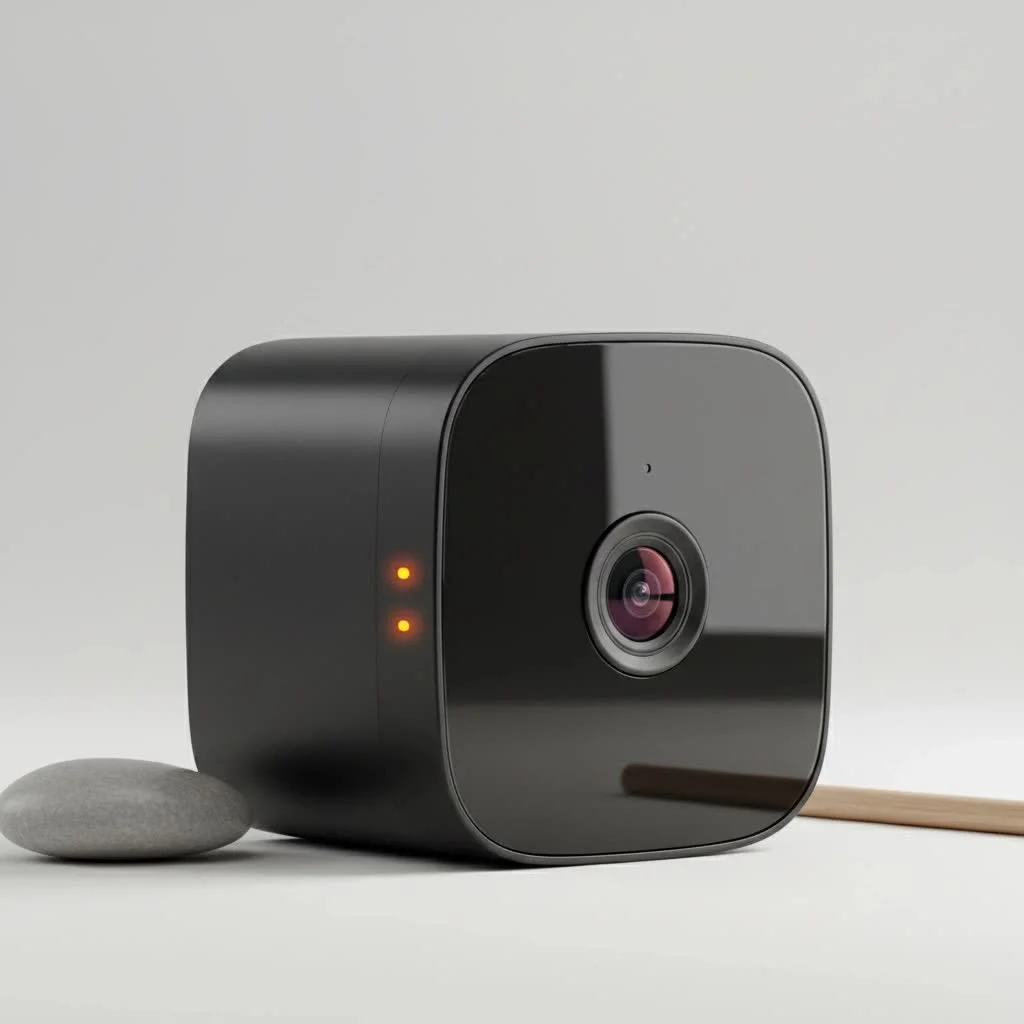
A solar security camera system provides constant, reliable surveillance by harnessing the sun’s power, offering a completely untethered solution for home and business security. These systems convert solar energy into electricity to power the camera during the day and charge a built-in rechargeable battery, typically a high-capacity lithium-ion type, for uninterrupted operation at night or on cloudy days. This technology is ideal for securing remote farms, construction sites, or any area where running power cables is impractical or expensive.
 security camera system with panel and camera” style=”margin: 20px auto;width: 800px;max-width: 100%;height: auto” />
How Does a Solar Security Camera Actually Work?
At its core, a solar security camera system is a marvel of efficiency. It’s an elegant blend of a few key technologies working in harmony to provide true wireless freedom. The concept is simple but powerful. For expert home reviews on this site.
A photovoltaic solar panel, either attached directly to the camera or as a separate unit connected by a short cable, captures sunlight throughout the day. This solar energy is converted into direct current (DC) electricity. This electricity does two jobs simultaneously: it powers the camera’s operations during the daytime and, crucially, charges a built-in rechargeable battery, typically a high-capacity lithium-ion type.
When night falls or on overcast days when direct sunlight is scarce, the system automatically switches over to the stored energy in the battery. This ensures your camera continues to record and monitor without interruption, providing 24/7 protection. Most modern solar cameras are designed for ultra-low power consumption, often entering a standby mode and only activating when their motion sensors are triggered. This intelligent power management allows them to operate for weeks or even months on a full charge, even with limited sunlight.
Key Features to Consider Before You Buy
Choosing the right solar security camera involves more than just picking the one with the biggest solar panel. Several critical features determine its performance, reliability, and suitability for your specific needs.
Solar Panel and Battery Capacity
The heart of the system is its power duo: the solar panel and the battery.
- Panel Wattage: Measured in watts (W), this indicates how quickly the panel can generate power. A higher wattage means faster charging, which is vital in areas with less consistent sunlight.
- Battery Capacity: Measured in milliamp-hours (mAh), this tells you how much energy the battery can store. A larger capacity means the camera can run for longer periods without any sun. Look for a minimum of 10,000 mAh for reliable performance.
Video Resolution and Night Vision
What good is a camera if you can’t see the details?
- Resolution: Modern cameras should offer at least 1080p (Full HD) resolution. For greater clarity and the ability to zoom in on faces or license plates, consider 2K (Quad HD) or 4K (Ultra HD) models.
- Night Vision: There are two main types. Infrared (IR) night vision provides black-and-white images in complete darkness, while color night vision uses ambient light or small, built-in spotlights to produce full-color images, which can be crucial for identification.
Field of View and Motion Detection
|
Our Picks for the Best Security Camera in 2026
As an Amazon Associate I earn from qualifying purchases.
|
||
| Num | Product | Action |
|---|---|---|
| 1 | REOLINK 4K PoE Security Camera System Wired, 8pcs 8MP PoE Cameras, Smart Person/Vehicle Detection, 16CH NVR with 4TB HDD, H.265, 24/7 Recording, High Bitrate & Clear Stream, RLK16-800D8 |

|
| 2 | Kasa Smart Indoor Pan-Tilt Home Security Camera, 1080p HD Dog Camera w/Night Vision, Motion Detection for Baby & Pet Monitor, Cloud & SD Card Storage, Works w/ Alexa & Google Home, 2.4G WiFi (EC71) |
|
| 3 | Security Cameras Wireless Outdoor,2K Indoor WiFi Wireless Cameras,Outside Battery Powered Camera for Home Security,AI Motion Detection,Color Night Vision,Spotlight,Siren Alarm,SD/Cloud Storage,2 Pack |
|
| 4 | Security Cameras Wireless Outdoor-Solar&Battery Powered 2K 2.4G Cameras for Home Security, Instant Alert, AI Human Detection, Color Night Vision, 2-Way Talk, SD Storage, Work with Alexa, Z1 4P |
|
| 5 | Tapo TP-Link 2K Pan/Tilt Indoor Security Camera for Baby Monitor, Pet Camera, Motion Detection & Tracking, 2-Way Audio, Cloud & SD Card Storage, Works w/Alexa & Google Home, Black, C211(2-Pack) |
|
| 6 | WYZE Bulb Cam Security Camera, 2K HD Outdoor Light Bulb Camera, Color Night Vision, Dimmable LED Bulb, Motion Detection, Siren Alarm, Works w/Alexa/Google Assistant. Free Expert Support |
|
| 7 | WYZE Cam Pan v3 Indoor/Outdoor IP65-Rated 1080p Pan/Tilt/Zoom Wi-Fi Smart Home Security Camera with Color Night Vision, 2-Way Audio, Compatible with Alexa & Google Assistant, White, 2-Pack |
|
| 8 | Tapo 2K Pan/Tilt Security Camera for Baby Monitor, Dog Camera w/Motion Detection, 2-Way Audio Siren, Night Vision, Cloud&SD Card Storage, Works w/Alexa & Google Assistant, 2-Pack (Tapo C210P2) |
|
| 9 | WYZE Cam v4 (Latest Model), 2.5K AI Security Camera, Indoor/Outdoor Cameras for Home Security, Baby Monitor & Pet Camera, Vibrant Color Night Vision, No Subscription Required, Free Expert Help |
|
| 10 | TP-Link Tapo 1080P Indoor Security Camera for Baby Monitor, Dog Camera w/Motion Detection, 2-Way Audio Siren, Night Vision, Cloud & SD Card Storage, Works w/Alexa & Google Home (Tapo C100) |
|
A camera’s intelligence lies in what it can see and how it reacts.
- Field of View: This is the angle the camera can capture, measured in degrees. A wider field of view (120 degrees or more) means you need fewer cameras to cover a large area. Some cameras also offer pan-tilt-zoom (PTZ) capabilities for even greater coverage.
- Motion Detection: Look for advanced motion detection that uses Passive Infrared (PIR) sensors to detect body heat, reducing false alerts from things like falling leaves or passing cars. Customizable motion zones are also a huge plus, allowing you to focus on specific areas of interest.
Weather Resistance and Durability
Since these cameras live outdoors, they need to be tough. A camera’s durability against the elements is indicated by its IP (Ingress Protection) rating. An IP rating has two digits: the first indicates protection against solids (like dust), and the second against liquids (like rain). For an outdoor solar security camera, you should look for a rating of at least IP65, which ensures it is dust-tight and can withstand jets of water from any direction.
As a professional installer, I’ve seen firsthand how crucial a high IP rating is. Johnathan Miles, a security expert with over 15 years in the field, advises, “Don’t underestimate the weather. A camera with an IP65 rating or higher is non-negotiable for outdoor use. It’s the difference between a system that lasts one season and one that protects your property for years.”
Connectivity Options: Wi-Fi vs. 4G LTE
How your camera transmits its footage is a critical decision.
- Wi-Fi Models: These are the most common and connect to your home or business Wi-Fi network. They are perfect for properties where a strong Wi-Fi signal is available where the camera will be placed.
- 4G LTE Models: For true off-grid security—think farms, cabins, RVs, or construction sites without internet access—a 4G LTE camera is the answer. These cameras have a SIM card slot and use cellular data to transmit video, operating completely independently of any local network.
A Step-by-Step Guide to Installing Your Solar Security Camera
One of the greatest appeals of a solar security camera is its ease of installation. With no complex wiring, most homeowners can have their system up and running in under an hour.
- Charge the Battery Fully: Before you do anything else, use the included USB cable to charge the camera’s battery to 100% indoors. This ensures it starts with a full power reserve.
- Set Up and Test the Camera: Download the manufacturer’s app and connect the camera to your Wi-Fi network (or activate the SIM card for 4G models) while you are still inside. This allows you to configure settings and ensure it’s working properly before you climb a ladder.
- Find the Perfect Spot: The ideal location for your camera has two requirements: a clear, unobstructed view of the area you want to monitor and direct access to several hours of sunlight each day for the solar panel. The panel doesn’t need sun all day, but south-facing locations (in the northern hemisphere) are typically best.
- Mount the Camera and Panel: Securely mount the camera bracket to the wall or post. If the solar panel is separate, mount it nearby in the sunniest spot possible, angling it to maximize sun exposure. Most kits come with adjustable brackets for this purpose.
- Connect and Adjust: Connect the solar panel’s weather-sealed cable to the camera. Use the live feed in the app on your phone to adjust the camera’s angle for the perfect view. Ensure the motion detection zones are set correctly to avoid false alarms.
Frequently Asked Questions (FAQ)
What happens if there are several cloudy or rainy days in a row?Modern solar security cameras are designed for this. A fully charged, high-capacity battery can typically power the camera for several days or even weeks of normal use (motion-activated recording) without any direct sunlight.
Do solar powered cameras record 24/7?While some high-end models with very large panels and batteries can be configured for continuous recording, most are designed to be motion-activated. This conserves a significant amount of power and storage space, ensuring the camera only records important events.
Do I need Wi-Fi for a solar security camera to work?You need a connection to transmit footage. Most models use Wi-Fi to connect to your existing internet network. However, for locations without Wi-Fi, you must choose a 4G LTE cellular model, which operates using a data plan from a mobile provider.
How far can the solar panel be from the camera?This depends on the model. Some have integrated panels, while others have separate panels connected by a cable. These cables are typically 10-15 feet (3-5 meters) long, giving you flexibility to mount the camera in a shaded spot and the panel in a sunny one.
Are there any monthly fees?The camera itself does not have a monthly fee. However, costs can arise in two ways. First, if you choose a 4G LTE model, you will need a cellular data plan. Second, many brands offer optional cloud storage plans for saving your video recordings, which typically come with a monthly or annual subscription. Most also offer local storage via a microSD card as a free alternative.
The Future of Surveillance is Bright and Wireless
The solar security camera represents a significant leap forward in making effective surveillance accessible, flexible, and sustainable. By removing the constraints of traditional wiring, it empowers you to secure virtually any location, from the front porch to the back forty. By weighing the key features like battery capacity, video resolution, and connectivity, you can find a system that perfectly matches your needs. Embracing this solar-powered technology isn’t just a smart choice for your security; it’s an investment in peace of mind, powered by the sun.
Frequently Asked Questions
What happens if there are several cloudy or rainy days in a row?
Modern solar security cameras are designed to operate through extended periods without direct sunlight. A fully charged, high-capacity battery can typically power the camera for several days or even weeks of normal, motion-activated use without needing a recharge.
Do solar powered cameras record 24/7?
Most solar-powered cameras are designed for motion-activated recording rather than continuous 24/7 recording. This power-saving design conserves battery life and storage space, ensuring the camera captures important events efficiently. Some high-end models with larger power capacities may offer continuous recording options.
Do I need Wi-Fi for a solar security camera to work?
A connection is necessary to transmit footage from a solar security camera. Most models utilize Wi-Fi to connect to an existing internet network. However, for locations without Wi-Fi, 4G LTE cellular models are available, which operate using a mobile data plan and a SIM card.
How far can the solar panel be from the camera?
The distance between the solar panel and the camera varies by model. Some cameras have integrated panels, while others feature separate panels connected by a cable. These connecting cables are typically 10-15 feet (3-5 meters) long, providing flexibility to mount the camera in a shaded area and the panel in a sunnier spot.
Are there any monthly fees associated with solar security cameras?
The camera itself does not incur a monthly fee. However, monthly costs can arise if you choose a 4G LTE model, which requires a cellular data plan. Additionally, many brands offer optional cloud storage plans for video recordings, which typically come with a monthly or annual subscription, though local storage via a microSD card is often a free alternative.
Install Your Solar Security Camera
Install your solar security camera in five easy steps for reliable, wire-free surveillance.
Before installation, use the included USB cable to charge the camera's battery to 100% indoors. This ensures the camera starts with a full power reserve, optimizing initial operation.
Download the manufacturer's app and connect the camera to your Wi-Fi network (or activate the SIM card for 4G models) while indoors. This allows you to configure settings and verify functionality before mounting.
Select an ideal location with an unobstructed view of the monitoring area and direct access to several hours of daily sunlight for the solar panel. South-facing locations are generally best in the northern hemisphere for maximum sun exposure.
Securely mount the camera bracket to a wall or post. If the solar panel is separate, mount it nearby in the sunniest possible spot, angling it to maximize sun exposure. Most kits include adjustable brackets for this purpose.
Connect the solar panel's weather-sealed cable to the camera. Use the live feed in the app on your phone to adjust the camera's angle for the perfect view and ensure motion detection zones are correctly set to prevent false alarms.
Get our weekly buyer guide
Practical specs, not advice. Unsubscribe anytime.
We installed a solar security camera system at our construction site, and it’s been fantastic for monitoring equipment overnight. The ability to have constant surveillance without needing to worry about power cables is a huge advantage. It’s really ideal for these kinds of temporary, off-grid setups. I appreciate the detailed explanation of how the photovoltaic solar panel works to keep it charged.
This technology is a game-changer for securing large properties. I’ve recommended solar security cameras to several clients with farms and expansive estates where traditional wiring would be a nightmare. The efficiency of converting solar energy into electricity for continuous operation is truly impressive. It’s a smart investment for anyone needing reliable, flexible surveillance.
I got a solar camera for my backyard shed, which is pretty far from the house. While the concept of not needing power cables is great, I’ve noticed on really cloudy, rainy days the battery doesn’t seem to hold up as well through the night. It’s mostly good, but I wish the battery life was a bit more robust for extended bad weather. Still, it’s better than nothing for a remote area.
I’ve been looking for a reliable security solution for my remote cabin, and running power lines was just not an option. This guide on solar security camera systems was a lifesaver. The idea of a completely untethered solution that charges a lithium-ion battery for night use is exactly what I needed. My cabin feels much safer now, and the installation was surprisingly straightforward.