The best wireless security camera system for your home provides clear video resolution, reliable power, and smart detection features. Leading options include the Arlo Pro 5S 2K for superior video quality, the Google Nest Cam (Battery) for advanced AI features, and the Eufy SoloCam Series for subscription-free local storage. These systems offer flexibility and peace of mind, allowing you to monitor your property effectively without complex wiring.
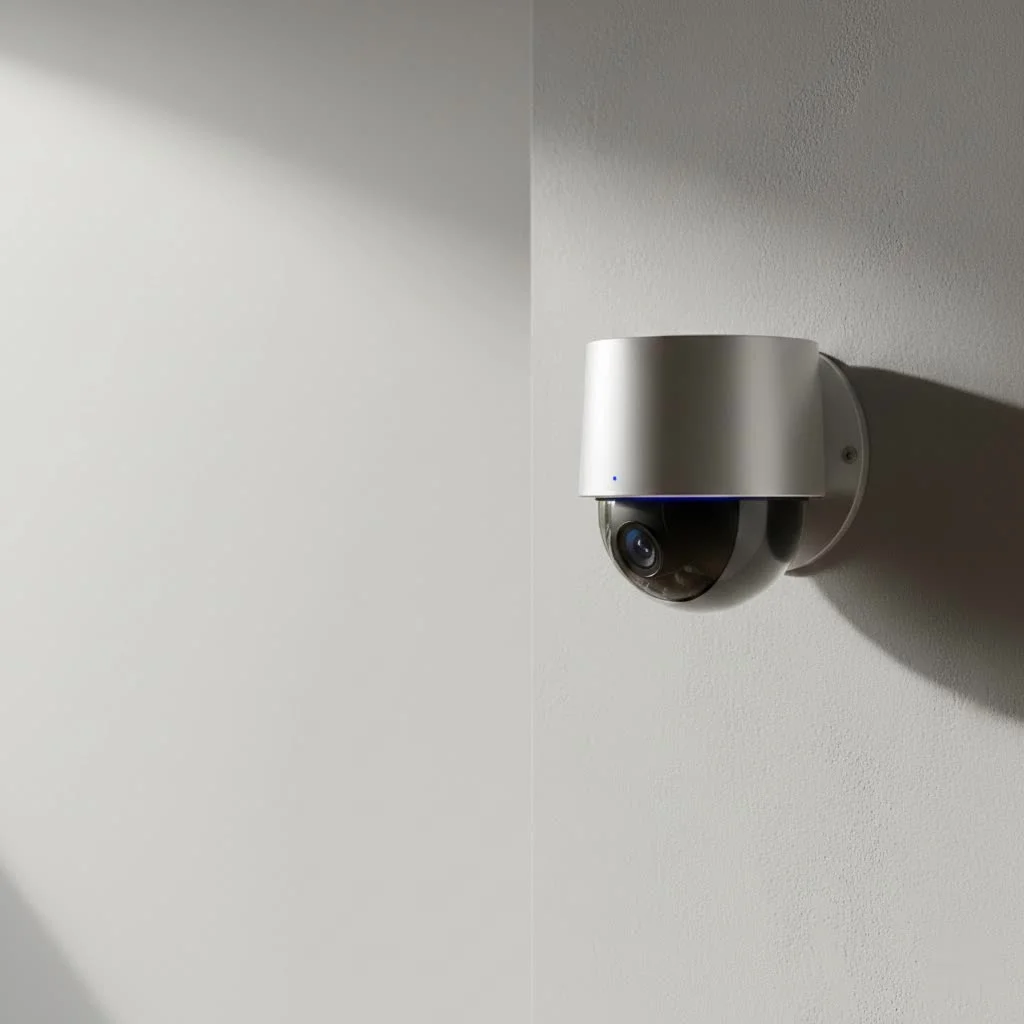
At Ydmrw, we believe that security should be both effective and accessible. A wireless system offers unparalleled flexibility, eliminating the need to run cables through walls and allowing you to place cameras exactly where you need themLet’s dive into what makes a great wireless security camera system and explore some of the top contenders today.
What Key Features Define the Best Systems?
Before you start comparing brands, it’s crucial to understand the technology that powers these devices. A camera isn’t just a camera; it’s a package of features that must work together seamlessly. Focusing on these core components will ensure you get a system that truly serves your security needs.
Video Resolution: Clarity is King
The primary job of a security camera is to show you what’s happening. If the image is blurry or pixelated, the camera isn’t doing its job.
- 1080p (Full HD): This is the baseline standard for decent quality. It’s clear enough for general monitoring and identifying people at a close distance.
- 2K and 4K (Ultra HD): These higher resolutions provide significantly more detail. This is incredibly useful for zooming in on distant objects, identifying license plates, or capturing clearer facial features, which can be critical for evidence. Brands like Arlo, Reolink, and Lorex are leading the charge with high-resolution options.
Power Source: Battery vs. Solar
Wireless cameras are defined by their lack of data cables, but they still need power.
- Battery-Powered: These are the most common “wire-free” cameras. They run on rechargeable battery packs that can last from a few weeks to several months on a single charge. The actual battery life depends heavily on how often the camera records and the environmental conditions.
- Solar-Powered: Many battery-powered cameras can be connected to a small, optional solar panel. This is a major upgrade for outdoor cameras in hard-to-reach places, as it provides a continuous trickle charge, drastically reducing the need for manual recharging.
Field of View and Camera Mobility
Field of view determines how much of an area your camera can see at once. A wider field of view (measured in degrees) means you need fewer cameras to cover a large space. For ultimate coverage, consider a PTZ (Pan-Tilt-Zoom) camera. Models like the Reolink Argus PT allow you to remotely control the camera’s direction, providing a sweeping view of your property from a single device.
Night Vision: Seeing in the Dark
|
Our Picks for the Best Security Camera in 2026
As an Amazon Associate I earn from qualifying purchases.
|
||
| Num | Product | Action |
|---|---|---|
| 1 | Security Cameras Wireless Outdoor,2K Indoor WiFi Wireless Cameras,Outside Battery Powered Camera for Home Security,AI Motion Detection,Color Night Vision,Spotlight,Siren Alarm,SD/Cloud Storage,2 Pack |

|
| 2 | Kasa Smart Indoor Pan-Tilt Home Security Camera, 1080p HD Dog Camera w/Night Vision, Motion Detection for Baby & Pet Monitor, Cloud & SD Card Storage, Works w/ Alexa & Google Home, 2.4G WiFi (EC71) |
|
| 3 | WYZE Cam Pan v3 Indoor/Outdoor IP65-Rated 1080p Pan/Tilt/Zoom Wi-Fi Smart Home Security Camera with Color Night Vision, 2-Way Audio, Compatible with Alexa & Google Assistant, White, 2-Pack |
|
| 4 | Tapo 2K Pan/Tilt Security Camera for Baby Monitor, Dog Camera w/Motion Detection, 2-Way Audio Siren, Night Vision, Cloud&SD Card Storage, Works w/Alexa & Google Assistant, 2-Pack (Tapo C210P2) |
|
| 5 | WYZE Cam v4 (Latest Model), 2.5K AI Security Camera, Indoor/Outdoor Cameras for Home Security, Baby Monitor & Pet Camera, Vibrant Color Night Vision, No Subscription Required, Free Expert Help |
|
| 6 | Tapo TP-Link 2K Pan/Tilt Indoor Security Camera for Baby Monitor, Pet Camera, Motion Detection & Tracking, 2-Way Audio, Cloud & SD Card Storage, Works w/Alexa & Google Home, Black, C211(2-Pack) |
|
| 7 | TP-Link Tapo 1080P Indoor Security Camera for Baby Monitor, Dog Camera w/Motion Detection, 2-Way Audio Siren, Night Vision, Cloud & SD Card Storage, Works w/Alexa & Google Home (Tapo C100) |
|
| 8 | Security Cameras Wireless Outdoor-Solar&Battery Powered 2K 2.4G Cameras for Home Security, Instant Alert, AI Human Detection, Color Night Vision, 2-Way Talk, SD Storage, Work with Alexa, Z1 4P |
|
| 9 | REOLINK 4K PoE Security Camera System Wired, 8pcs 8MP PoE Cameras, Smart Person/Vehicle Detection, 16CH NVR with 4TB HDD, H.265, 24/7 Recording, High Bitrate & Clear Stream, RLK16-800D8 |
|
| 10 | WYZE Bulb Cam Security Camera, 2K HD Outdoor Light Bulb Camera, Color Night Vision, Dimmable LED Bulb, Motion Detection, Siren Alarm, Works w/Alexa/Google Assistant. Free Expert Support |
|
Criminal activity often happens under the cover of darkness, making night vision a non-negotiable feature.
- Infrared (IR) Night Vision: This is the traditional black-and-white night vision. It uses IR LEDs to illuminate the scene, which is invisible to the human eye but picked up by the camera’s sensor.
- Color Night Vision: A more advanced feature, color night vision uses ambient light and highly sensitive sensors to produce a full-color image in low-light conditions. Some cameras, like the Ring Spotlight Cam, also have a built-in spotlight that activates with motion to both startle intruders and enable clear, color recording.
Video Storage: Cloud vs. Local
Where is your footage saved? You have two main options, and many systems offer both.
- Local Storage: This involves saving video directly onto a physical device, usually a microSD card in the camera or a central hub/base station inside your home. The biggest advantage is privacy and the absence of monthly fees. Brands like Eufy and Lorex are well-known for their subscription-free models that rely on local storage.
- Cloud Storage: Your video clips are uploaded to the manufacturer’s secure servers. This is convenient, as you can access footage from anywhere, and it’s safe from physical theft. However, it almost always requires a paid monthly subscription plan. Ring’s Protect Plan and Arlo’s Secure Plan are popular examples.
As security expert Jonathan Carter notes, “The ideal setup for many homeowners is a hybrid model. Use a system that offers both local and cloud storage. This gives you the day-to-day convenience of the cloud with a physical backup that you control, all without being locked into a single solution.”
Smart Features and AI Detection
Modern cameras do more than just record; they analyze. AI-powered detection can differentiate between people, animals, vehicles, and even packages. This drastically reduces false alarms—no more getting a notification every time a tree branch sways in the wind. Google Nest Cams excel in this area, offering intelligent alerts that learn over time.
Our Top Picks for the Best Wireless Security Camera System
After extensive testing and review, we’ve identified the systems that deliver the best performance, features, and value.
1. Arlo Pro 5S 2K: Best for Video Quality
Arlo has long been a leader in the wireless camera space, and the Pro 5S 2K continues that legacy.
- Resolution: Crystal-clear 2K video with HDR for better clarity in high-contrast lighting.
- Night Vision: Excellent color night vision.
- Field of View: A wide 160-degree viewing angle.
- Smart Integration: Works seamlessly with Amazon Alexa, Google Assistant, and Apple HomeKit.
- Power: Long-lasting battery with solar panel compatibility.
2. Google Nest Cam (Battery): Best for Smart Features
For those invested in the Google ecosystem, the Nest Cam is an outstanding and intelligent choice.
- AI Smarts: Best-in-class on-device object detection for people, animals, and vehicles without requiring a subscription.
- Integration: Flawless integration with Google Assistant and Nest Hub displays.
- Storage: Offers a few hours of free event recording, with more available via a Nest Aware subscription.
- Design: Sleek, minimalist design that is easy to install indoors or out.
3. Ring Spotlight Cam Plus: Best for Active Deterrence
Ring, an Amazon company, excels at creating an interconnected security ecosystem.
- Deterrence: Features motion-activated LED spotlights and a remote-activated siren to scare off intruders.
- Power: Comes in battery, solar, wired, and plug-in versions for ultimate flexibility.
- Ecosystem: Integrates perfectly with Ring Alarm and Alexa, allowing you to create powerful security routines.
- Community: The Neighbors app provides local crime and safety alerts from your community.
4. Eufy SoloCam Series: Best with No Monthly Fees
If you want to avoid subscriptions, Eufy is arguably the best choice on the market.
- No Fees: All footage is stored locally on the device’s internal memory or a compatible HomeBase, meaning no mandatory monthly costs.
- Resolution: Offers models with up to 4K resolution.
- On-Device AI: Like Nest, much of the AI detection happens on the camera itself, improving speed and privacy.
- Solar Integration: Many models have a built-in solar panel, making them truly “set it and forget it” devices.
How to Choose the Right System for You
- Assess Your Property: Walk around your home. Where are the vulnerable points? Front door, back door, ground-floor windows, driveway? This will determine how many cameras you need.
- Consider Your Budget: Factor in the upfront cost of the cameras and any potential monthly subscription fees for cloud storage and advanced features.
- Check Your Wi-Fi: Wireless cameras depend on a strong Wi-Fi signal. Before you buy, check the signal strength in the locations where you plan to install your cameras. You may need a Wi-Fi extender for cameras placed far from your router.
- Evaluate the App Experience: You will interact with your system through its mobile app. Look for an app that is user-friendly, stable, and allows you to easily view live feeds, review recordings, and adjust settings.
Frequently Asked Questions (FAQ)
How long do the batteries last on wireless security cameras?
Battery life varies greatly by brand, usage, and settings, but most last between 2 to 6 months per charge. High-traffic areas will drain the battery faster. Adding a solar panel can extend this indefinitely with enough daily sunlight.
Do wireless cameras record 24/7?
Most battery-powered wireless cameras do not record 24/7 as it would drain the battery in a day or two. Instead, they are motion-activated, waking up and recording only when they detect movement. Some powered (plug-in) wireless cameras do offer continuous recording.
Can wireless security cameras be hacked?
Any device connected to the internet has a potential risk of being hacked. To protect yourself, always use a strong, unique password for your account, enable two-factor authentication (2FA), and keep your camera’s firmware updated. Reputable brands like Arlo, Google, and Ring invest heavily in security and encryption.
Do I need a subscription for my wireless security camera?
It depends on the brand. Systems from Ring and Arlo have limited functionality without a subscription. Brands like Eufy, Lorex, and Reolink are designed to work fully without any monthly fees by relying on local storage.
How far can a wireless camera be from its base or router?
Typically, wireless cameras can be placed up to 300 feet from the base station or Wi-Fi router in an open-air environment. However, walls, floors, and other obstructions will reduce this range significantly. It’s best to test the connection before permanently mounting the camera.
Securing Your Home with Confidence
Investing in the best wireless security camera system is one of the most effective steps you can take to protect your home and loved ones. By focusing on key features like video quality, power options, storage, and smart detection, you can build a system that is both powerful and easy to manage. Whether you prioritize the pristine video of an Arlo system, the intelligent alerts of a Google Nest, or the subscription-free convenience of Eufy, there is a perfect solution waiting for you. Take your time, do your research, and empower yourself with the peace of mind that comes from knowing your home is secure.
Frequently Asked Questions
How long do batteries typically last on wireless security cameras?
Most wireless security camera batteries last between 2 to 6 months per charge, depending on usage and settings. Cameras in high-traffic areas will drain faster. Attaching a solar panel can extend battery life indefinitely with sufficient daily sunlight.
Do wireless security cameras offer 24/7 continuous recording?
Most battery-powered wireless cameras do not record 24/7 to conserve battery life, instead activating and recording only when motion is detected. However, some plug-in wireless cameras do offer continuous recording capabilities.
What steps can I take to prevent my wireless security camera from being hacked?
To protect your wireless security camera from hacking, always use a strong, unique password, enable two-factor authentication (2FA), and keep the camera's firmware updated. Reputable brands like Arlo, Google, and Ring prioritize security and encryption to safeguard user data.
Is a monthly subscription required for all wireless security camera systems?
No, a monthly subscription is not required for all wireless security camera systems. While brands like Ring and Arlo have limited functionality without a subscription, systems from Eufy, Lorex, and Reolink are designed to operate fully without monthly fees by utilizing local storage options.
What is the typical range for a wireless camera from its base station or router?
Wireless cameras typically have a range of up to 300 feet from their base station or Wi-Fi router in an open-air environment. However, physical obstructions like walls and floors can significantly reduce this range, so it's advisable to test the connection before permanent installation.
How to Choose the Right Wireless Security Camera System
Follow these steps to select the best wireless security camera system that meets your home's specific security needs and budget.
Walk around your home to identify key vulnerable areas such as front doors, back doors, ground-floor windows, and driveways. This assessment will help determine the optimal number and placement of cameras needed for comprehensive coverage.
Factor in both the initial purchase cost of the cameras and any potential ongoing monthly subscription fees for cloud storage or advanced features. This comprehensive budget planning ensures you avoid unexpected expenses.
Wireless cameras rely on a strong Wi-Fi signal. Before purchasing, verify the signal strength in all intended camera locations. A Wi-Fi extender may be necessary for cameras placed far from your main router to ensure reliable connectivity.
The mobile app is your primary interface with the security system. Look for an app that is user-friendly, stable, and allows for easy viewing of live feeds, reviewing recordings, and adjusting settings. A good app enhances the overall usability and effectiveness of your system.
Get our weekly buyer guide
Practical specs, not advice. Unsubscribe anytime.

I got a wireless system specifically for the flexibility, and it mostly works well. However, I’ve had a few instances where the connection dropped, especially when I placed a camera further from the hub. It’s not constant, but it’s a bit annoying when it happens. The clear video resolution is a plus when it’s working.
I was really looking for a system with subscription-free local storage, and the Eufy SoloCam Series delivered. It’s great not having to worry about monthly fees just to access my recordings. The video quality is good enough for my needs, and the app is user-friendly. Definitely recommend for anyone wanting to avoid subscriptions.
The Google Nest Cam (Battery) has been a solid choice for my front porch. The advanced AI features are really impressive, especially how it differentiates between people and packages. My only minor complaint is that the battery life isn’t quite as long as I’d hoped, especially with frequent motion detection. Still, it’s a very reliable system.
I finally upgraded to the Arlo Pro 5S 2K after reading about its superior video quality, and it’s been a game-changer. The clarity is incredible, even at night. I can easily see everything happening around my house, which gives me so much peace of mind. Setup was pretty straightforward too, which was a relief.