In today’s fast-paced world, traditional security systems, while robust, often lack the agility we sometimes need. That’s where the portable security camera steps in, offering a versatile and discreet solution for monitoring spaces without the commitment of a permanent installation. Whether you’re a renter, a frequent traveler, or simply looking for an extra layer of security that can move with you, understanding these ingenious devices is key to safeguarding what matters most.
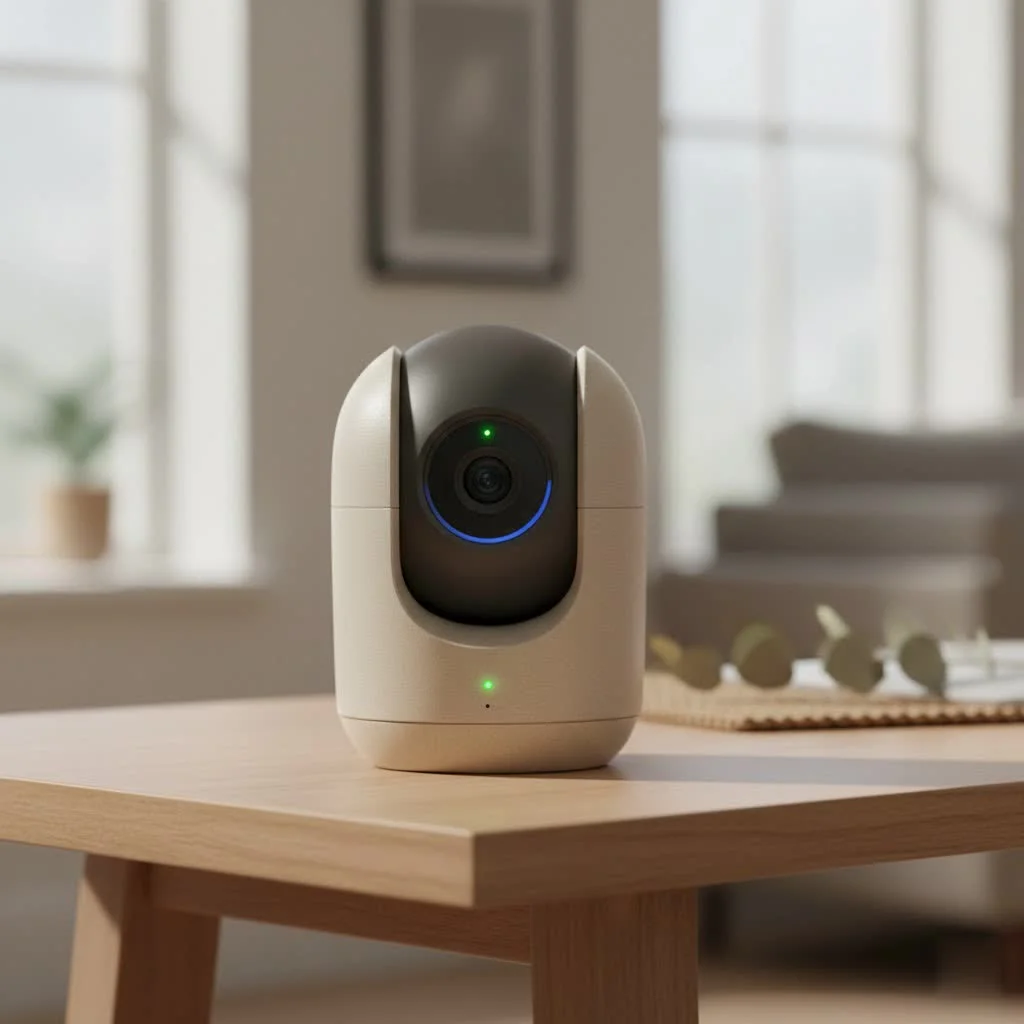
Here at Ydmrw.com, with over 15 years in the trenches of security camera systems, we’ve seen it all. We understand the nuances that make a security solution truly effective, and we’re here to break down everything you need to know about these incredibly useful gadgets. Let’s dive in and explore how a portable security camera can empower you with flexible surveillance, providing peace of mind wherever you go.
What Exactly is a Portable Security Camera?
A portable security camera is essentially a compact, self-contained surveillance device designed for easy relocation and temporary use. Unlike their fixed counterparts, these cameras typically operate wirelessly, often relying on internal batteries for power and Wi-Fi or cellular networks for data transmission. Their primary appeal lies in their flexibility, allowing users to deploy them quickly in various scenarios—from monitoring a hotel room or a temporary workspace to keeping an eye on pets or children in different rooms. They often boast features like motion detection, night vision, and two-way audio, packing powerful surveillance capabilities into a small, convenient package.
Why Choose a Portable Security Camera?
The decision to opt for a portable unit often boils down to a few key advantages:
- Flexibility and Mobility: This is the most obvious benefit. You can move the camera from one location to another as your needs change. This is perfect for renters who can’t install permanent systems or for people who need to monitor different spaces at different times.
- Ease of Installation: Forget about drilling holes or running extensive wiring. Most portable cameras are ready to go with minimal setup, often just requiring a charge and a connection to your smartphone app.
- Temporary Surveillance: Ideal for short-term monitoring, such as keeping an eye on a vacation rental, a nursery during nap time, or a package delivery while you’re out.
- Discreet Monitoring: Their small size often allows for more discreet placement, which can be advantageous in certain situations where overt surveillance might be undesirable.
- Cost-Effectiveness: While high-end models exist, many portable cameras are more affordable than comprehensive wired systems, making them an accessible entry point into home security.
Diverse Types of Portable Security Cameras
Just like their stationary cousins, portable security camera options come in a variety of forms, each suited for different applications and user preferences. Understanding these distinctions helps you pick the perfect tool for your specific needs.
1. Wireless Indoor Portable Cameras
|
Our Picks for the Best Security Camera in 2026
As an Amazon Associate I earn from qualifying purchases.
|
||
| Num | Product | Action |
|---|---|---|
| 1 | Security Cameras Wireless Outdoor,2K Indoor WiFi Wireless Cameras,Outside Battery Powered Camera for Home Security,AI Motion Detection,Color Night Vision,Spotlight,Siren Alarm,SD/Cloud Storage,2 Pack |

|
| 2 | WYZE Cam v4 (Latest Model), 2.5K AI Security Camera, Indoor/Outdoor Cameras for Home Security, Baby Monitor & Pet Camera, Vibrant Color Night Vision, No Subscription Required, Free Expert Help |
|
| 3 | TP-Link Tapo 1080P Indoor Security Camera for Baby Monitor, Dog Camera w/Motion Detection, 2-Way Audio Siren, Night Vision, Cloud & SD Card Storage, Works w/Alexa & Google Home (Tapo C100) |
|
| 4 | Kasa Smart Indoor Pan-Tilt Home Security Camera, 1080p HD Dog Camera w/Night Vision, Motion Detection for Baby & Pet Monitor, Cloud & SD Card Storage, Works w/ Alexa & Google Home, 2.4G WiFi (EC71) |
|
| 5 | Security Cameras Wireless Outdoor-Solar&Battery Powered 2K 2.4G Cameras for Home Security, Instant Alert, AI Human Detection, Color Night Vision, 2-Way Talk, SD Storage, Work with Alexa, Z1 4P |
|
| 6 | REOLINK 4K PoE Security Camera System Wired, 8pcs 8MP PoE Cameras, Smart Person/Vehicle Detection, 16CH NVR with 4TB HDD, H.265, 24/7 Recording, High Bitrate & Clear Stream, RLK16-800D8 |
|
| 7 | WYZE Bulb Cam Security Camera, 2K HD Outdoor Light Bulb Camera, Color Night Vision, Dimmable LED Bulb, Motion Detection, Siren Alarm, Works w/Alexa/Google Assistant. Free Expert Support |
|
| 8 | Tapo 2K Pan/Tilt Security Camera for Baby Monitor, Dog Camera w/Motion Detection, 2-Way Audio Siren, Night Vision, Cloud&SD Card Storage, Works w/Alexa & Google Assistant, 2-Pack (Tapo C210P2) |
|
| 9 | Tapo TP-Link 2K Pan/Tilt Indoor Security Camera for Baby Monitor, Pet Camera, Motion Detection & Tracking, 2-Way Audio, Cloud & SD Card Storage, Works w/Alexa & Google Home, Black, C211(2-Pack) |
|
| 10 | WYZE Cam Pan v3 Indoor/Outdoor IP65-Rated 1080p Pan/Tilt/Zoom Wi-Fi Smart Home Security Camera with Color Night Vision, 2-Way Audio, Compatible with Alexa & Google Assistant, White, 2-Pack |
|
These are the most common type, designed for use within your home or office. They typically connect to your home Wi-Fi network and are powered by a rechargeable battery, often lasting several days or weeks depending on usage.
- Key Features: Often include high-definition video, night vision, motion detection with alerts, and two-way audio. Some even offer cloud storage options for recorded footage.
- Ideal Use Cases: Monitoring children, pets, elderly family members, or simply keeping an eye on your living space while you’re away.
2. Mini Spy Cameras
These cameras are built for ultimate discretion, often disguised as everyday objects like USB chargers, alarm clocks, or even pens. They are incredibly small and often have limited battery life, focusing on short bursts of recording.
- Key Features: Extremely compact, often with limited features beyond basic video recording. Some may offer motion detection.
- Ideal Use Cases: Covert surveillance, personal security, or when absolute discretion is paramount.
3. Outdoor Portable Cameras
While less common than indoor versions due to the need for weatherproofing and more robust battery solutions, dedicated outdoor portable cameras do exist. These often feature rugged designs and stronger battery capacities, sometimes even solar-powered.
- Key Features: Weather-resistant (IP-rated), often with longer battery life, wider fields of view, and enhanced night vision.
- Ideal Use Cases: Monitoring a backyard gate, a campsite, or temporary outdoor events.
4. Body-Worn Cameras
While distinct, body-worn cameras can be considered a type of portable security camera. These are designed to be worn on a person, capturing footage from their perspective.
- Key Features: Lightweight, durable, often with wide-angle lenses and robust recording capabilities.
- Ideal Use Cases: Personal safety, evidence collection, or documenting events on the go.
Essential Features to Look For in a Portable Security Camera
Choosing the right portable security camera can feel like navigating a maze of technical specifications. However, focusing on a few critical features will help you narrow down your options and ensure you get a device that truly meets your security demands.
A. Resolution and Image Quality
This determines how clear and detailed your video footage will be.
- What to Look For: Aim for at least 1080p (Full HD) for clear images. Higher resolutions like 2K or 4K offer even more detail, which can be crucial for identifying faces or license plates. Remember, higher resolution also means larger file sizes and potentially more bandwidth usage.
B. Field of View (FoV)
The field of view refers to the extent of the area that the camera can capture.
- What to Look For: A wider FoV (e.g., 120-150 degrees) is generally better for covering larger spaces with a single camera. Some cameras offer pan and tilt functionality, allowing you to remotely adjust the camera’s angle for broader coverage.
C. Night Vision Capabilities
Since security needs don’t stop when the sun goes down, effective night vision is a must.
- What to Look For: Look for cameras with infrared (IR) LEDs. The range of night vision (e.g., 15-30 feet) is important. Color night vision, achieved through advanced sensors or ambient light, can provide even more useful details.
D. Motion Detection and Alerts
This feature is the cornerstone of proactive security, notifying you when something happens.
- What to Look For: Most portable cameras have motion detection. Advanced features include customizable detection zones, human-only detection (to reduce false alarms from pets or swaying branches), and adjustable sensitivity levels. Instant push notifications to your smartphone are essential.
E. Battery Life
As portable devices, battery life is paramount.
- What to Look For: This can vary wildly, from a few hours to several months. Consider how often you’ll need to charge the camera. Cameras with low-power modes or those that only record on motion detection will have extended battery life. External battery packs or solar charging options can also significantly prolong operation.
F. Connectivity Options
How the camera communicates and stores data is crucial for accessibility.
- What to Look For:
- Wi-Fi: The most common. Ensures easy connection to your home network.
- Cellular (4G/5G): Ideal for locations without Wi-Fi, though it requires a data plan.
- Local Storage (SD Card): A great backup or primary storage option, ensuring footage is saved even without an internet connection.
- Cloud Storage: Offers remote access to footage and a backup in case the camera is stolen or damaged. Often comes with a subscription fee.
G. Two-Way Audio
The ability to hear and speak through the camera adds a powerful layer of interaction.
- What to Look For: Clear audio quality for both listening and speaking. This feature is excellent for communicating with family, pets, or even deterring intruders.
H. Smart Home Integration
If you have a smart home ecosystem, integration can streamline your security.
- What to Look For: Compatibility with platforms like Amazon Alexa, Google Assistant, or Apple HomeKit allows for voice control and automation with other smart devices.
“The true power of a portable security camera lies not just in its ability to record, but in its smart features that proactively alert you and allow for immediate interaction,” explains Sarah Chen, our lead security systems engineer at Ydmrw.com. “From AI-powered motion detection to seamless cloud integration, modern portable cameras are more intelligent than ever.”
How to Install and Configure Your Portable Security Camera
One of the greatest appeals of a portable security camera is its straightforward setup process. You don’t need to be a tech wizard to get these devices up and running. Here’s a general guide to help you get started:
Step-by-Step Installation
- Charge the Battery: Before anything else, ensure your camera’s battery is fully charged. This might take a few hours for the initial charge.
- Download the App: Most portable security cameras are managed through a dedicated smartphone app. Search for the brand’s official app on your device’s app store (iOS or Android).
- Create an Account: Open the app and follow the prompts to create a user account. This typically involves an email address and a password.
- Add Your Camera: Within the app, look for an option like “Add Device” or “Set Up New Camera.” You’ll usually scan a QR code on the camera itself or manually enter a device ID.
- Connect to Wi-Fi: The app will guide you through connecting the camera to your Wi-Fi network. Ensure your phone is connected to the same 2.4GHz Wi-Fi network (most cameras don’t support 5GHz). You might need to bring the camera close to your router during this initial setup.
- Find the Optimal Location:
- Height: Place the camera high enough to get a good overview of the area, but not so high that small details are lost. About 7-10 feet is often ideal.
- Angle: Aim for a corner or a position that covers the main entry points or areas of interest. Avoid pointing it directly at windows or strong light sources that can cause glare or distorted images.
- Range: Ensure it’s within range of your Wi-Fi signal if it’s a Wi-Fi camera.
- Discretion: If discretion is a goal, choose a spot where it blends in naturally with its surroundings.
- Mount (If Applicable): Many portable cameras come with magnetic bases or small mounting brackets, allowing you to easily attach them to walls, shelves, or even metallic surfaces.
Configuring and Using the Management Software
Once your camera is connected, the smartphone app becomes your control center for your portable security camera.
- Live View: Access real-time footage from your camera anytime, anywhere.
- Motion Detection Settings:
- Sensitivity: Adjust how easily the camera triggers recording.
- Detection Zones: Draw specific areas within the camera’s view where you want motion to be detected, ignoring less critical areas.
- Notification Schedule: Set times when you want to receive motion alerts (e.g., only when you’re away from home).
- Recording Options: Choose whether to record continuously, only on motion, or on a schedule.
- Storage Management:
- SD Card: Format the SD card, view recorded footage, and manage storage space.
- Cloud Storage: If subscribed, manage your cloud plan, access recordings, and download clips.
- Two-Way Audio: Use the microphone and speaker icons in the app to listen in or speak through the camera.
- Night Vision: Ensure night vision is enabled (often automatic) and test its effectiveness.
- Firmware Updates: Regularly check the app for firmware updates for your camera to ensure optimal performance and security.
Maintaining Your Portable Security Camera
Even though they’re designed for convenience, a little routine maintenance can significantly extend the life and effectiveness of your portable security camera.
- Regular Charging: Keep an eye on battery levels, especially if you rely on the camera for continuous monitoring. Consider a charging schedule or keeping it plugged in when possible.
- Lens Cleaning: Dust and smudges can degrade image quality. Gently clean the lens with a microfiber cloth to keep the view crystal clear.
- Firmware Updates: Always install the latest firmware updates. These often include bug fixes, security patches, and new features.
- App Maintenance: Keep your camera’s app updated on your smartphone to ensure compatibility and access to the latest functionalities.
- Storage Management: If you’re using an SD card, periodically review and delete old footage to free up space. If you’re on a cloud plan, be aware of your storage limits.
- Environmental Protection: For outdoor portable cameras, regularly check for debris or water damage and ensure seals are intact. Avoid extreme temperatures where possible.
Troubleshooting Common Issues
While generally reliable, you might encounter a few common hiccups with your portable security camera.
- Camera Won’t Connect to Wi-Fi:
- Check Wi-Fi Password: Double-check that you’ve entered the correct password.
- Router Distance: Move the camera closer to the Wi-Fi router.
- 2.4GHz vs. 5GHz: Ensure your router is broadcasting a 2.4GHz network and your camera is connected to it.
- Restart Everything: Restart your camera, router, and phone.
- Poor Video Quality:
- Clean Lens: A dirty lens is a common culprit.
- Wi-Fi Signal Strength: A weak Wi-Fi signal can lead to choppy or low-resolution video. Try moving the camera closer to the router or using a Wi-Fi extender.
- Lighting: Ensure the area is well-lit or that night vision is effectively engaged.
- Battery Draining Quickly:
- Motion Frequency: High-traffic areas with constant motion detection will drain the battery faster. Adjust sensitivity or detection zones.
- Live View Usage: Frequent viewing of the live feed will consume more power.
- Temperature: Cold weather can significantly reduce battery performance.
- False Motion Alerts:
- Adjust Sensitivity: Lower the motion detection sensitivity.
- Set Detection Zones: Define specific areas to ignore movement from pets, trees, or passing cars.
- Human Detection: Enable human-only detection if your camera supports it.
- Can’t Access Cloud Storage:
- Subscription Status: Check if your cloud subscription is active and not expired.
- Internet Connection: Ensure both your camera and viewing device have a stable internet connection.
Safeguard Your Space with a Portable Security Camera
The rise of the portable security camera has truly democratized surveillance, making advanced monitoring accessible and flexible for everyone. From keeping a watchful eye on your home while you’re away to ensuring the safety of loved ones or securing a temporary space, these devices offer a powerful blend of convenience, versatility, and peace of mind.
By understanding the different types, prioritizing essential features like resolution and battery life, and following simple installation and maintenance guidelines, you can harness the full potential of these compact security solutions. Remember, an informed choice leads to better security. At Ydmrw.com, we’re committed to equipping you with the knowledge to make those choices confidently.
We hope this comprehensive guide has illuminated the path to choosing and utilizing the perfect portable security camera for your needs. What are your experiences with portable cameras? Share your thoughts and questions in the comments below – we love hearing from our community!
Frequently Asked Questions (FAQ)
Q1: Can a portable security camera work without Wi-Fi?
A1: Yes, some portable security cameras are designed to work without Wi-Fi. These often use cellular data (requiring a SIM card and data plan) or record solely to a local SD card, which you can later retrieve and view the footage from.
Q2: How long does the battery typically last on a portable security camera?
A2: Battery life varies significantly. Some compact models might last only a few hours of continuous recording, while others with larger batteries and motion-activated recording can last weeks or even months on a single charge. Always check the manufacturer’s specifications.
Q3: Are portable security cameras discreet?
A3: Many portable security cameras are designed to be quite discreet due to their small size and often subtle appearance. Some are even disguised as everyday objects, making them ideal for inconspicuous monitoring.
Q4: Can I view my portable security camera’s feed remotely?
A4: Yes, most Wi-Fi or cellular-enabled portable security cameras allow for remote viewing via a dedicated smartphone app. As long as your camera has an internet connection and your phone does too, you can check on your feed from anywhere in the world.
Q5: Is it legal to use a portable security camera in public spaces or rented properties?
A5: The legality of using a portable security camera depends heavily on local laws and the specific context. Generally, you cannot record individuals in places where they have a reasonable expectation of privacy without their consent. Always be aware of and comply with local surveillance laws, especially in shared or rented spaces.
Q6: What’s the difference between a portable security camera and a dash cam?
A6: While both record video and are portable, a portable security camera is typically designed for stationary surveillance, often with features like motion detection and remote viewing for security purposes. A dash cam is specifically designed for recording while driving, mounted in a vehicle to capture road events.
Get our weekly buyer guide
Practical specs, not advice. Unsubscribe anytime.
