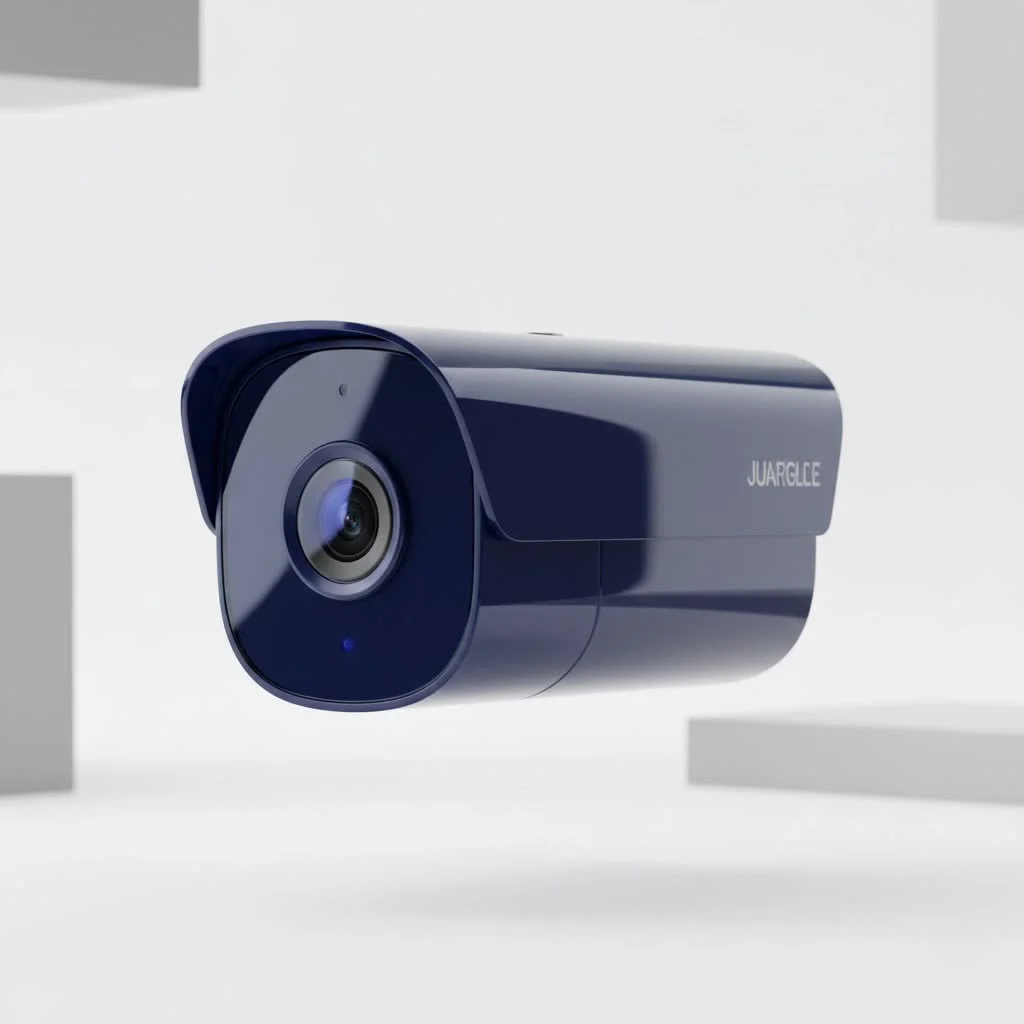
A high resolution security camera captures video with superior detail, typically starting at 1080p (Full HD) and extending to 2K (Quad HD) and 4K (Ultra HD), with 4K offering four times the pixel count of 1080p. This enhanced clarity is crucial for identifying faces, license plates, and other critical details, making it a cornerstone of effective surveillance systems.
What Exactly is a High Resolution Security Camera?
A high resolution security camera is a surveillance device that captures video with a high level of detail, measured in pixels. Think of a digital image as a mosaic made of tiny dots (pixels). The more pixels you have, the sharper and clearer the picture. Early security cameras had very low resolution, making it difficult to discern important details. Today, “high resolution” typically refers to cameras with 1080p (Full HD) resolution or higher.
The most common high-resolution tiers you’ll encounter are:
- 1080p (Full HD): This is often considered the baseline for modern security. It offers a clear picture suitable for general monitoring.
- 2K (Quad HD): This resolution provides significantly more detail than 1080p, allowing for better digital zoom capabilities.
- 4K (Ultra HD): This is the gold standard for consumer and professional security, offering exceptional clarity and the ability to zoom in on distant objects without significant loss of quality.
Decoding the Numbers: 1080p vs. 2K vs. 4K
Navigating the different resolution labels can be confusing. Let’s break down what each one means for your security.
1080p (Full HD / 2 Megapixels)
A 1080p camera records video at a resolution of 1920 x 1080 pixels, totaling just over 2 million pixels. This has been the standard for years and is a huge leap from older analog cameras. It’s great for monitoring entryways, small rooms, or backyards where subjects are relatively close to the camera.
2K (QHD / 4 Megapixels)
Often marketed as 4MP, 2K resolution typically sits around 2560 x 1440 pixels. It contains nearly twice the number of pixels as a 1080p camera. This noticeable jump in clarity means you can digitally zoom in on recorded footage with less pixelation, making it easier to identify faces or characters on a license plate from a moderate distance.
4K (Ultra HD / 8 Megapixels)
The powerhouse of security, a 4K camera captures video at 3840 x 2160 pixels, which is four times the pixel count of 1080p. This is where you get incredibly crisp, detailed images. A high resolution security camera with 4K capability is ideal for monitoring large areas like parking lots, expansive yards, or commercial properties where the ability to zoom in on distant events without losing clarity is paramount.
“Moving from 1080p to 4K isn’t just an upgrade; it’s a fundamental change in capability. With 4K, you’re not just recording an event, you’re capturing evidence. The level of detail allows for positive identification, which is often the deciding factor in an investigation.” – David Chen, Security Systems Integrator
Why Is Higher Resolution So Important?
The primary purpose of a security camera is to capture usable footage. Higher resolution directly translates to more usable footage.
The Power of Digital Zoom
|
Our Picks for the Best Security Camera in 2026
As an Amazon Associate I earn from qualifying purchases.
|
||
| Num | Product | Action |
|---|---|---|
| 1 | Kasa Smart Indoor Pan-Tilt Home Security Camera, 1080p HD Dog Camera w/Night Vision, Motion Detection for Baby & Pet Monitor, Cloud & SD Card Storage, Works w/ Alexa & Google Home, 2.4G WiFi (EC71) |

|
| 2 | Security Cameras Wireless Outdoor-Solar&Battery Powered 2K 2.4G Cameras for Home Security, Instant Alert, AI Human Detection, Color Night Vision, 2-Way Talk, SD Storage, Work with Alexa, Z1 4P |
|
| 3 | Tapo TP-Link 2K Pan/Tilt Indoor Security Camera for Baby Monitor, Pet Camera, Motion Detection & Tracking, 2-Way Audio, Cloud & SD Card Storage, Works w/Alexa & Google Home, Black, C211(2-Pack) |
|
| 4 | REOLINK 4K PoE Security Camera System Wired, 8pcs 8MP PoE Cameras, Smart Person/Vehicle Detection, 16CH NVR with 4TB HDD, H.265, 24/7 Recording, High Bitrate & Clear Stream, RLK16-800D8 |
|
| 5 | WYZE Cam v4 (Latest Model), 2.5K AI Security Camera, Indoor/Outdoor Cameras for Home Security, Baby Monitor & Pet Camera, Vibrant Color Night Vision, No Subscription Required, Free Expert Help |
|
| 6 | Tapo 2K Pan/Tilt Security Camera for Baby Monitor, Dog Camera w/Motion Detection, 2-Way Audio Siren, Night Vision, Cloud&SD Card Storage, Works w/Alexa & Google Assistant, 2-Pack (Tapo C210P2) |
|
| 7 | WYZE Bulb Cam Security Camera, 2K HD Outdoor Light Bulb Camera, Color Night Vision, Dimmable LED Bulb, Motion Detection, Siren Alarm, Works w/Alexa/Google Assistant. Free Expert Support |
|
| 8 | TP-Link Tapo 1080P Indoor Security Camera for Baby Monitor, Dog Camera w/Motion Detection, 2-Way Audio Siren, Night Vision, Cloud & SD Card Storage, Works w/Alexa & Google Home (Tapo C100) |
|
| 9 | WYZE Cam Pan v3 Indoor/Outdoor IP65-Rated 1080p Pan/Tilt/Zoom Wi-Fi Smart Home Security Camera with Color Night Vision, 2-Way Audio, Compatible with Alexa & Google Assistant, White, 2-Pack |
|
| 10 | Security Cameras Wireless Outdoor,2K Indoor WiFi Wireless Cameras,Outside Battery Powered Camera for Home Security,AI Motion Detection,Color Night Vision,Spotlight,Siren Alarm,SD/Cloud Storage,2 Pack |
|
Unlike optical zoom, which uses physical lens adjustments, digital zoom simply enlarges a portion of the existing image. With a low-resolution camera, this results in a blurry, pixelated mess. A 4K camera, however, has so much detail that you can digitally zoom in significantly and still retain a clear, usable image. This is crucial for identifying intruders or capturing distant license plates.
Wider Coverage, Fewer Cameras
Because a single high resolution security camera can capture fine details over a larger area, you may be able to cover the same space with fewer cameras. One well-placed 4K camera might do the job of two or three lower-resolution cameras, potentially saving on installation and maintenance costs.
Undeniable Evidence
In the unfortunate event of a break-in or vandalism, clear footage is your best asset. High-resolution video provides law enforcement with clear, identifiable images of suspects, vehicles, and actions, greatly increasing the chances of a positive outcome.
The Trade-Offs: What to Consider Before You Buy
While the benefits are clear, upgrading to a higher resolution isn’t without its considerations. More pixels mean more data, which impacts two key areas: storage and bandwidth.
Storage Requirements
A 4K camera generates significantly larger video files than a 1080p camera. This means you will need more storage space on your Network Video Recorder (NVR) or cloud service.
- 1080p: Might use 20-40 GB per day per camera.
- 4K: Can easily use 100-200 GB or more per day per camera.
You’ll need to invest in larger hard drives or a more robust cloud storage plan to accommodate this.
Bandwidth Consumption
If you are streaming live video or uploading footage to the cloud, a 4K camera will use much more of your internet bandwidth. Ensure your network can handle the increased load, especially if you plan on installing multiple high-resolution cameras. A slow network can lead to choppy video, lag, and difficulty accessing your live feed remotely.
How to Choose the Right High Resolution Security Camera
Selecting the perfect camera involves balancing your needs with the practical considerations of cost, storage, and bandwidth.
- Assess Your Environment: For a small apartment entryway, 1080p is likely sufficient. For a large commercial parking lot where you need to see license plates from 100 feet away, 4K is the only viable option.
- Consider the Field of View: A wider field of view captures more area but can make objects appear smaller. High resolution helps compensate for this by allowing you to zoom in on those smaller objects.
- Check Night Vision Capabilities: High resolution is only useful if the camera can see clearly in the dark. Look for cameras with powerful infrared (IR) LEDs or advanced color night vision technology.
- Evaluate Your Storage Solution: Do you have an NVR? If so, what is its maximum hard drive capacity? If you’re using the cloud, what are the monthly costs for storing 4K footage?
- Test Your Network: Before investing in a full 4K system, run an internet speed test. You’ll need a strong and stable upload speed to handle the data stream.
Frequently Asked Questions (FAQ)
Is a 5MP camera better than 1080p?
Yes, a 5MP (megapixel) camera has a higher resolution than a 1080p camera (which is roughly 2MP). It offers a noticeable improvement in detail and is a great middle-ground between 1080p and 4K.
Can I use a high resolution security camera with my old DVR?
It depends. Most modern high-resolution cameras are IP-based and require a Network Video Recorder (NVR). Older analog Digital Video Recorders (DVRs) are generally not compatible with high-resolution IP cameras, though some hybrid systems exist. Always check compatibility before purchasing.
Do I need a special monitor to view 4K footage?
To see the full detail of 4K footage, you will need a 4K-capable monitor or TV. However, you can still record in 4K and view the footage on a lower-resolution screen; you just won’t be seeing its maximum clarity until you digitally zoom in or view it on a compatible display.
How much more does a 4K security camera system cost?
While the price gap is shrinking, 4K cameras and the NVRs required to support them are still more expensive than their 1080p counterparts. You must also factor in the added cost of larger hard drives for storage.
Does high resolution affect motion detection?
Yes, in a positive way. The increased pixel density can allow for more advanced and accurate video analytics, such as smarter motion detection that can better differentiate between people, vehicles, and animals, reducing false alarms.
The Clear Choice for Your Security
Investing in a high resolution security camera system is one of the most effective upgrades you can make to protect your property. The superior clarity, powerful digital zoom, and undeniable evidentiary value provide a level of security that older systems simply cannot match. By understanding the differences between resolutions and weighing the storage and bandwidth requirements, you can build a surveillance system that offers true peace of mind. Don’t just record what happens; capture the details that matter.
Frequently Asked Questions
Is a 5MP camera better than 1080p for security surveillance?
Yes, a 5MP (megapixel) camera offers a higher resolution than a 1080p camera, which is approximately 2MP. This provides a noticeable improvement in detail and serves as an excellent middle-ground option between 1080p and 4K resolutions for security footage.
Can I connect a high resolution security camera to an older DVR system?
Most modern high-resolution security cameras are IP-based and require a Network Video Recorder (NVR) for compatibility. Older analog Digital Video Recorders (DVRs) are generally not compatible with these IP cameras, though some hybrid systems exist. Always verify compatibility before purchasing any new camera.
Do I need a specific monitor to view 4K security camera footage?
To fully appreciate the detail of 4K footage, you will need a 4K-capable monitor or television. However, you can still record in 4K and view the footage on a lower-resolution screen, though you won't see its maximum clarity until you digitally zoom in or use a compatible display.
How much more expensive is a 4K security camera system compared to 1080p?
While the price difference is decreasing, 4K cameras and their necessary NVRs are generally more expensive than 1080p systems. You must also account for the additional cost of larger hard drives required to store the significantly larger 4K video files.
Does higher resolution improve the accuracy of motion detection in security cameras?
Yes, higher resolution positively impacts motion detection. The increased pixel density allows for more advanced and accurate video analytics, which can lead to smarter motion detection that better distinguishes between people, vehicles, and animals, thereby reducing false alarms.
How to Choose the Right High Resolution Security Camera
Selecting the ideal high-resolution security camera involves balancing your specific surveillance needs with practical considerations like cost, storage, and network bandwidth.
Determine the area you need to monitor. For a small apartment entryway, 1080p might suffice, but for a large commercial parking lot requiring license plate identification from 100 feet, 4K resolution is the only viable option.
Evaluate the camera's field of view; a wider view covers more area but makes objects appear smaller. High resolution helps compensate by allowing digital zoom. Also, check for powerful infrared (IR) LEDs or advanced color night vision for clear dark-hour visibility.
Determine your storage solution's capacity (NVR hard drive or cloud plan) as 4K footage requires significantly more space (100-200 GB/day per camera). Test your internet speed to ensure a strong, stable upload speed for streaming and uploading high-resolution video.
Get our weekly buyer guide
Practical specs, not advice. Unsubscribe anytime.
I got a new security camera that was advertised as high resolution, but it’s only 1080p. While it’s better than my old blurry one, I was expecting more of that ‘superior detail’ mentioned. It works fine for general surveillance, but I struggle to make out smaller details like specific car models from a distance. Next time, I’ll definitely aim for 2K or 4K.
I recently upgraded my home security system with a 4K camera after reading about the benefits of Ultra HD. The difference in clarity is absolutely incredible. I can zoom in on faces and license plates with such precision, it’s a game-changer for peace of mind. Definitely worth the investment for the superior detail.
As someone who’s dealt with security systems for years, the move to higher resolutions like 4K has been a huge leap forward. Being able to clearly identify critical details like facial features or small objects is invaluable. It makes a real difference in evidence collection and overall effectiveness of surveillance.
I’ve been using a 1080p camera for my small business for a few months now, and it’s been pretty solid. The Full HD resolution is good enough to identify most things, but I sometimes wish I had gone for a 2K model for that extra bit of detail, especially at night. Still, for the price point, it’s a reliable option.