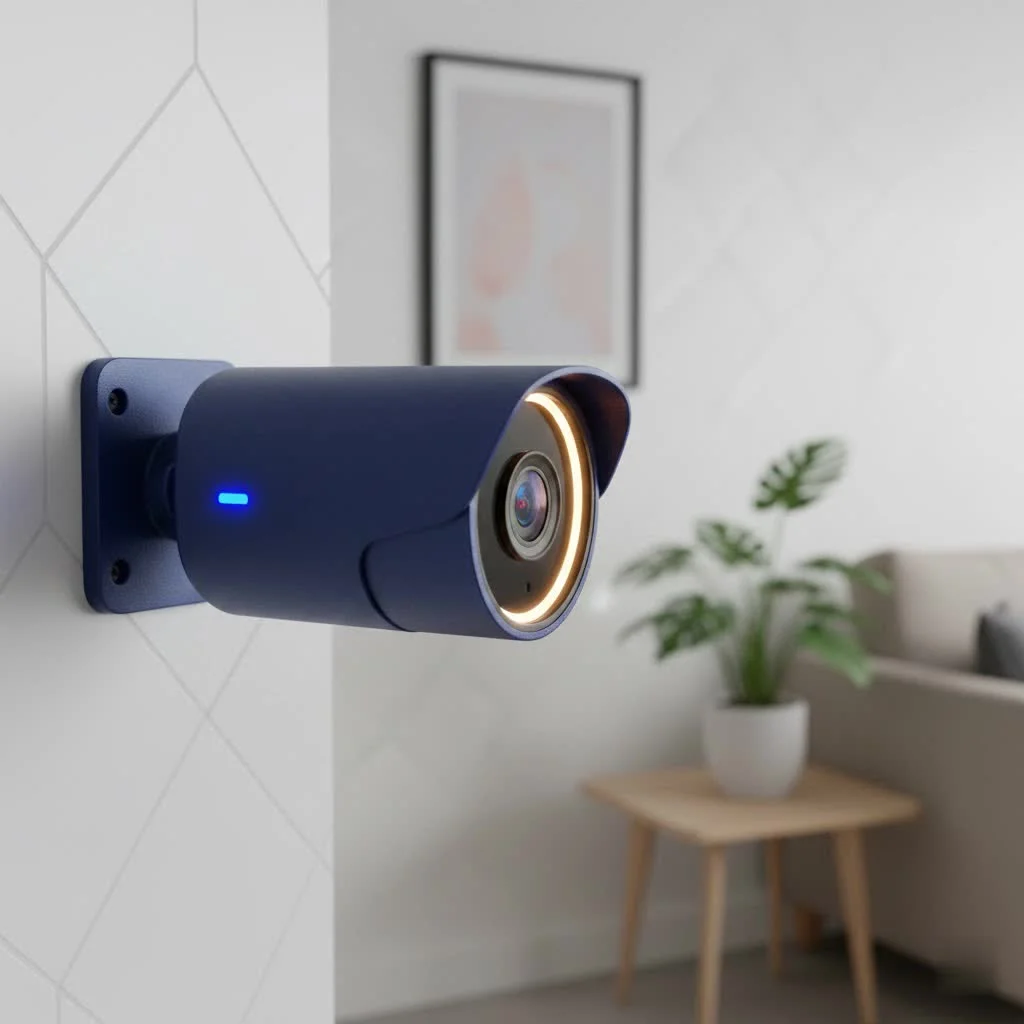
A security light with camera, often called a floodlight camera, is a powerful two-in-one outdoor device that combines high-powered illumination with integrated surveillance. When motion is detected, the lights activate, the camera records high-definition video, and a real-time notification is sent to your smartphone, enabling proactive security monitoring and communication.
How Do Security Lights with Cameras Work?
The functionality of a security light camera relies on the integration of several key technologies. At its core is a Passive Infrared (PIR) sensor, which detects heat signatures from people, animals, or vehicles. When this sensor is triggered, it initiates a sequence of events:
- Illumination: Powerful LED floodlights activate, instantly brightening the area. This eliminates hiding spots and can deter potential intruders.
- Recording: Simultaneously, the built-in camera begins recording video footage of the event.
- Notification: The device, connected to your home’s Wi-Fi network, sends a real-time alert to your smartphone or other connected devices.
- Live View & Communication: Through a dedicated app, you can immediately view a live feed from the camera and, with most models, use a built-in speaker and microphone for two-way communication.
This seamless operation transforms a passive security measure into an active surveillance and deterrence system, offering unparalleled peace of mind.
Key Features to Consider When Buying a Security Light with Camera
Not all floodlight cameras are created equal. As you shop for the perfect device to protect your home, it’s crucial to understand the features that matter most.
Video Resolution and Field of View
The primary job of the camera is to capture clear, usable footage. Look for a resolution of at least 1080p HD, though 2K and even 4K models are becoming increasingly common and offer superior detail. A higher resolution makes it easier to identify faces, license plates, and other important details. The field of view, measured in degrees, determines how wide an area the camera can see. A wider field of view (140 degrees or more) is ideal for covering large spaces like driveways or backyards.
Motion Detection and Alerts
Advanced motion detection is what separates a smart device from a simple one. Look for cameras that offer customizable motion zones, allowing you to specify the exact areas you want to monitor (like a walkway) and ignore others (like a busy street) to reduce false alarms. Some high-end models use AI to differentiate between people, animals, and vehicles, sending you more specific and relevant alerts.
Night Vision Capabilities
When the sun goes down, your camera’s ability to see clearly is paramount. There are two main types of night vision:
- Infrared (IR) Night Vision: Uses infrared LEDs to produce a clear black-and-white image in complete darkness.
- Color Night Vision: Uses ambient light and the floodlights themselves to record in full color, providing much more detail than traditional IR. For security purposes, color night vision is a significant advantage.
Two-Way Audio
|
Our Picks for the Best Security Camera in 2026
As an Amazon Associate I earn from qualifying purchases.
|
||
| Num | Product | Action |
|---|---|---|
| 1 | Security Cameras Wireless Outdoor-Solar&Battery Powered 2K 2.4G Cameras for Home Security, Instant Alert, AI Human Detection, Color Night Vision, 2-Way Talk, SD Storage, Work with Alexa, Z1 4P |

|
| 2 | TP-Link Tapo 1080P Indoor Security Camera for Baby Monitor, Dog Camera w/Motion Detection, 2-Way Audio Siren, Night Vision, Cloud & SD Card Storage, Works w/Alexa & Google Home (Tapo C100) |
|
| 3 | WYZE Cam v4 (Latest Model), 2.5K AI Security Camera, Indoor/Outdoor Cameras for Home Security, Baby Monitor & Pet Camera, Vibrant Color Night Vision, No Subscription Required, Free Expert Help |
|
| 4 | WYZE Bulb Cam Security Camera, 2K HD Outdoor Light Bulb Camera, Color Night Vision, Dimmable LED Bulb, Motion Detection, Siren Alarm, Works w/Alexa/Google Assistant. Free Expert Support |
|
| 5 | Kasa Smart Indoor Pan-Tilt Home Security Camera, 1080p HD Dog Camera w/Night Vision, Motion Detection for Baby & Pet Monitor, Cloud & SD Card Storage, Works w/ Alexa & Google Home, 2.4G WiFi (EC71) |
|
| 6 | Security Cameras Wireless Outdoor,2K Indoor WiFi Wireless Cameras,Outside Battery Powered Camera for Home Security,AI Motion Detection,Color Night Vision,Spotlight,Siren Alarm,SD/Cloud Storage,2 Pack |
|
| 7 | REOLINK 4K PoE Security Camera System Wired, 8pcs 8MP PoE Cameras, Smart Person/Vehicle Detection, 16CH NVR with 4TB HDD, H.265, 24/7 Recording, High Bitrate & Clear Stream, RLK16-800D8 |
|
| 8 | Tapo 2K Pan/Tilt Security Camera for Baby Monitor, Dog Camera w/Motion Detection, 2-Way Audio Siren, Night Vision, Cloud&SD Card Storage, Works w/Alexa & Google Assistant, 2-Pack (Tapo C210P2) |
|
| 9 | WYZE Cam Pan v3 Indoor/Outdoor IP65-Rated 1080p Pan/Tilt/Zoom Wi-Fi Smart Home Security Camera with Color Night Vision, 2-Way Audio, Compatible with Alexa & Google Assistant, White, 2-Pack |
|
| 10 | Tapo TP-Link 2K Pan/Tilt Indoor Security Camera for Baby Monitor, Pet Camera, Motion Detection & Tracking, 2-Way Audio, Cloud & SD Card Storage, Works w/Alexa & Google Home, Black, C211(2-Pack) |
|
A built-in microphone and speaker are essential features. This “two-way talk” function allows you to hear what’s happening and speak through the camera directly from your phone. You can greet a visitor, instruct a delivery driver, or warn off an unwanted guest with a clear, authoritative voice.
Power Source: Wired vs. Wireless
How the device gets its power is a major consideration that impacts installation and reliability.
- Hardwired: This is the most common type. These units are designed to replace existing outdoor light fixtures and connect directly to your home’s electrical wiring. This provides a constant, reliable power source, so you never have to worry about changing batteries.
- Battery/Solar-Powered: For locations without existing wiring, battery-powered models offer much more flexibility in placement. Many can be paired with a solar panel for continuous charging, making them a “set it and forget it” solution.
Data Storage Options
Where does your recorded video go? You’ll typically have two choices:
- Cloud Storage: Your video clips are uploaded to the manufacturer’s secure servers. This is convenient and protects your footage from being tampered with locally, but it usually requires a monthly subscription fee.
- Local Storage: The camera saves footage to a microSD card inserted into the device. This avoids subscription fees but means the footage could be lost if the camera is stolen or damaged. Some systems offer a base station that stores footage inside your home for added security.
A Quick Guide to Installation
Installing a hardwired security light with camera is a manageable DIY project for those comfortable with basic electrical work. However, safety is paramount.
Expert Tip from Ydmrw: “Always, without exception, turn off the power at the circuit breaker before you begin installation,” advises Johnathan Reed, a professional security installer with over 15 years of experience. “Verify the power is off with a voltage tester. It’s a simple step that prevents serious injury.”
For battery-powered models, the installation is much simpler, usually involving just screwing a mounting bracket to the desired surface.
Are Security Lights with Cameras Worth the Investment?
Absolutely. A security light with a camera is one of the most effective and value-packed additions you can make to your home security setup. It acts as a powerful deterrent, a 24/7 monitoring system, and a convenient communication tool all in one. The combination of bright light and video recording provides a level of security that a traditional camera or a simple floodlight cannot match on its own. By illuminating and recording events as they happen, you not only help prevent incidents but also capture crucial evidence if one does occur.
Frequently Asked Questions (FAQ)
Q: Do security light cameras record all the time?A: Most models are designed to record only when motion is detected to save power and storage space. However, some hardwired models offer a 24/7 continuous recording option, usually requiring a subscription plan.
Q: How bright are the floodlights?A: Brightness varies by model but typically ranges from 1,000 to over 3,000 lumens. For comparison, a standard 60-watt light bulb is about 800 lumens. Most are more than bright enough to illuminate a large driveway or backyard.
Q: Do I need Wi-Fi for a security light camera to work?A: Yes, a stable Wi-Fi connection is required for the camera to send notifications, stream live video to your phone, and upload recordings to the cloud.
Q: Can I install a floodlight camera under an eave or soffit?A: Yes, many models are designed with adjustable mounts and camera gimbals that allow for flexible installation, including on walls or under overhangs. Always check the product specifications to ensure it fits your desired location.
Q: Will my security light camera work with Alexa or Google Assistant?A: Most major brands (like Ring, Arlo, and Eufy) offer smart home integration. This allows you to use voice commands to turn the lights on or off or show the camera feed on a compatible smart display.
Securing Your Home with Smart Illumination
A security light with camera is more than just a gadget; it’s an integrated security solution that brings clarity and control to your fingertips. By combining powerful lighting with smart surveillance, these devices offer one of the most robust and practical ways to protect your property. From deterring intruders to keeping an eye on package deliveries, a floodlight camera is a vigilant guardian that never sleeps, ensuring your home is always under a watchful eye.
Frequently Asked Questions
Do security light cameras record continuously?
Most security light cameras are designed to record only when motion is detected, which conserves power and storage space. However, some hardwired models do offer a 24/7 continuous recording option, typically requiring a subscription plan for cloud storage.
What is the typical brightness of floodlights on these cameras?
The brightness of floodlights on security cameras varies by model but generally ranges from 1,000 to over 3,000 lumens. For context, a standard 60-watt incandescent light bulb produces approximately 800 lumens, so these lights are bright enough to illuminate large outdoor areas.
Is a Wi-Fi connection necessary for a security light camera to function?
Yes, a stable Wi-Fi connection is essential for a security light camera to operate effectively. This connection enables the camera to send real-time notifications, stream live video to your smartphone, and upload recorded footage to cloud storage services.
Can floodlight cameras be installed under an eave or soffit?
Yes, many floodlight camera models are designed with adjustable mounts and camera gimbals that allow for flexible installation options, including on walls or under overhangs like eaves or soffits. Always consult the product specifications to ensure compatibility with your desired mounting location.
Are security light cameras compatible with smart home assistants?
Most major brands of security light cameras, such as Ring, Arlo, and Eufy, offer integration with popular smart home assistants like Amazon Alexa and Google Assistant. This compatibility allows users to control lights or view camera feeds using voice commands on compatible smart displays.
Install a Hardwired Security Light with Camera
This guide provides a simplified overview for installing a hardwired security light with camera, replacing an existing outdoor fixture. Always prioritize safety by turning off power at the circuit breaker.
Locate the correct circuit breaker in your home's fuse box and switch it off. It is crucial to verify that the power is off using a voltage tester before proceeding with any electrical work to prevent serious injury.
Carefully unscrew and disconnect your existing outdoor light fixture from the junction box. Ensure all wires are safely separated before moving to the next step.
Attach the new mounting bracket, typically provided with your security camera, to the junction box in the wall. Ensure it is securely fastened according to the manufacturer's instructions.
Connect the three main wires: ground to ground (often green or bare copper), neutral to neutral (white), and hot to hot (black). Always follow the specific wiring instructions provided by the manufacturer precisely for your device.
Secure the new floodlight camera to the installed mounting bracket. Once mounted, restore power at the circuit breaker, and the device will enter setup mode. Use the companion smartphone app to connect it to your Wi-Fi network and configure desired settings.
Get our weekly buyer guide
Practical specs, not advice. Unsubscribe anytime.
The idea of a security light with camera is great, and the recording quality is decent. My only complaint is that the PIR sensor can sometimes be a bit too sensitive, even after adjusting the settings. I get a few false alarms from squirrels or heavy rain, which can be a little annoying. Still, it’s better than nothing for keeping an eye on things.
I recently installed a floodlight camera from one of the brands mentioned, and it’s been a game-changer for my backyard. The motion detection is super accurate, and the LED floodlights are incredibly bright, really lighting up the whole area. Getting those real-time notifications on my phone when something triggers it gives me so much peace of mind, especially at night.
This type of outdoor device is exactly what I needed for my front porch. The high-definition video is crystal clear, and the instant alerts mean I’m always aware of what’s happening. It was pretty straightforward to set up too, which was a relief. Highly recommend for anyone looking to boost their home security.
I appreciate how these devices combine illumination and surveillance. I picked up a model that was in the mid-range price point, and it’s been solid. The ability to communicate through the camera is a nice bonus, letting me talk to delivery drivers without opening the door. It’s definitely a step up from my old standalone security lights.