A wired outdoor security camera offers superior reliability and performance compared to wireless alternatives, making it the gold standard for home and business security. These systems provide a stable, direct link for both power and data, eliminating issues like Wi-Fi dead zones or signal interference. This guide, based on over 15 years of experience, details essential features and installation steps for optimal property protection.
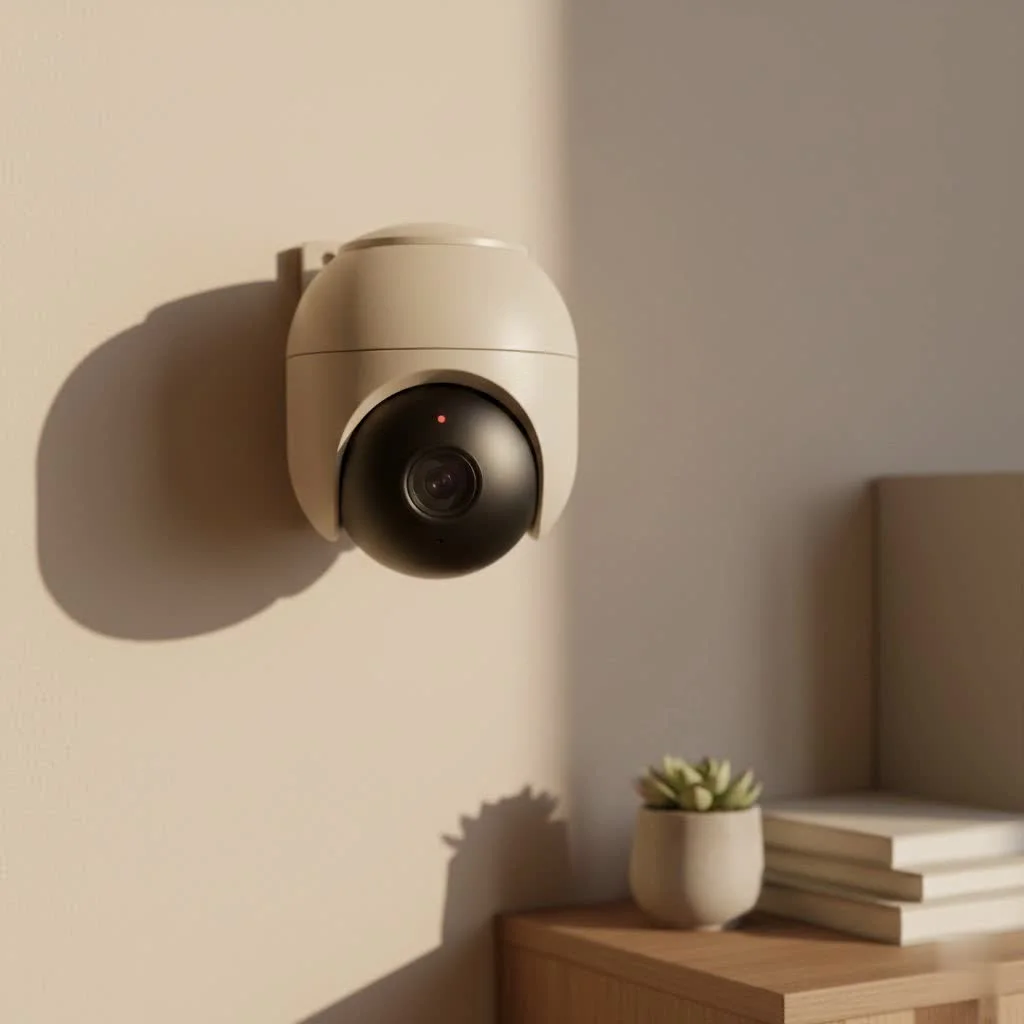 security camera for home surveillance” style=”margin: 20px auto;width: 800px;max-width: 100%;height: auto” />
Why a Wired Connection Still Reigns Supreme
In a world obsessed with cutting cords, why would anyone choose a wired outdoor security camera? The answer is simple: stability. Unlike their wireless counterparts that can be susceptible to Wi-Fi dead zones, signal interference, or even sophisticated jamming techniques, a physical cable provides a direct, unshakeable link for both power and data.
As security expert Johnathan Carter puts it, “Think of it like this: a wireless signal is a radio broadcast that can get fuzzy with static. A wired connection is a private, high-speed fiber optic line directly to your system. For critical security footage, you always want the private line.”
The Power of PoE: A major upgrade for Installation
One of the biggest advancements in wired security is Power over Ethernet (PoE). This technology allows a single Ethernet cable to transmit both data and electrical power to your camera.
- Simplified Wiring: You only need to run one cable to each camera location instead of two.
- Centralized Power: All your cameras are powered from a central PoE switch or Network Video Recorder (NVR), making it easy to connect them to a battery backup (UPS) for continuous operation during a power outage.
- Flexibility: You can place cameras in locations far from a power outlet without needing an electrician.
Key Features to Demand in Your Wired Outdoor Security Camera
Not all cameras are created equal. When you’re investing in a system, here are the non-negotiable features you should look for to ensure you get crystal-clear, actionable footage day and night.
1. High-Resolution Imaging (2K and Above)
Resolution determines the clarity of your video. While 1080p (Full HD) was once the standard, today, you should aim for a minimum of 2K (4MP) resolution. For maximum detail, 4K (8MP) cameras provide stunning clarity, allowing you to zoom in on faces, license plates, and other critical details without the image turning into a pixelated mess.
2. Advanced Night Vision Technology
Criminal activity often happens under the cover of darkness. Your camera must be able to see clearly when the lights go out.
- Infrared (IR) Night Vision: This is the standard black-and-white night vision. Look for cameras with a long IR range (e.g., 100 feet or more) to cover large areas like a backyard or driveway.
- Color Night Vision: A growing number of cameras now use highly sensitive sensors and supplemental lighting (like a small spotlight) to record in full color at night. This can be crucial for identifying the color of clothing or a getaway car.
3. A Wide Field of View
|
Our Picks for the Best Security Camera in 2026
As an Amazon Associate I earn from qualifying purchases.
|
||
| Num | Product | Action |
|---|---|---|
| 1 | Security Cameras Wireless Outdoor,2K Indoor WiFi Wireless Cameras,Outside Battery Powered Camera for Home Security,AI Motion Detection,Color Night Vision,Spotlight,Siren Alarm,SD/Cloud Storage,2 Pack |

|
| 2 | WYZE Cam Pan v3 Indoor/Outdoor IP65-Rated 1080p Pan/Tilt/Zoom Wi-Fi Smart Home Security Camera with Color Night Vision, 2-Way Audio, Compatible with Alexa & Google Assistant, White, 2-Pack |
|
| 3 | WYZE Bulb Cam Security Camera, 2K HD Outdoor Light Bulb Camera, Color Night Vision, Dimmable LED Bulb, Motion Detection, Siren Alarm, Works w/Alexa/Google Assistant. Free Expert Support |
|
| 4 | Kasa Smart Indoor Pan-Tilt Home Security Camera, 1080p HD Dog Camera w/Night Vision, Motion Detection for Baby & Pet Monitor, Cloud & SD Card Storage, Works w/ Alexa & Google Home, 2.4G WiFi (EC71) |
|
| 5 | TP-Link Tapo 1080P Indoor Security Camera for Baby Monitor, Dog Camera w/Motion Detection, 2-Way Audio Siren, Night Vision, Cloud & SD Card Storage, Works w/Alexa & Google Home (Tapo C100) |
|
| 6 | Tapo TP-Link 2K Pan/Tilt Indoor Security Camera for Baby Monitor, Pet Camera, Motion Detection & Tracking, 2-Way Audio, Cloud & SD Card Storage, Works w/Alexa & Google Home, Black, C211(2-Pack) |
|
| 7 | Security Cameras Wireless Outdoor-Solar&Battery Powered 2K 2.4G Cameras for Home Security, Instant Alert, AI Human Detection, Color Night Vision, 2-Way Talk, SD Storage, Work with Alexa, Z1 4P |
|
| 8 | REOLINK 4K PoE Security Camera System Wired, 8pcs 8MP PoE Cameras, Smart Person/Vehicle Detection, 16CH NVR with 4TB HDD, H.265, 24/7 Recording, High Bitrate & Clear Stream, RLK16-800D8 |
|
| 9 | Tapo 2K Pan/Tilt Security Camera for Baby Monitor, Dog Camera w/Motion Detection, 2-Way Audio Siren, Night Vision, Cloud&SD Card Storage, Works w/Alexa & Google Assistant, 2-Pack (Tapo C210P2) |
|
| 10 | WYZE Cam v4 (Latest Model), 2.5K AI Security Camera, Indoor/Outdoor Cameras for Home Security, Baby Monitor & Pet Camera, Vibrant Color Night Vision, No Subscription Required, Free Expert Help |
|
The field of view (FOV), measured in degrees, determines how much of the scene the camera can capture. A wider FOV means you need fewer cameras to cover the same area. Look for cameras with at least a 110-degree FOV for general surveillance.
4. Robust Weatherproofing (IP Rating)
An outdoor camera must be built to withstand the elements. This is indicated by its Ingress Protection (IP) rating. The rating consists of two numbers: the first for dust/solid protection and the second for water/liquid protection. For a reliable outdoor camera, look for a rating of IP66 or IP67.
Pro Tip: An IP67-rated camera is fully protected against dust and can be submerged in up to one meter of water for 30 minutes. This ensures it can handle torrential downpours and harsh conditions without failing.
5. Smart Motion Detection and Alerts
Older systems used to trigger alerts for every swaying tree branch or passing car. Modern smart cameras use AI to differentiate between people, vehicles, and animals. This drastically reduces false alarms and ensures you’re only notified about events that truly matter.
The Installation Process: A DIY-Friendly Guide
While installing a wired outdoor security camera is more involved than setting up a wireless one, it’s a manageable project for a determined DIYer.
Step 1: Plan Your Camera Placement
Walk around your property and identify key entry points and vulnerable areas. Common locations include the front door, back door, garage, and first-floor windows. Think about the desired viewing angle and how you’ll route the cable.
Step 2: Run the Ethernet Cables
This is often the most time-consuming part. You’ll need to run Ethernet cables from your NVR’s location to each camera mounting point. This may involve drilling through walls and running cables through an attic, crawlspace, or basement.
Step 3: Mount the Cameras
Securely mount each camera to a wall, eave, or soffit using the included hardware. Ensure it’s positioned high enough to be out of easy reach but low enough to capture clear facial details.
Step 4: Connect Everything
Plug one end of the Ethernet cable into the camera and the other end into a PoE port on your NVR or PoE switch. Connect your NVR to your router to enable remote viewing.
Step 5: Configure the System
Follow the manufacturer’s instructions to set up your NVR, configure recording schedules, and set up motion detection zones and mobile alerts.
Frequently Asked Questions (FAQ)
Are wired security cameras better than wireless?
For reliability and video quality, wired cameras are generally superior. They are not affected by Wi-Fi congestion or signal loss and often support higher bitrates for clearer video. Wireless cameras offer easier installation but come with potential connectivity and battery life issues.
Do wired outdoor security cameras need the internet to work?
No, a wired camera system connected to an NVR will record 24/7 without an internet connection. However, you will need an internet connection if you want to view the live feed or recorded footage remotely on your smartphone or computer.
How are wired security cameras powered?
Most modern wired systems use Power over Ethernet (PoE), where a single Ethernet cable provides both power and data. Some older or more basic systems may require a separate DC power adapter run alongside a video cable.
Can a wired security camera be hacked?
While no system is 100% immune, wired camera systems are significantly more secure than wireless ones. Because they are on a closed-circuit, a hacker would need physical access to your network cables or NVR, rather than just hacking your Wi-Fi password from a distance.
What is the maximum length for a PoE camera cable?
The official standard for an Ethernet cable carrying a PoE signal is 100 meters (328 feet). This provides plenty of length for most residential and small business installations.
The Final Verdict: An Investment in Reliability
Choosing a wired outdoor security camera is an investment in unparalleled reliability and security. It eliminates the variables of wireless signals and battery life, providing a constant, high-quality stream of surveillance footage you can count on when it matters most. By focusing on key features like 4K resolution, advanced night vision, and smart detection, you can build a formidable security shield around your property. While the installation requires a bit more effort, the resulting peace of mind is priceless.
Frequently Asked Questions
Are wired security cameras better than wireless for home security?
Yes, for reliability and video quality, wired cameras are generally superior to wireless. They are not affected by Wi-Fi congestion or signal loss and often support higher bitrates for clearer video, ensuring consistent performance.
Do wired outdoor security cameras require an internet connection to function?
No, a wired camera system connected to an NVR will record 24/7 without an internet connection. However, an internet connection is necessary if you wish to view live feeds or recorded footage remotely on a smartphone or computer.
How do modern wired security cameras receive power?
Most modern wired systems utilize Power over Ethernet (PoE) technology, where a single Ethernet cable transmits both electrical power and data. This simplifies installation by eliminating the need for separate power adapters at each camera location.
What is the maximum effective length for a PoE camera cable?
The official standard for an Ethernet cable carrying a PoE signal is 100 meters (328 feet). This length is typically sufficient for most residential and small business installations, allowing for flexible camera placement.
Can wired security camera systems be hacked by external threats?
While no system is 100% immune, wired camera systems are significantly more secure than wireless ones. A hacker would require physical access to your network cables or NVR, rather than being able to hack your Wi-Fi password remotely.
Install a Wired Outdoor Security Camera System
This guide outlines the steps for installing a wired outdoor security camera system, a manageable DIY project for enhanced property security.
Identify key entry points and vulnerable areas on your property, such as doors, garages, and first-floor windows. Consider the desired viewing angle and how you will route the Ethernet cables from the NVR to each camera.
Route Ethernet cables from your NVR's central location to each planned camera mounting point. This step may involve drilling through walls and running cables through attics, crawlspaces, or basements, which can be the most time-consuming part.
Securely attach each camera to a wall, eave, or soffit using the provided hardware. Ensure cameras are positioned high enough to deter tampering but low enough to capture clear facial details and license plates.
Plug one end of the Ethernet cable into the camera and the other end into a PoE port on your NVR or PoE switch. Connect your NVR to your router to enable remote viewing capabilities via your smartphone or computer.
Follow the manufacturer's instructions to set up your NVR. This includes configuring recording schedules, defining motion detection zones, and setting up mobile alerts for important events.
Get our weekly buyer guide
Practical specs, not advice. Unsubscribe anytime.
I’ve been using a wired outdoor security camera system for my business for about six months now, and the stability is exactly what I needed. We had issues with a previous wireless setup dropping connection, especially during peak hours. The direct link for power and data has completely eliminated those headaches, and I feel much more secure knowing it’s always recording without interruption.
After reading about the benefits of a wired connection, I decided to invest in one for my property. The expert quote about a physical cable providing an unshakeable link really resonated with me. I’ve had zero issues with dropped footage or power outages affecting the cameras, which is a huge relief. It’s definitely the gold standard for reliable security.
I appreciate the reliability of a wired outdoor security camera, and the direct power link is a huge plus. However, I found the cabling process to be quite a challenge for a DIYer. While the guide mentioned installation steps, I still ended up needing to hire someone to run the wires neatly. The camera quality is great, but just be prepared for the installation effort.
I recently upgraded to a wired system for my home after dealing with constant Wi-Fi dead zones with my old wireless cameras. The difference in performance is night and day. Installation was a bit more involved than I expected, but the peace of mind knowing I won’t miss anything due to signal interference is worth it. Definitely recommend for anyone serious about their home security.