In today’s world, safeguarding your property, family, and assets is more critical than ever, and an outdoor security camera system stands as your primary defense line. These vigilant guardians offer around-the-clock surveillance and invaluable peace of mind, transforming an ordinary property into a fortified stronghold. Whether you’re a homeowner looking to secure your residence or a business owner protecting your commercial space, understanding the nuances of these systems is key to making an informed decision.

Why an Outdoor Security Camera System is Your First Line of Defense
An effective outdoor security camera system does more than just record events; it actively deters potential threats and provides crucial evidence when incidents occur. Studies indicate that a visible security camera can significantly reduce the likelihood of a break-in, with some reports suggesting that nearly a third of burglars use front doors to enter homes unlawfully. These systems offer constant monitoring, enabling you to keep an eye on your property remotely, receive instant alerts for suspicious activity, and ultimately, enjoy a greater sense of security.
Choosing the Right Outdoor Security Camera System
Selecting the perfect outdoor security camera system involves more than just picking a device off the shelf. It requires a thoughtful assessment of your specific needs, the environment, and the features that truly matter for comprehensive protection.
Understanding Different Camera Types
The market offers a diverse range of outdoor security cameras, each with unique advantages tailored to various situations.
- Wired vs. Wireless: This is often the first decision point. Wired cameras, typically Power over Ethernet (PoE) or analog, offer a more stable and reliable connection, less susceptible to Wi-Fi interference. However, their installation can be more complex, often requiring drilling and careful cable routing to hide wires and protect them from damage. Wireless cameras, on the other hand, are simpler to install and offer greater flexibility in placement since they don’t rely on data cables. They usually draw power from batteries, solar panels, or a power outlet, but their performance depends heavily on strong Wi-Fi signals.
- IP vs. Analog: Internet Protocol (IP) cameras are digital devices that transmit video data over a network, offering high-definition video, advanced features like AI-powered analytics, and seamless integration with smart home systems. Analog cameras (CCTV) are older technology, typically connected to a Digital Video Recorder (DVR) via coaxial cables, and generally offer lower resolution but can be a cost-effective option for basic surveillance.
- Form Factors:
- Bullet Cameras: Easily recognizable, these are highly visible and often used for long-distance viewing.
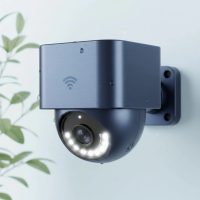
- Dome Cameras: Designed for discretion and vandal resistance, they are common in both residential and commercial settings, offering a wide field of view.
- PTZ (Pan-Tilt-Zoom) Cameras: These motorized cameras can pan horizontally, tilt vertically, and zoom in/out, allowing for dynamic coverage of larger areas, often requiring remote operation.
- Turret and Fisheye Cameras: Turret cameras offer a dome-like appearance with a flexible lens, while fisheye cameras provide a 360-degree panoramic view, reducing the number of cameras needed for wide areas.
Key Features That Matter
|
Our Picks for the Best Security Camera in 2026
As an Amazon Associate I earn from qualifying purchases.
|
||
| Num | Product | Action |
|---|---|---|
| 1 | Tapo TP-Link 2K Pan/Tilt Indoor Security Camera for Baby Monitor, Pet Camera, Motion Detection & Tracking, 2-Way Audio, Cloud & SD Card Storage, Works w/Alexa & Google Home, Black, C211(2-Pack) |

|
| 2 | REOLINK 4K PoE Security Camera System Wired, 8pcs 8MP PoE Cameras, Smart Person/Vehicle Detection, 16CH NVR with 4TB HDD, H.265, 24/7 Recording, High Bitrate & Clear Stream, RLK16-800D8 |
|
| 3 | Kasa Smart Indoor Pan-Tilt Home Security Camera, 1080p HD Dog Camera w/Night Vision, Motion Detection for Baby & Pet Monitor, Cloud & SD Card Storage, Works w/ Alexa & Google Home, 2.4G WiFi (EC71) |
|
| 4 | Tapo 2K Pan/Tilt Security Camera for Baby Monitor, Dog Camera w/Motion Detection, 2-Way Audio Siren, Night Vision, Cloud&SD Card Storage, Works w/Alexa & Google Assistant, 2-Pack (Tapo C210P2) |
|
| 5 | WYZE Cam v4 (Latest Model), 2.5K AI Security Camera, Indoor/Outdoor Cameras for Home Security, Baby Monitor & Pet Camera, Vibrant Color Night Vision, No Subscription Required, Free Expert Help |
|
| 6 | Security Cameras Wireless Outdoor-Solar&Battery Powered 2K 2.4G Cameras for Home Security, Instant Alert, AI Human Detection, Color Night Vision, 2-Way Talk, SD Storage, Work with Alexa, Z1 4P |
|
| 7 | WYZE Bulb Cam Security Camera, 2K HD Outdoor Light Bulb Camera, Color Night Vision, Dimmable LED Bulb, Motion Detection, Siren Alarm, Works w/Alexa/Google Assistant. Free Expert Support |
|
| 8 | TP-Link Tapo 1080P Indoor Security Camera for Baby Monitor, Dog Camera w/Motion Detection, 2-Way Audio Siren, Night Vision, Cloud & SD Card Storage, Works w/Alexa & Google Home (Tapo C100) |
|
| 9 | Security Cameras Wireless Outdoor,2K Indoor WiFi Wireless Cameras,Outside Battery Powered Camera for Home Security,AI Motion Detection,Color Night Vision,Spotlight,Siren Alarm,SD/Cloud Storage,2 Pack |
|
| 10 | WYZE Cam Pan v3 Indoor/Outdoor IP65-Rated 1080p Pan/Tilt/Zoom Wi-Fi Smart Home Security Camera with Color Night Vision, 2-Way Audio, Compatible with Alexa & Google Assistant, White, 2-Pack |
|
Once you understand the basic types, delve into the features that will define your system’s effectiveness.
- Resolution and Video Quality: For clear identification of faces, license plates, and other crucial details, opt for cameras with high-resolution capabilities. While 1080p (Full HD) is a good baseline, 2K or 4K Ultra HD cameras provide significantly sharper and more detailed footage, which can be invaluable for evidence.
- Night Vision Capabilities: Most crimes occur under the cloak of darkness, making robust night vision essential.
- Infrared (IR) LEDs: These illuminate the scene with invisible infrared light, providing clear black-and-white footage in total darkness. The number and quality of IR LEDs determine the effective range.
- Color Night Vision: Advanced cameras use low-light sensors and sometimes integrated spotlights to produce full-color images even in very dim conditions, offering more contextual detail than monochrome IR.
- Weather Resistance and Durability: Outdoor cameras are exposed to the elements, so they must be built to withstand harsh conditions. Look for an IP (Ingress Protection) rating of IP65 or higher. An IP65 rating signifies protection against dust and water jets, while IP66 means protection against powerful water jets. Also, check the camera’s operating temperature range to ensure it can handle local climate extremes.
- Field of View (FOV): This refers to how much area the camera can see. Wide-angle lenses are great for covering large spaces and reducing blind spots, but they might sacrifice some detail at a distance. Narrow-angle lenses provide more detail but cover a smaller area. Balancing coverage and detail is crucial.
- Motion Detection and Smart Alerts: Modern systems go beyond simple motion detection. Look for customizable motion zones that allow you to define specific areas of interest (e.g., your driveway, not the sidewalk). AI-powered detection can differentiate between people, vehicles, and animals, significantly reducing false alarms. Real-time notifications to your smartphone or email keep you instantly aware of activity.
- Storage Options: How your footage is saved is critical.
- Local Storage: Often via an SD card in the camera or a Network Video Recorder (NVR) / Digital Video Recorder (DVR) for multi-camera systems. This offers direct control over your data and avoids recurring cloud fees.
- Cloud Storage: Footage is uploaded to secure off-site servers. This protects your recordings even if the camera hardware is stolen or damaged, but usually involves a subscription fee. Many systems offer a hybrid approach.
- Two-Way Audio: A built-in microphone and speaker allow you to listen in on what’s happening and speak through the camera, acting as a direct deterrent or a convenient way to communicate with visitors.
- Smart Home Integration: If you have an existing smart home ecosystem, consider cameras that seamlessly integrate with platforms like Google Home, Alexa, or Apple HomeKit for centralized control and automation.
- Power Options: Beyond wired and wireless, consider battery-powered cameras (great for hard-to-reach spots, but require recharging), solar-powered cameras (environmentally friendly, continuous power with sunlight), or plug-in options.
Strategic Placement and Installation for Optimal Coverage
Proper installation is paramount to an outdoor security camera system’s effectiveness. A poorly placed camera can create blind spots or be easily disabled.
Planning Your Surveillance Layout
Before drilling a single hole, take the time to map out your property.
- Identify Key Access Points: Focus on front and back doors, ground-floor windows, driveways, garages, and any secluded areas like side yards or alleys that could be vulnerable. These are often targeted by intruders.
- Avoid Blind Spots: Walk your property and visualize the camera’s line of sight. Corners are often ideal for maximizing vantage points.
- Consider Legalities: It is legal to install security cameras outside your house, but you must be mindful of privacy. Ensure your cameras are not pointing into your neighbors’ properties or other areas where there’s a reasonable expectation of privacy. Also, be aware of local laws regarding audio recording.
Step-by-Step Installation Guide (General)
While specific steps vary by camera model, here’s a general guide:
- Preparation: For most modern cameras, especially wireless ones, begin by downloading the manufacturer’s app and connecting the camera to your Wi-Fi network before mounting. This allows you to check the live feed and ensure proper connectivity.
- Gather Your Tools: You’ll typically need a power drill (with masonry bits if drilling into brick or concrete), appropriate screws and wall anchors, an electric screwdriver, a ladder for high placements, and a spirit level to ensure straight mounting.
- Choose Your Mounting Spot: Position cameras at a height of 8 to 10 feet (2.4 to 3 meters) above the ground. This height is high enough to deter tampering and offers a wide view for capturing faces and activities clearly. Mounting cameras under eaves or rain gutters provides natural protection from harsh weather, extending their lifespan. Avoid pointing cameras directly into the sun to prevent glare and washed-out footage.
- Mount the Camera: Use a drill template (if provided) to mark pilot holes. Securely attach the mounting bracket to the wall. For wired systems, consider how you will route and hide cables through walls or weatherproof conduits to protect them from damage and tampering.
- Install and Adjust: Attach the camera to its mount and use the live feed on your smartphone app to adjust the angle until you achieve optimal coverage.
- Test Thoroughly: Don’t skip this step! Test the live feed, motion detection range, night vision capabilities, and two-way audio (if available) to ensure everything is working as expected. Make any necessary adjustments.
Powering Your Outdoor Cameras
Your camera’s power source dictates placement and installation complexity. Battery-powered cameras offer flexibility but require occasional recharging or solar panel attachments. Wired cameras (plug-in or PoE) offer continuous power but need access to an outlet or a network cable run, which might involve drilling.
“A robust outdoor security camera system begins with meticulous planning and strategic placement,” advises Clara Davies, a seasoned security systems integrator. “It’s not just about installing cameras; it’s about creating a comprehensive surveillance perimeter that maximizes visibility and minimizes vulnerabilities.”
Maintaining Your Outdoor Security Camera System for Longevity
Regular maintenance is crucial to ensure your outdoor security camera system remains reliable and effective for years to come. Neglecting it can lead to blurry footage, system malfunctions, and reduced security.
Regular Cleaning and Visual Inspections
- Clean Lenses: Outdoor cameras are constantly exposed to dust, dirt, pollen, spiderwebs, and rain spots. Clean camera lenses at least once a month, or more frequently after severe weather, using a soft microfiber cloth and a mild, non-abrasive cleaner (avoid spraying liquid directly onto the camera). This prevents blurry or distorted images that can compromise evidence.
- Inspect Physical Components: Periodically check the camera housing, mounting brackets, and all wiring for signs of wear and tear, corrosion, or damage. Ensure mounts are secure and cables are intact. This helps prevent system failures and water infiltration.
Software Updates and System Health Checks
- Update Firmware Regularly: Manufacturers frequently release software and firmware updates that include bug fixes, performance enhancements, and crucial security patches. Keeping your system updated protects it against cyber threats and ensures optimal functionality.
- Check Recording Equipment and Data Backup: If you use an NVR/DVR, routinely check its health, including hard drive performance. Verify that your data backup solutions (whether local or cloud) are functioning correctly and that footage is being recorded reliably on all channels with accurate time and date stamps.
Troubleshooting Common Issues
Even with diligent maintenance, occasional issues may arise.
- Blurry or Grainy Footage: This is often due to a dirty lens, improper focus settings, or insufficient lighting. Clean the lens, adjust focus, and if necessary, improve ambient lighting or verify night vision settings.
- Power or Connectivity Issues: Inspect all power cables and adapters for damage. For wireless cameras, check Wi-Fi signal strength and consider a Wi-Fi extender if coverage is weak. Resetting the camera or router can sometimes resolve intermittent connection problems.
Conclusion
An outdoor security camera system is an indispensable asset for protecting your property and providing peace of mind. By carefully choosing the right types and features, implementing strategic placement and proper installation techniques, and committing to regular maintenance, you can establish a robust surveillance perimeter. Embrace the power of an outdoor security camera system to stay connected to your property, deter threats, and ensure your world remains safe and secure. Take control of your security today, and experience the confidence that comes with unwavering vigilance.
Get our weekly buyer guide
Practical specs, not advice. Unsubscribe anytime.
As a small business owner, I needed something robust to protect my commercial space. The section on different types of systems and their specific use cases was super helpful. I appreciated the breakdown of features like night vision and motion detection. My new system has already proven its worth, providing clear footage even in low light conditions. Definitely a solid investment.
This guide is spot on! I’ve been researching outdoor cameras for a while, and the point about visible cameras significantly reducing break-ins is so true. My neighbor had an incident, and their lack of visible cameras was a factor. I’ve now installed a comprehensive system, and it feels like my property is truly a fortified stronghold. Highly recommend taking this advice seriously.
I’ve been looking for a reliable outdoor security camera system for my home for ages, and this guide really helped me narrow down my choices. The emphasis on around-the-clock surveillance and how it deters potential threats really resonated with me. I ended up going with one of the recommended wireless systems, and the peace of mind is truly invaluable. Setup was surprisingly straightforward too.
I found the information on safeguarding property and assets very informative, and it pushed me to finally get a system. However, I wish there was a bit more detail on the installation process for some of the wired options. I had a bit of a struggle getting everything set up myself, and ended up needing to call a professional. The camera quality is good though.