Hey there, fellow security enthusiasts! As someone who’s spent over 15 years knee-deep in the world of security cameras and surveillance systems, and as an official content creator for ydmrw.com, I’ve seen a lot of technological shifts. But few advancements have excited me as much as the rise of the solar powered security camera. These ingenious devices are changing the game, offering unparalleled flexibility, sustainability, and robust protection without being tethered to traditional power sources.
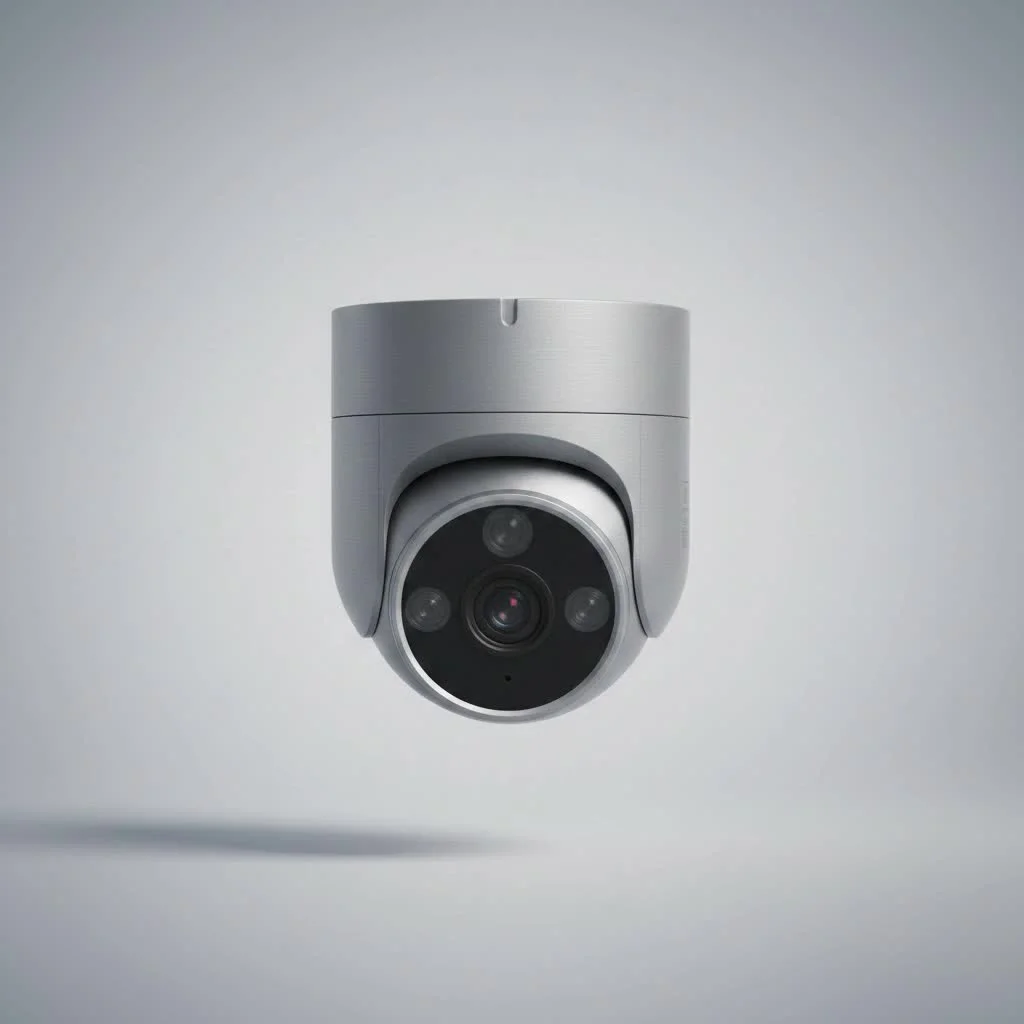
Imagine securing that remote shed, a sprawling construction site, or even just your backyard gate without ever having to worry about running messy wires or digging trenches for power cables. That’s the promise of a solar powered security camera, and it’s a promise they deliver on beautifully. They’re not just a “nice-to-have” anymore; they’re becoming a smart, essential component for comprehensive home and business security, aligning perfectly with our modern need for convenience, cost savings, and environmental responsibility. If you’re looking to elevate your surveillance game while keeping things green and hassle-free, you’re definitely in the right place.
How Do Solar Powered Security Cameras Work Their Magic?
At first glance, a solar powered security camera might seem like magic, but its operation is rooted in simple, yet incredibly effective, science. It’s all about harnessing the power of the sun and storing it intelligently.
Harnessing the Sun’s Energy: Photovoltaic Panels
The heart of any solar powered security camera system is its solar panel. These panels are equipped with photovoltaic (PV) cells. When sunlight hits these cells, it creates an electrical current through a process known as the photovoltaic effect. This absorbed light energy is then converted into direct current (DC) electricity. Think of it like a tiny, personal power plant for your security system, constantly soaking up energy from the sun’s rays.
The Brains and Brawn: Battery and Camera Unit
The electricity generated by the solar panel isn’t just used to power the camera directly; it’s also sent to charge a built-in rechargeable battery, typically a high-capacity lithium-ion type. This battery acts as an energy reservoir. During the day, it’s constantly topping up, storing enough juice to keep the camera running smoothly even when the sun isn’t shining.
When dusk settles, or on a particularly cloudy day, the camera seamlessly switches to drawing power from the stored energy in its battery. Most modern solar security cameras also incorporate smart power management features, like advanced motion detection. Instead of recording continuously, they often “wake up” and record only when motion is detected, significantly conserving battery life and ensuring continuous operation for extended periods.
“The beauty of a solar powered security camera lies in its self-sufficiency,” explains Johnathan Vance, a seasoned surveillance systems architect. “The combination of efficient solar charging and intelligent battery management means reliable, uninterrupted monitoring, even in the most challenging, off-grid locations.”
Unplug and Secure: The Unbeatable Advantages of Solar Security Cameras
When you choose a solar powered security camera, you’re not just buying a device; you’re investing in a smarter, more sustainable, and incredibly flexible approach to security. The benefits are truly game-changing.
True Wireless Freedom and Flexible Placement
|
Our Picks for the Best Security Camera in 2026
As an Amazon Associate I earn from qualifying purchases.
|
||
| Num | Product | Action |
|---|---|---|
| 1 | Tapo 2K Pan/Tilt Security Camera for Baby Monitor, Dog Camera w/Motion Detection, 2-Way Audio Siren, Night Vision, Cloud&SD Card Storage, Works w/Alexa & Google Assistant, 2-Pack (Tapo C210P2) |

|
| 2 | Security Cameras Wireless Outdoor-Solar&Battery Powered 2K 2.4G Cameras for Home Security, Instant Alert, AI Human Detection, Color Night Vision, 2-Way Talk, SD Storage, Work with Alexa, Z1 4P |
|
| 3 | WYZE Bulb Cam Security Camera, 2K HD Outdoor Light Bulb Camera, Color Night Vision, Dimmable LED Bulb, Motion Detection, Siren Alarm, Works w/Alexa/Google Assistant. Free Expert Support |
|
| 4 | REOLINK 4K PoE Security Camera System Wired, 8pcs 8MP PoE Cameras, Smart Person/Vehicle Detection, 16CH NVR with 4TB HDD, H.265, 24/7 Recording, High Bitrate & Clear Stream, RLK16-800D8 |
|
| 5 | TP-Link Tapo 1080P Indoor Security Camera for Baby Monitor, Dog Camera w/Motion Detection, 2-Way Audio Siren, Night Vision, Cloud & SD Card Storage, Works w/Alexa & Google Home (Tapo C100) |
|
| 6 | WYZE Cam Pan v3 Indoor/Outdoor IP65-Rated 1080p Pan/Tilt/Zoom Wi-Fi Smart Home Security Camera with Color Night Vision, 2-Way Audio, Compatible with Alexa & Google Assistant, White, 2-Pack |
|
| 7 | WYZE Cam v4 (Latest Model), 2.5K AI Security Camera, Indoor/Outdoor Cameras for Home Security, Baby Monitor & Pet Camera, Vibrant Color Night Vision, No Subscription Required, Free Expert Help |
|
| 8 | Kasa Smart Indoor Pan-Tilt Home Security Camera, 1080p HD Dog Camera w/Night Vision, Motion Detection for Baby & Pet Monitor, Cloud & SD Card Storage, Works w/ Alexa & Google Home, 2.4G WiFi (EC71) |
|
| 9 | Tapo TP-Link 2K Pan/Tilt Indoor Security Camera for Baby Monitor, Pet Camera, Motion Detection & Tracking, 2-Way Audio, Cloud & SD Card Storage, Works w/Alexa & Google Home, Black, C211(2-Pack) |
|
| 10 | Security Cameras Wireless Outdoor,2K Indoor WiFi Wireless Cameras,Outside Battery Powered Camera for Home Security,AI Motion Detection,Color Night Vision,Spotlight,Siren Alarm,SD/Cloud Storage,2 Pack |
|
One of the most compelling advantages is the freedom from wires. Since these cameras don’t need a constant electrical hookup, you can place them virtually anywhere the sun shines. This is ideal for monitoring remote areas like barns, farms, construction sites, expansive parking lots, or even just a far corner of your property where running electrical cables would be a nightmare or prohibitively expensive. The mobility of these units also means you can easily relocate them as your security needs evolve.
Say Goodbye to High Electricity Bills
A traditional wired security system constantly draws power from your home’s electrical grid, subtly adding to your monthly energy bill. A solar powered security camera, however, harnesses free energy from the sun. Once the initial investment is made, your operating costs for surveillance power virtually disappear, leading to significant long-term savings.
Eco-Friendly Surveillance
For those conscious about their environmental impact, solar powered security cameras are an excellent choice. By relying on renewable solar energy, these devices drastically reduce your carbon footprint and lessen dependence on fossil fuel-generated electricity. It’s security that’s good for your property and good for the planet.
Reliable, Uninterrupted Protection, Rain or Shine
Worried about your camera dying during a power outage or on a cloudy day? Don’t be. With their built-in high-capacity batteries, solar powered security cameras are designed for continuous operation. Many quality systems can function for 5-7 days or even longer without direct sunlight, drawing power from their stored reserves. This ensures your property remains protected around the clock, regardless of grid stability or weather conditions.
Simplified DIY Installation
Forget the complicated wiring diagrams, drilling through walls, and hiring expensive electricians. Most solar powered security cameras are designed for straightforward, do-it-yourself installation. Typically, you’ll just need to mount the camera and its solar panel in a sunny spot, connect a simple cable between them (if they’re separate units), and link it to your Wi-Fi network. This ease of setup saves both time and money.
Choosing Your Guardian: Types of Solar Powered Security Cameras
Navigating the market for a solar powered security camera can feel a bit overwhelming with so many options available. To help you make the best decision for your specific needs, let’s break down the types and key features to look for.
All-in-One Units vs. Separated Panel Systems
Solar security cameras generally come in two main designs:
- All-in-One Units: These cameras have smaller solar panels integrated directly into the camera body. They offer maximum compactness and simplicity, making them very discreet. However, their smaller panels might require more consistent, direct sunlight to maintain optimal charge.
- Separated Panel Systems: These systems feature a camera unit that connects to a larger, separate solar panel via a cable. This design offers greater flexibility, allowing you to mount the camera in a shaded spot while positioning the solar panel in an area with maximum sun exposure. This separation can significantly improve charging efficiency, especially in less-than-ideal lighting conditions.
Key Features to Prioritize
When you’re ready to pick out your solar powered security camera, here are the crucial features you should absolutely consider:
Crystal Clear Vision: Resolution and Night Vision (IR vs. Color)
The clearer the image, the better your security. Look for cameras with high resolution, such as 1080P, 2K, or even 4K UHD. This ensures you capture crisp details. For nighttime surveillance, robust night vision is essential. Most cameras offer infrared (IR) night vision, which provides clear black-and-white footage in total darkness. Some advanced models boast “color night vision” or “starlight sensors,” delivering surprisingly vivid color images even in very low light conditions.
Smart Alerts: Motion Detection and Two-Way Audio
A good solar powered security camera should be proactive. Advanced motion detection with customizable zones helps reduce false alarms and alerts you only when something significant happens. Features like human detection can further refine these alerts. Two-way audio is another invaluable tool, allowing you to listen in and speak through the camera, whether to deter an intruder or simply greet a delivery person.
Where to Store Footage: Local vs. Cloud Storage
Consider your storage preferences. Many solar cameras offer local storage via an SD card, which is often free and keeps your footage private. Some devices provide substantial local storage, like 8GB, which can hold up to 60 days of video. Cloud storage offers convenient remote access and backup but usually comes with a subscription fee. Often, a combination of both provides the best of both worlds.
Built to Last: Weather Resistance (IP Ratings)
Since these cameras are often deployed outdoors, they must withstand the elements. Look for an IP (Ingress Protection) rating, such as IP65 or IP66, which indicates the camera’s resistance to dust and water. A higher number means better protection against rain, snow, and extreme temperatures.
Connectivity: Wi-Fi, 4G LTE, and Smart Home Integration
Most solar cameras connect via Wi-Fi for remote viewing and alerts. If you’re planning to install a camera in an area without Wi-Fi coverage, consider a model with 4G LTE cellular connectivity (which will require a separate data plan). Seamless integration with smart home ecosystems like Google Home or Alexa can also add convenience to your security setup.
Setting Up Your Solar Security System: A Breeze!
One of the biggest selling points of a solar powered security camera is its straightforward installation. You don’t need to be an electrician or a tech guru to get these systems up and running. Here’s a simple guide to get you started.
Finding the Perfect Sunny Spot
The most crucial step is site selection. Your solar panel needs direct, unobstructed sunlight for several hours each day to efficiently charge the battery. Before mounting, observe your chosen location throughout the day to ensure it receives ample sun exposure. Avoid areas with heavy shade from trees, buildings, or overhangs. For separated panel systems, remember you can mount the camera in a slightly shaded spot as long as the panel itself gets full sun.
Mounting and Connection
Once you’ve identified your ideal spot, mounting is usually a simple process. Most solar powered security cameras come with all the necessary hardware – screws, anchors, and adjustable brackets. Securely attach the camera and, if applicable, the solar panel to a wall, post, or fascia board. If you have a separated panel system, simply connect the USB or proprietary cable from the solar panel to the camera unit, ensuring a snug, weatherproof fit.
Getting Started with the App
With the hardware in place, the final step is typically software configuration. Download the manufacturer’s dedicated mobile app to your smartphone or tablet. Follow the on-screen instructions to connect your camera to your home’s Wi-Fi network (or activate its cellular plan if it’s a 4G LTE model). This app will be your command center, allowing you to view live feeds, receive alerts, review recorded footage, and adjust settings from anywhere in the world.
Keeping Your Solar Guardian in Top Shape: Maintenance Tips
While a solar powered security camera is designed for low maintenance, a little care goes a long way in ensuring its longevity and consistent performance. Think of it like a smart device that simply needs occasional attention.
Keep Those Panels Sparkling Clean
The solar panel is the lifeline of your system. Over time, dust, dirt, pollen, leaves, or even bird droppings can accumulate on its surface, reducing its efficiency. Make it a habit to periodically (perhaps once every few months, or more often in dusty environments) wipe down the solar panel with a soft, damp cloth. A clean panel means more power harnessed, and a consistently charged battery.
Monitor Battery Health and Software
Most camera apps provide information on the battery’s charge level. Keep an eye on this, especially during extended periods of cloudy weather or in winter, when sunlight is less intense. If you notice the charge consistently dipping low, consider adjusting the panel’s angle for better sun exposure or reducing the camera’s activity settings (e.g., motion sensitivity) to conserve power. Additionally, always keep your camera’s firmware and app software updated. Manufacturers frequently release updates that improve performance, add new features, and patch security vulnerabilities.
A Quick Environmental Check
Periodically inspect the camera and panel for any physical damage, loose mounts, or obstructions. Heavy foliage growth might start to shade your panel, or a stray branch could be blocking the camera’s view. A quick visual check can help you catch and resolve minor issues before they become major problems.
Your Top Questions About Solar Powered Security Cameras, Answered
As an expert in the field, I often hear similar questions from homeowners and businesses considering a solar powered security camera. Here are some of the most common inquiries, with straightforward answers.
How long can a solar camera operate without sunlight?
Most high-quality solar powered security cameras are designed with robust batteries that can sustain operation for 5 to 7 days, and sometimes even longer, without direct sunlight. This reserve power ensures continuous surveillance during cloudy spells, rainy days, or extended nights.
Do solar cameras work well in cold or cloudy climates?
Yes, they do, with some considerations. While intense direct sunlight is ideal, modern solar panels can still generate power in cloudy conditions, albeit at a reduced rate. In colder climates, monitor battery levels more closely, as battery performance can be slightly affected by extreme cold, and shorter daylight hours mean less charging time. Choosing a camera with a larger battery capacity or a high-efficiency solar panel can mitigate these challenges.
What kind of internet connection is needed for remote viewing?
For remote viewing and receiving alerts, a stable Wi-Fi connection is typically required for most home solar security cameras. If you’re installing a camera in an area without Wi-Fi access, such as a remote cabin or construction site, you’ll need a model that supports 4G LTE cellular connectivity, which requires a separate data plan from a mobile carrier.
Are solar security cameras harder to steal?
While no camera is entirely theft-proof, many solar powered security cameras are designed with security in mind. Their wire-free nature means there are no cables to cut for power, making them less prone to quick disconnections. Many also come with secure mounting options and tamper alerts. However, positioning them out of easy reach and making them visible can act as deterrents.
Can I connect an external solar panel to any wireless camera?
Not necessarily to any wireless camera. While many battery-powered wireless cameras can benefit from a solar panel, you need to ensure compatibility. The solar panel typically needs to be from the same brand or specifically designed to work with your camera’s make and model to ensure proper charging voltage and connector compatibility. Always check the camera’s specifications and the solar panel’s compatibility list before purchasing.
Powering Your Peace of Mind with Solar Security
Choosing a solar powered security camera is more than just an upgrade; it’s a strategic move towards a smarter, more sustainable, and truly flexible security solution. We’ve explored how these innovative cameras harness the sun’s boundless energy, offering unparalleled benefits like wire-free placement, significant cost savings, and reliable, eco-friendly protection around the clock.
From understanding the core components to selecting the right features – like high-resolution imaging, intelligent motion detection, and robust weather resistance – you’re now equipped to make informed decisions. Installing these cameras is a breeze, and a little regular maintenance will ensure your solar guardian stands guard faithfully for years to come.
At ydmrw.com, we believe that understanding your security options empowers you to protect what matters most. Embracing a solar powered security camera means stepping into a future where security is not limited by power outlets or cumbersome wiring, but by the endless energy of the sun. It’s time to experience the freedom and peace of mind that comes with truly independent surveillance.
Get our weekly buyer guide
Practical specs, not advice. Unsubscribe anytime.
