A car security camera, often called a dash cam, provides irrefutable video evidence for incidents involving your vehicle, acting as an impartial witness. These devices are essential for documenting accidents, deterring theft, and capturing vandalism, offering significant peace of mind for vehicle owners. Security expert John Miles notes that a simple dash cam can save thousands in insurance claims and legal fees.
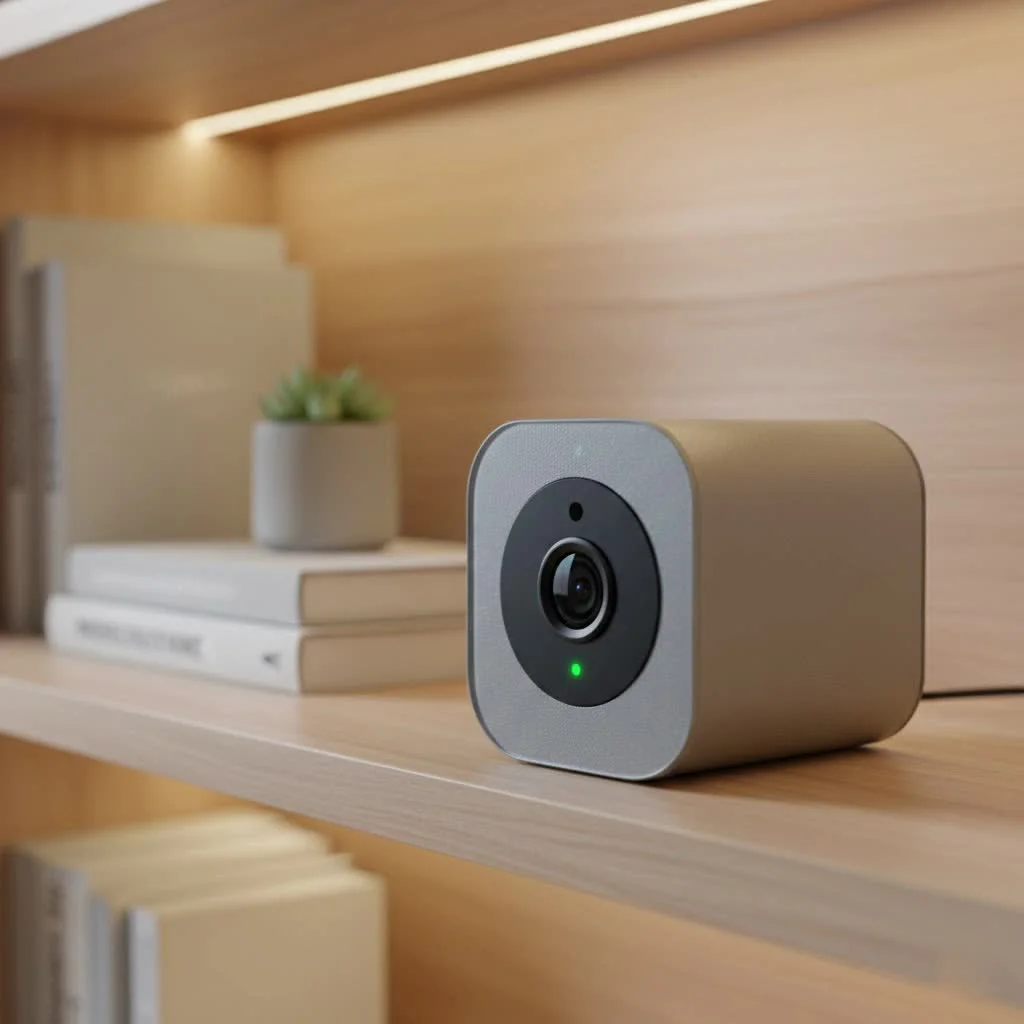
Why Every Car Owner Should Consider a Security Camera
Think of a car security camera as an impartial, ever-watchful witness. It provides irrefutable video evidence that can be invaluable in a variety of situations. From proving your innocence in a traffic accident to capturing the license plate of a vehicle that damages your car while parked, the benefits are immense. A visible camera can also act as a powerful deterrent, making potential thieves or vandals think twice before targeting your vehicle.
“In my 15 years as a security systems integrator, I’ve seen countless cases where a simple dash cam saved a client thousands of dollars in insurance claims and legal fees. It’s one of the most cost-effective security investments you can make for your vehicle,” says security expert John Miles.
The Different Types of Car Security Cameras
Before you buy, it’s crucial to understand the main types of systems available. Your choice will depend on your specific security needs and budget.
Single-Channel (Forward-Facing)
This is the most common and basic type of car security camera. It mounts on your windshield and records the road ahead.
- Best for: Documenting accidents where you are not at fault, capturing road rage incidents, and general driving recording.
- Limitation: It offers no visibility for what happens behind or inside your vehicle.
Dual-Channel (Front and Rear)
A dual-channel system includes a primary front-facing camera and a second, smaller camera to record the view out of your rear window.
- Best for: Comprehensive coverage against front and rear-end collisions, as well as incidents while parking.
- Consideration: Installation is slightly more involved as it requires running a cable from the front to the back of the car.
Triple-Channel (Front, Rear, and Interior)
For the ultimate in vehicle surveillance, a triple-channel system adds a third camera that records the vehicle’s cabin. This is particularly popular for rideshare drivers and parents of teen drivers.
- Best for: Rideshare drivers (Uber, Lyft), taxi operators, and anyone wanting to monitor the interior of their car. Many interior cameras use infrared LEDs for clear night vision inside the cabin.
Key Features to Look For in a Car Security Camera
Not all dash cams are created equal. Here are the must-have features you should prioritize to ensure you’re getting a reliable and effective device.
- Video Resolution: Aim for at least 1080p (Full HD) resolution. Higher resolutions like 2K or 4K will provide sharper images, making it easier to read license plates and see other crucial details.
- Parking Mode: This is arguably one of the most important features. When activated, the camera will automatically start recording if it detects motion or an impact (like a bump or collision) while your car is parked and turned off. This is your primary defense against hit-and-runs and vandalism.
- Night Vision: A camera with good low-light performance is essential, as many incidents occur at night. Look for models with high-quality sensors (like Sony’s STARVIS) and a wide dynamic range (WDR) to balance light and dark areas.
- G-Sensor (Gravity Sensor): This sensor detects sudden impacts, such as from a collision or heavy braking. When triggered, it automatically locks the current video file, preventing it from being overwritten by the loop recording feature.
- Loop Recording: To manage storage space, all modern dash cams record in a continuous loop. When the memory card is full, the camera automatically overwrites the oldest, unlocked files. This ensures your camera is always recording without you needing to manually clear space.
- GPS: An integrated GPS module geotags your video footage with location and speed data. This can provide crucial context in the event of an accident.
- Wi-Fi Connectivity: A camera with Wi-Fi allows you to connect it directly to your smartphone via an app. This makes it incredibly easy to view, download, and share footage without needing to remove the SD card and plug it into a computer.
How to Install a Car Security Camera
Many people are intimidated by the installation process, but a basic setup is surprisingly straightforward. For more advanced features like parking mode, a slightly more complex method called hardwiring is required.
Method 1: The Simple Plug-and-Play Setup
|
Our Picks for the Best Security Camera in 2026
As an Amazon Associate I earn from qualifying purchases.
|
||
| Num | Product | Action |
|---|---|---|
| 1 | Security Cameras Wireless Outdoor-Solar&Battery Powered 2K 2.4G Cameras for Home Security, Instant Alert, AI Human Detection, Color Night Vision, 2-Way Talk, SD Storage, Work with Alexa, Z1 4P |

|
| 2 | TP-Link Tapo 1080P Indoor Security Camera for Baby Monitor, Dog Camera w/Motion Detection, 2-Way Audio Siren, Night Vision, Cloud & SD Card Storage, Works w/Alexa & Google Home (Tapo C100) |
|
| 3 | Tapo TP-Link 2K Pan/Tilt Indoor Security Camera for Baby Monitor, Pet Camera, Motion Detection & Tracking, 2-Way Audio, Cloud & SD Card Storage, Works w/Alexa & Google Home, Black, C211(2-Pack) |
|
| 4 | Kasa Smart Indoor Pan-Tilt Home Security Camera, 1080p HD Dog Camera w/Night Vision, Motion Detection for Baby & Pet Monitor, Cloud & SD Card Storage, Works w/ Alexa & Google Home, 2.4G WiFi (EC71) |
|
| 5 | REOLINK 4K PoE Security Camera System Wired, 8pcs 8MP PoE Cameras, Smart Person/Vehicle Detection, 16CH NVR with 4TB HDD, H.265, 24/7 Recording, High Bitrate & Clear Stream, RLK16-800D8 |
|
| 6 | WYZE Cam v4 (Latest Model), 2.5K AI Security Camera, Indoor/Outdoor Cameras for Home Security, Baby Monitor & Pet Camera, Vibrant Color Night Vision, No Subscription Required, Free Expert Help |
|
| 7 | Security Cameras Wireless Outdoor,2K Indoor WiFi Wireless Cameras,Outside Battery Powered Camera for Home Security,AI Motion Detection,Color Night Vision,Spotlight,Siren Alarm,SD/Cloud Storage,2 Pack |
|
| 8 | WYZE Bulb Cam Security Camera, 2K HD Outdoor Light Bulb Camera, Color Night Vision, Dimmable LED Bulb, Motion Detection, Siren Alarm, Works w/Alexa/Google Assistant. Free Expert Support |
|
| 9 | WYZE Cam Pan v3 Indoor/Outdoor IP65-Rated 1080p Pan/Tilt/Zoom Wi-Fi Smart Home Security Camera with Color Night Vision, 2-Way Audio, Compatible with Alexa & Google Assistant, White, 2-Pack |
|
| 10 | Tapo 2K Pan/Tilt Security Camera for Baby Monitor, Dog Camera w/Motion Detection, 2-Way Audio Siren, Night Vision, Cloud&SD Card Storage, Works w/Alexa & Google Assistant, 2-Pack (Tapo C210P2) |
|
This is the easiest method and takes only a few minutes.
- Choose the Location: The best spot is typically on the windshield, behind the rearview mirror. This placement provides a clear, centered view of the road without obstructing the driver’s vision.
- Mount the Camera: Clean the chosen area of the windshield with a glass cleaner. Securely attach the camera’s mount (usually with a strong adhesive pad or a suction cup).
- Route the Power Cable: Plug the power cable into your camera. Starting from the camera, gently tuck the wire into the gap between your car’s headliner and the windshield. Run it across to the passenger side, down the A-pillar trim, and under the glove box to your car’s 12V power outlet (cigarette lighter). You can use a trim tool or a plastic card to help tuck the cable away neatly.
- Power On and Test: Start your car. The camera should power on and begin recording automatically. Check the live view on the camera’s screen or via its smartphone app to ensure the angle is correct.
Method 2: Hardwiring for Parking Mode
To use parking mode, the camera needs a constant source of power, which requires hardwiring it directly to your car’s fuse box. While this sounds complex, it’s manageable with the right kit and some patience.
Disclaimer: If you are not comfortable working with your vehicle’s electrical system, it is highly recommended to have a professional perform the installation.
- Get a Hardwire Kit: You must use a hardwire kit designed for your camera model. This kit protects your car’s battery from being drained by automatically cutting power to the camera if the battery voltage drops too low.
- Locate Your Fuse Box: Consult your car’s owner’s manual to find the interior fuse box. It’s often located under the dashboard on the driver’s side or behind the glove compartment.
- Find the Right Fuses: Using a circuit tester, you’ll need to identify two types of fuses:
- A constant power fuse (which has power even when the car is off).
- An ACC (accessory) or switched fuse (which only has power when the car is on).
- Connect the Wires: The hardwire kit will have three wires. Using the provided fuse taps, connect the constant wire to the constant fuse and the ACC wire to the switched fuse.
- Ground the Connection: Attach the ground wire (usually a black C-shaped connector) to an unpainted metal bolt or screw on your car’s chassis to complete the circuit.
- Test Everything: Start the car to ensure the camera powers on. Then, turn the car off to verify that it enters parking mode correctly.
Frequently Asked Questions (FAQ)
Will a car security camera drain my car’s battery?
If you use a hardwire kit with a voltage cutoff feature, it will prevent the camera from draining your battery. The kit monitors the battery’s voltage and shuts the camera off if it drops below a safe level, ensuring you always have enough power to start your car.
Are car security cameras legal?
In most places, yes. However, there are regulations regarding placement. Generally, the camera must not obstruct the driver’s view of the road. Some jurisdictions also have laws regarding recording audio, so it’s wise to check your local regulations.
How much video can a car security camera store?
This depends on the size of the SD card and the video resolution. A 32GB card can typically store 3-4 hours of 1080p footage before it begins to loop. For higher resolutions or longer recording times, a larger card (64GB or 128GB) is recommended.
Do I need to turn the camera on and off every time I drive?
No. When powered by either the 12V outlet or a hardwire kit, the camera is designed to turn on and start recording automatically when you start your car and turn off (or enter parking mode) when you shut the engine off.
What is the difference between a dash cam and a car security camera?
The terms are often used interchangeably. However, “car security camera” more accurately describes a device with features specifically designed for surveillance when the car is parked, such as motion detection and impact-triggered recording (parking mode).
Securing Your Peace of Mind
Investing in a car security camera is a proactive step towards protecting your vehicle and yourself from the unpredictable nature of the road. From daily commutes to long road trips and quiet nights parked on the street, it provides a layer of security that brings invaluable peace of mind. By choosing the right type of camera with the essential features and ensuring it’s installed correctly, you equip your vehicle with a silent, reliable witness ready to capture the moments that matter most.
Install a Car Security Camera
This guide outlines two methods for installing a car security camera: a simple plug-and-play setup and a more advanced hardwiring method for parking mode functionality.
Select a spot on your windshield, ideally behind the rearview mirror, to ensure a clear, centered view without obstructing your vision. Clean the area thoroughly and securely attach the camera's mount using its adhesive pad or suction cup.
Plug the power cable into your camera. Gently tuck the wire into the gap between your car's headliner and windshield, running it across to the passenger side, down the A-pillar trim, and under the glove box to your car's 12V power outlet. Use a trim tool or plastic card to neatly conceal the cable.
For parking mode, use a hardwire kit to connect the camera directly to your car's fuse box. Locate your fuse box using the owner's manual and identify constant and accessory fuses with a circuit tester. Connect the hardwire kit's wires to these fuses using fuse taps, and ground the connection to an unpainted metal bolt on the chassis.
Start your car to ensure the camera powers on and begins recording automatically. If hardwired, turn the car off to verify that it correctly enters parking mode. Check the live view on the camera's screen or smartphone app to confirm the recording angle is correct.
Get our weekly buyer guide
Practical specs, not advice. Unsubscribe anytime.
I finally got a dash cam after my car was hit in a parking lot and the other driver left no note. This guide really helped me understand the different features. I went with one that has parking mode and it’s already given me so much peace of mind. It’s like having an extra set of eyes on my vehicle, just as the post mentioned.
This is a must-have for any car owner. I had a minor fender bender last month, and my dash cam provided irrefutable video evidence that saved me a huge headache with the insurance company. Expert John Miles was right, it really can save thousands. I’m so glad I invested in one.
I’ve been using a car security camera for about six months now, mostly for accident documentation. It’s great for proving fault, and the video quality is surprisingly good, even at night. The only minor issue I’ve had is with the app sometimes being a bit slow to connect, but overall, it’s a solid investment for anyone worried about incidents on the road.
I bought a dash cam after reading about how they can deter theft. While it works well for recording, the installation was a bit more complicated than I expected, especially trying to hide the wires neatly. I wish the instructions were clearer. It does give me some peace of mind, but the setup process was a bit frustrating.