The best cellular security camera provides robust surveillance in locations without Wi-Fi by operating on 4G LTE networks, making it ideal for remote construction sites, farms, or vacation cabins. These self-contained devices use a SIM card for data transmission and are typically powered by long-lasting rechargeable batteries, often supplemented by solar panels, ensuring continuous operation and remote access to footage and alerts via a smartphone app.
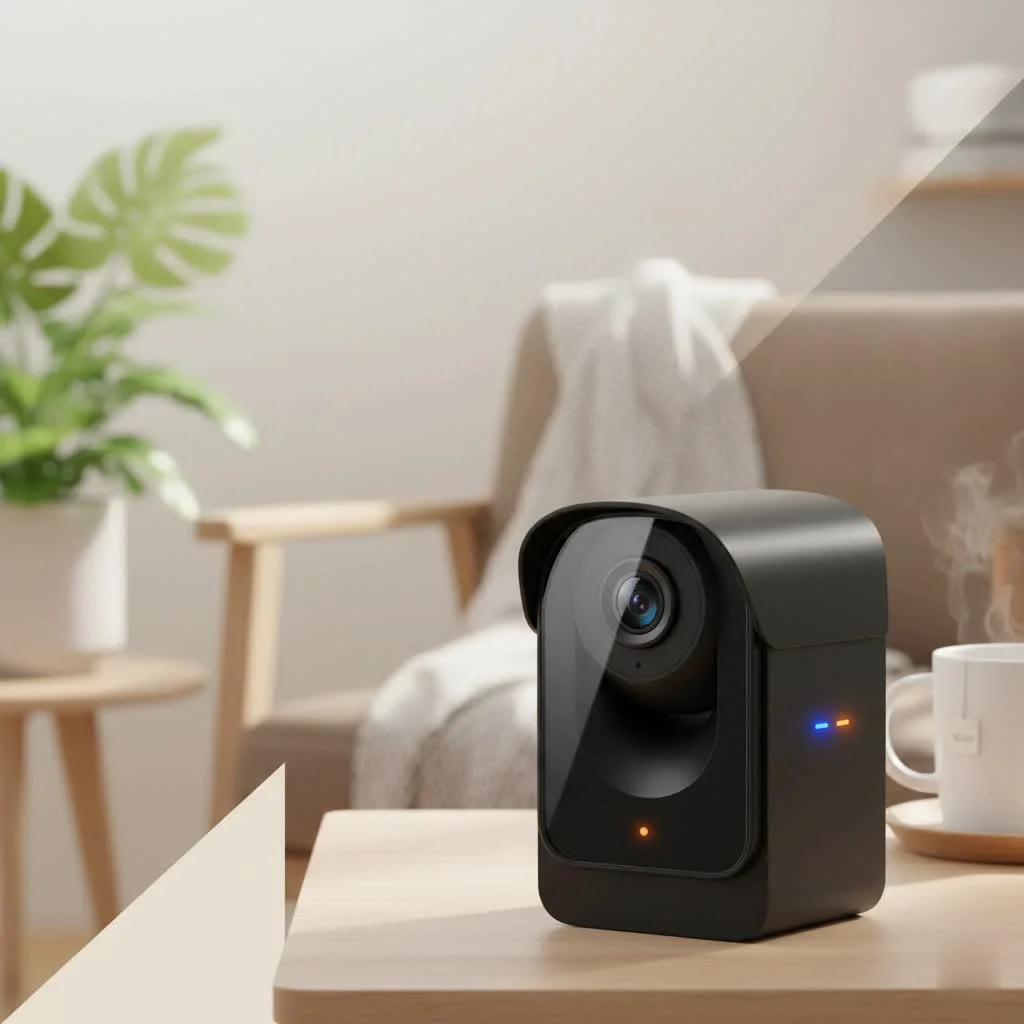
Cellular cameras have evolved significantly, now offering features like 4K resolution, solar power, and AI-powered detection. As the lead content creator for ydmrw.com, my goal is to demystify this technology and guide you through choosing the perfect cellular security camera for your unique needs.
What is a Cellular Security Camera and How Does It Work?
A cellular security camera is a self-contained surveillance device that transmits video and alerts over a mobile data network, similar to a smartphone. Instead of connecting to your home or business Wi-Fi, it uses a SIM card from a provider like AT&T, Verizon, or T-Mobile. This simple difference unlocks a world of possibilities.
Because they aren’t tethered to a router and are typically powered by long-lasting rechargeable batteries, often paired with a solar panel, you can place them virtually anywhere with a cellular signal. This makes them the ultimate solution for:
- Construction Sites: Monitor valuable equipment and materials without needing on-site internet.
- Farms and Rural Properties: Keep an eye on livestock, gates, and remote buildings.
- Vacation Homes & Cabins: Ensure your property is secure during the off-season.
- Boats and RVs: Provide security for your mobile assets.
- Areas with Unreliable Internet: Serve as a dependable backup when your Wi-Fi is down.
Footage is typically stored on a local microSD card, with many models also offering cloud storage options for secure, remote access. When the camera’s sensor detects motion, it instantly sends an alert to your phone, allowing you to view a live feed or recorded clip from anywhere in the world.
Key Features to Look for in the Best Cellular Security Camera
Choosing the right camera can feel overwhelming with all the options available. As a seasoned professional, I advise my clients to focus on these critical features to ensure they get a system that’s reliable, effective, and easy to use.
Video Resolution and Night Vision
The primary job of a security camera is to provide a clear picture. While 1080p HD is the standard and offers good quality, a 2K or 4K resolution camera will capture finer details like license plates or faces from a distance. Just as important is night vision. Most cameras use infrared (IR) LEDs for black-and-white nighttime video, but many advanced models now feature a built-in spotlight that enables full-color night vision, dramatically improving clarity in the dark.
Battery Life and Solar Power Options
|
Our Picks for the Best Security Camera in 2026
As an Amazon Associate I earn from qualifying purchases.
|
||
| Num | Product | Action |
|---|---|---|
| 1 | WYZE Cam v4 (Latest Model), 2.5K AI Security Camera, Indoor/Outdoor Cameras for Home Security, Baby Monitor & Pet Camera, Vibrant Color Night Vision, No Subscription Required, Free Expert Help |

|
| 2 | Tapo TP-Link 2K Pan/Tilt Indoor Security Camera for Baby Monitor, Pet Camera, Motion Detection & Tracking, 2-Way Audio, Cloud & SD Card Storage, Works w/Alexa & Google Home, Black, C211(2-Pack) |
|
| 3 | Security Cameras Wireless Outdoor-Solar&Battery Powered 2K 2.4G Cameras for Home Security, Instant Alert, AI Human Detection, Color Night Vision, 2-Way Talk, SD Storage, Work with Alexa, Z1 4P |
|
| 4 | WYZE Bulb Cam Security Camera, 2K HD Outdoor Light Bulb Camera, Color Night Vision, Dimmable LED Bulb, Motion Detection, Siren Alarm, Works w/Alexa/Google Assistant. Free Expert Support |
|
| 5 | Tapo 2K Pan/Tilt Security Camera for Baby Monitor, Dog Camera w/Motion Detection, 2-Way Audio Siren, Night Vision, Cloud&SD Card Storage, Works w/Alexa & Google Assistant, 2-Pack (Tapo C210P2) |
|
| 6 | Kasa Smart Indoor Pan-Tilt Home Security Camera, 1080p HD Dog Camera w/Night Vision, Motion Detection for Baby & Pet Monitor, Cloud & SD Card Storage, Works w/ Alexa & Google Home, 2.4G WiFi (EC71) |
|
| 7 | WYZE Cam Pan v3 Indoor/Outdoor IP65-Rated 1080p Pan/Tilt/Zoom Wi-Fi Smart Home Security Camera with Color Night Vision, 2-Way Audio, Compatible with Alexa & Google Assistant, White, 2-Pack |
|
| 8 | Security Cameras Wireless Outdoor,2K Indoor WiFi Wireless Cameras,Outside Battery Powered Camera for Home Security,AI Motion Detection,Color Night Vision,Spotlight,Siren Alarm,SD/Cloud Storage,2 Pack |
|
| 9 | REOLINK 4K PoE Security Camera System Wired, 8pcs 8MP PoE Cameras, Smart Person/Vehicle Detection, 16CH NVR with 4TB HDD, H.265, 24/7 Recording, High Bitrate & Clear Stream, RLK16-800D8 |
|
| 10 | TP-Link Tapo 1080P Indoor Security Camera for Baby Monitor, Dog Camera w/Motion Detection, 2-Way Audio Siren, Night Vision, Cloud & SD Card Storage, Works w/Alexa & Google Home (Tapo C100) |
|
In a remote setting, power is everything. Look for cameras with high-capacity rechargeable batteries that can last for months on a single charge. For a truly “set it and forget it” solution, the best cellular security camera will come with or support an add-on solar panel. A few hours of direct sunlight each day is often enough to keep the battery perpetually charged, ensuring uninterrupted surveillance.
“I always tell our clients that a solar panel isn’t a luxury for a cellular camera; it’s a core component for true peace of mind,” notes John Carter, our lead field technician at Ydmrw. “You eliminate the biggest point of failure: a dead battery.”
Data Plans and Carrier Compatibility
Since these cameras use mobile networks, they require a data plan. Some cameras come with a pre-installed SIM card and offer their own data plans, while others require you to purchase one from a major carrier. It’s crucial to check which carriers a camera supports and verify that the carrier has strong coverage in the location you plan to install it. Data usage can range from 1GB to over 10GB per month, depending on how often you live stream and the resolution of your video clips.
Weather Resistance and Durability
An outdoor security camera must be tough. Look for a camera with an IP (Ingress Protection) rating of at least IP65. This ensures it’s sealed against dust and can withstand rain and jets of water from any direction. A durable, well-constructed camera will function reliably through extreme heat, cold, rain, and snow for years.
Smart Features: Motion Detection and Two-Way Audio
Modern cameras are more than just passive recorders. The best cellular security camera uses advanced AI to distinguish between people, vehicles, and animals, which significantly reduces false alarms from things like falling leaves or shadows. Two-way audio is another vital feature, allowing you to listen in and speak through the camera’s built-in speaker. This can be used to greet a visitor, instruct a delivery driver, or warn off an intruder.
How to Set Up Your Cellular Security Camera
One of the most significant advantages of cellular cameras is their ease of installation. With no wires to run for data or power, the process is incredibly straightforward.
- Activate the SIM Card: First, ensure your SIM card is activated and inserted correctly into the camera. If you’re using a third-party SIM, you may need to activate it with the carrier first.
- Charge the Battery: Before installation, fully charge the camera’s battery using the included USB cable.
- Download the App and Pair: Download the manufacturer’s app on your smartphone and follow the instructions to create an account and pair the camera. This usually involves scanning a QR code on the camera.
- Find the Perfect Spot: Use the app’s live view to find a mounting location that has both a good viewing angle and a strong cellular signal (most apps have a signal strength indicator).
- Mount the Camera: Securely mount the camera and the solar panel (if using one), ensuring the panel is positioned to receive maximum daily sunlight.
- Configure Settings: Adjust the motion detection sensitivity, set up notification preferences, and customize any other settings to fit your specific needs.
Frequently Asked Questions (FAQ)
How much data does a cellular security camera use?
Data usage varies greatly based on your settings and how often you stream live video. On average, with typical motion-triggered recordings and occasional live viewing, you can expect to use between 2GB and 7GB of data per month. Streaming in 4K will use significantly more data than 1080p.
Can I use a cellular security camera without a subscription?
Yes, many cameras can function without a monthly subscription. You will always need a data plan for the SIM card, but you can often avoid the manufacturer’s cloud storage fees by relying solely on the local microSD card for recording footage. However, this may limit access to some advanced AI features.
Do cellular security cameras work when the power goes out?
Absolutely. Because they run on battery power, they are completely unaffected by power outages, making them an excellent choice for security continuity. As long as the cellular towers in your area have backup power, your camera will remain online.
What is the best cellular security camera for a construction site?
For a construction site, you need a camera that is rugged, has a wide field of view, and offers powerful deterrents. Look for models with a high IP rating (IP66 or IP67), a built-in siren and spotlight, and AI-powered person and vehicle detection to avoid false alarms from machinery and debris.
Can multiple users view the camera at the same time?
Most security camera apps allow the primary owner to share access with family members or colleagues. You can typically grant them different levels of permission, such as allowing them to view the live feed but not change the camera’s settings.
Final Thoughts: A Smart Investment in Security Freedom
The best cellular security camera empowers you to protect the places that traditional systems can’t reach. It offers freedom from wires and Wi-Fi, providing a robust, reliable, and surprisingly simple solution for some of the most challenging security scenarios. By focusing on the core features—video quality, power autonomy, durability, and smart detection—you can confidently choose a camera that will serve as your vigilant eyes in the field, delivering peace of mind 24/7. Whether you’re safeguarding a remote asset or simply covering a Wi-Fi dead spot on your property, a cellular camera is a future-proof investment in your security.
Frequently Asked Questions
How much data does a cellular security camera typically use per month?
A cellular security camera typically uses between 2GB and 7GB of data per month, depending on settings and live streaming frequency. Streaming in 4K resolution will consume significantly more data than 1080p.
Is it possible to use a cellular security camera without a monthly subscription?
Yes, many cellular security cameras can function without a manufacturer's monthly subscription. While a data plan for the SIM card is always required, you can often avoid cloud storage fees by relying on local microSD card storage for recordings, though this may limit some advanced AI features.
Do cellular security cameras continue to operate during power outages?
Absolutely, cellular security cameras are unaffected by power outages because they run on battery power. As long as the cellular towers in your area maintain backup power, your camera will remain online and operational, providing continuous security.
What features are essential for a cellular security camera on a construction site?
For a construction site, essential features include a rugged design with a high IP rating (IP66 or IP67), a wide field of view, and powerful deterrents like a built-in siren and spotlight. AI-powered person and vehicle detection are crucial to minimize false alarms from machinery and debris.
Can multiple people view the live feed from a single cellular security camera?
Yes, most security camera apps allow the primary owner to share access with multiple family members or colleagues. You can typically grant different levels of permission, such as allowing them to view the live feed but restricting changes to camera settings.
How to Set Up Your Cellular Security Camera
Setting up a cellular security camera is straightforward due to its wireless nature, requiring no data or power cables.
Ensure your SIM card is activated with a mobile carrier and correctly inserted into the camera. If using a third-party SIM, activate it with the carrier first before insertion.
Fully charge the camera's internal battery using the provided USB cable before proceeding with installation. A full charge ensures the camera is ready for immediate use.
Download the manufacturer's dedicated smartphone app and create an account. Follow the in-app instructions to pair your camera, which often involves scanning a QR code located on the device.
Use the app's live view and signal strength indicator to identify an optimal mounting location. This spot should offer both a clear viewing angle and strong cellular reception.
Securely mount the camera in your chosen location. If using a solar panel, ensure it is positioned to receive maximum daily sunlight for continuous battery charging.
Get our weekly buyer guide
Practical specs, not advice. Unsubscribe anytime.

Great info on these cameras! I needed something for my back forty where running power and internet is just not feasible. The 4G LTE network capability is exactly what I needed. My only minor gripe is that the battery life, while good, isn’t quite as ‘long-lasting’ as I hoped without the solar panel, but it’s still a solid system.
I’ve been looking for a reliable solution for my vacation cabin, which has no Wi-Fi. This post really helped me understand how cellular cameras work. I ended up getting one with a solar panel, and it’s been fantastic for keeping an eye on things when I’m not there. The remote access to footage is a game-changer.
Finally, a clear explanation of cellular security cameras! I was so confused about how they transmitted video without Wi-Fi. Knowing they use a SIM card and 4G LTE makes perfect sense. I’m planning to get one for my remote workshop, and the idea of getting alerts via a smartphone app is very reassuring.
I appreciate the breakdown of features like 4K resolution and AI detection. I bought a model that was supposed to have great AI, but it still gives me a few too many false alerts from passing animals on my construction site. It’s good for general surveillance, but the detection could be better. Setup was pretty straightforward with the SIM card though.