In the world of property protection, reliability is everything. You need a security system that works flawlessly, day in and day out, without excuses. While Wi-Fi cameras offer convenience, they can sometimes be prone to signal drops and interference. This is where the robust world of wired surveillance comes in, and a PoE security camera stands out as the champion of stability and simplicity. If you’re serious about security for your home or business, understanding Power over Ethernet technology is a game-changer.
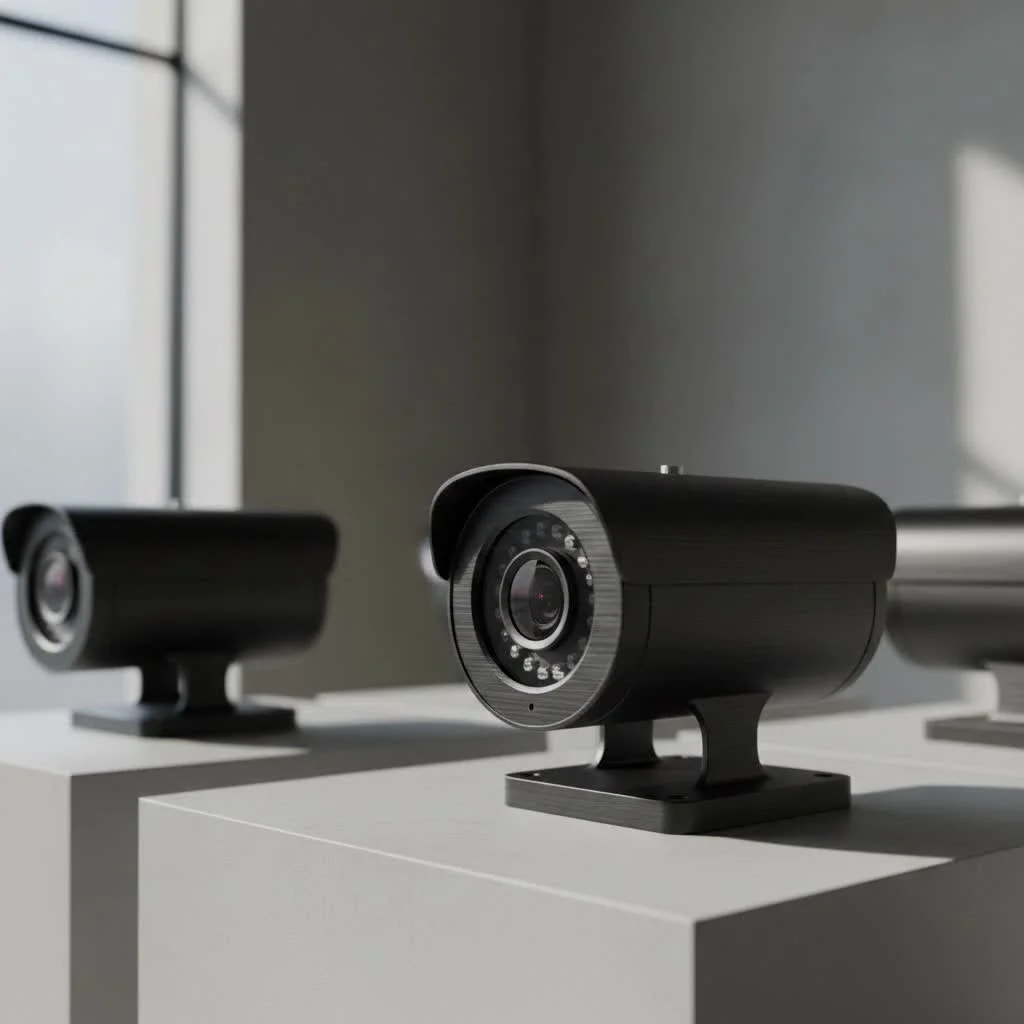
At its core, a PoE security camera is a type of IP (Internet Protocol) camera that receives both power and data through a single Ethernet cable. Forget the hassle of running two separate lines for power and internet or needing an electrical outlet near every camera. This elegant, one-cable solution streamlines installation, reduces costs, and provides a connection you can count on. For expert home reviews on this site.
What Exactly is a PoE Security Camera?
PoE stands for Power over Ethernet. It’s a technology that allows network cables, like the common Cat5e or Cat6 Ethernet cables, to carry electrical power alongside data. A PoE security camera is specifically designed with this capability built-in.
Think of it like this: a traditional camera system is like needing two separate roads for every car—one for the car itself (data) and another for its fuel (power). A PoE system creates a single, highly efficient highway where both the car and its fuel travel together seamlessly. This signal is sent from the camera to a central hub, typically a Network Video Recorder (NVR) or a PoE switch, which manages and records all the video feeds. This centralized power source also means your entire system is more resilient to individual power failures.
The Unbeatable Advantages of a PoE Security Camera System
Choosing a PoE security camera system isn’t just about using fewer cables. It’s about building a foundation of security that is more reliable, powerful, and secure.
Rock-Solid Reliability
Because PoE cameras use a physical, wired connection, they are not susceptible to the wireless interference that can plague Wi-Fi cameras. Thick walls, competing Wi-Fi networks, or signal jammers won’t disrupt your video feed. This direct line ensures a stable, consistent data stream, delivering uninterrupted footage when you need it most.
Superior Image Quality
The stable, high-bandwidth connection of an Ethernet cable allows a PoE security camera to transmit high-resolution video, such as 4K, without compression issues or lag. This means you get crystal-clear images that capture every important detail, a critical factor for identifying faces or license plates.
Simplified and Flexible Installation
|
Our Picks for the Best Security Camera in 2026
As an Amazon Associate I earn from qualifying purchases.
|
||
| Num | Product | Action |
|---|---|---|
| 1 | Tapo TP-Link 2K Pan/Tilt Indoor Security Camera for Baby Monitor, Pet Camera, Motion Detection & Tracking, 2-Way Audio, Cloud & SD Card Storage, Works w/Alexa & Google Home, Black, C211(2-Pack) |

|
| 2 | WYZE Cam Pan v3 Indoor/Outdoor IP65-Rated 1080p Pan/Tilt/Zoom Wi-Fi Smart Home Security Camera with Color Night Vision, 2-Way Audio, Compatible with Alexa & Google Assistant, White, 2-Pack |
|
| 3 | REOLINK 4K PoE Security Camera System Wired, 8pcs 8MP PoE Cameras, Smart Person/Vehicle Detection, 16CH NVR with 4TB HDD, H.265, 24/7 Recording, High Bitrate & Clear Stream, RLK16-800D8 |
|
| 4 | Tapo 2K Pan/Tilt Security Camera for Baby Monitor, Dog Camera w/Motion Detection, 2-Way Audio Siren, Night Vision, Cloud&SD Card Storage, Works w/Alexa & Google Assistant, 2-Pack (Tapo C210P2) |
|
| 5 | WYZE Bulb Cam Security Camera, 2K HD Outdoor Light Bulb Camera, Color Night Vision, Dimmable LED Bulb, Motion Detection, Siren Alarm, Works w/Alexa/Google Assistant. Free Expert Support |
|
| 6 | TP-Link Tapo 1080P Indoor Security Camera for Baby Monitor, Dog Camera w/Motion Detection, 2-Way Audio Siren, Night Vision, Cloud & SD Card Storage, Works w/Alexa & Google Home (Tapo C100) |
|
| 7 | Kasa Smart Indoor Pan-Tilt Home Security Camera, 1080p HD Dog Camera w/Night Vision, Motion Detection for Baby & Pet Monitor, Cloud & SD Card Storage, Works w/ Alexa & Google Home, 2.4G WiFi (EC71) |
|
| 8 | WYZE Cam v4 (Latest Model), 2.5K AI Security Camera, Indoor/Outdoor Cameras for Home Security, Baby Monitor & Pet Camera, Vibrant Color Night Vision, No Subscription Required, Free Expert Help |
|
| 9 | Security Cameras Wireless Outdoor,2K Indoor WiFi Wireless Cameras,Outside Battery Powered Camera for Home Security,AI Motion Detection,Color Night Vision,Spotlight,Siren Alarm,SD/Cloud Storage,2 Pack |
|
| 10 | Security Cameras Wireless Outdoor-Solar&Battery Powered 2K 2.4G Cameras for Home Security, Instant Alert, AI Human Detection, Color Night Vision, 2-Way Talk, SD Storage, Work with Alexa, Z1 4P |
|
The single-cable design makes installation dramatically easier and more cost-effective. You don’t need to hire an electrician to install outlets at every camera location. This flexibility allows you to place cameras in the most optimal spots for coverage, even in areas far from a power source, like a detached garage, a barn, or the end of a long driveway.
As our lead systems engineer, David Chen, often says, “The beauty of PoE is its simplicity. You run one cable and get a secure, powered, high-definition camera online. It removes the single most common point of failure and complexity in a security installation: the power source.”
Enhanced Security
A wired connection is inherently more secure than a wireless one. It is much more difficult for unauthorized users to intercept the data feed from a physical cable than it is to hack into a Wi-Fi network. This closed-circuit nature provides an extra layer of protection against digital threats.
How to Install a PoE Security Camera: A Step-by-Step Guide
Setting up a PoE security camera system is a straightforward process, even for those with basic DIY skills.
Components You’ll Need:
- PoE Security Cameras: The number will depend on the area you wish to cover.
- Network Video Recorder (NVR) with PoE ports: This is the brain of your system that powers the cameras, records video, and manages settings.
- Ethernet Cables (Cat5e or Cat6): Ensure you have enough length to reach each camera location from the NVR.
- A Monitor: To view the live feed and access the NVR’s menu.
Installation Steps:
- Plan Your Camera Locations: Identify the key areas you want to monitor. Consider entry points, vulnerable spots, and areas of high traffic.
- Run the Ethernet Cables: Route an Ethernet cable from the location of your NVR to each planned camera spot.
- Mount the Cameras: Securely mount each PoE security camera in its designated location.
- Connect the Cables: Plug one end of the Ethernet cable into the camera and the other end into one of the PoE ports on the back of your NVR.
- Power Up the NVR: Connect the NVR to a power outlet and to your monitor.
- Configure the System: Follow the on-screen setup wizard to configure your cameras, set recording schedules, and enable features like motion detection. Within minutes, your cameras will power on and begin streaming video.
PoE vs. Wi-Fi Cameras: Which is Right for You?
While both have their place, understanding their key differences is crucial for making the right choice.
| Feature | PoE Security Camera | Wi-Fi Security Camera |
|---|---|---|
| Connection | Wired (Ethernet) | Wireless (Wi-Fi) |
| Reliability | Extremely high and stable | Can be affected by signal strength and interference |
| Installation | Requires running one cable per camera | Simpler physical install, but requires a power outlet |
| Power Source | Power over Ethernet (from NVR/switch) | Requires a separate power adapter and outlet |
| Video Quality | Consistently high, supports 4K+ resolutions | Can be compressed or lag due to weak signal |
| Security | High (hardwired connection is secure) | Vulnerable to Wi-Fi hacking if not properly secured |
A PoE security camera is the superior choice for primary, mission-critical surveillance, while Wi-Fi cameras are excellent for secondary, hard-to-wire locations or for renters who cannot run cables.
Frequently Asked Questions (FAQ)
What is the maximum length of an Ethernet cable for a PoE camera?
Typically, you can run an Ethernet cable up to 328 feet (100 meters) for a PoE camera without any signal degradation. For longer distances, you can use a PoE extender.
Do PoE cameras use a lot of electricity?
No, PoE cameras are very energy-efficient. A standard PoE camera uses a relatively small amount of wattage, and the centralized power management from the NVR or switch makes the entire system efficient.
Can I connect a PoE camera directly to my router?
You can, but only if your router has a specific PoE port. Most standard home routers do not provide power. You would need to use a device called a PoE injector to add power to the Ethernet line between the router and the camera.
Do PoE cameras work without an internet connection?
Yes. A PoE security camera system can operate as a closed circuit. The cameras will record to the NVR without an internet connection. However, you will need an internet connection to view the footage remotely from your phone or computer.
The Clear Choice for Serious Security
When dependability is non-negotiable, a PoE security camera system is the professional’s choice. By combining power and data into a single cable, it offers a solution that is simpler to install, more reliable, and more secure than its wireless counterparts. It provides the stable, high-quality video feed you need to truly protect what matters most. For any home or business owner looking to build a robust and future-proof surveillance system, investing in PoE technology is one of the smartest decisions you can make.
Get our weekly buyer guide
Practical specs, not advice. Unsubscribe anytime.
After reading about the benefits of Power over Ethernet technology, I decided to invest in a PoE camera system for our property. The peace of mind knowing I have a robust, wired connection that won’t fail due to Wi-Fi interference is priceless. It’s truly a superior solution for serious home security, and the streamlined installation saved me a lot of headaches.
I was so tired of my old Wi-Fi cameras constantly dropping signal, especially when I needed them most. Switching to a PoE system has been a complete game-changer for my small business. The stability is incredible, and I love not having to worry about finding an outlet for every single camera. Installation was much simpler than I expected, too.
We recently upgraded our home security, and the idea of a single Ethernet cable for both power and data really appealed to me. It definitely made the setup process cleaner and less complicated. The video quality is excellent, and I haven’t had any issues with connectivity. My only minor complaint is that running the cables through walls was a bit more work than I anticipated, but it’s worth it for the reliability.
I got a PoE camera for my garage, hoping for that ‘champion of stability’ everyone talks about. While the connection is solid, I found that the initial cost for the camera itself and the necessary PoE switch was a bit higher than I expected compared to some wireless options. It works well, but be prepared for the upfront investment if you’re building out a whole system.