In today’s interconnected world, many assume security cameras are tethered to Wi-Fi. But what if your location lacks reliable internet, or you simply crave enhanced privacy and uninterrupted monitoring? That’s where a no WiFi security camera truly shines. Whether you’re safeguarding a remote cabin, a bustling construction site, or simply fortifying your home against potential network vulnerabilities, these robust systems offer a dependable solution for keeping an eye on what matters most, without relying on a Wi-Fi signal. Let’s dive deep into the world of surveillance beyond the wireless router and discover how to achieve peace of mind, no matter the connectivity.
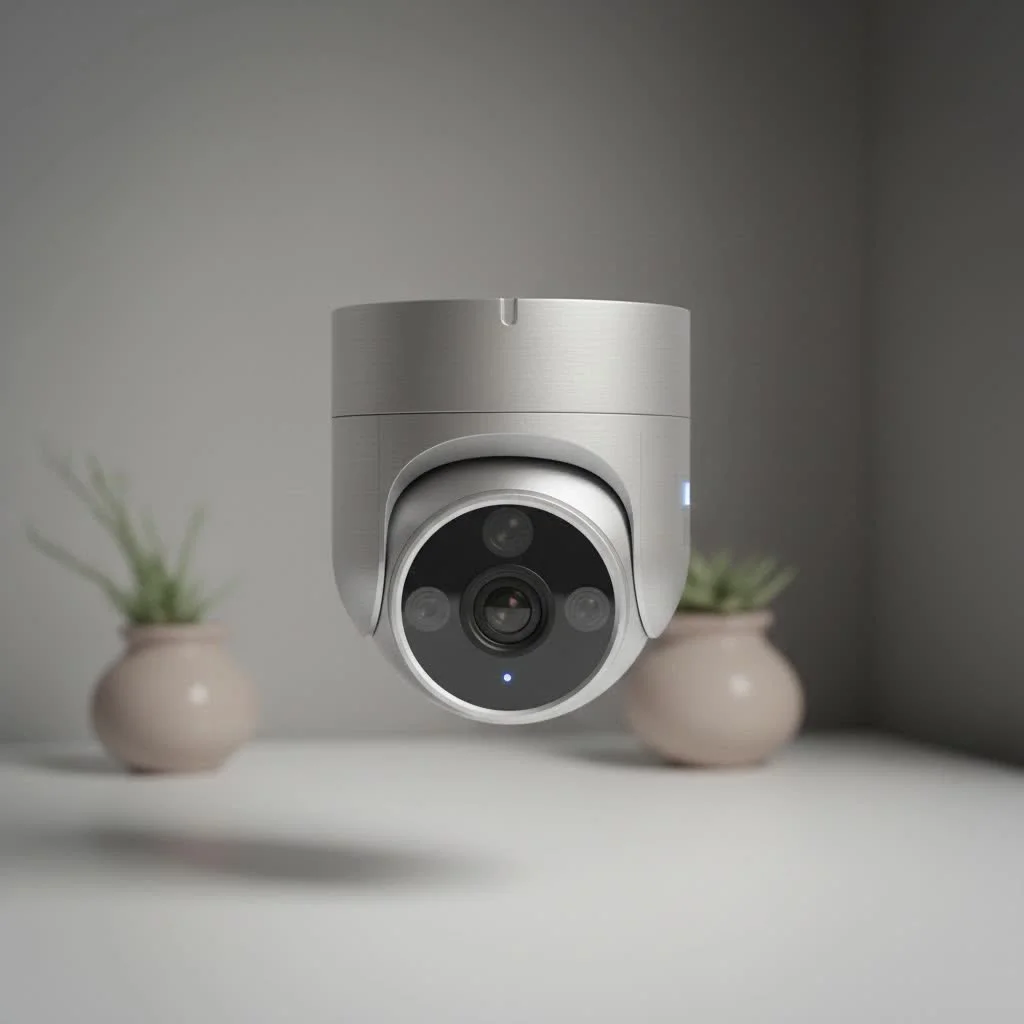
What Exactly is a “No WiFi Security Camera” and Why Do You Need One?
A “no WiFi security camera” is precisely what it sounds like: a surveillance device or system that operates independently of a Wi-Fi network. This doesn’t mean it’s necessarily “wireless” in the sense of power or data transmission, but rather that it doesn’t use your home or business Wi-Fi to send footage or alerts. You might need one for various compelling reasons, from securing off-grid properties where Wi-Fi is non-existent to enhancing the resilience of your security against internet outages or cyber threats. For expert home reviews on this site.
Demystifying the Types of No WiFi Security Cameras
When you hear “no WiFi,” a few different technologies come to mind. Each offers unique advantages depending on your specific needs and environment.
Cellular (LTE/4G/5G) Security Cameras
How do cellular security cameras work? These cameras are the closest you’ll get to “truly wireless” without Wi-Fi. They operate much like your smartphone, utilizing a SIM card and a mobile data plan (4G LTE or 5G) to transmit video footage and alerts to your phone or cloud storage. This makes them perfect for locations with cellular coverage but no Wi-Fi, such as remote barns, boats, or temporary job sites.
Pros:
- True Wireless Placement: Can be installed almost anywhere with cellular signal.
- Remote Viewing: Allows live streaming and alert notifications on your smartphone from anywhere.
- Ideal for Remote Areas: Perfect for off-grid properties, construction sites, or monitoring wildlife.
Cons:
- Data Costs: Requires a monthly data plan, which adds to operational expenses.
- Signal Dependency: Performance relies on the strength and availability of the cellular network.
Wired (PoE & DVR/NVR) Security Systems
How do wired security systems operate without Wi-Fi? These are the stalwarts of security, offering unparalleled reliability. Power over Ethernet (PoE) cameras use a single Ethernet cable to receive power and transmit video data directly to a Network Video Recorder (NVR). Older Digital Video Recorder (DVR) systems use coaxial cables for analog cameras. In both cases, the recorder stores footage on a local hard drive, operating entirely independently of Wi-Fi for its core function. While an NVR or DVR can be connected to the internet for remote viewing, it’s not a requirement for the system’s basic recording and operation.
Pros:
- Unmatched Reliability: Wired connections are highly stable and less prone to interference.
- Continuous Recording: Designed for 24/7 surveillance to a large local hard drive.
- No Data Costs: Once installed, there are no ongoing data plan expenses for basic operation.
- Enhanced Security: Less vulnerable to Wi-Fi hacking or network disruptions.
Cons:
- More Complex Installation: Requires running cables, which can be time-consuming and may require professional help.
- Visible Wiring: Cables may be noticeable, depending on the installation.
Standalone Cameras with Local Storage (SD Card)
|
Our Picks for the Best Security Camera in 2026
As an Amazon Associate I earn from qualifying purchases.
|
||
| Num | Product | Action |
|---|---|---|
| 1 | Security Cameras Wireless Outdoor-Solar&Battery Powered 2K 2.4G Cameras for Home Security, Instant Alert, AI Human Detection, Color Night Vision, 2-Way Talk, SD Storage, Work with Alexa, Z1 4P |

|
| 2 | Security Cameras Wireless Outdoor,2K Indoor WiFi Wireless Cameras,Outside Battery Powered Camera for Home Security,AI Motion Detection,Color Night Vision,Spotlight,Siren Alarm,SD/Cloud Storage,2 Pack |
|
| 3 | WYZE Cam Pan v3 Indoor/Outdoor IP65-Rated 1080p Pan/Tilt/Zoom Wi-Fi Smart Home Security Camera with Color Night Vision, 2-Way Audio, Compatible with Alexa & Google Assistant, White, 2-Pack |
|
| 4 | WYZE Bulb Cam Security Camera, 2K HD Outdoor Light Bulb Camera, Color Night Vision, Dimmable LED Bulb, Motion Detection, Siren Alarm, Works w/Alexa/Google Assistant. Free Expert Support |
|
| 5 | Tapo TP-Link 2K Pan/Tilt Indoor Security Camera for Baby Monitor, Pet Camera, Motion Detection & Tracking, 2-Way Audio, Cloud & SD Card Storage, Works w/Alexa & Google Home, Black, C211(2-Pack) |
|
| 6 | REOLINK 4K PoE Security Camera System Wired, 8pcs 8MP PoE Cameras, Smart Person/Vehicle Detection, 16CH NVR with 4TB HDD, H.265, 24/7 Recording, High Bitrate & Clear Stream, RLK16-800D8 |
|
| 7 | Tapo 2K Pan/Tilt Security Camera for Baby Monitor, Dog Camera w/Motion Detection, 2-Way Audio Siren, Night Vision, Cloud&SD Card Storage, Works w/Alexa & Google Assistant, 2-Pack (Tapo C210P2) |
|
| 8 | Kasa Smart Indoor Pan-Tilt Home Security Camera, 1080p HD Dog Camera w/Night Vision, Motion Detection for Baby & Pet Monitor, Cloud & SD Card Storage, Works w/ Alexa & Google Home, 2.4G WiFi (EC71) |
|
| 9 | WYZE Cam v4 (Latest Model), 2.5K AI Security Camera, Indoor/Outdoor Cameras for Home Security, Baby Monitor & Pet Camera, Vibrant Color Night Vision, No Subscription Required, Free Expert Help |
|
| 10 | TP-Link Tapo 1080P Indoor Security Camera for Baby Monitor, Dog Camera w/Motion Detection, 2-Way Audio Siren, Night Vision, Cloud & SD Card Storage, Works w/Alexa & Google Home (Tapo C100) |
|
What are standalone cameras with local storage? These are perhaps the simplest form of no WiFi security camera. They are typically battery-powered or AC-powered cameras that record video directly onto an onboard SD card. They do not transmit data over any network (Wi-Fi or cellular) for their primary recording function. To view footage, you usually need to physically retrieve the SD card or connect the camera directly to a computer.
Pros:
- Simple and Inexpensive: Often the most budget-friendly option.
- Highly Secure: With no network connection, they are impervious to remote hacking attempts.
- Easy to Deploy: Great for quick, temporary monitoring needs or small, isolated areas.
Cons:
- No Remote Access: You cannot view live footage or receive alerts remotely.
- Physical Retrieval of Footage: Requires manual effort to access recorded video.
- Limited Storage: SD card capacity can fill up, requiring regular management.
Key Features to Look for in Your No WiFi Security Camera
Choosing the right no WiFi security camera involves more than just picking a connectivity type. Consider these crucial features to ensure your system meets your specific needs.
Power Solutions (Battery, Solar, AC)
How do no WiFi cameras get power in remote areas? Power is often a primary concern for off-grid or remote setups. Many cellular cameras and some standalone local storage cameras are battery-powered, with options for extended life or solar panel integration for continuous charging. Wired systems rely on AC power outlets, often distributed via PoE from the NVR or a dedicated switch. Always ensure your chosen camera has a power solution that suits its intended placement.
Storage Options (SD Card, DVR/NVR HDD)
Your choice of storage dictates how much footage you can keep and how easily you can access it. SD cards offer convenient local storage for individual cameras but have finite capacity. DVRs and NVRs provide much larger hard drives, often Terabytes (TB), allowing for weeks or even months of continuous recording from multiple cameras. For cellular cameras, cloud storage via the data plan is also a common option.
Resolution and Field of View
High-definition (HD) resolution (1080p, 2K, 4K) is vital for clear identification of faces or license plates. A wider field of view (FoV) means the camera covers a larger area, reducing the number of cameras needed. Balance these with your budget and specific monitoring requirements.
Night Vision Capabilities
Why is night vision important for security cameras? Most incidents occur under the cover of darkness. Good night vision, typically achieved with infrared (IR) LEDs, ensures your camera remains effective 24/7. Look for cameras with sufficient IR range for your monitoring area. Some advanced cameras offer color night vision, often requiring some ambient light.
Motion Detection & Alerts
Even without Wi-Fi, many no WiFi security cameras offer sophisticated motion detection. Cellular cameras can send push notifications to your phone when motion is detected, leveraging their data connection. DVR/NVR systems record motion events to their hard drive, and if the recorder is connected to the internet, it can send alerts remotely.
Weatherproofing and Durability
For outdoor installations, a camera needs to withstand the elements. Look for an IP (Ingress Protection) rating, such as IP65, IP66, or IP67, which indicates resistance to dust and water. A robust build quality ensures longevity, even in harsh conditions.
Setting Up Your No WiFi Security Camera System: A Step-by-Step Guide
Installing a no WiFi security camera doesn’t have to be daunting. Here’s a general approach:
1. Planning Your Surveillance Zone
- Identify Critical Areas: Walk around your property and determine key entry points, vulnerable spots, and areas you want to monitor.
- Consider Line of Sight: Ensure cameras have an unobstructed view of their target areas.
- Assess Power and Signal: For wired systems, map out cable runs. For cellular, check signal strength. For battery/solar, ensure adequate sunlight.
2. Installation
- Mounting: Securely mount cameras at an optimal height (typically 8-10 feet) to capture faces while deterring tampering. Use appropriate hardware for your surface.
- Cabling (for Wired Systems): Carefully run Ethernet or coaxial cables from each camera back to the NVR/DVR. Label cables to avoid confusion.
- SIM Card Insertion (for Cellular Cameras): Insert the activated SIM card into your cellular camera according to the manufacturer’s instructions.
3. Initial Configuration
- NVR/DVR Systems: Connect the recorder to a monitor. Use the on-screen menu to format the hard drive, set recording schedules, and configure motion detection zones.
- Cellular Cameras: Download the manufacturer’s app. Follow the in-app instructions to pair your camera, adjust settings, and set up alerts.
- Standalone SD Card Cameras: Insert the SD card. Some may have physical buttons for basic settings; others might require a brief connection to a computer for initial setup.
Maintaining Your No WiFi Security Camera for Peak Performance
Regular maintenance ensures your system remains reliable.
- Clean Lenses Regularly: Dust, dirt, and spiderwebs can obscure the camera’s view, especially affecting night vision. Use a soft cloth to clean lenses.
- Check Power Sources: For battery-powered cameras, monitor battery levels and ensure solar panels are clean and receiving adequate sunlight. For wired cameras, periodically check cable connections for wear and tear.
- Manage Storage: If using SD cards, periodically back up and clear footage to prevent it from filling up. For DVR/NVR systems, ensure the hard drive is healthy and recording as expected.
- Firmware Updates (if applicable): While not all no WiFi cameras require internet for operation, many (especially cellular and NVRs) can benefit from occasional firmware updates to improve performance and security. If an update is available, follow the manufacturer’s instructions to apply it, which might involve a temporary internet connection.
Troubleshooting Common Issues with No WiFi Security Cameras
Even the most robust systems can encounter hiccups.
- Poor Cellular Signal (Cellular Cameras): If you’re not getting remote viewing or alerts, check your camera’s signal strength in the app. You might need to reposition the camera or consider an external cellular antenna if supported.
- Full SD Card (Local Storage Cameras): If your camera stops recording, the SD card might be full. Retrieve, back up, and format the card.
- No Recording (Wired Systems): Check all cable connections, ensure the NVR/DVR has power, and verify that the hard drive is formatted and functioning correctly.
- Image Quality Issues: Clean the camera lens. For wired systems, check cable integrity. For cellular, ensure sufficient bandwidth if streaming live.
As security veteran Alex Thorne often says, “Reliability is paramount. When Wi-Fi isn’t an option, a well-chosen no WiFi security camera isn’t just a backup; it’s the main event for dependable peace of mind.” Choosing the right system means understanding your needs and the technology available.
Frequently Asked Questions (FAQ)
1. Do no WiFi security cameras truly offer remote viewing?
Yes, but it depends on the type. Cellular security cameras offer remote viewing via a mobile data plan. Wired DVR/NVR systems can offer remote viewing if the recorder is connected to the internet, though their core recording function does not require it. Standalone cameras with only local SD card storage typically do not offer remote viewing.
2. Are no WiFi security cameras more secure than Wi-Fi cameras?
Generally, yes, especially systems that do not connect to any network. Wired systems and standalone cameras recording to an SD card are less vulnerable to remote cyber threats or Wi-Fi network breaches, offering a higher level of privacy and security against digital attacks.
3. How do I power a no WiFi camera in a remote location without electricity?
Many no WiFi cameras designed for remote use are battery-powered, often with the option to connect to a solar panel for continuous charging. This provides an excellent solution for off-grid locations where traditional power sources are unavailable.
4. Can I install a no WiFi security camera system myself?
Many standalone local storage cameras and some cellular cameras are designed for easy DIY installation. Wired DVR/NVR systems can be installed by DIY enthusiasts, but they require more technical skill for running cables and configuration. Professional installation is always an option for complex setups.
5. What’s the difference between a DVR and an NVR system?
A DVR (Digital Video Recorder) system uses older analog cameras connected via coaxial cables. An NVR (Network Video Recorder) system uses newer IP (Internet Protocol) cameras, typically connected via Ethernet cables, often utilizing Power over Ethernet (PoE) for simplified wiring. NVRs generally offer higher resolution and more advanced features.
6. Do I need a data plan for all no WiFi cameras?
No, only cellular security cameras require a separate mobile data plan to transmit footage and alerts. Wired DVR/NVR systems and standalone cameras recording solely to an SD card do not need a data plan for their primary operation.
Conclusion
Choosing a no WiFi security camera system is a strategic decision for anyone seeking robust, reliable surveillance beyond the confines of a Wi-Fi network. From the versatility of cellular cameras for remote monitoring to the unshakeable reliability of wired DVR/NVR systems and the simplicity of standalone local storage units, there’s a solution tailored for every unique security challenge. By understanding the different types, key features, and maintenance needs, you can confidently select, install, and manage a system that provides continuous, secure monitoring. Embrace the freedom from Wi-Fi dependency and empower your property with steadfast security. What type of no WiFi security camera will you choose to safeguard your world? Share your experiences and questions with us!
Get our weekly buyer guide
Practical specs, not advice. Unsubscribe anytime.
