Zosi security cameras offer an excellent balance of performance and price, making them a strong choice for budget-conscious homeowners and small business owners seeking reliable surveillance. With over a decade in the market, Zosi provides a diverse range of DIY-friendly options, from single Wi-Fi cameras to comprehensive 8-camera wired systems, often including local storage to avoid monthly cloud fees.
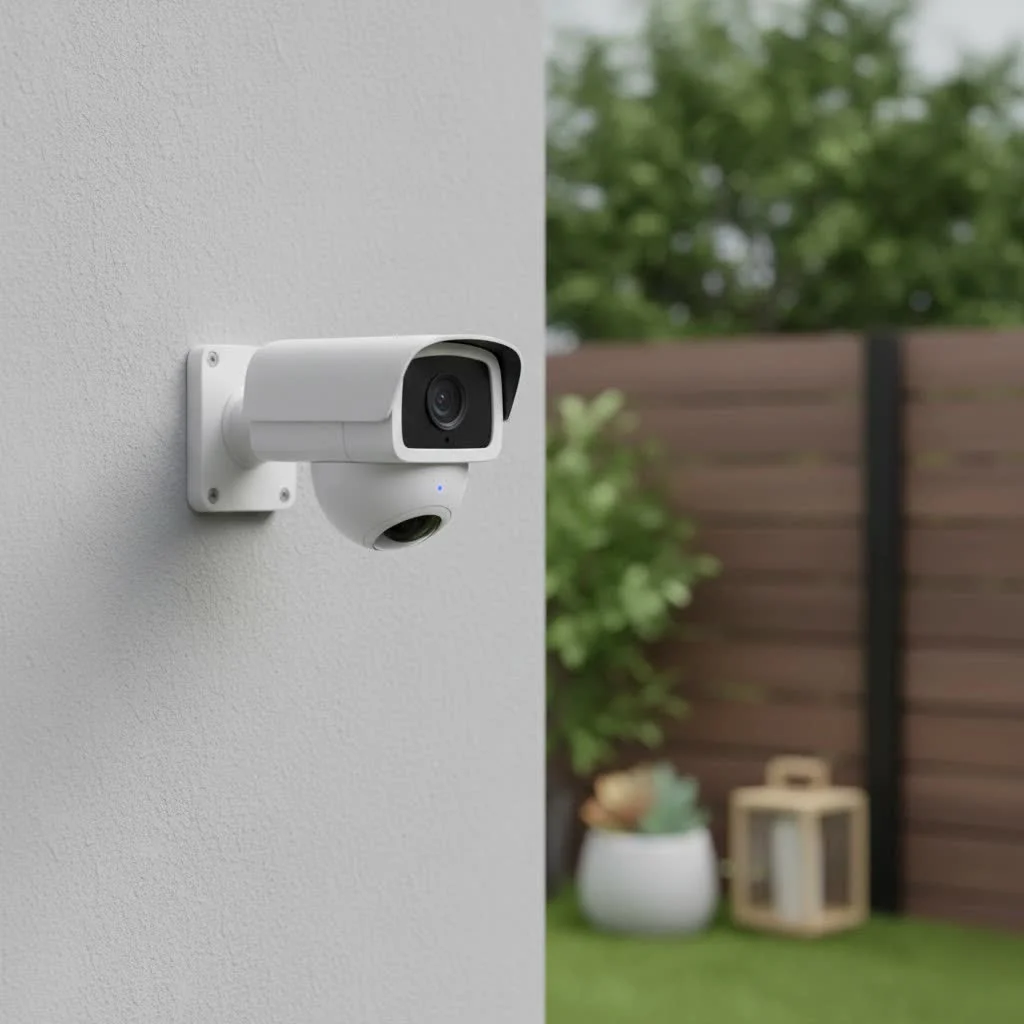
This comprehensive guide will break down everything you need to know about Zosi cameras. We’ll explore their different systems, uncover the key features that matter, and provide a clear-eyed look at their strengths and weaknesses. By the end, you’ll be able to confidently decide if a Zosi system is the perfect fit for protecting what matters most to you. For explore our home reviews on this site.
What is Zosi and Who Are Their Cameras For?
Zosi is a brand synonymous with affordable, do-it-yourself (DIY) security solutions. For about a decade, they have produced a massive collection of security cameras, rivaling the sheer variety of even well-known brands like Lorex. Their product range covers everything from single, plug-and-play Wi-Fi cameras to comprehensive 8-camera wired systems complete with a central recorder.
Zosi cameras are primarily for the user who:
- Is on a budget: This is Zosi’s biggest advantage. You can get a multi-camera system for the price of a single camera from a premium brand.
- Wants local storage: Many Zosi systems come with a Digital Video Recorder (DVR) or Network Video Recorder (NVR) with a built-in hard drive, meaning you don’t need to pay for monthly cloud storage subscriptions.
- Prefers a DIY approach: Zosi systems are designed for user installation, allowing you to set up your own surveillance without hiring a professional.
Exploring the Zosi Security Camera Lineup
Navigating the Zosi catalog can feel overwhelming at first, but the systems are generally divided into a few main categories. Understanding these distinctions is the first step to choosing the right setup.
Wired Security Systems (DVR and NVR)
Wired systems are the backbone of Zosi’s offerings and are ideal for permanent, reliable surveillance of larger areas. They offer continuous recording and are not dependent on Wi-Fi stability or battery life.
- DVR Systems: These are the more traditional, analog-based systems. The cameras connect to the DVR unit via coaxial BNC cables. While considered older technology, Zosi has updated its DVR kits with modern features, including cameras that can shoot in up to 4K resolution. These are great for users who need a robust, multi-camera setup and aren’t afraid to run some cables.
- PoE NVR Systems: Power over Ethernet (PoE) is a more modern technology where a single Ethernet cable provides both power and a network connection to each camera. This simplifies the wiring process compared to DVR systems. The NVR (Network Video Recorder) records high-definition footage from these IP cameras. These systems offer superior image quality and a more streamlined installation than their analog counterparts.
As a professional installer, I often recommend PoE systems for their reliability. Johnathan Carter, a fellow security systems integrator, notes, “With a PoE system, you eliminate a major point of failure—the camera’s individual power adapter. A single, dedicated cable run is always more stable, especially for crucial outdoor cameras.”
Wireless and Wire-Free Cameras
|
Our Picks for the Best Security Camera in 2026
As an Amazon Associate I earn from qualifying purchases.
|
||
| Num | Product | Action |
|---|---|---|
| 1 | TP-Link Tapo 1080P Indoor Security Camera for Baby Monitor, Dog Camera w/Motion Detection, 2-Way Audio Siren, Night Vision, Cloud & SD Card Storage, Works w/Alexa & Google Home (Tapo C100) |

|
| 2 | WYZE Cam v4 (Latest Model), 2.5K AI Security Camera, Indoor/Outdoor Cameras for Home Security, Baby Monitor & Pet Camera, Vibrant Color Night Vision, No Subscription Required, Free Expert Help |
|
| 3 | Security Cameras Wireless Outdoor,2K Indoor WiFi Wireless Cameras,Outside Battery Powered Camera for Home Security,AI Motion Detection,Color Night Vision,Spotlight,Siren Alarm,SD/Cloud Storage,2 Pack |
|
| 4 | WYZE Cam Pan v3 Indoor/Outdoor IP65-Rated 1080p Pan/Tilt/Zoom Wi-Fi Smart Home Security Camera with Color Night Vision, 2-Way Audio, Compatible with Alexa & Google Assistant, White, 2-Pack |
|
| 5 | Tapo TP-Link 2K Pan/Tilt Indoor Security Camera for Baby Monitor, Pet Camera, Motion Detection & Tracking, 2-Way Audio, Cloud & SD Card Storage, Works w/Alexa & Google Home, Black, C211(2-Pack) |
|
| 6 | Tapo 2K Pan/Tilt Security Camera for Baby Monitor, Dog Camera w/Motion Detection, 2-Way Audio Siren, Night Vision, Cloud&SD Card Storage, Works w/Alexa & Google Assistant, 2-Pack (Tapo C210P2) |
|
| 7 | Kasa Smart Indoor Pan-Tilt Home Security Camera, 1080p HD Dog Camera w/Night Vision, Motion Detection for Baby & Pet Monitor, Cloud & SD Card Storage, Works w/ Alexa & Google Home, 2.4G WiFi (EC71) |
|
| 8 | WYZE Bulb Cam Security Camera, 2K HD Outdoor Light Bulb Camera, Color Night Vision, Dimmable LED Bulb, Motion Detection, Siren Alarm, Works w/Alexa/Google Assistant. Free Expert Support |
|
| 9 | REOLINK 4K PoE Security Camera System Wired, 8pcs 8MP PoE Cameras, Smart Person/Vehicle Detection, 16CH NVR with 4TB HDD, H.265, 24/7 Recording, High Bitrate & Clear Stream, RLK16-800D8 |
|
| 10 | Security Cameras Wireless Outdoor-Solar&Battery Powered 2K 2.4G Cameras for Home Security, Instant Alert, AI Human Detection, Color Night Vision, 2-Way Talk, SD Storage, Work with Alexa, Z1 4P |
|
For those who need more flexibility or can’t run cables, Zosi offers a range of wireless options that are much easier to install.
- Wi-Fi Cameras: These cameras connect to your home’s Wi-Fi network but still require a power cable to be plugged into a wall outlet. This makes them easy to set up from a networking standpoint but limits their placement to areas near a power source. Models like the Zosi C289 are popular for their pan-tilt-zoom (PTZ) capabilities, allowing you to remotely control the camera’s viewpoint.
- Wire-Free Cameras: True to their name, these cameras are completely wireless, running on rechargeable batteries. This provides maximum placement flexibility, as you can mount them anywhere within Wi-Fi range. Models like the Zosi C306 are often compatible with an optional solar panel, which can eliminate the need to take the camera down for recharging.
Key Features That Make Zosi Stand Out
For a budget brand, Zosi packs a surprising number of modern features into its cameras. Here are some of the most important ones to look for.
Video Resolution and Clarity
Zosi offers a range of resolutions, from standard 1080p Full HD up to 5MP and even 4K Ultra HD. During the daytime, the video quality is generally quite crisp and clear for the price point, providing enough detail to identify faces and license plates at a reasonable distance.
Advanced Night Vision Capabilities
Night vision is a critical feature, and Zosi cameras offer a few different modes:
- Standard Infrared (IR): This provides the classic black and white night vision image, capable of seeing up to 80-100 feet in total darkness on many models.
- Color Night Vision: Some models are equipped with built-in spotlights that activate when motion is detected. This allows the camera to record in full color at night, providing much more detail than a black and white image.
- Smart Night Vision: The most advanced option, found on cameras like the C289, operates in black and white IR mode until it detects a person. It then activates its spotlights to switch to full-color recording, capturing the most important events with maximum detail.
some users have reported issues with motion at night, describing moving objects as blurry or distorted. While the static image quality is often good, this is a potential trade-off at this price point.
Smart AI Detection
To reduce false alarms from things like falling leaves or passing cars, many newer Zosi cameras include AI-powered human detection. The camera’s software analyzes motion events to determine if the shape is human, ensuring you only get notified about the alerts that truly matter. It’s a basic but effective implementation that adds significant value.
How to Install a Zosi Security Camera System
One of the main draws of Zosi is its DIY-friendly nature. Here’s a general overview of the installation process.
For Wireless/Wi-Fi Cameras:
- Charge the Camera: If it’s a wire-free model, fully charge the battery first.
- Download the App: Get the Zosi Smart App on your iOS or Android device.
- Power On and Pair: Power on the camera and follow the in-app instructions to connect it to your Wi-Fi network, which usually involves scanning a QR code.
- Mount the Camera: Choose a location with a good Wi-Fi signal and the desired viewing angle. Use the included mounting hardware to secure it in place.
For Wired DVR/NVR Systems:
- Plan Your Camera Placement: Decide where each camera will go and map out the cable routes back to the DVR/NVR.
- Mount the Cameras: Securely mount each camera in its designated location.
- Run the Cables: Route the BNC (for DVR) or Ethernet (for PoE NVR) cables from each camera back to the recorder. This is the most labor-intensive step.
- Connect the System: Plug the cameras into the back of the recorder. Connect the recorder to your router with an Ethernet cable and to a monitor or TV via HDMI or VGA.
- Complete Setup: Power on the system and follow the on-screen setup wizard to configure your settings, including recording schedules and motion detection.
Getting Started with the Zosi Smart App
The Zosi Smart App is your command center for remote viewing and control. From the app, you can:
- View a live feed from any of your cameras.
- Playback recorded footage stored on the NVR/DVR or SD card.
- Receive push notifications for motion alerts.
- Use the two-way audio feature to listen and speak through the camera.
- Control pan-tilt-zoom functions on compatible cameras.
- Adjust settings like motion sensitivity and recording modes.
While the app is functional, it can sometimes feel less polished or intuitive than the software from more expensive brands.
Zosi Security Cameras: The Pros and Cons
To help you make a final decision, here is a balanced summary of Zosi’s advantages and disadvantages.
Pros:
- Excellent Value: Unbeatable price point for the number of cameras and features offered.
- Wide Variety: A huge selection of wired, wireless, and wire-free systems to fit any need.
- No Mandatory Subscriptions: The focus on local NVR/DVR storage means you can avoid monthly cloud fees.
- Good Daytime Video Quality: Delivers clear, high-resolution video when the lighting is good.
- Modern Features: Many systems include AI detection, color night vision, and two-way audio.
Cons:
- Inconsistent Night Vision: Motion can appear blurry or ghost-like in night vision recordings.
- Challenging Customer Support: Support can be difficult to reach due to time zone differences, and user reviews are mixed.
- Narrow Field of View: Some camera models have a narrower viewing angle compared to competitors, potentially requiring more cameras to cover the same area.
- Complex Wired Installation: While DIY-friendly, installing a multi-camera wired system requires time, effort, and some technical comfort.
Frequently Asked Questions (FAQ)
Are Zosi security cameras any good?
Zosi cameras offer excellent value for the money, providing good daytime video quality and a strong feature set. They are a solid choice for basic home surveillance, but may fall short for users who need flawless night vision performance or premium-level software and support.
Do Zosi cameras require a subscription?
No, most Zosi systems are designed to work with local storage (NVR, DVR, or microSD card) and do not require a monthly subscription for their core functions like recording and remote viewing. Cloud storage is typically offered as an optional service.
Can Zosi cameras be used outdoors?
Yes, the majority of Zosi cameras are designed for outdoor use and have weatherproof ratings, typically IP66 or IP67, which protect them from dust and rain.
How far can Zosi cameras see at night?
This varies by model, but most Zosi outdoor cameras with infrared night vision can see between 80 to 130 feet in low light or complete darkness.
Do I need internet for a Zosi camera system?
For a wired DVR/NVR system, you do not need an internet connection for the cameras to record footage locally to the hard drive. However, you will need an internet connection to view the cameras remotely on your smartphone or computer.
Final Verdict: Is a Zosi Camera Right for You?
A Zosi security camera system is a compelling option if affordability is your top priority. For the price, you get a capable and feature-rich surveillance system that delivers on the fundamentals of home security. The ability to have a multi-camera setup with local storage for under a few hundred dollars is a proposition that’s hard to beat.
If you are a tech-savvy DIYer who needs to cover a large property and doesn’t mind the process of running cables, a Zosi PoE NVR kit offers incredible value. If you need a simpler, more flexible solution for a smaller home or apartment, their wire-free and Wi-Fi cameras are easy to install and manage.
However, if you demand the absolute best night vision quality, a polished user experience, and readily available customer support, you may want to consider investing in a more premium brand. But for the vast majority of users looking for reliable, everyday security without breaking the bank, Zosi is an excellent and highly recommended choice.
Frequently Asked Questions
Are Zosi security cameras a good investment for home surveillance?
Zosi cameras offer excellent value for the money, providing good daytime video quality and a strong feature set for basic home surveillance. While they may not offer flawless night vision or premium software, they are a solid choice for budget-conscious users.
Do Zosi camera systems require a monthly subscription for recording?
No, most Zosi systems are designed to work with local storage options like NVRs, DVRs, or microSD cards, and do not require a monthly subscription for core functions like recording and remote viewing. Cloud storage is typically an optional add-on service.
Can Zosi security cameras be safely installed and used outdoors?
Yes, the majority of Zosi cameras are designed for outdoor use and come with weatherproof ratings, typically IP66 or IP67. These ratings ensure protection against dust and rain, making them suitable for various outdoor environments.
What is the typical night vision range for Zosi outdoor cameras?
The night vision range for Zosi outdoor cameras varies by model, but most infrared-equipped cameras can see between 80 to 130 feet in low light or complete darkness. Some advanced models also offer color night vision with built-in spotlights.
Is an internet connection necessary for a Zosi wired DVR/NVR system?
For a wired DVR/NVR system, an internet connection is not required for the cameras to record footage locally to the hard drive. However, an internet connection is essential if you wish to view the cameras remotely on your smartphone or computer.
Install a Zosi Security Camera System
Learn how to install both wireless/Wi-Fi and wired DVR/NVR Zosi security camera systems with these step-by-step instructions.
First, fully charge the battery if it's a wire-free model. Download the Zosi Smart App on your iOS or Android device. Power on the camera and follow the in-app instructions to connect it to your Wi-Fi network, often by scanning a QR code. Finally, mount the camera in a location with good Wi-Fi signal and the desired viewing angle using the included hardware.
Decide on the optimal placement for each camera and meticulously map out the cable routes that will lead back to the central DVR or NVR unit. This planning phase is crucial for efficient installation and effective coverage.
Securely mount each camera in its designated location. Then, route the necessary BNC cables for DVR systems or Ethernet cables for PoE NVR systems from each camera back to the recorder. This step is typically the most labor-intensive part of the installation.
Plug all cameras into the back of the recorder. Connect the recorder to your router using an Ethernet cable and to a monitor or TV via HDMI or VGA. Power on the system and follow the on-screen setup wizard to configure settings such as recording schedules and motion detection.
Get our weekly buyer guide
Practical specs, not advice. Unsubscribe anytime.

I got a single Zosi Wi-Fi camera for my front porch, and it’s been working great. The DIY-friendly aspect was a big plus since I’m not super tech-savvy. My only minor complaint is that the app can sometimes be a little slow to load the live feed, but once it’s up, the picture is clear. For the price, you really can’t beat the performance.
I recently installed the Zosi 8-camera wired system at my small business, and I’m really impressed. The local storage feature was a huge selling point for me, as I wanted to avoid those recurring monthly cloud fees. The setup was surprisingly straightforward for a wired system, and the video quality is excellent, even at night. Definitely a solid choice for anyone looking for reliable surveillance without breaking the bank.
I’ve been using Zosi cameras for a few years now, and they’ve consistently delivered. I appreciate that they’ve been in the market for over a decade, which speaks to their reliability. I’ve got a mix of their cameras around my property, and they’ve held up well through different weather conditions. Great value for homeowners.
I picked up a Zosi system after reading about their balance of performance and price. While the cameras themselves are decent for the cost, I found the instructions for connecting to my existing home network a bit confusing. It took me longer than expected to get everything fully integrated. It works now, but the initial setup could be smoother.