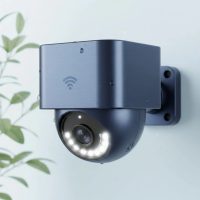
In today’s world, protecting your home or business isn’t just a luxury; it’s a necessity. A robust security system provides invaluable peace of mind, and when it comes to reliable surveillance, the Lorex security camera system consistently stands out. With a legacy built on delivering professional-grade features without the burden of mandatory monthly fees, Lorex offers a diverse range of solutions tailored for every need, from sprawling commercial properties to cozy family homes. Let’s dive deep into what makes Lorex a top choice for discerning users, ensuring you have all the knowledge to secure your world.
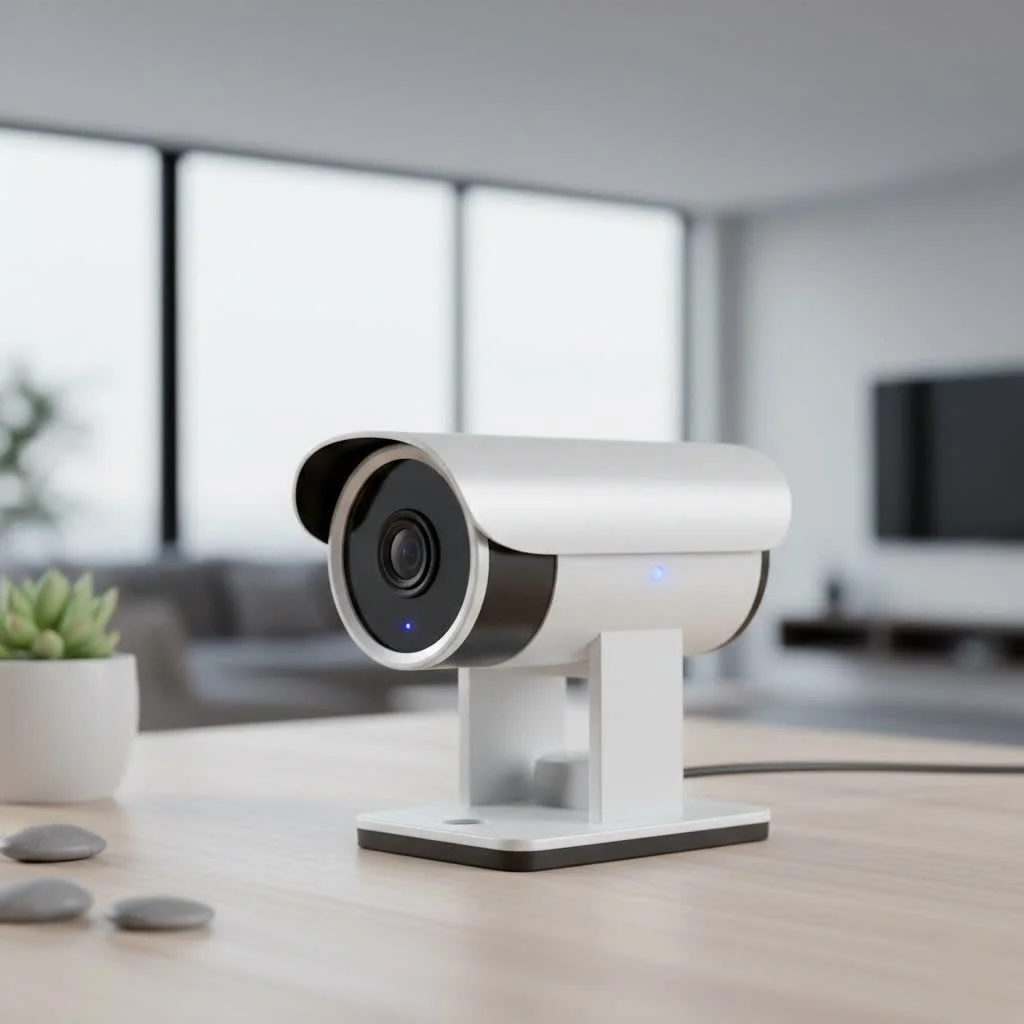
Why Choose a Lorex Security Camera System? The Core Advantages
Selecting a Lorex security camera system means investing in cutting-edge technology designed for clarity, intelligence, and self-sufficiency. Here’s a look at the standout benefits:
Unparalleled Video Clarity
When it comes to surveillance, detail matters. Lorex systems offer impressive video resolutions, ranging from crystal-clear 1080p to stunning 2K, and industry-leading 4K (Ultra HD). This superior resolution allows you to capture every critical detail, from distinguishing faces to reading license plates, even when zooming in on recorded footage. Imagine the difference high-definition clarity makes in identifying a suspect or confirming an event.
Superior Night Vision Capabilities
Security doesn’t sleep, and neither do Lorex cameras. Many systems boast exceptional night vision technology, including advanced Color Night Vision (CNV). Where ambient light is present, CNV can extend visibility up to 200 feet, rendering vivid, full-color footage even in low-light conditions. In complete darkness, powerful infrared (IR) night vision automatically takes over, providing clear black-and-white video up to 120 feet, ensuring round-the-clock monitoring without missing a beat.
Intelligent AI Detection
Gone are the days of constant false alarms from swaying trees or neighborhood animals. Modern Lorex security camera systems integrate advanced AI Video Analytics to intelligently differentiate between true threats and benign movements. Features like Person Detection, Vehicle Detection, and Package Detection focus alerts on what truly matters, sending you relevant notifications and minimizing unnecessary disturbances. This smart technology can also include facial recognition, intrusion detection, loitering detection, and even smart search functionalities to quickly pinpoint specific events in recorded footage.
Subscription-Free Local Storage
One of Lorex’s most compelling advantages is its commitment to local storage. Unlike many competitors that rely heavily on cloud subscriptions with recurring monthly fees, Lorex systems primarily utilize Digital Video Recorders (DVRs) or Network Video Recorders (NVRs) equipped with large-capacity hard drives. This means your video footage is stored securely on your property, giving you complete control over your data, enhancing privacy, and eliminating ongoing costs associated with cloud storage.
Robust & Reliable Connectivity
|
Our Picks for the Best Security Camera in 2026
As an Amazon Associate I earn from qualifying purchases.
|
||
| Num | Product | Action |
|---|---|---|
| 1 | WYZE Cam Pan v3 Indoor/Outdoor IP65-Rated 1080p Pan/Tilt/Zoom Wi-Fi Smart Home Security Camera with Color Night Vision, 2-Way Audio, Compatible with Alexa & Google Assistant, White, 2-Pack |

|
| 2 | Kasa Smart Indoor Pan-Tilt Home Security Camera, 1080p HD Dog Camera w/Night Vision, Motion Detection for Baby & Pet Monitor, Cloud & SD Card Storage, Works w/ Alexa & Google Home, 2.4G WiFi (EC71) |
|
| 3 | TP-Link Tapo 1080P Indoor Security Camera for Baby Monitor, Dog Camera w/Motion Detection, 2-Way Audio Siren, Night Vision, Cloud & SD Card Storage, Works w/Alexa & Google Home (Tapo C100) |
|
| 4 | Security Cameras Wireless Outdoor,2K Indoor WiFi Wireless Cameras,Outside Battery Powered Camera for Home Security,AI Motion Detection,Color Night Vision,Spotlight,Siren Alarm,SD/Cloud Storage,2 Pack |
|
| 5 | Tapo 2K Pan/Tilt Security Camera for Baby Monitor, Dog Camera w/Motion Detection, 2-Way Audio Siren, Night Vision, Cloud&SD Card Storage, Works w/Alexa & Google Assistant, 2-Pack (Tapo C210P2) |
|
| 6 | Security Cameras Wireless Outdoor-Solar&Battery Powered 2K 2.4G Cameras for Home Security, Instant Alert, AI Human Detection, Color Night Vision, 2-Way Talk, SD Storage, Work with Alexa, Z1 4P |
|
| 7 | WYZE Cam v4 (Latest Model), 2.5K AI Security Camera, Indoor/Outdoor Cameras for Home Security, Baby Monitor & Pet Camera, Vibrant Color Night Vision, No Subscription Required, Free Expert Help |
|
| 8 | Tapo TP-Link 2K Pan/Tilt Indoor Security Camera for Baby Monitor, Pet Camera, Motion Detection & Tracking, 2-Way Audio, Cloud & SD Card Storage, Works w/Alexa & Google Home, Black, C211(2-Pack) |
|
| 9 | WYZE Bulb Cam Security Camera, 2K HD Outdoor Light Bulb Camera, Color Night Vision, Dimmable LED Bulb, Motion Detection, Siren Alarm, Works w/Alexa/Google Assistant. Free Expert Support |
|
| 10 | REOLINK 4K PoE Security Camera System Wired, 8pcs 8MP PoE Cameras, Smart Person/Vehicle Detection, 16CH NVR with 4TB HDD, H.265, 24/7 Recording, High Bitrate & Clear Stream, RLK16-800D8 |
|
Whether you prefer the rock-solid dependability of wired connections or the flexibility of wireless, Lorex has you covered. Wired IP camera systems often leverage Power-over-Ethernet (PoE) technology, simplifying installation by delivering both power and data through a single Ethernet cable. Analog systems use coaxial cables for a reliable, continuous feed. For areas where running cables isn’t feasible, Lorex offers a variety of wire-free and Wi-Fi cameras, providing adaptable solutions without compromising performance.
Diving Deeper: Types of Lorex Security Camera Systems
Lorex offers several core system architectures, each designed to meet different surveillance needs and technical preferences.
DVR Systems (Analog)
Digital Video Recorder (DVR) systems are the traditional workhorse of home security. They are designed to work with analog cameras, which transmit raw analog video data via coaxial cables to the DVR unit. The DVR then performs all the heavy lifting – processing, encoding, and storing the video onto its internal hard drive.
“For straightforward, cost-effective surveillance on a budget, a Lorex DVR system offers exceptional value, converting classic analog feeds into modern, accessible digital recordings,” notes Dr. Alex Chen, a seasoned security systems architect with 15 years in the field.
These systems are ideal for upgrading existing analog setups or for users who prefer a robust, tried-and-true wired solution, though they often require more extensive cabling (separate power and data lines, or Siamese coaxial cables that combine both).
NVR Systems (IP)
Network Video Recorder (NVR) systems represent a more advanced, flexible solution, pairing with Internet Protocol (IP) digital cameras. Unlike DVRs, NVRs don’t process raw video; instead, each IP camera independently processes and encodes its video footage before sending the digital data over an Ethernet network to the NVR for storage. Many Lorex NVR systems support Power-over-Ethernet (PoE), meaning cameras draw power directly from the NVR via the Ethernet cable, simplifying installation. NVRs typically offer higher resolutions, more advanced AI features, and greater flexibility in camera placement, as they only need a network connection.
Wire-Free and Wi-Fi Solutions
For ultimate flexibility and ease of installation, Lorex provides a range of wire-free and Wi-Fi camera systems. These cameras connect wirelessly to your home network or a dedicated Lorex Smart Home Hub, making setup incredibly straightforward – often just a matter of plugging them in and pairing them with the Lorex Home app. Many wire-free cameras are battery-powered (with options for solar charging), while Wi-Fi cameras can be plug-in. While some offer cloud storage options, many still integrate with a hub for local recording, maintaining the no-monthly-fee advantage.
Essential Features to Look for in Your Lorex System
When choosing your ideal Lorex security camera system, consider these crucial features to ensure it perfectly aligns with your security goals:
- Resolution and Field of View: Prioritize 4K Ultra HD cameras for maximum detail, especially if you need to zoom in. A wide field of view (e.g., 140° or 180° dual-lens cameras) ensures broad coverage with fewer cameras.
- Advanced Detection & Deterrence: Look for AI-powered Person, Vehicle, and Package Detection to minimize false alarms. Features like built-in spotlights, loud sirens, and two-way talk capabilities can actively deter intruders and allow for direct communication.
- Storage Solutions: Confirm the system offers ample local storage via an NVR or DVR hard drive. If you opt for Wi-Fi cameras, check if they support local microSD card storage and understand any optional cloud plans.
- Lorex Home App Integration: Ensure seamless integration with the Lorex Home app for remote viewing, instant push notifications, accessing recorded footage, and managing multiple camera streams from your smartphone or tablet.
- Weatherproof Design: For outdoor cameras, ensure they carry an appropriate IP rating (e.g., IP65 or IP66) to withstand various weather conditions.
Setting Up Your Lorex Security Camera System: A Step-by-Step Approach
Installing a Lorex security camera system is a manageable project with the right preparation. While the process varies slightly between wired and wireless setups, here’s a general guide:
Pre-Installation Checklist
- Plan Camera Placement: Identify critical areas for surveillance, considering angles, height (8-16 ft for optimal AI detection), and potential blind spots. Ensure cameras are within range of power sources or network connections.
- Gather Tools: You’ll typically need a drill, screwdriver, ladder, measuring tape, and safety gear.
- Unbox and Inventory: Check that all components listed in your system’s manual are present.
Wired System Installation (DVR/NVR)
- Position the Recorder: Place your DVR or NVR in a secure, central location, preferably near your router and power outlet.
- Run Cables: This is often the most time-consuming step. Carefully run the appropriate cables (coaxial for DVR, Ethernet for NVR) from your camera locations back to the recorder. Plan routes to conceal cables and protect them from damage.
- Mount Cameras: Securely mount each camera using the provided hardware, ensuring a stable view.
- Connect Cameras: Connect the cables from each camera to the corresponding ports on your DVR or NVR. Ensure power connections are also made.
- Connect to Monitor & Power Up: Connect the DVR/NVR to a monitor (via HDMI) and plug in the power. Follow the on-screen prompts for initial setup.
Wireless System Setup
- Charge Batteries (if applicable): For wire-free cameras, fully charge batteries before installation.
- Download Lorex Home App: Install the Lorex Home app on your smartphone or tablet and create an account.
- Set Up Hub (if applicable): If your system includes a Lorex Home Hub, plug it in and follow the in-app instructions to connect it to your Wi-Fi network.
- Pair Cameras: Follow the app’s guided process to pair each wire-free or Wi-Fi camera with your hub or directly to your Wi-Fi network. This often involves scanning a QR code on the camera.
- Mount Cameras: Once paired and configured in the app, mount your cameras in their planned locations.
Optimizing Camera Placement for AI Detection
For optimal performance of advanced AI features like Person and Vehicle Detection, adhere to these guidelines:
- Height: Install cameras between 8-16 feet (2.5-5 meters) off the ground.
- Angle: Angle the camera between 30-60° downwards from a level position, ensuring objects of interest appear in the bottom two-thirds of the camera’s view.
- Distance: Position objects of interest no further than 50 feet (~15 meters) from the camera for best detection accuracy.
Maintaining Your Lorex System & Troubleshooting Common Issues
Regular maintenance ensures your Lorex security camera system operates flawlessly.
Regular Maintenance Tips
- Clean Lenses: Periodically clean camera lenses with a soft cloth to ensure clear image quality, especially for outdoor cameras exposed to dirt and grime.
- Firmware Updates: Check for and install firmware updates for your NVR/DVR and cameras. These updates often include performance improvements, new features, and crucial security patches.
- Check Cable Connections: For wired systems, occasionally inspect cables for wear, damage, or loose connections.
- Review Recordings: Regularly review your system’s recordings to ensure proper functionality and familiarize yourself with its operation.
Common Troubleshooting
- Connectivity Issues: If cameras go offline, check power connections, Wi-Fi signal strength (for wireless), or Ethernet cables (for wired). Restarting the camera and/or recorder often resolves minor glitches.
- False Alarms: If you’re getting too many alerts, adjust motion detection sensitivity settings or refine AI detection zones within the Lorex Home app. Ensure cameras are optimally placed.
- Recording Problems: Verify hard drive health (for DVR/NVR systems), ensure storage isn’t full (and old footage is being overwritten as intended), and check recording schedules.
- App Access Issues: If you can’t access your system via the Lorex Home app, ensure your phone has an internet connection, the app is updated, and your login credentials are correct.
Expert Insights on Lorex Security
“Lorex has truly revolutionized accessible professional security,” says Dr. Alex Chen. “Their focus on local storage and advanced AI detection, from person and vehicle recognition to intelligent smart search, empowers users with robust surveillance capabilities typically found in much more expensive, subscription-heavy systems. It’s a game-changer for homeowners and small businesses seeking high-performance protection without compromise.”
Frequently Asked Questions (FAQ)
Can Lorex cameras work without internet?
Yes, most wired Lorex DVR and NVR systems can record footage locally to their hard drive without an internet connection. However, an internet connection is required for remote viewing via the Lorex Home app, receiving notifications, and firmware updates.
Are Lorex cameras compatible with smart home devices?
Many newer Lorex security camera systems and Wi-Fi cameras are compatible with popular smart home platforms like Amazon Alexa and Google Assistant, allowing for voice control and live streaming to smart displays.
Do Lorex systems have monthly fees?
Lorex systems primarily utilize local storage (DVRs/NVRs), which means there are no mandatory monthly subscription fees for recording and accessing your footage. Some Wi-Fi cameras may offer optional cloud storage plans for an additional cost, but local storage is usually available.
What’s the best resolution for a Lorex system?
For the highest level of detail and clarity, especially for identifying faces or license plates, a 4K (Ultra HD) Lorex security camera system is generally recommended as the best option.
How far can Lorex night vision see?
Lorex cameras can offer Color Night Vision (with ambient light) up to 200 feet and infrared (IR) night vision (in complete darkness) up to 120 feet, depending on the specific camera model.
Can Lorex systems be professionally monitored?
Lorex systems are primarily designed for self-monitoring. While they provide robust recording and notification features, Lorex does not offer its own professional monitoring services. Users are responsible for monitoring alerts and contacting emergency services if needed.
How do I reset my Lorex camera password?
You can typically reset your Lorex system password through the Lorex Home app or directly on the DVR/NVR unit itself, often requiring access to the system’s physical controls or a connected monitor. Specific steps can be found in your system’s manual or Lorex’s support resources.
Conclusion
A Lorex security camera system offers a powerful blend of advanced technology, high-definition clarity, and user-friendly features, all centered around the significant advantage of subscription-free local storage. From intelligent AI detection that minimizes false alarms to superior night vision and robust connectivity options, Lorex empowers you to create a tailored surveillance solution for ultimate peace of mind. By understanding the different system types, essential features, and straightforward setup processes, you’re now equipped to choose, install, and maintain a Lorex system that effectively protects what matters most. Invest in a Lorex security camera system today and take control of your security with confidence.
Get our weekly buyer guide
Practical specs, not advice. Unsubscribe anytime.