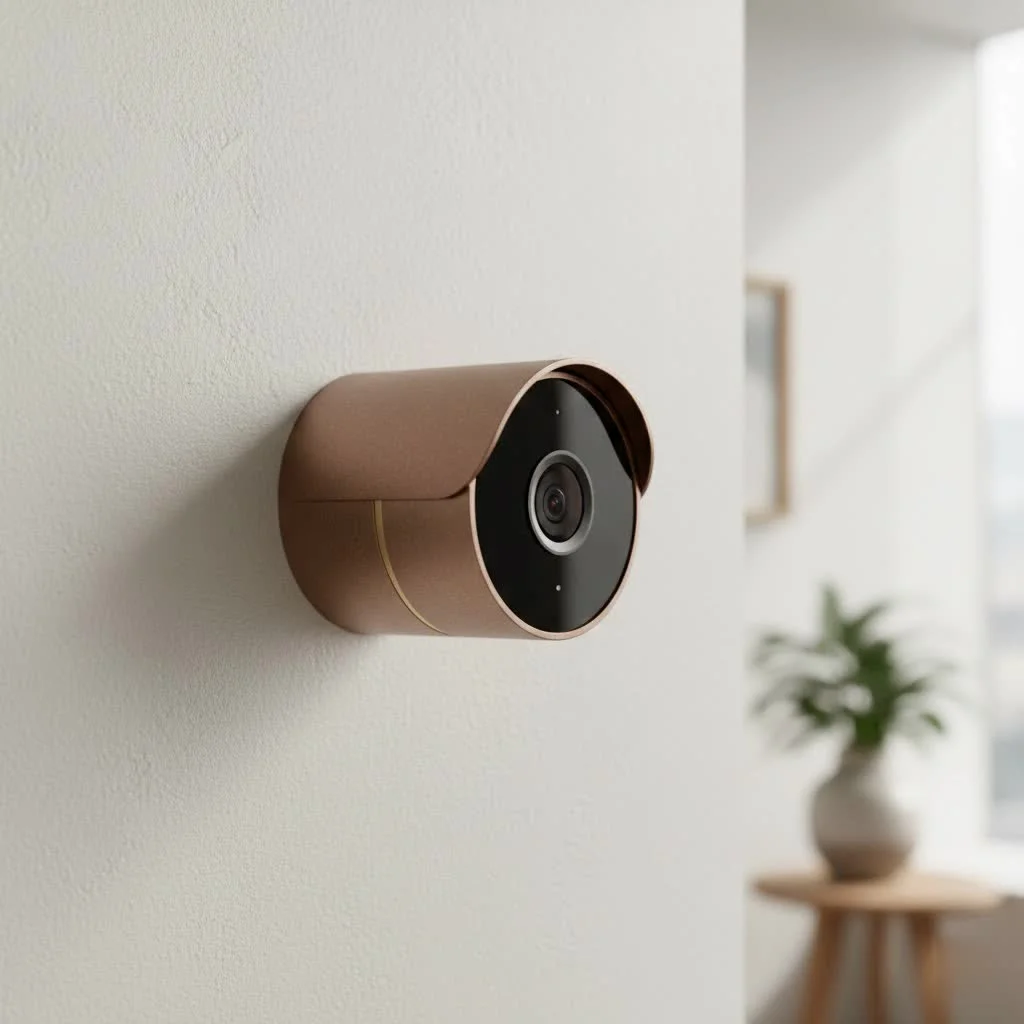
Choosing the right eufy outdoor security camera is crucial for home safety, and Eufy stands out for its user-friendly technology, robust features, and commitment to user privacy and budget. With over 15 years of security industry experience, I recommend Eufy for its “no monthly fee” model and local storage capabilities, ensuring peace of mind without hidden costs. This guide covers everything needed to select, install, and maintain the ideal Eufy camera for your property.
Why Choose a Eufy Outdoor Security Camera?
In a market saturated with options, Eufy carves out a unique space by focusing on what matters most to homeowners: simplicity, security, and affordability. Unlike many competitors that lock you into costly monthly subscriptions to access essential features, Eufy champions a “no monthly fee” model.
The core of this advantage lies in local storage. Most Eufy systems come with a HomeBase unit that stores your video recordings securely inside your home, not on a remote server. This means you control your data, and you don’t have to pay to access it.
Here are the primary reasons homeowners are turning to Eufy:
- No Mandatory Monthly Fees: Your initial purchase covers video recording and storage. Cloud storage is available but entirely optional.
- Local Storage: Video clips are stored on the included HomeBase or on the camera itself, keeping your private moments private.
- Advanced AI Detection: Eufy’s AI can differentiate between humans, pets, and vehicles, significantly reducing false alarms from swaying trees or passing shadows.
- Impressive Battery Life: Many popular models boast battery life ranging from several months to a full year on a single charge, offering true wire-free flexibility.
- High-Quality Video: With resolutions from crystal-clear 2K to stunning 4K, you’ll capture sharp details day and night.
Top Eufy Outdoor Camera Models to Consider
Eufy offers a range of cameras to suit different needs and budgets. While their lineup is constantly evolving, these models represent the best of what Eufy has to offer in terms of technology and value.
For Maximum Clarity and Solar Power: EufyCam S330 (eufyCam 3)
The EufyCam S330 is a powerhouse. It delivers stunning 4K resolution, ensuring you capture every detail with incredible clarity. Its standout feature is the integrated solar panel, which, with just a few hours of daily sunlight, can perpetually power the camera. This means you may never have to take it down to charge it. Paired with the HomeBase 3, it leverages BionicMind™ AI for self-learning facial recognition, further refining your security alerts.
For All-Around Coverage: Eufy SoloCam S340
|
Our Picks for the Best Security Camera in 2026
As an Amazon Associate I earn from qualifying purchases.
|
||
| Num | Product | Action |
|---|---|---|
| 1 | REOLINK 4K PoE Security Camera System Wired, 8pcs 8MP PoE Cameras, Smart Person/Vehicle Detection, 16CH NVR with 4TB HDD, H.265, 24/7 Recording, High Bitrate & Clear Stream, RLK16-800D8 |

|
| 2 | Kasa Smart Indoor Pan-Tilt Home Security Camera, 1080p HD Dog Camera w/Night Vision, Motion Detection for Baby & Pet Monitor, Cloud & SD Card Storage, Works w/ Alexa & Google Home, 2.4G WiFi (EC71) |
|
| 3 | Tapo TP-Link 2K Pan/Tilt Indoor Security Camera for Baby Monitor, Pet Camera, Motion Detection & Tracking, 2-Way Audio, Cloud & SD Card Storage, Works w/Alexa & Google Home, Black, C211(2-Pack) |
|
| 4 | TP-Link Tapo 1080P Indoor Security Camera for Baby Monitor, Dog Camera w/Motion Detection, 2-Way Audio Siren, Night Vision, Cloud & SD Card Storage, Works w/Alexa & Google Home (Tapo C100) |
|
| 5 | Tapo 2K Pan/Tilt Security Camera for Baby Monitor, Dog Camera w/Motion Detection, 2-Way Audio Siren, Night Vision, Cloud&SD Card Storage, Works w/Alexa & Google Assistant, 2-Pack (Tapo C210P2) |
|
| 6 | WYZE Bulb Cam Security Camera, 2K HD Outdoor Light Bulb Camera, Color Night Vision, Dimmable LED Bulb, Motion Detection, Siren Alarm, Works w/Alexa/Google Assistant. Free Expert Support |
|
| 7 | WYZE Cam Pan v3 Indoor/Outdoor IP65-Rated 1080p Pan/Tilt/Zoom Wi-Fi Smart Home Security Camera with Color Night Vision, 2-Way Audio, Compatible with Alexa & Google Assistant, White, 2-Pack |
|
| 8 | Security Cameras Wireless Outdoor,2K Indoor WiFi Wireless Cameras,Outside Battery Powered Camera for Home Security,AI Motion Detection,Color Night Vision,Spotlight,Siren Alarm,SD/Cloud Storage,2 Pack |
|
| 9 | WYZE Cam v4 (Latest Model), 2.5K AI Security Camera, Indoor/Outdoor Cameras for Home Security, Baby Monitor & Pet Camera, Vibrant Color Night Vision, No Subscription Required, Free Expert Help |
|
| 10 | Security Cameras Wireless Outdoor-Solar&Battery Powered 2K 2.4G Cameras for Home Security, Instant Alert, AI Human Detection, Color Night Vision, 2-Way Talk, SD Storage, Work with Alexa, Z1 4P |
|
If you need to monitor a wide area like a backyard or driveway, the SoloCam S340 is an exceptional choice. This camera combines two lenses—a wide-angle for general surveillance and a telephoto for zooming in on details—and offers 360-degree pan-and-tilt functionality. You can control its movement directly from the app to eliminate blind spots. Like the S330, it features an integrated solar panel for continuous power, making it a versatile, set-and-forget solution.
For Balanced Performance and Value: EufyCam S220 (eufyCam 2C Pro)
The EufyCam S220 strikes an excellent balance between performance and price. It offers a sharp 2K resolution, which is a significant step up from 1080p and more than enough for most homeowners. With a 180-day battery life, color night vision, and a built-in spotlight, it provides reliable security without the premium price tag of the 4K models. It’s a workhorse camera that’s perfect for covering main entry points.
Key Features to Look For in a Eufy Camera
Understanding the core features will help you decide which model is right for you. Don’t just look at the price; consider how these specifications match your security goals.
Video Resolution (2K vs. 4K)
While 1080p is the old standard, 2K is the new sweet spot for clarity and value. It allows you to zoom in on faces or license plates with much more detail. 4K offers the ultimate in sharpness but requires more storage space and a stronger Wi-Fi signal. For most residential properties, 2K resolution is more than sufficient.
Power Source (Battery vs. Solar)
The beauty of a eufy outdoor security camera is its wire-free convenience. Standard battery-powered models can last up to a year, but models with integrated solar panels, like the S330 and S340, offer true autonomy. If the camera will be placed in a hard-to-reach area, choosing a solar option is a wise long-term investment.
As a seasoned installer, I always advise clients to consider solar options for high-up or difficult-to-access placements. As security expert Johnathan Carter from Ydmrw.com notes, “The ‘install-and-forget’ convenience of a solar-powered camera not only saves you the hassle of climbing a ladder every six months but also ensures continuous surveillance without downtime for charging.”
AI Human, Pet, and Vehicle Detection
This is a major upgrade. Basic motion detection triggers alerts for any movement, leading to notification fatigue. Eufy’s advanced AI distinguishes important events from background noise. You can customize alerts to only be notified when a person approaches your door, not when a cat runs across the lawn. This makes your security system smarter and more effective.
Night Vision (Color vs. Infrared)
Standard infrared (IR) night vision produces black-and-white video, which is clear but lacks detail. Many newer Eufy models feature a built-in spotlight that enables color night vision. This provides crucial details like the color of a person’s clothing or a vehicle, which can be invaluable in an investigation.
How to Install Your Eufy Outdoor Security Camera
Eufy designs its products for easy DIY installation. You don’t need to be a professional to get your system up and running in under an hour.
- Charge the Camera: Before you do anything else, fully charge the camera’s battery using the included USB cable. This can take a few hours.
- Set Up the HomeBase: If your system includes a HomeBase, connect it to your router with an Ethernet cable and power it on.
- Sync the Camera: Open the Eufy Security app and follow the on-screen instructions to add your camera. This usually involves pressing a sync button on the camera until it beeps. The app will then guide you through connecting it to your Wi-Fi network.
- Find the Right Spot: Use the app’s live view to test the camera’s mounting position. You’re looking for a spot that is 7-10 feet (2-3 meters) high, angled slightly down, and has a good Wi-Fi signal. Avoid pointing it directly at the sun.
- Mount the Camera: Screw the included mount into the wall. If mounting on brick or stucco, use the provided wall anchors. Then, attach the camera to the mount and adjust the angle.
Frequently Asked Questions (FAQ)
Do Eufy cameras require a subscription?
No, one of the biggest advantages of Eufy is that there are no mandatory monthly fees. All core features, including video recording and smart alerts, work out of the box using the included local storage.
How long does the battery last on a Eufy camera?
Battery life varies by model and usage. Models like the EufyCam 2C Pro can last up to 180 days, while others boast a full 365 days on a single charge. Models with integrated solar panels can run indefinitely with sufficient sunlight.
Can Eufy cameras work without Wi-Fi?
Eufy cameras require a Wi-Fi connection to send notifications, stream live video to your phone, and communicate with the HomeBase. They cannot function as a standalone security system without an active internet connection.
Are Eufy cameras waterproof?
Yes, Eufy outdoor cameras are designed to be weather-resistant, typically with an IP67 rating. This means they are protected from rain, snow, dust, and a wide range of temperatures.
How far can a Eufy camera see?
The effective range depends on the model. Most Eufy cameras can detect motion up to 25-30 feet away. The viewing distance for clear identification is also within this range, though you may be able to see general shapes and movements much farther away, especially with 4K models.
Final Thoughts on Your Home Security
Investing in a eufy outdoor security camera is a smart, modern approach to protecting your home. By sidestepping mandatory subscriptions and prioritizing user-friendly features, Eufy has built a system that puts you in control. Whether you choose the top-of-the-line 4K solar model or a budget-friendly 2K option, you’re getting a reliable and intelligent security solution. Take the time to assess your property’s needs, choose the features that matter most to you, and enjoy the peace of mind that comes with knowing your home is protected.
Frequently Asked Questions
Do Eufy outdoor security cameras require a monthly subscription fee?
No, Eufy outdoor security cameras do not require mandatory monthly fees. All core features, including video recording and smart alerts, function out of the box using the included local storage, which is a significant advantage over many competitors.
What is the typical battery life for a Eufy outdoor camera?
Battery life for Eufy cameras varies by model and usage. For example, the EufyCam 2C Pro can last up to 180 days, while other models offer a full 365 days on a single charge. Models with integrated solar panels, like the S330 and S340, can run indefinitely with sufficient daily sunlight.
Can Eufy outdoor security cameras operate without a Wi-Fi connection?
Eufy cameras require a Wi-Fi connection to send notifications, stream live video to your phone, and communicate with the HomeBase. They cannot function as a standalone security system or provide remote access without an active internet connection.
Are Eufy outdoor security cameras designed to be waterproof?
Yes, Eufy outdoor cameras are designed to be weather-resistant, typically holding an IP67 rating. This rating ensures they are protected from rain, snow, dust, and can withstand a wide range of outdoor temperatures.
How far can a Eufy outdoor security camera effectively detect motion?
Most Eufy outdoor cameras can effectively detect motion up to 25-30 feet away. The viewing distance for clear identification, such as faces or license plates, is also generally within this range, though general shapes and movements can be seen farther, especially with 4K models.
Install Your Eufy Outdoor Security Camera
Eufy cameras are designed for easy DIY installation, allowing you to set up your system in under an hour without professional help.
Before starting, fully charge the camera's battery using the included USB cable. This initial charge can take several hours to complete.
If your Eufy system includes a HomeBase, connect it to your router using an Ethernet cable and then power it on. Ensure it has a stable connection before proceeding.
Open the Eufy Security app and follow the on-screen instructions to add your new camera. This typically involves pressing a sync button on the camera until it beeps, then connecting it to your Wi-Fi network through the app.
Use the app's live view feature to test potential mounting positions. Aim for a spot 7-10 feet (2-3 meters) high, angled slightly downwards, with a strong Wi-Fi signal. Avoid direct sunlight exposure.
Screw the included mount into the chosen wall location, using provided wall anchors if mounting on brick or stucco. Attach the camera to the mount and adjust its angle for optimal coverage.
Get our weekly buyer guide
Practical specs, not advice. Unsubscribe anytime.

After reading about Eufy’s commitment to user privacy, I decided to give their outdoor camera a try. It’s been fantastic for monitoring my backyard, and the video quality is excellent, even at night. My only minor complaint is that the app can sometimes be a little slow to load the live feed, but it’s not a deal-breaker. Overall, a solid choice for home security.
I’ve been looking for a reliable outdoor camera system and Eufy really delivered. The ‘no monthly fee’ model was a huge selling point for me, as I was tired of subscription costs adding up. Installation was surprisingly straightforward, and the local storage gives me great peace of mind knowing my footage is secure without extra charges. Highly recommend for anyone wanting to avoid those hidden costs.
I got a Eufy outdoor camera specifically for its user-friendly technology, and while it’s mostly good, I had a bit of a struggle with the initial setup connecting to my Wi-Fi. It took a few tries to get it to link up properly, which was a little frustrating. Once it was working, though, the features are robust and the motion detection is very accurate. Just wish the setup was a bit smoother.
The local storage capability of Eufy cameras is a game-changer. I love not having to worry about my footage being in the cloud or paying monthly fees. The camera itself feels very durable and has stood up well to some pretty rough weather. It’s definitely a top contender if you’re prioritizing affordability and robust features without ongoing subscriptions.