Stepping into the world of home security can feel like navigating a maze, especially with so many options promising peace of mind. But if you’ve heard whispers about the Arlo security camera system, you’re on the right track. Arlo has carved out a strong reputation for offering innovative, often wire-free, surveillance solutions that bring advanced technology right to your doorstep. This article will cut through the technical jargon, offering you a clear, expert-backed guide to understanding, choosing, installing, and maintaining your Arlo system. Our goal at Ydmrw is to empower you to confidently protect what matters most, transforming complex security setups into a straightforward, DIY-friendly experience.
What Makes the Arlo Security Camera System Stand Out?
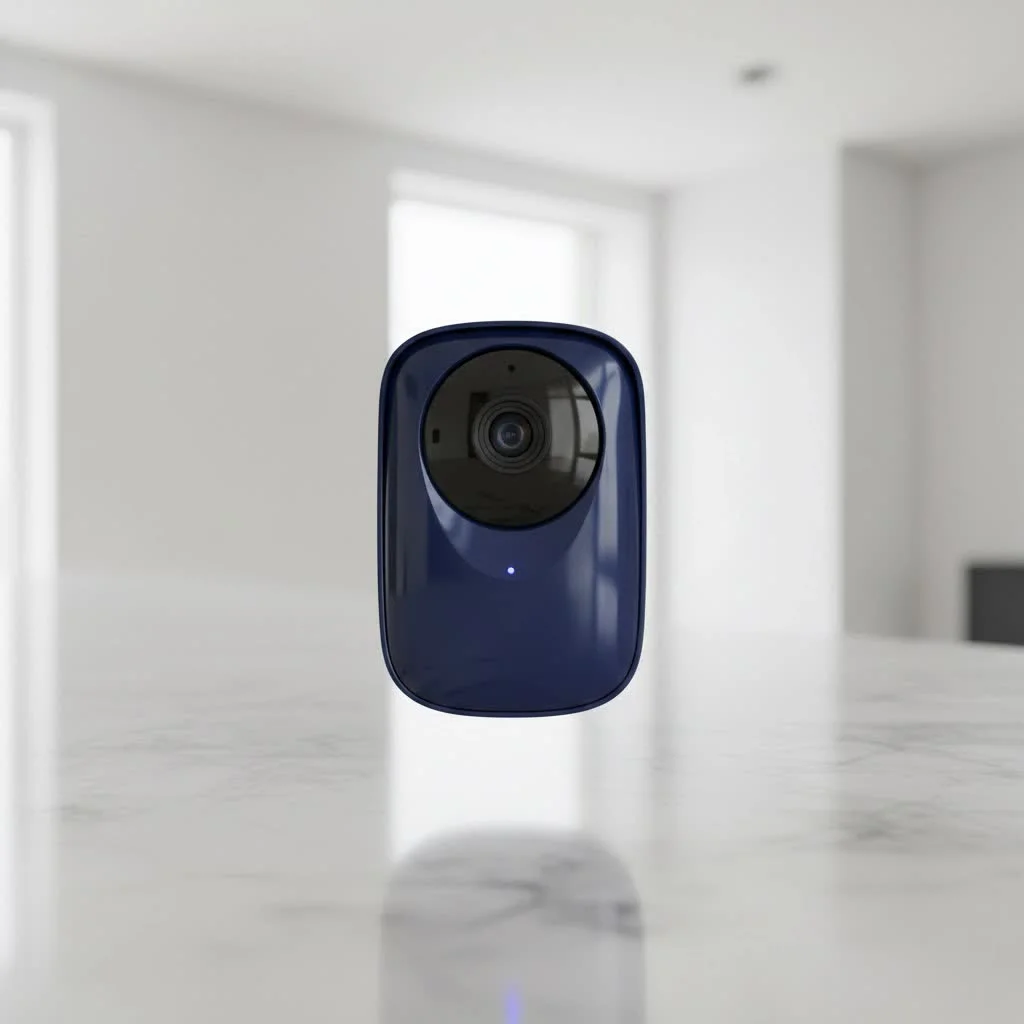
Arlo isn’t just another camera brand; it’s a comprehensive ecosystem designed for modern home security. Their philosophy centers on versatility, smart features, and user-friendly design, ensuring you have eyes on your property without the hassle of extensive wiring.
Types of Arlo Security Cameras: Finding Your Perfect Match
Arlo offers a diverse range of cameras, each tailored to different needs and budgets. Understanding the distinctions will help you pick the ideal components for your Arlo security camera system.
- Arlo Essential: These are your go-to entry-level cameras. They typically offer 1080p or 2K HD resolution, complete with basic smart features like integrated spotlights for color night vision and two-way audio. They’re a great starting point for those new to smart home security.
- Arlo Pro: Moving up, the Pro series provides enhanced features, usually boasting 2K HDR video quality and wider fields of view. Older Pro models might require an Arlo SmartHub or Base Station, while newer generations often connect directly to Wi-Fi, offering more flexibility.
- Arlo Ultra: The Ultra line represents Arlo’s premium offerings, delivering stunning 4K HDR video quality and an expansive 180-degree field of view for maximum coverage. These cameras almost always require an Arlo SmartHub for full functionality, but the visual clarity is unmatched.
- Arlo Go: Unique for its cellular connectivity, the Arlo Go camera is perfect for locations without Wi-Fi access, like remote cabins, construction sites, or monitoring large, distant properties. It’s a truly wire-free solution, operating on 4G/5G networks.
- Arlo Indoor & Video Doorbells: Beyond outdoor surveillance, Arlo also provides indoor cameras, some with a physical privacy shield for peace of mind, and smart video doorbells that integrate seamlessly into your existing Arlo security camera system, allowing you to see and speak to visitors.
Key Features That Elevate Your Protection
|
Our Picks for the Best Security Camera in 2026
As an Amazon Associate I earn from qualifying purchases.
|
||
| Num | Product | Action |
|---|---|---|
| 1 | TP-Link Tapo 1080P Indoor Security Camera for Baby Monitor, Dog Camera w/Motion Detection, 2-Way Audio Siren, Night Vision, Cloud & SD Card Storage, Works w/Alexa & Google Home (Tapo C100) |

|
| 2 | Security Cameras Wireless Outdoor-Solar&Battery Powered 2K 2.4G Cameras for Home Security, Instant Alert, AI Human Detection, Color Night Vision, 2-Way Talk, SD Storage, Work with Alexa, Z1 4P |
|
| 3 | WYZE Cam v4 (Latest Model), 2.5K AI Security Camera, Indoor/Outdoor Cameras for Home Security, Baby Monitor & Pet Camera, Vibrant Color Night Vision, No Subscription Required, Free Expert Help |
|
| 4 | Tapo TP-Link 2K Pan/Tilt Indoor Security Camera for Baby Monitor, Pet Camera, Motion Detection & Tracking, 2-Way Audio, Cloud & SD Card Storage, Works w/Alexa & Google Home, Black, C211(2-Pack) |
|
| 5 | REOLINK 4K PoE Security Camera System Wired, 8pcs 8MP PoE Cameras, Smart Person/Vehicle Detection, 16CH NVR with 4TB HDD, H.265, 24/7 Recording, High Bitrate & Clear Stream, RLK16-800D8 |
|
| 6 | Security Cameras Wireless Outdoor,2K Indoor WiFi Wireless Cameras,Outside Battery Powered Camera for Home Security,AI Motion Detection,Color Night Vision,Spotlight,Siren Alarm,SD/Cloud Storage,2 Pack |
|
| 7 | WYZE Cam Pan v3 Indoor/Outdoor IP65-Rated 1080p Pan/Tilt/Zoom Wi-Fi Smart Home Security Camera with Color Night Vision, 2-Way Audio, Compatible with Alexa & Google Assistant, White, 2-Pack |
|
| 8 | Tapo 2K Pan/Tilt Security Camera for Baby Monitor, Dog Camera w/Motion Detection, 2-Way Audio Siren, Night Vision, Cloud&SD Card Storage, Works w/Alexa & Google Assistant, 2-Pack (Tapo C210P2) |
|
| 9 | Kasa Smart Indoor Pan-Tilt Home Security Camera, 1080p HD Dog Camera w/Night Vision, Motion Detection for Baby & Pet Monitor, Cloud & SD Card Storage, Works w/ Alexa & Google Home, 2.4G WiFi (EC71) |
|
| 10 | WYZE Bulb Cam Security Camera, 2K HD Outdoor Light Bulb Camera, Color Night Vision, Dimmable LED Bulb, Motion Detection, Siren Alarm, Works w/Alexa/Google Assistant. Free Expert Support |
|
An Arlo security camera system comes packed with features designed to give you comprehensive coverage and intelligent alerts.
- High-Definition Video Quality: Arlo cameras capture crystal-clear footage, ranging from 1080p to breathtaking 4K HDR. This means you can zoom in on crucial details like faces or license plates with remarkable clarity.
- Night Vision Capabilities: Whether it’s pitch black or dimly lit, Arlo has you covered. Many models offer both traditional infrared (black and white) and vibrant color night vision, often enabled by a built-in spotlight that illuminates the scene.
- Two-Way Audio: Communicate directly through your camera. This feature is perfect for telling a delivery driver where to leave a package or deterring unwanted guests with a vocal warning.
- Advanced Motion Detection: This isn’t just basic motion sensing. Arlo’s AI-powered detection can differentiate between people, vehicles, animals, and even packages. Some systems can even listen for the sound of smoke or carbon monoxide alarms, sending instant alerts to your phone.
- Wire-Free & Weather-Resistant Design: A cornerstone of the Arlo experience is the freedom from wires. Many cameras are battery-powered and designed to withstand various weather conditions, making outdoor placement incredibly flexible.
- Long Battery Life: While it varies significantly based on usage and settings, Arlo cameras, especially the XL versions, are known for impressive battery longevity, some lasting several months or even over a year on a single charge. High-traffic areas will naturally require more frequent recharging.
- Smart Home Integration: Arlo plays well with others. Most Arlo security camera systems can integrate with popular smart home platforms like Amazon Alexa, Google Assistant, Apple HomeKit, and IFTTT, allowing for voice control and custom automation routines.
- Local Storage Options: While many advanced features rely on cloud storage, some Arlo models, particularly those using a SmartHub or Base Station, offer local storage capabilities via a USB drive or external hard drive (up to 2TB), providing an alternative for video backup.
The Arlo Secure Plan: Unlocking Full Potential (and Understanding the Cost)
To truly leverage the power of your Arlo security camera system, you’ll likely need an Arlo Secure Plan. This is a crucial aspect to understand as it significantly impacts functionality and ongoing costs.
What exactly does an Arlo Secure Plan provide? It unlocks premium features such as:
- Cloud Video Recording: Access to a rolling 30 or 60 days of video event history, allowing you to review recordings anytime, anywhere.
- Advanced AI Detection: The ability for your cameras to intelligently identify people, packages, vehicles, and animals, reducing false alerts and providing more specific notifications.
- Smart Activity Zones: Customize specific areas within your camera’s view to monitor for motion, ignoring irrelevant activity outside these zones.
- Interactive Notifications: Rich notifications that show a preview of what triggered the alert, often without needing to open the app immediately.
- 24/7 Emergency Response: For higher-tier plans, direct access to emergency services with a single tap.
It’s important to note that for new Arlo cameras purchased today, free cloud storage is generally no longer offered. While some legacy cameras might still have seven days of free storage if they were advertised with it, modern Arlo security camera systems rely on a paid subscription for cloud recording and advanced smart features. The cost typically varies, starting around a few dollars per month for a single camera and increasing for multiple cameras or more extensive cloud history and features. Continuous Video Recording (CVR) is often an additional add-on.
“The Arlo security camera system truly redefines home surveillance with its blend of wire-free convenience and intelligent AI features. However, understanding the commitment to their Secure Plan is key to unlocking its full potential and ensuring it aligns perfectly with your budget and security needs,” says Dr. Evelyn Reed, a lead security systems analyst at Ydmrw.com. This highlights the balance between Arlo’s impressive technology and the subscription necessary to get the most out of it.
Setting Up Your Arlo Security Camera System: A Step-by-Step Guide
One of Arlo’s biggest appeals is its user-friendly setup. Even if you’re not a tech wizard, you can have your system up and running in no time.
What You’ll Need Before You Begin
Before you unbox everything, gather these essentials to ensure a smooth installation for your Arlo security camera system:
- Arlo Secure App: Download the latest version from your smartphone’s app store (iOS or Android).
- Stable Wi-Fi Connection: A strong 2.4 GHz Wi-Fi network is typically required for initial setup, even if your camera supports dual-band. Ensure you have your network name and password handy.
- Charged Batteries: Most Arlo cameras are battery-powered, so make sure they’re fully charged before installation.
- Mounting Kits: Your Arlo cameras will come with the necessary mounts and hardware.
- SmartHub or Base Station: If your specific Arlo security camera system model requires one (like older Pro series or Ultra cameras), ensure it’s connected to your router via Ethernet and powered on.
Easy Installation Process
Follow these steps to get your Arlo security camera system online:
- Download and Account Setup: Start by downloading the Arlo Secure app. Open it up, then either create a new Arlo account or log in if you already have one. This is your command center for your entire system.
- Base Station/SmartHub Connection (if applicable): If your system includes a SmartHub or Base Station, connect it to your Wi-Fi router using an Ethernet cable and plug it into power. Wait for the indicator lights to show it’s ready (usually a solid green light). The app will guide you through adding it.
- Camera Pairing/Syncing: In the Arlo Secure app, tap “Add New Device” and select your specific camera model. The app will usually prompt you to scan a QR code with the camera itself, or to press a sync button on the camera and/or SmartHub. Follow the in-app instructions carefully – a rapidly blinking blue LED on the camera usually indicates a successful sync.
- Mounting Your Cameras: Once paired, it’s time to physically install your cameras. Choose strategic locations that offer a clear view of critical areas, ideally 7-10 feet off the ground and aimed slightly downwards for optimal motion detection. Arlo’s magnetic mounts make adjusting angles a breeze. Ensure the mount is securely fastened to the wall or surface using the provided screws and anchors.
- Final Adjustments: Use the live view feature in the Arlo Secure app to fine-tune each camera’s angle and field of view. Make sure you’re capturing everything you need and eliminating any blind spots.
Maximizing Performance: Configuration, Maintenance, and Troubleshooting
An Arlo security camera system is an investment in your peace of mind, and with a little ongoing care, it will serve you faithfully for years.
Customizing Your Arlo Experience
The Arlo Secure app is your ultimate tool for tailoring your system to your lifestyle.
- Motion Zones and Sensitivity: Set up specific “activity zones” to focus motion detection on critical areas like your driveway or front door, ignoring busy sidewalks or swaying trees that might cause false alarms. Adjust motion sensitivity to capture exactly what you need.
- Notification Preferences: Configure when and how you receive alerts. You can silence notifications during specific hours or for certain types of detected motion.
- Siren Activation: Decide whether the built-in siren should activate automatically upon detection or if you prefer to trigger it manually from the app.
- Recording Schedules: Create schedules for when your cameras are active or armed, perhaps disarming them when you’re home and arming them when you leave.
- Battery Management Tips: To extend battery life, consider reducing video recording length, lowering video resolution, or installing Arlo solar panels for continuous charging on outdoor cameras. In high-traffic areas, battery life will naturally be shorter due to increased activity and recordings.
Keeping Your System Running Smoothly
Regular maintenance is key to the longevity and effectiveness of your Arlo security camera system.
- Regular Firmware Updates: Arlo frequently releases firmware updates that improve performance, add new features, and patch security vulnerabilities. The app will typically prompt you to update, and it’s essential to do so promptly.
- Cleaning Cameras: Periodically wipe down the camera lenses and housing to remove dust, dirt, or spiderwebs that can obscure the view or trigger false motion alerts.
- Battery Charging Best Practices: For battery-powered cameras, ensure you’re charging them fully when indicated. Avoid letting them completely deplete if possible, as this can affect overall battery health over time.
Tackling Common Issues
Even the best technology can sometimes hit a snag. Here are quick answers to common Arlo troubleshooting questions:
- Why is my Arlo camera offline? If your Arlo camera goes offline, first check your Wi-Fi connection to ensure it’s stable and strong. Next, try power cycling both your camera and your SmartHub/Base Station (if you have one) by unplugging them for a minute and then plugging them back in. Finally, verify that your camera’s firmware is up to date through the Arlo Secure app.
- How can I improve Arlo motion detection? To enhance motion detection, ensure your camera is mounted at the recommended height (around 7-10 feet) and aimed slightly downwards. Adjust the motion sensitivity settings in the Arlo app, and consider setting up specific activity zones to focus detection on high-priority areas, filtering out irrelevant background movement.
- My Arlo battery is draining too fast, what can I do? If your Arlo battery drains quickly, evaluate your camera’s placement; high-traffic areas lead to more recordings. Reduce recording length, lower video resolution, and decrease motion sensitivity in the app. Using a solar panel accessory for outdoor cameras can also provide continuous power.
- Does Arlo offer continuous recording? Yes, Arlo does offer continuous video recording (CVR), also known as 24/7 recording. However, this feature typically requires a separate, additional subscription on top of your standard Arlo Secure Plan and is only available on certain wired cameras or those connected to an Arlo SmartHub.
Is the Arlo Security Camera System Right for You? Pros and Cons
The Arlo security camera system offers a robust and intelligent way to protect your home, but it’s important to weigh its advantages and disadvantages.
Pros:
- Versatility: With a wide range of wire-free, wired, and cellular options, Arlo offers a camera for almost any scenario, both indoors and outdoors.
- Ease of Use: The app-guided setup and intuitive interface make installation and daily management straightforward, even for beginners.
- High-Quality Video: From 1080p to stunning 4K, Arlo cameras deliver clear, detailed footage, often with impressive color night vision.
- Smart AI Detection: The intelligent AI features significantly reduce false alarms and provide highly specific alerts, distinguishing between people, vehicles, and even packages.
- Robust Ecosystem: Seamless integration with various smart home platforms like Alexa and Google Assistant enhances your overall smart home experience.
Cons:
- Cost: Arlo cameras can have a higher upfront cost compared to some competitors, and the advanced features are largely dependent on ongoing paid subscriptions.
- Cloud Dependency: For full functionality, especially cloud video storage and AI features, a paid Arlo Secure Plan is often required, meaning recorded events aren’t fully accessible without it.
- Confusing Lineup: The multiple generations and varying features across the Essential, Pro, and Ultra lines can make choosing the right model a bit overwhelming for new users.
- Potential for Delayed Alerts: While generally responsive, some users occasionally report slight delays in motion detection alerts, especially in specific network conditions.
Taking Control of Your Home Security with Arlo
Choosing an Arlo security camera system means investing in a sophisticated, user-friendly solution designed to keep your property safe and give you invaluable peace of mind. From their versatile wire-free designs and crystal-clear video quality to intelligent AI detection and seamless smart home integration, Arlo cameras offer a compelling package for modern surveillance. While understanding the role of the Arlo Secure Plan and navigating the various models is key, the benefits of advanced protection and effortless monitoring are clear.
Ready to take the next step in securing your home? Explore the Arlo security camera system options that best fit your needs and experience the confidence that comes with knowing your property is under a watchful, intelligent eye.
Get our weekly buyer guide
Practical specs, not advice. Unsubscribe anytime.
