In an age where everything is going wireless, it might seem counterintuitive to advocate for running cables through your walls. But after more than 15 years of installing and maintaining security systems, I can tell you with certainty: when it comes to protecting what matters most, a Wired Security Camera System offers a level of reliability and peace of mind that wireless alternatives simply can’t match. If you’re serious about security, the stability of a physical connection is your strongest asset.
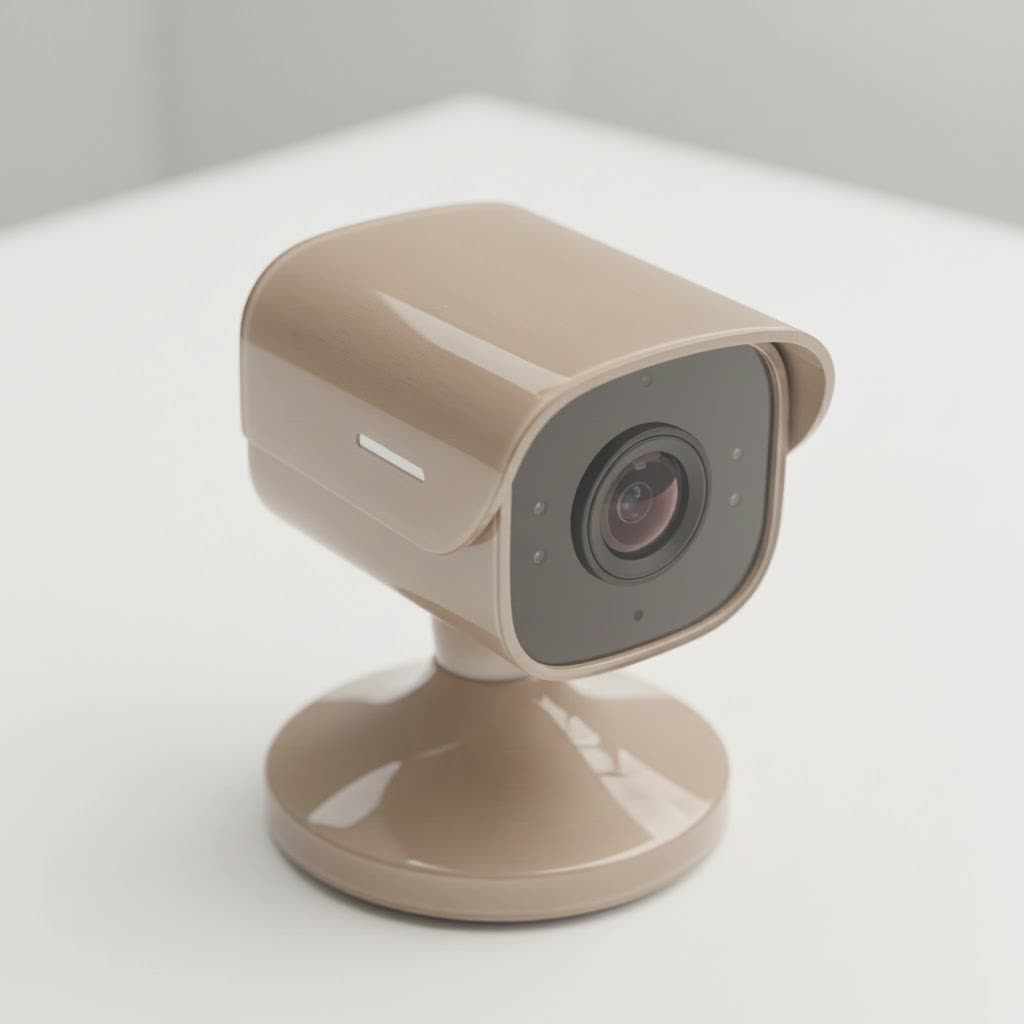
What Exactly Is a Wired Security Camera System?
Let’s break down the core components. A wired security camera system isn’t just a camera; it’s a complete, closed-circuit ecosystem. It typically consists of:
- Cameras: These are the eyes of your operation. They can be dome, bullet, or turret style, each suited for different locations.
- A Recorder (NVR or DVR): This is the brain. It’s a central box that receives video feeds from all your cameras and stores them on a hard drive.
- NVR (Network Video Recorder): Used with modern IP (Internet Protocol) cameras, connecting via Ethernet cables. This is the current standard.
- DVR (Digital Video Recorder): Used with older analog cameras, connecting via coaxial cables.
- Cables: These are the vital lifelines. For NVR systems, you’ll use Ethernet cables which, thanks to Power over Ethernet (PoE) technology, can carry both data and power in a single line.
- A Monitor: While you can view footage remotely on your phone, a dedicated monitor connected to the NVR/DVR is essential for initial setup and direct viewing.
Think of it as a private, high-speed highway for your security footage, completely separate from your potentially congested home Wi-Fi network.
The Unbeatable Advantages of Going Wired
While the installation might seem daunting, the long-term benefits of a wired security camera system are substantial.
Rock-Solid Reliability and a Stable Connection
|
Our Picks for the Best Security Camera in 2026
As an Amazon Associate I earn from qualifying purchases.
|
||
| Num | Product | Action |
|---|---|---|
| 1 | TP-Link Tapo 1080P Indoor Security Camera for Baby Monitor, Dog Camera w/Motion Detection, 2-Way Audio Siren, Night Vision, Cloud & SD Card Storage, Works w/Alexa & Google Home (Tapo C100) |

|
| 2 | Security Cameras Wireless Outdoor,2K Indoor WiFi Wireless Cameras,Outside Battery Powered Camera for Home Security,AI Motion Detection,Color Night Vision,Spotlight,Siren Alarm,SD/Cloud Storage,2 Pack |
|
| 3 | Tapo TP-Link 2K Pan/Tilt Indoor Security Camera for Baby Monitor, Pet Camera, Motion Detection & Tracking, 2-Way Audio, Cloud & SD Card Storage, Works w/Alexa & Google Home, Black, C211(2-Pack) |
|
| 4 | Security Cameras Wireless Outdoor-Solar&Battery Powered 2K 2.4G Cameras for Home Security, Instant Alert, AI Human Detection, Color Night Vision, 2-Way Talk, SD Storage, Work with Alexa, Z1 4P |
|
| 5 | REOLINK 4K PoE Security Camera System Wired, 8pcs 8MP PoE Cameras, Smart Person/Vehicle Detection, 16CH NVR with 4TB HDD, H.265, 24/7 Recording, High Bitrate & Clear Stream, RLK16-800D8 |
|
| 6 | WYZE Cam v4 (Latest Model), 2.5K AI Security Camera, Indoor/Outdoor Cameras for Home Security, Baby Monitor & Pet Camera, Vibrant Color Night Vision, No Subscription Required, Free Expert Help |
|
| 7 | WYZE Cam Pan v3 Indoor/Outdoor IP65-Rated 1080p Pan/Tilt/Zoom Wi-Fi Smart Home Security Camera with Color Night Vision, 2-Way Audio, Compatible with Alexa & Google Assistant, White, 2-Pack |
|
| 8 | WYZE Bulb Cam Security Camera, 2K HD Outdoor Light Bulb Camera, Color Night Vision, Dimmable LED Bulb, Motion Detection, Siren Alarm, Works w/Alexa/Google Assistant. Free Expert Support |
|
| 9 | Tapo 2K Pan/Tilt Security Camera for Baby Monitor, Dog Camera w/Motion Detection, 2-Way Audio Siren, Night Vision, Cloud&SD Card Storage, Works w/Alexa & Google Assistant, 2-Pack (Tapo C210P2) |
|
| 10 | Kasa Smart Indoor Pan-Tilt Home Security Camera, 1080p HD Dog Camera w/Night Vision, Motion Detection for Baby & Pet Monitor, Cloud & SD Card Storage, Works w/ Alexa & Google Home, 2.4G WiFi (EC71) |
|
The number one enemy of a wireless security camera is an unstable Wi-Fi signal. Dropouts, interference from your neighbor’s network, or even a microwave running at the wrong time can cause your camera to go offline, creating dangerous blind spots. A wired system is immune to these issues. The physical connection from the camera to the recorder ensures a consistent, uninterrupted video feed 24/7.
Superior Video Quality
Because a wired connection offers significantly more bandwidth than Wi-Fi, it can transmit uncompressed, high-resolution video streams without a hiccup. This means the 4K Ultra HD footage you see is true 4K, with crisp details and smooth motion. You won’t suffer from the lag, pixelation, or compression artifacts that often plague wireless cameras trying to send large video files over the air.
Enhanced Security from Hacking
Any device connected to your Wi-Fi is a potential entry point for hackers. Wireless cameras are notoriously vulnerable to being jammed or hacked. A wired security camera system, on the other hand, is a closed circuit. The only way to intercept the signal is to physically cut the cable, an act that is far more difficult and conspicuous than a remote digital attack.
As security architect John Carter often states, “A wireless signal is a conversation happening in a crowded room; anyone can try to listen in. A wired connection is a private, soundproof booth. For true security, you want the booth.”
Consistent and Uninterrupted Power
Most modern wired IP camera systems use Power over Ethernet (PoE). This game-changing technology means a single Ethernet cable provides both the network connection and the electrical power to the camera. You’ll never have to worry about climbing a ladder to change batteries or discovering a camera went dead at a critical moment. It’s a “set it and forget it” power solution.
Key Features in a Modern Wired Security Camera System
When you start shopping, the specifications can be overwhelming. Here’s what you should focus on to ensure you get a system that meets your needs.
- Resolution (4K is the new standard): Don’t settle for less than 1080p Full HD. However, 4K (8MP) resolution is highly recommended. The difference is in the details—specifically, the ability to digitally zoom in on recorded footage and still clearly identify a face, a logo on a shirt, or a license plate number.
- Night Vision: All security cameras have infrared (IR) night vision, which produces a black and white image in the dark. For superior performance, look for systems with “Color Night Vision” or advanced sensors (like Sony’s STARVIS) that can produce full-color images in very low light conditions.
- Field of View (FoV): This is the angle the camera can see, measured in degrees. A wider FoV (e.g., 110° or more) is great for covering broad areas like a backyard, while a narrower FoV is better for focusing on specific entry points like a doorway.
- Storage Capacity: Your NVR will have a hard drive. The size, measured in terabytes (TB), determines how much footage you can store before it starts overwriting the oldest recordings. A 2TB drive is a good starting point for a 4-camera 4K system recording on motion detection.
- Smart Motion Detection: Basic motion detection triggers an alert for any movement—be it a person, a passing car, or a swaying tree branch. This leads to countless false alarms. Look for systems with AI-powered “Smart Detection” that can differentiate between people, vehicles, and other objects, ensuring you only get alerts that matter.
How to Install a Wired Security Camera System
While professional installation is an option, a DIY install is achievable with careful planning.
- Plan Your Camera Placement: Walk your property and identify critical zones: front door, back door, garage, ground-floor windows, and any side gates. Think about viewing angles and potential blind spots.
- Map Your Cable Routes: Determine the best path for running the Ethernet cables from each camera location back to where you’ll place the NVR. This is often the most challenging step, involving drilling through walls and navigating attics or crawlspaces.
- Run the Cables: Before mounting any cameras, run all the cables first. Label each end so you know which cable corresponds to which camera location.
- Mount the Cameras: Securely mount the cameras in their planned locations. Most kits come with mounting templates and hardware. Point them in the general direction you want, but don’t worry about fine-tuning the angle just yet.
- Connect Everything to the NVR: Plug the Ethernet cables from the cameras into the PoE ports on the back of the NVR. Connect the NVR to your router (for remote viewing), a power outlet, and a monitor.
- Configure the System: Power on the NVR. The startup wizard will guide you through setting passwords, formatting the hard drive, and configuring recording settings. Use the monitor to adjust the final angle of each camera to get the perfect view.
Wired vs. Wireless: Which Is Right for You?
| Feature | Wired Security Camera System | Wireless Security Camera System |
|---|---|---|
| Reliability | Excellent: Not affected by Wi-Fi issues. | Fair: Susceptible to Wi-Fi interference and dropouts. |
| Video Quality | Excellent: Supports high, uncompressed resolutions. | Good: Quality can be degraded by weak signal or compression. |
| Security | Excellent: Very difficult to hack or jam remotely. | Fair: Vulnerable to Wi-Fi jamming and hacking. |
| Power Source | Excellent: Consistent power via PoE or AC adapter. | Poor: Relies on batteries that need frequent recharging/replacing. |
| Installation | Difficult: Requires running cables through walls. | Easy: Can be placed anywhere within Wi-Fi range. |
| Flexibility | Low: Camera placement is tied to cable reach. | High: Cameras can be moved easily. |
Frequently Asked Questions
Do wired security cameras need an internet connection?
No, they don’t need the internet to record. A wired system will record locally to its NVR/DVR 24/7 without any internet connection. However, you will need an internet connection for the NVR if you want to view your cameras remotely on a smartphone or computer.
How are wired security cameras powered?
Most modern IP-based wired systems use Power over Ethernet (PoE), where a single Ethernet cable delivers both power and data. Older analog systems or some non-PoE IP cameras require a separate power cable to be run to a nearby electrical outlet.
Can I view my wired security camera system remotely?
Yes. As long as your NVR is connected to your internet router, you can use the manufacturer’s app on your smartphone, tablet, or computer to view live feeds, watch recorded playback, and receive motion alerts from anywhere in the world.
How long do wired security cameras last?
Because they are built to be permanently installed and are protected from the elements (with proper IP ratings), high-quality wired cameras can easily last for 10 years or more. The component that will most likely need replacing is the NVR’s hard drive, which typically has a lifespan of 3-5 years under continuous use.
Is professional installation necessary for a wired system?
It is not strictly necessary if you are comfortable with DIY projects, including drilling, running cables, and basic network setup. However, for complex installations with many cameras or difficult cable runs, a professional installer can save you a significant amount of time and ensure the job is done cleanly and correctly.
The Final Verdict
Choosing a wired security camera system is an investment in stability. While it demands more effort upfront for installation, the return is a professional-grade, highly reliable, and secure surveillance solution that you can count on for years to come. It eliminates the daily uncertainties of wireless technology, providing clear, consistent footage when you need it most. For the ultimate peace of mind in home and business protection, hardwired is still the gold standard.
